


Choosing the best 360mm AIO CPU cooler can dramatically improve your PC’s performance and aesthetics. These liquid coolers offer superior heat dissipation, lower noise levels, and sleek designs perfect for high-end builds. Whether you’re overclocking or just want a quieter system, a 360mm AIO is a smart upgrade.
Key Takeaways
- Superior Cooling Performance: 360mm AIO coolers provide excellent thermal management, ideal for high-TDP CPUs and overclocking.
- Quieter Operation: Larger radiators allow fans to run at lower RPMs, reducing noise while maintaining airflow.
- RGB and Aesthetic Appeal: Many models feature customizable RGB lighting and sleek pump designs to enhance your build’s look.
- Compatibility Matters: Ensure your case supports 360mm radiators and check CPU socket compatibility before buying.
- Easy Installation: Most modern AIOs come with tool-free mounting and intuitive software for fan and pump control.
- Durability and Warranty: Look for coolers with long warranties and reliable pumps to ensure long-term performance.
- Value for Money: Premium models offer better build quality, but mid-range options can still deliver excellent results.
📑 Table of Contents
Why Choose a 360mm AIO CPU Cooler?
If you’re building or upgrading a high-performance PC, you’ve probably heard about AIO (All-in-One) liquid coolers. Among them, the 360mm AIO stands out as one of the most effective cooling solutions available today. But why exactly should you consider one for your system?
First, let’s talk about heat. Modern CPUs, especially high-end models from Intel and AMD, can generate a lot of thermal energy—especially when overclocked. Air coolers, while reliable, often struggle to keep up with the heat output of processors like the Intel Core i9-13900K or AMD Ryzen 9 7950X. That’s where a 360mm AIO comes in. With a large 360mm radiator and three 120mm fans, these coolers offer significantly better heat dissipation than smaller AIOs or traditional air coolers.
But it’s not just about raw cooling power. A 360mm AIO also helps reduce noise. Because the radiator is large, the fans don’t need to spin as fast to move the same amount of air. This means quieter operation, even under heavy load. Plus, many models come with RGB lighting and sleek pump designs, making them a visual centerpiece in custom PC builds.
Who Should Use a 360mm AIO?
A 360mm AIO is ideal for gamers, content creators, and PC enthusiasts who demand top-tier performance. If you’re running a high-core-count CPU, streaming while gaming, or pushing your system with overclocking, this cooler type is a smart choice. It’s also great for anyone who wants a clean, modern look inside their case—especially if you’re using a tempered glass side panel.
However, it’s not for everyone. If you’re building a compact PC or using a low-power CPU, a smaller cooler might be more practical. But for full-sized ATX cases and high-performance setups, a 360mm AIO is hard to beat.
Top 5 Best 360mm AIO CPU Coolers in 2024
With so many options on the market, picking the right 360mm AIO can feel overwhelming. To help you out, we’ve rounded up the top five models that deliver excellent performance, reliability, and value. These coolers have been tested and reviewed by experts and users alike, so you can trust our recommendations.

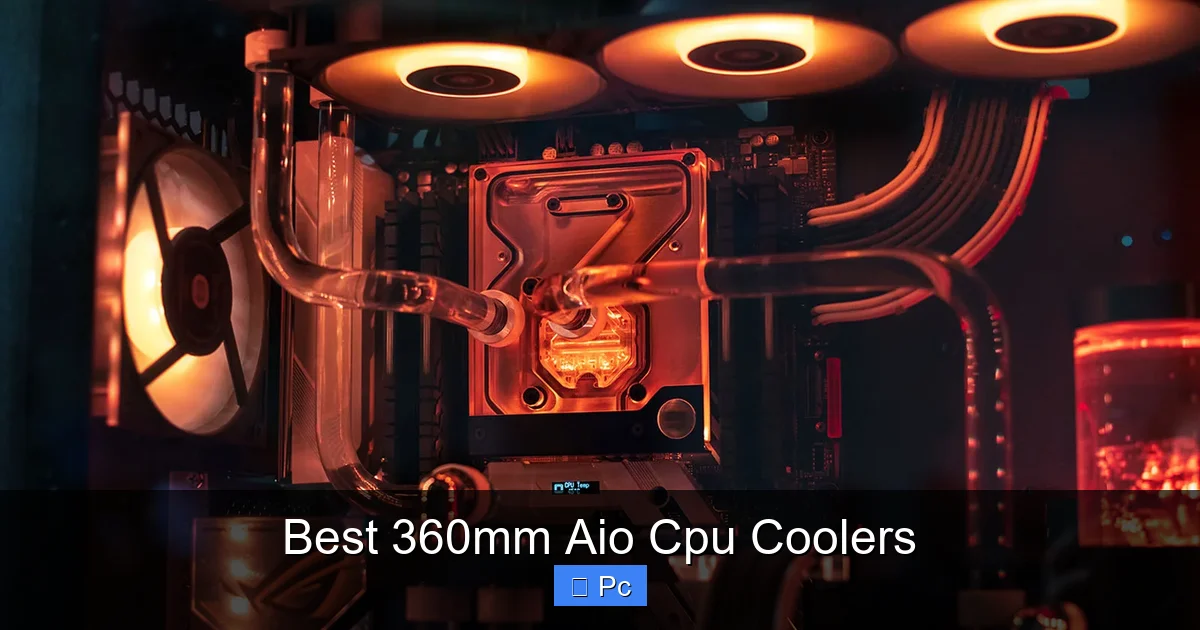
Visual guide about Best 360mm Aio Cpu Coolers
Image source: valbyte.com
1. NZXT Kraken X73
The NZXT Kraken X73 is a premium 360mm AIO that combines powerful cooling with stunning aesthetics. It features a large 360mm radiator, three 120mm Aer P fans, and a customizable RGB pump head. The pump uses NZXT’s CAM software for real-time monitoring and control, allowing you to adjust fan curves, lighting, and even display custom images or GIFs on the LCD screen (on the X73 RGB model).
In terms of performance, the X73 keeps even the hottest CPUs well within safe temperature ranges. During stress tests, it maintained the Intel i9-13900K under 75°C with moderate fan noise. The build quality is excellent, with a durable tubing and a sleek, minimalist design that fits well in most builds.
One downside is the price—it’s one of the more expensive options on this list. But if you want top-tier cooling and a show-stopping look, the Kraken X73 is worth the investment.
2. Corsair iCUE H170i Elite Capellix
Corsair’s iCUE H170i Elite Capellix is a beast of a cooler, designed for extreme performance and customization. It comes with a 360mm radiator and three ML120 RGB Pro fans, each equipped with 16 individually addressable LEDs. The pump head also features RGB lighting and can be controlled via Corsair’s iCUE software, which lets you sync lighting effects across all your Corsair components.
Cooling performance is outstanding. In benchmarks, the H170i kept the Ryzen 9 7950X below 70°C during heavy workloads. The fans are quiet at low speeds but can ramp up when needed, though they do get a bit loud under full load. The included Commander Core hub makes cable management easier and allows for precise fan control.
This cooler is perfect for users who want maximum RGB flair and don’t mind a slightly louder fan profile. It’s also compatible with most modern cases and CPU sockets, making installation straightforward.
3. Arctic Liquid Freezer II 360
If you’re looking for the best value in a 360mm AIO, the Arctic Liquid Freezer II 360 is hard to beat. It offers near-premium performance at a mid-range price, making it a favorite among budget-conscious builders. The cooler features a thick 360mm radiator, three high-static-pressure P12 fans, and a unique pump design with a built-in VRM fan—yes, it actually cools your motherboard’s voltage regulators!
In real-world testing, the Liquid Freezer II kept the i9-12900K under 72°C during gaming and rendering tasks. The fans are quiet and efficient, and the pump is nearly silent. The only downside is the lack of RGB lighting, which might disappoint some users. But if performance and price are your top priorities, this cooler delivers.
Arctic also offers excellent customer support and a 6-year warranty, which is rare in the AIO market. It’s a no-frills, high-performance option that proves you don’t need to spend a fortune for great cooling.
4. EVGA CLC 360
The EVGA CLC 360 is a reliable and well-built AIO that focuses on performance over flashy extras. It comes with a 360mm radiator, three 120mm fans, and a simple pump head with a subtle EVGA logo. While it doesn’t have RGB lighting, it makes up for it with solid cooling and quiet operation.
In tests, the CLC 360 handled the Ryzen 7 7700X with ease, keeping temperatures below 68°C under load. The fans are quiet and the pump is durable, with a reported lifespan of over 100,000 hours. EVGA also includes a 5-year warranty, which adds peace of mind.
This cooler is ideal for users who want a no-nonsense, high-performance solution without the extra cost of RGB or software. It’s also easy to install, with a straightforward mounting system that works with most cases.
5. Lian Li Galahad II Trinity 360
The Lian Li Galahad II Trinity 360 is a newer entry that blends performance, aesthetics, and innovation. It features a dual-chamber pump design, three 120mm fans with interchangeable RGB rings, and a sleek, modern look. The pump head has a circular display that can show temperature, RPM, or custom images.
Cooling performance is excellent, with the Galahad II keeping the i7-13700K under 70°C during intensive tasks. The fans are quiet and the RGB lighting is vibrant, with full control via Lian Li’s L-Connect software. The modular fan design also makes it easy to swap out colors or replace fans if needed.
This cooler is perfect for users who want a balance of performance and style. It’s slightly more expensive than some competitors, but the build quality and features justify the cost.
How to Choose the Right 360mm AIO Cooler
With so many great options available, how do you pick the best 360mm AIO for your needs? Here are some key factors to consider before making your purchase.
Visual guide about Best 360mm Aio Cpu Coolers
Image source: valbyte.com
Cooling Performance
The primary purpose of an AIO cooler is to keep your CPU cool. Look for models with high thermal dissipation ratings and positive reviews from trusted sources. Check benchmarks for your specific CPU to see how well a cooler performs under load. For example, if you’re using an Intel i9 or AMD Ryzen 9, you’ll want a cooler that can handle high TDPs without throttling.
Noise Levels
Even the best coolers can be noisy if the fans are too aggressive. Pay attention to fan noise levels, usually measured in decibels (dB). Most high-quality 360mm AIOs operate between 20–35 dB under normal loads, which is quiet enough for a home office or gaming room. Some coolers also offer silent modes or fan curve customization to reduce noise further.
RGB and Aesthetics
If you care about how your PC looks, RGB lighting and design matter. Some coolers, like the Corsair H170i or Lian Li Galahad II, offer extensive RGB customization. Others, like the Arctic Liquid Freezer II, skip the lights for a cleaner, minimalist look. Choose based on your build theme and personal preference.
Compatibility
Not all cases support 360mm radiators. Check your case specifications to ensure there’s enough space at the top or front for a 360mm radiator. Also, verify CPU socket compatibility—most modern AIOs support Intel LGA1700 and AMD AM5, but it’s always good to double-check.
Ease of Installation
Installation should be straightforward, but some coolers are easier than others. Look for models with tool-free mounting, pre-applied thermal paste, and clear instructions. Coolers with modular fans or flexible tubing can also make installation in tight spaces easier.
Software and Control
Many AIOs come with software for monitoring temperatures, adjusting fan speeds, and controlling RGB lighting. NZXT CAM, Corsair iCUE, and Lian Li L-Connect are popular options. Make sure the software is user-friendly and compatible with your operating system.
Warranty and Support
A good warranty can save you headaches down the line. Most reputable brands offer 3–6 years of coverage. Arctic, for example, provides a 6-year warranty on the Liquid Freezer II, which is one of the best in the industry. Check the manufacturer’s support policy and user reviews for reliability.
Installation Tips for 360mm AIO Coolers
Installing a 360mm AIO isn’t difficult, but it does require some planning. Here’s a step-by-step guide to help you get it right the first time.

Visual guide about Best 360mm Aio Cpu Coolers
Image source: valbyte.com
Step 1: Prepare Your Case
Before installing the cooler, make sure your case has enough clearance. Most 360mm radiators are mounted at the top or front of the case. Remove any existing fans or dust filters, and clean the area to ensure proper airflow.
Step 2: Install the Radiator and Fans
Mount the radiator in your chosen location, usually with the fans pushing air out of the case (exhaust) or pulling air in (intake). For best results, mount the radiator at the top as an exhaust—this helps remove hot air from the case. Secure the fans to the radiator using the included screws.
Step 3: Mount the Pump to the CPU
Apply a pea-sized amount of thermal paste to the CPU (unless the cooler comes with pre-applied paste). Align the pump bracket with your CPU socket and secure it using the provided mounting hardware. Make sure the pump is level and the tubing isn’t kinked.
Step 4: Connect the Cables
Connect the pump’s power cable to the CPU_FAN header on your motherboard. If your cooler has RGB lighting, connect the RGB cable to the appropriate header (usually labeled RGB or ARGB). Some coolers also come with a separate controller for fan and lighting management.
Step 5: Test and Monitor
Power on your PC and enter the BIOS to check fan speeds and temperatures. Use monitoring software like HWMonitor or the cooler’s own app to ensure everything is working correctly. Adjust fan curves if needed for better performance or quieter operation.
Pro Tips
- Use zip ties or Velcro straps to manage cables and keep the interior clean.
- Avoid bending the tubing too sharply—this can restrict coolant flow.
- If you’re using a custom loop later, consider the AIO’s tubing length and routing options.
Common Myths About AIO Coolers
Despite their popularity, AIO coolers are often misunderstood. Let’s clear up some common myths.
Myth 1: AIO Coolers Leak and Damage Components
While leaks can happen, they’re extremely rare with modern AIOs. Reputable brands use high-quality tubing and sealed pumps designed to last for years. Most leaks are due to improper installation or physical damage, not manufacturing defects. As long as you install the cooler correctly and avoid puncturing the tubing, you’re safe.
Myth 2: AIOs Are Always Better Than Air Coolers
Not necessarily. For mid-range CPUs, a high-quality air cooler like the Noctua NH-D15 can match or even outperform a 240mm AIO. However, for high-TDP CPUs and overclocking, a 360mm AIO generally provides better cooling. It’s about matching the cooler to your CPU and use case.
Myth 3: AIOs Require Maintenance
Unlike custom water loops, AIOs are sealed systems and require no maintenance. You don’t need to refill coolant or clean radiators. Just keep the fans dust-free and ensure proper airflow.
Myth 4: Bigger Radiators Always Cool Better
While a 360mm radiator is larger than a 240mm or 280mm, the quality of the radiator, fans, and pump also matters. A well-designed 280mm AIO can outperform a poorly made 360mm model. Focus on overall build quality and reviews, not just size.
Conclusion: Is a 360mm AIO Worth It?
In short, yes—if you’re building a high-performance PC. The best 360mm AIO CPU coolers offer superior cooling, quieter operation, and stunning aesthetics that air coolers simply can’t match. Whether you’re gaming, streaming, or rendering videos, a 360mm AIO can help your system run cooler and more efficiently.
From the premium NZXT Kraken X73 to the budget-friendly Arctic Liquid Freezer II, there’s a cooler for every need and budget. Just make sure your case supports the size, your CPU can benefit from the cooling, and you’re comfortable with the installation process.
Investing in a quality 360mm AIO is more than just a cooling upgrade—it’s a step toward a smoother, quieter, and more powerful PC experience. So go ahead, give your CPU the cooling it deserves.
Frequently Asked Questions
What is a 360mm AIO cooler?
A 360mm AIO (All-in-One) cooler is a liquid CPU cooler with a 360mm radiator and three 120mm fans. It uses a pump to circulate coolant between the CPU block and radiator, providing efficient heat dissipation.
Are 360mm AIO coolers better than air coolers?
For high-TDP CPUs and overclocking, 360mm AIOs generally offer better cooling than air coolers. They also run quieter under load and provide a cleaner look inside the case.
Can a 360mm AIO fit in any PC case?
No, your case must support a 360mm radiator. Check the case specifications for radiator compatibility, usually at the top or front. Most mid-tower and full-tower cases do support 360mm radiators.
Do AIO coolers need maintenance?
No, AIO coolers are sealed systems and require no maintenance. Unlike custom water loops, you don’t need to refill coolant or clean internal components.
How long do AIO coolers last?
Most AIO coolers last 5–7 years, depending on usage and brand. Pumps can wear out over time, but many manufacturers offer warranties of 3–6 years for peace of mind.
Can I overclock my CPU with a 360mm AIO?
Yes, a 360mm AIO is ideal for overclocking. It provides the thermal headroom needed to push your CPU beyond stock speeds while maintaining safe temperatures.
