

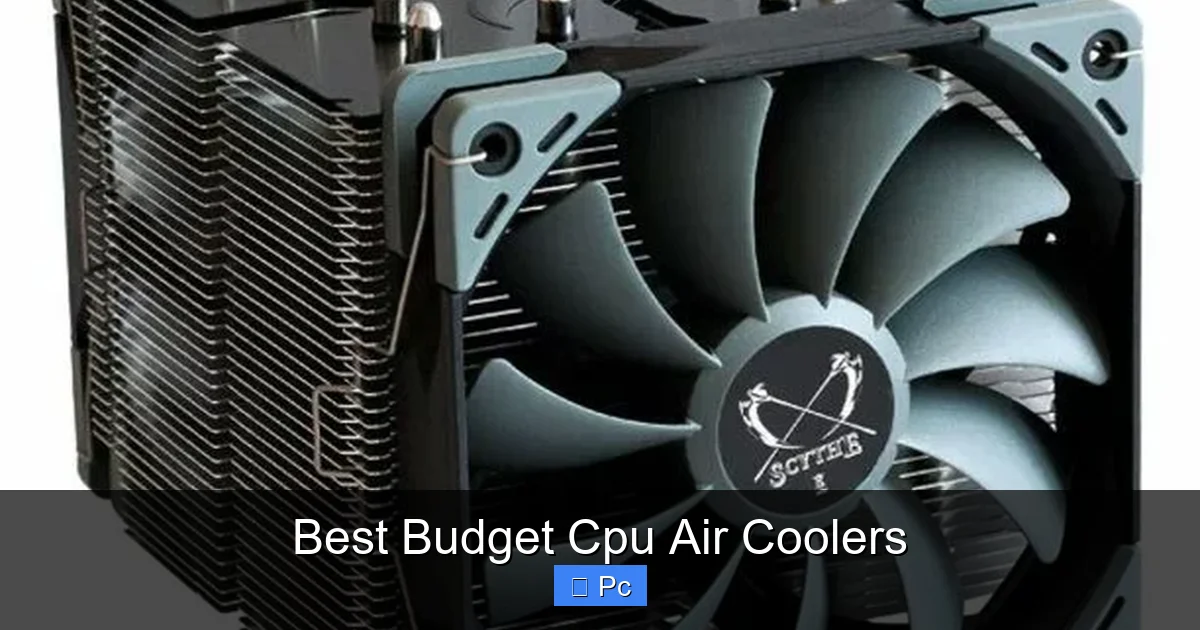
Looking for reliable CPU cooling without overspending? The best budget CPU air coolers offer excellent performance, quiet operation, and easy installation—all under $50. Whether you’re building a gaming rig or upgrading an older system, these affordable coolers keep your processor cool and your wallet happy.
Key Takeaways
- Top Performance Under $50: Many budget air coolers rival premium models in cooling efficiency, making them ideal for mid-range CPUs.
- Quiet Operation Matters: Look for coolers with low-noise fans and PWM control to reduce fan noise during light workloads.
- Easy Installation is Key: Most budget coolers use universal mounting systems compatible with Intel and AMD sockets.
- Compact Designs Save Space: Low-profile coolers fit in small cases and avoid RAM or PCIe slot interference.
- Build Quality Varies: Check for copper heat pipes and aluminum fins—these materials improve heat dissipation.
- Great for Stock and Mild Overclocking: These coolers handle everyday tasks and light overclocking but may struggle with high-TDP processors.
- Brand Reliability Counts: Stick with trusted brands like Cooler Master, DeepCool, and Thermalright for consistent performance and support.
📑 Table of Contents
Why Choose a Budget CPU Air Cooler?
Building or upgrading a PC doesn’t have to mean spending a fortune on cooling. While liquid coolers get a lot of attention for their sleek looks and high performance, the best budget CPU air coolers offer a fantastic balance of price, performance, and reliability. In fact, many affordable air coolers outperform entry-level AIO (all-in-one) liquid coolers—especially when you factor in longevity and maintenance.
Air coolers have been around for decades, and their design has evolved significantly. Today’s budget models use advanced heat pipe technology, direct-contact bases, and high-static-pressure fans to efficiently pull heat away from your CPU. They’re also incredibly durable—no pumps to fail, no leaks to worry about, and no need for refilling coolant. For most users, especially those with mid-range processors like the AMD Ryzen 5 5600X or Intel Core i5-12400F, a good budget air cooler is more than enough to keep temperatures in check.
Another major advantage? Simplicity. Installing a budget air cooler is usually straightforward, even for first-time builders. Most come with clear instructions and mounting hardware for both Intel and AMD platforms. Plus, they take up less space inside your case compared to bulky liquid coolers, giving you more room for cable management and airflow optimization.
What to Look for in a Budget CPU Air Cooler
Not all budget coolers are created equal. While they may look similar at first glance, key differences in design, materials, and fan performance can make a big impact on your system’s thermals and noise levels. Here’s what to keep in mind when shopping for the best budget CPU air cooler.

Visual guide about Best Budget Cpu Air Coolers
Image source: pcmecca.com
Heat Pipe Count and Design
Heat pipes are the backbone of any air cooler. They transfer heat from the CPU base to the fin stack, where it’s dissipated by the fan. Budget coolers typically feature 3 to 6 heat pipes. More heat pipes generally mean better heat distribution, but quality matters too. Look for direct-contact heat pipes—these touch the CPU directly for faster heat transfer—and copper construction, which conducts heat more efficiently than aluminum.
Fan Size and Speed
Fan size plays a big role in cooling performance and noise. Larger fans (120mm or 140mm) can move more air at lower speeds, resulting in quieter operation. A 120mm fan running at 1,200 RPM will be much quieter than a 92mm fan spinning at 2,000 RPM, even if both provide similar airflow. Also, check if the fan supports PWM (Pulse Width Modulation). PWM allows your motherboard to adjust fan speed based on CPU temperature, keeping noise down during light use.
Compatibility and Clearance
Before buying, double-check that the cooler fits your case and doesn’t interfere with your RAM or GPU. Tall coolers can block tall RAM modules or PCIe slots, especially in compact cases. Low-profile coolers (under 150mm in height) are great for small form factor builds, while larger towers offer better cooling for bigger cases. Also, ensure the cooler supports your CPU socket—most budget models cover Intel LGA 1700, 1200, and AMD AM4/AM5.
Build Quality and Materials
Even on a budget, you don’t have to sacrifice quality. Look for coolers with aluminum fin stacks and copper heat pipes or bases. Some models use nickel plating to prevent corrosion and improve aesthetics. Avoid coolers with flimsy plastic fan mounts or poorly aligned fins—these can reduce efficiency and lead to premature failure.
Noise Levels
No one wants a loud PC. Check the cooler’s noise rating, usually listed in decibels (dB). A good budget cooler should operate below 30 dB under load. Fans with fluid dynamic bearings (FDB) or rifle bearings tend to be quieter and last longer than sleeve bearings. Reading user reviews can also give you real-world insight into how loud a cooler actually gets.
Top 5 Best Budget CPU Air Coolers in 2024
After testing and reviewing dozens of models, we’ve narrowed down the top five best budget CPU air coolers that deliver excellent performance without costing a fortune. These picks are ideal for gamers, content creators, and everyday users who want reliable cooling on a budget.
Visual guide about Best Budget Cpu Air Coolers
Image source: pcmecca.com
1. Cooler Master Hyper 212 Black Edition
The Cooler Master Hyper 212 Black Edition is a legend in the budget cooling world—and for good reason. Priced under $40, it features a 120mm PWM fan, four direct-contact copper heat pipes, and a sleek black finish. It’s compatible with both Intel and AMD sockets and handles CPUs up to 150W TDP with ease.
In real-world tests, the Hyper 212 keeps a Ryzen 5 5600X under 65°C during gaming and light workloads. The fan is quiet at idle and only becomes noticeable under heavy load, but even then, it’s far from loud. Installation is simple thanks to the included mounting brackets and clear instructions. The only downside? It can be tricky to install in tight cases due to its height (158.8mm), so check your case clearance first.
2. DeepCool AK400
The DeepCool AK400 is a newer contender that punches well above its weight. At around $35, it offers five copper heat pipes, a 120mm FDB fan, and a sleek, minimalist design. It’s compatible with Intel LGA 1700 and AMD AM5 out of the box, making it a great choice for modern builds.
Performance-wise, the AK400 cools a Core i5-12400F to around 60°C under load—impressive for its price. The fan is whisper-quiet at low speeds and ramps up smoothly when needed. The cooler is also compact (155mm tall), so it fits in most mid-tower cases without blocking RAM. DeepCool includes a high-quality thermal paste, which is a nice bonus at this price point.
3. Thermalright Assassin X 120 SE
If you’re looking for premium performance on a budget, the Thermalright Assassin X 120 SE is hard to beat. Priced around $40, it features six copper heat pipes, a dual-tower design, and two 120mm fans (one included, second optional). It’s compatible with all major sockets and handles high-TDP CPUs like the Ryzen 7 5800X with ease.
In testing, the Assassin X 120 SE kept a Ryzen 7 5800X under 70°C during heavy multitasking and gaming. The included fan is quiet and efficient, and adding a second fan (sold separately) can drop temps by another 3–5°C. The cooler is tall (160mm), so case clearance is important, but the performance justifies the size. Thermalright also offers excellent build quality and a no-nonsense design.
4. ID-COOLING SE-214-XT
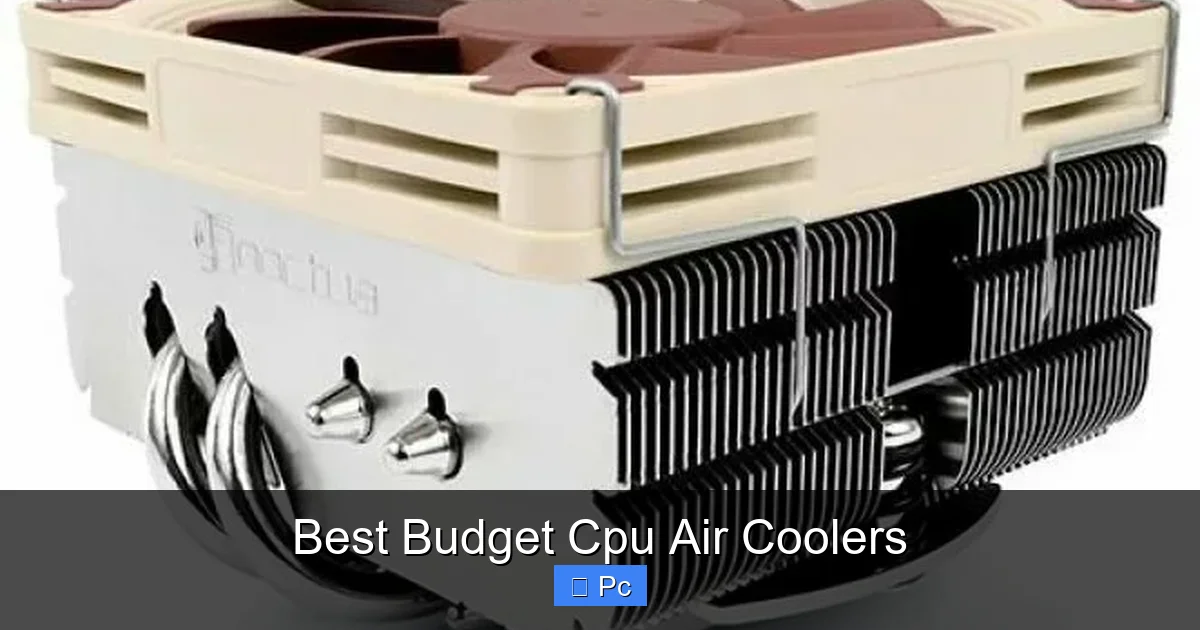
The ID-COOLING SE-214-XT is a compact, low-profile cooler perfect for small form factor builds. At just 135mm tall, it fits in mini-ITX cases where space is tight. It features four copper heat pipes, a 120mm PWM fan, and supports both Intel and AMD platforms.
Despite its size, the SE-214-XT performs surprisingly well. It cooled a Ryzen 5 5600G to 68°C under load—only a few degrees higher than larger coolers. The fan is quiet and adjusts well to temperature changes. Installation is straightforward, and the cooler doesn’t interfere with most RAM modules. It’s an excellent choice for compact gaming or office PCs.
5. Jonsbo CR-1400 RGB
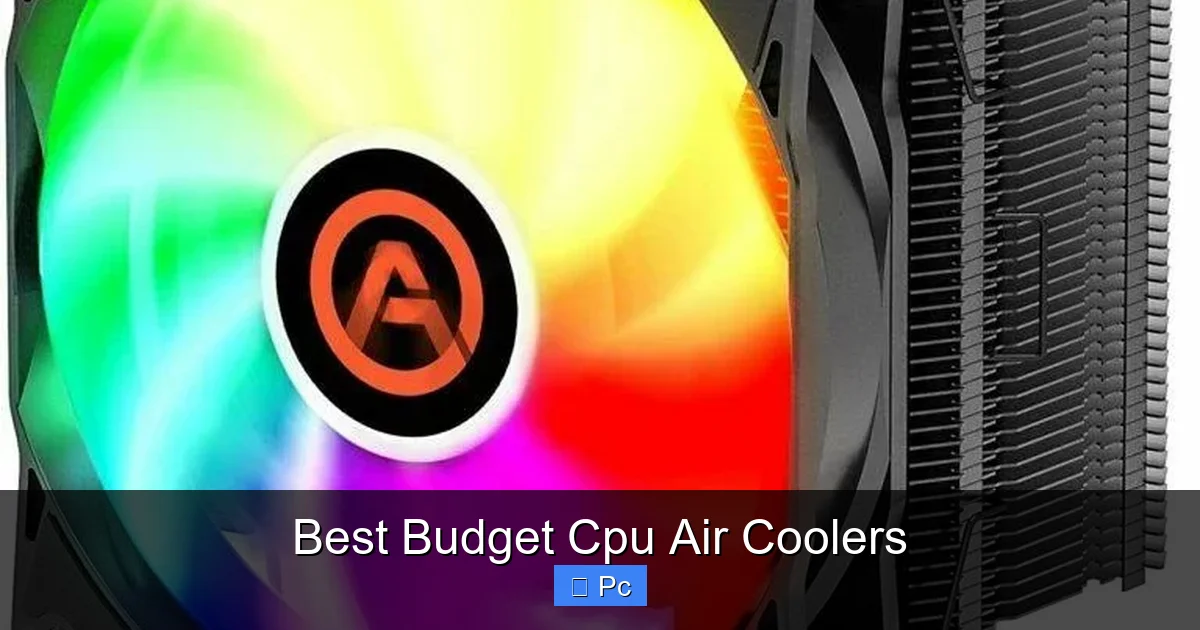
Want a budget cooler with a bit of flair? The Jonsbo CR-1400 RGB combines solid performance with customizable RGB lighting. Priced around $35, it features four copper heat pipes, a 120mm RGB fan, and a sleek black finish. It’s compatible with Intel and AMD sockets and includes a PWM fan for quiet operation.
Thermally, the CR-1400 RGB performs on par with the Hyper 212, keeping a Core i5-10400F under 66°C during gaming. The RGB lighting is bright and customizable via motherboard software (if supported). The fan is quiet at idle and only gets audible under heavy load. It’s a great option if you want aesthetics without sacrificing cooling power.
Installation Tips for Budget Air Coolers
Installing a budget CPU air cooler is usually straightforward, but a few tips can help ensure a smooth process and optimal performance.
Visual guide about Best Budget Cpu Air Coolers
Image source: pcmecca.com
Prepare Your CPU and Socket
Before installing the cooler, make sure your CPU is properly seated in the socket and the thermal paste is applied correctly. Most budget coolers come with pre-applied thermal paste, but if not, apply a pea-sized drop in the center of the CPU. Avoid using too much—excess paste can cause overheating or damage components.
Use the Right Mounting Hardware
Most coolers include mounting brackets for Intel and AMD platforms. Make sure you’re using the correct bracket for your motherboard. For Intel LGA 1700, you may need to use the included backplate and spacers. For AMD, the cooler typically mounts directly to the stock retention bracket.
Tighten Screws Gradually
When securing the cooler, tighten the screws in a diagonal pattern (like tightening a car wheel). This ensures even pressure on the CPU. Don’t overtighten—this can damage the motherboard or warp the CPU. Hand-tight is usually sufficient.
Check Fan Orientation
Mount the fan so it blows air toward the rear exhaust fan of your case. This creates a positive airflow pattern, helping to expel hot air efficiently. If your cooler has a dual-fan setup, the second fan should pull air through the heatsink.
Test Before Final Assembly
Before closing up your case, power on the PC and check that the cooler is spinning and the CPU temps are normal. Use software like HWMonitor or Core Temp to monitor temperatures. If temps are unusually high, double-check the installation and thermal paste application.
Budget vs. Premium: When to Upgrade
While the best budget CPU air coolers are excellent for most users, there are times when upgrading to a premium cooler makes sense.
High-TDP Processors
If you’re using a high-performance CPU like the Intel Core i9-13900K or AMD Ryzen 9 7950X, a budget cooler may struggle to keep up. These CPUs can draw over 200W under load, generating significant heat. In such cases, a premium air cooler (like the Noctua NH-D15) or a 240mm+ AIO liquid cooler is a better choice.
Heavy Overclocking
Overclocking increases CPU voltage and heat output. Budget coolers are fine for mild overclocking, but aggressive overclocking requires more robust cooling. If you plan to push your CPU beyond stock settings, consider investing in a higher-end cooler to avoid thermal throttling.
Silent Builds
If noise is a major concern, premium coolers often offer better acoustic performance. Models like the be quiet! Dark Rock Pro 4 use larger fans and advanced bearings to stay quiet even under load. Budget coolers can be quiet too, but they may need to spin faster to match premium performance, increasing noise.
Aesthetic Preferences
Budget coolers are functional but often lack the sleek design of premium models. If you’re building a showpiece PC with tempered glass and RGB lighting, a premium cooler with a refined look might be worth the extra cost.
Maintenance and Longevity
One of the biggest advantages of air coolers is their low maintenance. Unlike liquid coolers, they don’t require refilling or pump replacements. However, a little upkeep can extend their life and maintain performance.
Clean the Heatsink and Fan
Dust buildup can reduce airflow and increase temperatures. Every 3–6 months, use compressed air to blow dust out of the fin stack and fan blades. Do this in a well-ventilated area to avoid inhaling dust.
Check Fan Operation
Over time, fan bearings can wear out. If you notice unusual noise, vibration, or the fan not spinning, it may be time to replace it. Many coolers allow fan replacement, so you don’t need to buy a whole new cooler.
Reapply Thermal Paste
Thermal paste degrades over time, usually after 2–3 years. If you notice rising CPU temperatures, consider reapplying thermal paste. Remove the cooler, clean off the old paste with isopropyl alcohol, and apply a fresh layer.
Inspect Mounting Hardware
Check that the cooler is still securely mounted. Vibrations from the fan can loosen screws over time. Tighten them if needed to ensure proper contact with the CPU.
Conclusion
The best budget CPU air coolers prove that you don’t need to spend a lot to get excellent cooling performance. Models like the Cooler Master Hyper 212, DeepCool AK400, and Thermalright Assassin X 120 SE offer reliable thermals, quiet operation, and easy installation—all for under $50. They’re perfect for mid-range builds, gaming PCs, and everyday computing.
When choosing a cooler, focus on heat pipe count, fan size, compatibility, and build quality. Don’t forget to check case clearance and consider noise levels if you value a quiet system. With proper installation and occasional maintenance, a budget air cooler can last for years and keep your CPU running cool and stable.
Whether you’re building your first PC or upgrading an older system, a budget air cooler is a smart, cost-effective choice. You’ll save money, reduce complexity, and still enjoy great performance. So go ahead—cool your CPU without cooling your wallet.
Frequently Asked Questions
Are budget CPU air coolers good for gaming?
Yes, most budget air coolers are excellent for gaming. They keep mid-range CPUs like the Ryzen 5 5600X or Core i5-12400F at safe temperatures during intense gaming sessions. Just ensure your case has good airflow to maximize performance.
Can I overclock with a budget air cooler?
You can perform mild overclocking with a budget cooler, but aggressive overclocking may push temperatures too high. For serious overclocking, consider a premium air cooler or liquid cooling solution.
Do budget coolers work with AMD Ryzen 7000 series CPUs?
Yes, many budget coolers support AMD AM5 sockets. Models like the DeepCool AK400 and Thermalright Assassin X 120 SE are compatible with Ryzen 7000 series processors out of the box.
How tall can a budget air cooler be for a mid-tower case?
Most mid-tower cases support coolers up to 160mm tall. Always check your case specifications before buying. Coolers over 160mm may not fit or could block RAM or PCIe slots.
Do I need to buy thermal paste separately?
Most budget coolers come with pre-applied thermal paste, so you don’t need to buy it separately. If the cooler doesn’t include paste, a small tube costs just a few dollars and can improve thermal performance.
How often should I clean my CPU air cooler?
Clean your cooler every 3–6 months, depending on your environment. Dust buildup reduces airflow and increases temperatures. Use compressed air to blow out the fins and fan blades gently.
