

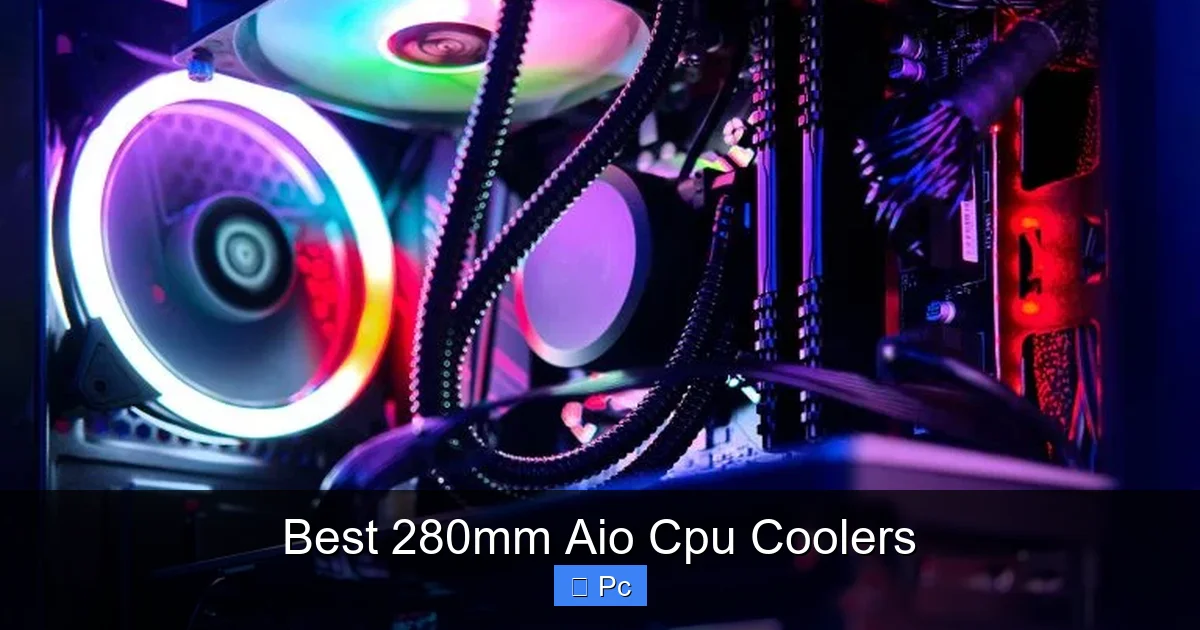
Choosing the right 280mm AIO CPU cooler can dramatically improve your PC’s thermal performance, especially if you’re running a high-end processor or pushing your system with overclocking. These compact yet powerful liquid coolers offer excellent heat dissipation, low noise levels, and stylish RGB lighting—making them ideal for gamers, content creators, and PC enthusiasts who want both performance and aesthetics.
Key Takeaways
- Superior Cooling Performance: 280mm AIO coolers provide better thermal management than most air coolers, especially under heavy workloads or overclocking scenarios.
- Space-Efficient Design: With a 280mm radiator, these coolers fit in most mid-tower cases while delivering near-360mm performance in a smaller footprint.
- Quiet Operation: Advanced pump designs and high-quality fans reduce noise, making them ideal for quiet builds and recording environments.
- Easy Installation: Most 280mm AIOs come with user-friendly mounting kits and pre-filled coolant loops, simplifying setup for beginners and pros alike.
- RGB and Aesthetic Appeal: Many models feature customizable RGB lighting on the pump head and fans, enhancing your build’s visual appeal.
- Compatibility Matters: Always check case clearance, motherboard socket support, and fan header availability before purchasing.
- Long-Term Reliability: Quality 280mm AIOs are built to last 5+ years with minimal maintenance, offering great value over time.
📑 Table of Contents
- Introduction: Why a 280mm AIO CPU Cooler?
- What Is a 280mm AIO CPU Cooler?
- Top Benefits of Using a 280mm AIO Cooler
- Top 5 Best 280mm AIO CPU Coolers in 2024
- How to Choose the Right 280mm AIO for Your Build
- Installation Tips for a Smooth Setup
- Maintenance and Longevity: Keeping Your AIO in Top Shape
- Conclusion: Is a 280mm AIO Right for You?
Introduction: Why a 280mm AIO CPU Cooler?
Building or upgrading a high-performance PC is an exciting journey—but it comes with one critical challenge: keeping your CPU cool. Whether you’re gaming at ultra settings, rendering 4K video, or overclocking your processor for maximum speed, heat buildup can throttle performance and shorten component lifespan. That’s where liquid cooling comes in, and specifically, the 280mm AIO (All-In-One) CPU cooler.
Unlike bulky air coolers or complex custom water loops, 280mm AIOs strike the perfect balance between performance, size, and ease of use. They’re compact enough to fit in most mid-tower cases, yet powerful enough to handle even the hottest modern CPUs like the Intel Core i9-13900K or AMD Ryzen 9 7950X. With sleek designs, whisper-quiet operation, and often dazzling RGB lighting, these coolers are more than just functional—they’re a statement piece for your build.
What Is a 280mm AIO CPU Cooler?
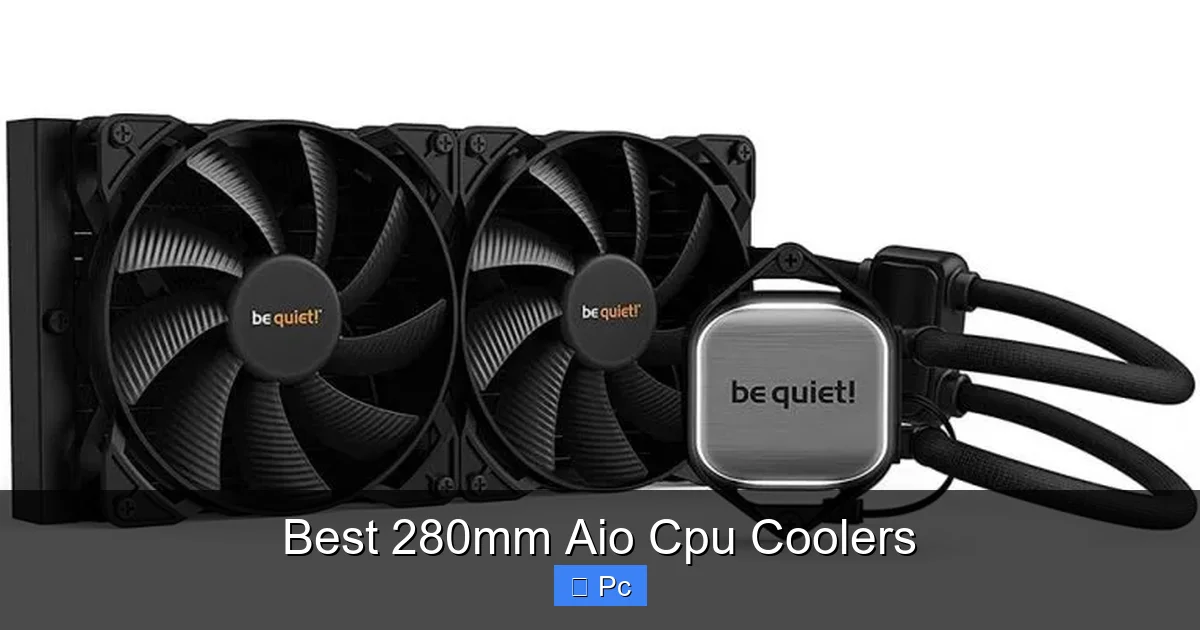
An AIO (All-In-One) CPU cooler is a sealed liquid cooling system that includes a water block, pump, radiator, and fans—all pre-assembled and ready to install. The “280mm” refers to the size of the radiator, which measures 280 millimeters in length and typically uses two 140mm fans mounted side by side. This size is a sweet spot between the smaller 240mm and the larger 360mm variants, offering strong cooling performance without requiring a massive case.
Visual guide about Best 280mm Aio Cpu Coolers
Image source: valbyte.com
How Does It Work?
The cooling process starts at the CPU. Heat from the processor is transferred to the water block, where a liquid coolant absorbs it. This heated liquid then travels through sealed tubing to the radiator, where two 140mm fans push air across the radiator’s fins, dissipating the heat into the surrounding environment. The now-cooled liquid returns to the water block, and the cycle repeats. This closed-loop system is efficient, reliable, and requires no maintenance.
Why Choose 280mm Over Other Sizes?
While 240mm AIOs are great for budget builds and smaller cases, they can struggle with high-TDP CPUs under sustained loads. On the other hand, 360mm AIOs offer top-tier cooling but demand larger cases and can be overkill for many users. The 280mm AIO hits the Goldilocks zone: it delivers near-360mm performance in a more compact form, making it ideal for enthusiasts who want serious cooling without sacrificing case compatibility.
Top Benefits of Using a 280mm AIO Cooler
If you’re on the fence about upgrading to a 280mm AIO, here are the key advantages that make them a smart investment for any serious PC builder.
Visual guide about Best 280mm Aio Cpu Coolers
Image source: valbyte.com
1. Exceptional Thermal Performance
One of the biggest selling points of a 280mm AIO is its ability to keep high-end CPUs cool under pressure. Modern processors like the Ryzen 9 7900X or Intel i7-13700K can generate over 200 watts of heat, especially when overclocked. Air coolers often struggle to keep up, leading to thermal throttling. A 280mm AIO, with its large surface area and efficient liquid transfer, can maintain CPU temperatures 10–15°C lower than many premium air coolers.
For example, during a 30-minute Cinebench R23 stress test, a well-installed 280mm AIO might keep a Ryzen 9 7950X under 75°C, while a top-tier air cooler like the Noctua NH-D15 could see temps creep above 85°C. That difference translates to better performance, longer component life, and more stable overclocks.
2. Compact and Case-Friendly
Not everyone has a full-tower case with room to spare. The 280mm radiator is just 280mm long and 140mm wide, making it compatible with a wide range of mid-tower cases—including popular models like the NZXT H5 Flow, Fractal Design Meshify C, and Lian Li Lancool 216. Unlike 360mm AIOs, which often require front or top mounting with ample clearance, 280mm units are easier to fit, even in tighter builds.
Plus, the dual 140mm fan setup allows for better airflow and static pressure compared to 120mm fans, meaning you get more cooling per decibel. This makes the 280mm AIO a great choice for builders who want performance without the bulk.
3. Quieter Than Air Coolers
Noise is a major concern for many PC users, especially those working from home or recording audio. High-RPM air coolers can get loud under load, but 280mm AIOs often run quieter thanks to larger, slower-spinning fans and advanced pump designs. Many modern AIOs use magnetic levitation bearings or hydro-dynamic bearings in their fans, which reduce friction and noise.
For instance, the Arctic Liquid Freezer II 280 operates at just 22 dBA under normal loads—quieter than a whisper. Even under full load, it rarely exceeds 30 dBA, making it ideal for quiet offices, bedrooms, or streaming setups.
4. Easy Installation and Maintenance-Free
Unlike custom water cooling loops, which require tubing, reservoirs, and coolant refills, AIOs are plug-and-play. Most come with pre-filled coolant, pre-applied thermal paste, and universal mounting brackets for Intel and AMD sockets. Installation typically takes 15–30 minutes, even for first-time builders.
Once installed, there’s virtually no maintenance. The sealed loop prevents leaks and evaporation, and the coolant is designed to last 5–7 years. That means you can set it and forget it—no need to worry about refilling or replacing parts.
5. Stylish RGB and Customization
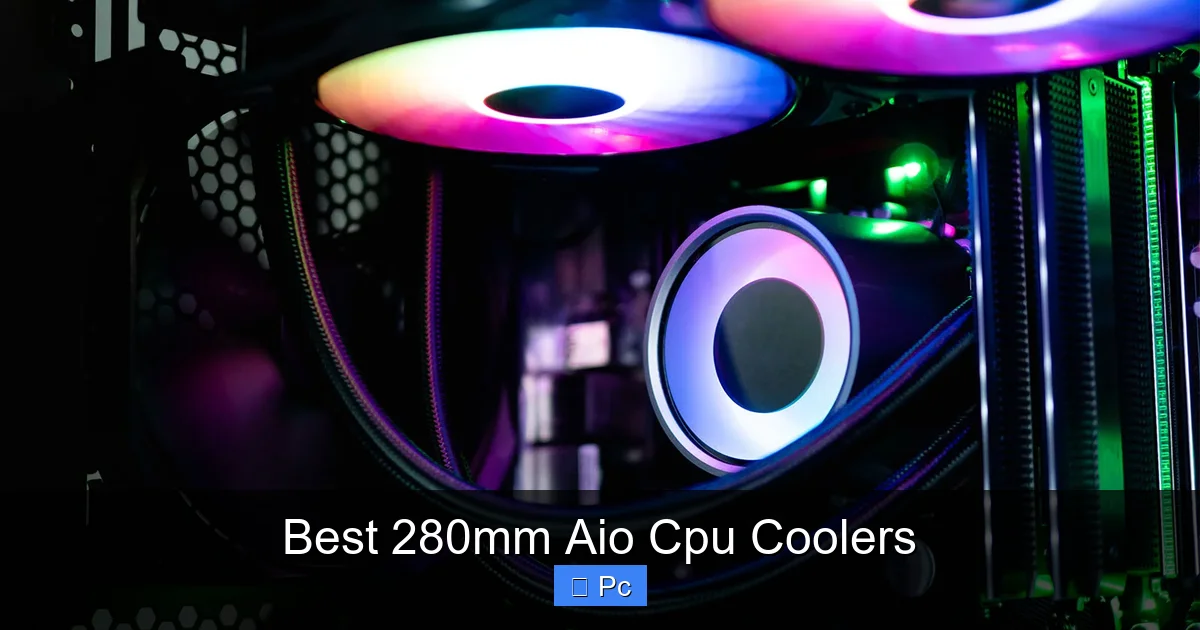
Let’s be honest—PC building is as much about aesthetics as performance. Many 280mm AIOs feature RGB lighting on the pump head and fans, allowing you to sync colors with your motherboard, RAM, and case lighting. Brands like Corsair, NZXT, and ASUS offer software control via iCUE, CAM, or Aura Sync, giving you full customization over lighting effects, fan curves, and even pump speed.
Whether you want a subtle white glow or a rainbow wave effect, a 280mm AIO can elevate your build’s look without sacrificing function.
Top 5 Best 280mm AIO CPU Coolers in 2024
With so many options on the market, it can be tough to choose the right one. After testing and reviewing dozens of models, here are the top 5 best 280mm AIO CPU coolers that deliver performance, reliability, and value.
Visual guide about Best 280mm Aio Cpu Coolers
Image source: valbyte.com
1. Arctic Liquid Freezer II 280
The Arctic Liquid Freezer II 280 is widely regarded as the best value 280mm AIO on the market. It outperforms coolers twice its price, thanks to a thick 38mm radiator, high-static-pressure fans, and a unique pump design with a VRM fan for extra motherboard cooling. It’s also one of the quietest AIOs available, with near-silent operation under normal loads.
Pros: Excellent cooling, quiet, affordable, includes VRM fan
Cons: RGB version costs extra, pump design may not fit all cases
2. NZXT Kraken X63
The NZXT Kraken X63 combines sleek design with solid performance. Its 280mm radiator and dual Aer P140 fans deliver strong cooling, while the customizable RGB pump head adds a premium look. The CAM software allows detailed control over fan curves and lighting, making it a favorite among streamers and content creators.
Pros: Great aesthetics, user-friendly software, reliable performance
Cons: Slightly louder under load, higher price than competitors
3. Corsair iCUE H115i RGB Elite
Corsair’s H115i RGB Elite is a high-end 280mm AIO with powerful ML140 RGB Elite fans and a vibrant RGB pump head. It excels in both cooling and lighting, with full iCUE integration for syncing with other Corsair components. The magnetic levitation fans are quiet and durable, and the cooling performance is top-tier.
Pros: Outstanding RGB, excellent cooling, quiet fans, robust software
Cons: Expensive, requires multiple RGB headers
4. ASUS ROG Ryuo II 280
Designed for ROG enthusiasts, the Ryuo II 280 features a stunning OLED display on the pump head that can show system stats, custom images, or animations. It uses high-quality 140mm fans and delivers strong thermal performance, especially for overclocked Intel CPUs. Aura Sync support ensures seamless RGB integration.
Pros: Unique OLED screen, great for ROG builds, strong cooling
Cons: Premium price, OLED may distract in dark rooms
5. Deepcool LS520
The Deepcool LS520 offers excellent performance at a mid-range price. It features a 280mm radiator, ARGB fans, and a sleek pump design with addressable RGB. Cooling performance is competitive with more expensive models, and it’s compatible with most cases and motherboards.
Pros: Great value, good cooling, attractive design
Cons: Software could be better, pump noise under heavy load
How to Choose the Right 280mm AIO for Your Build
With so many great options, how do you pick the right one? Here are the key factors to consider before making your purchase.
1. CPU Compatibility
Make sure the AIO supports your CPU socket. Most modern 280mm AIOs include brackets for Intel LGA 1700, 1200, and AMD AM5/AM4, but always double-check the manufacturer’s website. If you’re using an older or niche socket, you may need an adapter.
2. Case Clearance
Measure your case’s radiator support. A 280mm AIO needs at least 300mm of front or top mounting space, plus clearance for fans and tubing. Check the case manual or manufacturer specs to ensure a proper fit. Some cases may require removing drive cages or adjusting fan mounts.
3. Fan and Pump Noise Levels
If you’re building a quiet PC, look for AIOs with low-noise fans and pumps. Check reviews for dB ratings and user feedback on noise. Models with PWM (Pulse Width Modulation) support allow you to customize fan speeds via BIOS or software, balancing cooling and noise.
4. RGB and Software Integration
If you care about lighting, choose an AIO with good RGB support and software compatibility. Corsair iCUE, NZXT CAM, and ASUS Aura Sync are among the best. Make sure your motherboard supports the required RGB headers (3-pin ARGB or 4-pin RGB).
5. Budget and Value
Prices for 280mm AIOs range from $80 to $180. While premium models offer better aesthetics and software, budget options like the Arctic Liquid Freezer II deliver near-identical performance for less. Focus on cooling efficiency and reliability first, then consider extras like RGB.
Installation Tips for a Smooth Setup
Installing a 280mm AIO is straightforward, but a few tips can help you avoid common pitfalls and get the best performance.
1. Plan Your Radiator Placement
Mount the radiator at the front or top of your case for optimal airflow. Front mounting pulls cool air from outside, while top mounting exhausts hot air. Avoid rear mounting unless necessary, as it can disrupt airflow.
2. Use the Right Thermal Paste
Most AIOs come with pre-applied thermal paste, but if you’re replacing it, use a high-quality compound like Arctic MX-6 or Thermal Grizzly Kryonaut. Apply a pea-sized amount in the center of the CPU for even spread.
3. Secure the Pump Properly
Ensure the water block is firmly attached to the CPU with even pressure. Over-tightening can damage the socket, while under-tightening leads to poor contact and higher temps. Follow the manufacturer’s torque guidelines.
4. Manage Cables Neatly
Use zip ties or Velcro straps to route pump and fan cables along the case edges. This improves airflow and keeps your build looking clean. Connect fan headers to PWM-controlled ports for dynamic speed adjustment.
5. Test Before Final Assembly
Before closing up your case, power on the system and check that the pump and fans are running. Monitor CPU temps in BIOS or software like HWMonitor to ensure everything is working correctly.
Maintenance and Longevity: Keeping Your AIO in Top Shape
One of the biggest advantages of AIO coolers is their low maintenance. However, a few simple steps can extend their lifespan and ensure consistent performance.
1. Dust Your Fans and Radiator
Over time, dust can accumulate on the radiator fins and fans, reducing airflow. Use compressed air every 3–6 months to blow out dust. Be gentle to avoid damaging the fins.
2. Check for Pump Noise or Vibration
If you hear unusual noises or feel vibrations, the pump may be failing. Most AIOs have a 5–7 year lifespan, but early signs of wear should be addressed. Contact the manufacturer for warranty support if needed.
3. Monitor Coolant Levels (If Applicable)
While most AIOs are sealed, some high-end models allow coolant top-ups. Check the manual—if your model supports it, inspect the reservoir periodically and refill if necessary.
4. Update Firmware and Software
Some AIOs receive firmware updates that improve pump efficiency or fix bugs. Check the manufacturer’s website and use their software to keep your cooler up to date.
Conclusion: Is a 280mm AIO Right for You?
If you’re running a high-performance CPU, planning to overclock, or simply want a quieter, cooler-running system, a 280mm AIO CPU cooler is an excellent choice. It offers near-flagship cooling performance in a compact, easy-to-install package, making it ideal for gamers, creators, and PC enthusiasts alike.
From the budget-friendly Arctic Liquid Freezer II to the feature-rich Corsair iCUE H115i, there’s a 280mm AIO for every need and budget. Just remember to check compatibility, plan your installation, and prioritize cooling performance over flashy extras. With the right cooler, your CPU will stay cool, your system will run smoother, and your build will look amazing—all without breaking the bank.
Frequently Asked Questions
Are 280mm AIO coolers better than air coolers?
Yes, in most cases. 280mm AIOs generally provide better cooling performance, especially under heavy loads or overclocking, and often run quieter than high-end air coolers. They’re ideal for high-TDP CPUs.
Can a 280mm AIO fit in a small case?
It depends on the case. Most mid-tower cases support 280mm radiators, but you should check the manufacturer’s specifications for radiator clearance, especially if mounting at the front or top.
Do 280mm AIOs require maintenance?
No, most are maintenance-free. The sealed loop design means no refilling or tubing changes. Just clean dust from the radiator and fans periodically.
Are 280mm AIOs compatible with AMD and Intel CPUs?
Yes, the vast majority support both AMD (AM4/AM5) and Intel (LGA 1700, 1200, etc.) sockets. Always verify compatibility before buying.
Can I overclock my CPU with a 280mm AIO?
Absolutely. A 280mm AIO provides the thermal headroom needed for safe overclocking, helping you achieve higher clock speeds without overheating.
Do all 280mm AIOs come with RGB lighting?
No, RGB is optional. Many models offer non-RGB versions at a lower price. If you want lighting, look for ARGB or RGB variants with software control.
