

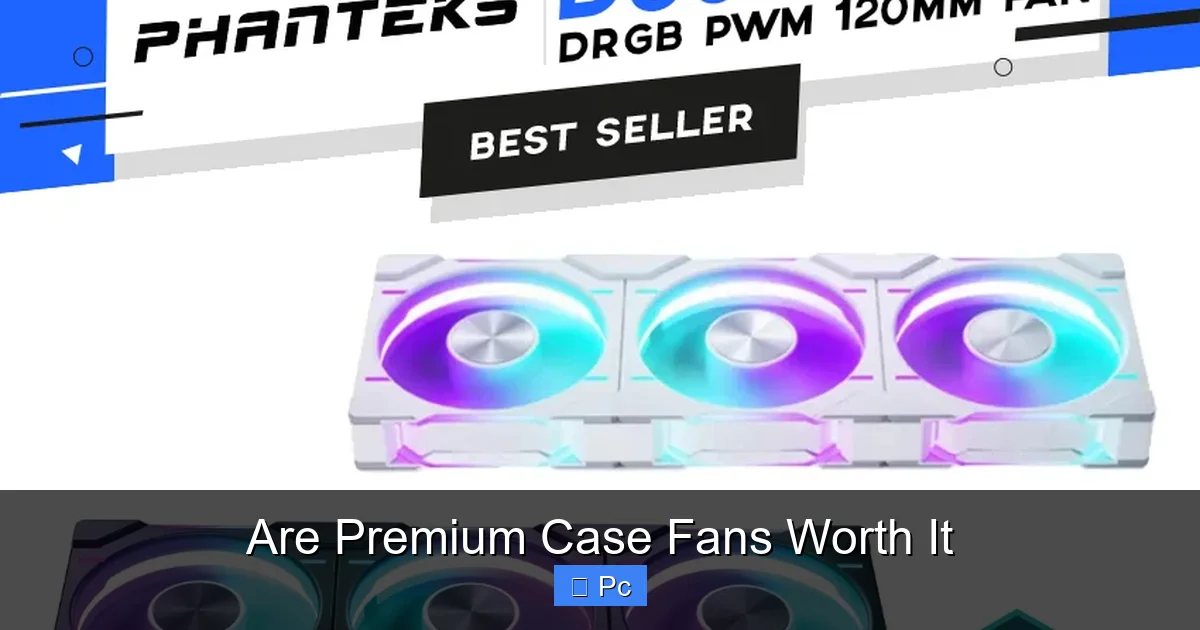
Premium case fans offer better cooling, quieter operation, and longer lifespans than budget options. While they cost more upfront, their performance and durability often justify the price for serious builders and overclockers.
Key Takeaways
- Better airflow and static pressure: Premium fans are engineered for optimal air movement, especially in restricted spaces like radiators or dense cases.
- Quieter operation: High-end models use advanced bearings and blade designs to reduce noise, even at high RPMs.
- Longer lifespan: Quality materials and robust construction mean premium fans last years longer than cheaper alternatives.
- Improved aesthetics: Many premium fans feature RGB lighting, sleek designs, and customizable lighting effects for a polished build.
- Smart features: Some include PWM control, daisy-chaining, and software integration for precise fan management.
- Higher upfront cost: You’ll pay more initially, but the long-term value often outweighs the price difference.
- Not always necessary: For basic builds or low-power systems, budget fans may suffice without sacrificing much performance.
📑 Table of Contents
Are Premium Case Fans Worth It?
Building a PC is like crafting a custom machine tailored to your needs. Every component matters—from the CPU and GPU to the RAM and storage. But one part that often gets overlooked? The case fans. Sure, they’re not as flashy as a high-end graphics card or as critical as the processor, but they play a vital role in keeping your system cool, quiet, and stable.
You’ve probably seen the price difference: a basic case fan might cost $10, while a premium model can run $30 or more. That’s a big jump. So, what’s the real difference? Are premium case fans worth it, or are you just paying for a fancy name and RGB lights? The answer isn’t black and white. It depends on your build, your goals, and how much you value performance, noise levels, and longevity.
In this guide, we’ll dive deep into what makes premium case fans stand out, when they’re worth the investment, and when you might be better off saving your cash. Whether you’re a hardcore gamer, a content creator, or just someone who wants a smooth, quiet PC experience, this article will help you decide if upgrading your fans is the right move.
What Makes a Case Fan “Premium”?
Visual guide about Are Premium Case Fans Worth It
Image source: qph.cf2.quoracdn.net
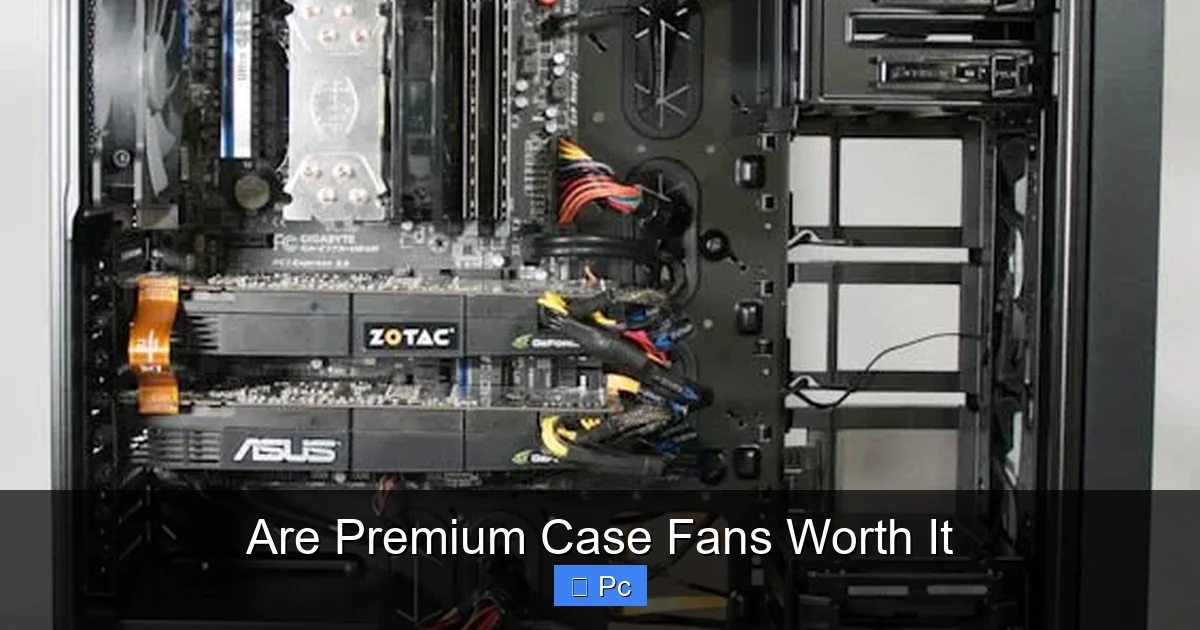
Not all case fans are created equal. While they all move air, premium fans go above and beyond with superior engineering, materials, and design. But what exactly sets them apart from the budget options you find at the local electronics store?
Advanced Blade Design
One of the biggest differences lies in the fan blades. Premium fans use aerodynamically optimized blades that are carefully shaped to maximize airflow while minimizing turbulence. For example, brands like Noctua and be quiet! use proprietary blade geometries that reduce drag and increase efficiency. These designs often include features like swept-back tips, curved edges, or serrated edges that help direct air more effectively.
In contrast, budget fans typically use simpler, flat blades that may move air but do so less efficiently. This means they need to spin faster to achieve the same airflow, which leads to more noise and higher power consumption.
High-Quality Bearings
The bearing system is another key factor. Premium fans often use advanced bearings like fluid dynamic bearings (FDB), magnetic levitation bearings, or double-ball bearings. These reduce friction, wear, and noise over time. For instance, Noctua’s SSO2 bearing technology is known for its quiet operation and long lifespan—often exceeding 150,000 hours of use.
Budget fans, on the other hand, usually rely on sleeve bearings, which are cheaper but wear out faster and get noisier over time. If you’ve ever had a fan start to rattle after a year or two, it’s likely due to a failing sleeve bearing.
Better Materials and Build Quality
Premium fans are built to last. They use high-grade plastics, reinforced frames, and anti-vibration pads to reduce resonance and noise. The frames are often thicker and more rigid, which helps maintain alignment and reduces wobble at high speeds.
Cheaper fans may use thinner plastics and less precise manufacturing, leading to flexing, imbalance, and premature failure. Over time, these small differences add up—premium fans simply feel more solid and reliable.
Enhanced Cooling Performance
At the end of the day, the main job of a case fan is to move air. Premium fans excel here. They deliver higher airflow (measured in CFM—cubic feet per minute) and better static pressure (measured in mmH₂O), which is crucial for pushing air through radiators, heatsinks, and dense mesh filters.
For example, the Noctua NF-A12x25 is renowned for its exceptional static pressure, making it ideal for radiator use in liquid cooling setups. Meanwhile, the Corsair ML120 Pro uses magnetic levitation bearings and a dual-rotor design to achieve high airflow with minimal noise.
Budget fans may list similar CFM ratings, but real-world performance often falls short due to inefficiencies in design and manufacturing.
Performance Benefits: Cooling, Noise, and Efficiency

Visual guide about Are Premium Case Fans Worth It
Image source: cgdirector.com
So, what do these improvements actually mean for your PC? Let’s break down the real-world benefits of using premium case fans.
Superior Cooling Performance
Better airflow and static pressure translate directly into lower temperatures. In a well-ventilated case, premium fans can help reduce CPU and GPU temps by 5–10°C compared to budget alternatives. That might not sound like a lot, but in high-performance systems—especially those with overclocked components—every degree counts.
For example, if you’re running a Ryzen 9 7950X or an RTX 4090, even a small temperature drop can improve stability, boost performance, and extend component lifespan. Premium fans help maintain consistent cooling under load, preventing thermal throttling and ensuring your system runs at peak efficiency.
Quieter Operation
Noise is a major concern for many PC users. A loud fan can be distracting, especially during gaming, video calls, or late-night work sessions. Premium fans are designed with acoustics in mind.
Thanks to advanced blade designs, better bearings, and anti-vibration features, high-end fans operate much more quietly—even at high speeds. For instance, the be quiet! Silent Wings 4 is one of the quietest fans on the market, with a noise level as low as 14.6 dB(A) at 600 RPM. That’s barely audible in a quiet room.
In contrast, budget fans often become noisy as they age. The sleeve bearings wear down, the blades vibrate, and the motor hums—all contributing to a less pleasant experience.
Energy Efficiency and PWM Control
Premium fans often include Pulse Width Modulation (PWM) control, which allows the motherboard to adjust fan speed based on temperature. This means the fan only spins as fast as needed, saving power and reducing noise when the system is idle.
Many high-end models also have lower power consumption overall, thanks to efficient motors and optimized designs. Over time, this can lead to small but noticeable savings on your electricity bill—especially if you run your PC for long hours.
Long-Term Reliability
One of the biggest advantages of premium fans is their lifespan. While a budget fan might last 20,000 to 30,000 hours (about 2–3 years of continuous use), premium models can last 100,000 hours or more. That’s over 11 years of 24/7 operation.
This durability means you’re less likely to need replacements, saving you money and hassle in the long run. Plus, many premium brands offer long warranties—Noctua, for example, provides a 6-year warranty on many of its fans.
When Are Premium Case Fans Worth It?
Visual guide about Are Premium Case Fans Worth It
Image source: i.imgur.com
Now that we’ve covered the benefits, let’s talk about when investing in premium fans actually makes sense.
High-Performance and Overclocked Systems
If you’re running a high-end CPU or GPU—or both—premium fans are almost always worth it. Overclocking generates extra heat, and your cooling system needs to keep up. Premium fans provide the airflow and static pressure needed to maintain safe temperatures, even under heavy load.
For example, if you’ve overclocked your Intel Core i9-13900K, you’ll want fans that can handle the increased thermal output. A budget fan might struggle, leading to higher temps and potential throttling.
Silent or Low-Noise Builds
If you value a quiet PC—whether for streaming, recording, or just peace and quiet—premium fans are a smart investment. Their low-noise operation ensures your system stays whisper-quiet, even during intense tasks.
This is especially important in small form factor (SFF) builds, where space is limited and airflow is restricted. Premium fans can make a big difference in keeping temps down without adding noise.
Custom Water Cooling Setups
In liquid-cooled systems, radiator fans are critical. They need to push air through dense radiator fins, which requires high static pressure. Premium fans like the Noctua NF-A12x25 or the Phanteks T30 are specifically designed for this purpose and outperform budget fans by a wide margin.
Using cheap fans on a radiator can lead to poor cooling performance, higher pump noise, and even system instability.
Aesthetic and RGB Enthusiasts
Let’s be honest—many of us build PCs not just for performance, but for looks. Premium fans often come with high-quality RGB lighting, sleek designs, and customizable effects. Brands like Lian Li, Corsair, and NZXT offer fans with vibrant lighting, smooth gradients, and software control via apps like iCUE or L-Connect.
If you’re building a showpiece PC with a tempered glass side panel, premium RGB fans can elevate the entire look of your system.
Long-Term Use and Future-Proofing
If you plan to keep your PC for several years, investing in premium fans makes sense. They’ll last longer, perform better, and require fewer replacements. Plus, if you upgrade your components later, your fans will still be up to the task.
Think of it like buying a good pair of shoes—you pay more upfront, but they last longer and perform better than cheap alternatives.
When Might Budget Fans Be Enough?
Of course, premium fans aren’t always necessary. There are situations where budget options can do the job just fine.
Basic or Entry-Level Builds
If you’re building a PC for everyday tasks—web browsing, office work, light gaming—you probably don’t need top-tier cooling. A budget CPU cooler and a few basic case fans will keep temps in check without breaking the bank.
For example, a Ryzen 5 5600G or an Intel Core i3-12100 system generates relatively little heat. In a well-ventilated case, even inexpensive fans can maintain safe operating temperatures.
Pre-Built or OEM Systems
Many pre-built PCs come with adequate cooling out of the box. If you’re not planning to overclock or push the system hard, the included fans may be sufficient. Upgrading later is always an option if you notice noise or high temps.
Temporary or Test Builds
If you’re building a temporary system—like a test bench or a secondary PC—you might not want to invest in premium components. Budget fans can get the job done while you decide on your final configuration.
Budget Constraints
Let’s face it—building a PC can be expensive. If you’re on a tight budget, it might make more sense to allocate funds to the CPU, GPU, or storage first. You can always upgrade your fans later when you have more room in your budget.
Real-World Examples and Comparisons
To help illustrate the difference, let’s look at a few real-world comparisons.
Noctua NF-A12x25 vs. Generic 120mm Fan
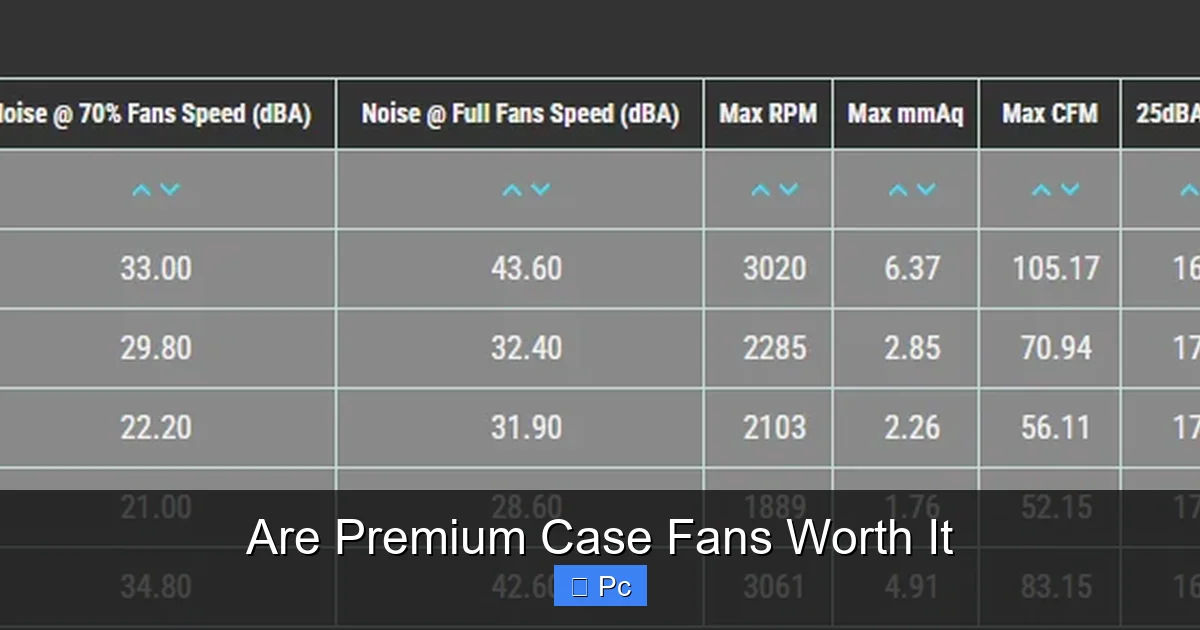
The Noctua NF-A12x25 is one of the most respected case fans on the market. It delivers 60.1 CFM of airflow and 2.34 mmH₂O of static pressure, all while operating at just 22.6 dB(A). It uses an SSO2 bearing and comes with a 6-year warranty.
A typical generic 120mm fan might offer 50 CFM and 1.2 mmH₂O, but at 30 dB(A) or higher. It likely uses a sleeve bearing and has no warranty. Over time, the Noctua will run quieter, cooler, and longer—making it a better value despite the higher price.
Corsair ML120 Pro RGB vs. RGB Budget Fan
The Corsair ML120 Pro RGB uses magnetic levitation bearings and offers smooth, vibrant lighting with Corsair iCUE software control. It’s quiet, efficient, and built to last.
A budget RGB fan might have similar lighting effects but use cheaper materials and bearings. The lights may flicker, the fan may get noisy, and it could fail within a year.
be quiet! Silent Wings 4 vs. Standard Case Fan
The Silent Wings 4 is designed for silence, with a noise level as low as 14.6 dB(A). It’s perfect for quiet office or home theater PCs.
A standard case fan might be louder, even at low speeds, and could become annoying over time.
Tips for Choosing the Right Fans
If you decide to go premium, here are some tips to help you choose the best fans for your build.
Match Fans to Your Case and Cooling Needs
Consider your case layout. Do you need intake fans, exhaust fans, or both? Are you using air cooling or liquid cooling? Choose fans with the right airflow and static pressure for your setup.
For example, use high-static-pressure fans on radiators and high-airflow fans for case intake/exhaust.
Check Compatibility
Make sure the fans fit your case and are compatible with your motherboard’s fan headers. Most modern cases support 120mm or 140mm fans, but double-check the specs.
Also, if you want RGB, ensure your motherboard supports the lighting protocol (e.g., 3-pin 5V ARGB or 4-pin 12V RGB).
Consider Noise Levels
Look at the dB(A) rating. Fans under 20 dB(A) are very quiet, while those over 30 dB(A) may be noticeable in a quiet room.
Read Reviews and Benchmarks
Don’t just go by specs. Read real-world reviews and watch benchmark videos to see how fans perform in actual builds.
Buy from Reputable Brands
Stick with trusted manufacturers like Noctua, be quiet!, Corsair, Lian Li, Phanteks, and NZXT. They offer better quality, support, and warranties.
Conclusion
So, are premium case fans worth it? The short answer is: it depends. For high-performance systems, silent builds, custom cooling, or long-term use, premium fans offer clear advantages in cooling, noise, durability, and aesthetics. The higher upfront cost is often justified by better performance and longer lifespan.
However, for basic builds, temporary systems, or tight budgets, budget fans can still get the job done. You don’t always need the best to have a functional PC.
Ultimately, your choice should reflect your priorities. If you value quiet operation, reliable cooling, and a polished build, investing in premium case fans is a smart move. But if you’re just looking for basic airflow on a budget, there’s no shame in going cheaper—just know the trade-offs.
Think of case fans like the unsung heroes of your PC. They work quietly in the background, keeping everything cool and stable. And when you choose the right ones, they can make a bigger difference than you might expect.
Frequently Asked Questions
Do premium case fans really make a difference?
Yes, premium case fans offer better airflow, quieter operation, and longer lifespans than budget models. They’re especially beneficial for high-performance or silent builds.
Are RGB fans worth the extra cost?
RGB fans add visual appeal but don’t improve performance. If you care about aesthetics, they can be worth it—just don’t expect better cooling.
Can I mix premium and budget fans in the same case?
Yes, but it’s not ideal. Mixing fans can lead to inconsistent airflow and noise levels. For best results, use matching fans throughout.
How long do premium case fans last?
Most premium fans last 100,000 hours or more—over 11 years of continuous use. Many come with 5- to 6-year warranties.
Do I need premium fans for a gaming PC?
Not always, but they help if you’re overclocking or using high-end components. For mid-range builds, budget fans may suffice.
Are quiet fans always better?
Quieter fans improve the user experience, but only if they still provide adequate cooling. Balance noise levels with performance needs.
