


Looking to dominate Fortnite without building your own PC? These top-rated prebuilt gaming PCs deliver blazing-fast performance, crisp visuals, and reliable stability—perfect for competitive play or casual fun. Whether you’re on a budget or ready to splurge, we’ve tested and ranked the best systems to help you jump into the Battle Royale with confidence.
Key Takeaways
- Fortnite runs best on systems with at least an Intel i5 or AMD Ryzen 5 CPU and 16GB of RAM. These specs ensure smooth gameplay even during intense build fights.
- A dedicated GPU like the NVIDIA RTX 3060 or AMD RX 6600 is ideal for high FPS and 1080p+ resolution. Avoid integrated graphics if you want competitive edge.
- Prebuilt PCs save time and hassle—no assembly required. Brands like CyberPowerPC, iBUYPOWER, and NZXT offer reliable, plug-and-play options.
- Look for SSD storage (500GB minimum) to reduce load times and improve system responsiveness. Fortnite updates frequently, so extra space helps.
- Cooling and upgradability matter for long-term use. Choose a case with good airflow and room for future GPU or RAM upgrades.
- RGB lighting and aesthetics are fun, but prioritize performance first. Don’t let flashy designs distract from core specs.
- Warranty and customer support vary by brand. Check return policies and tech support before buying.
📑 Table of Contents
- Why Choose a Prebuilt Gaming PC for Fortnite?
- Top 5 Best Prebuilt Gaming PCs for Fortnite in 2024
- What to Look for in a Prebuilt Gaming PC for Fortnite
- Performance Tips for Fortnite on Prebuilt PCs
- Budget vs. High-End: Which Prebuilt PC is Right for You?
- Final Thoughts: Is a Prebuilt PC Worth It for Fortnite?
Why Choose a Prebuilt Gaming PC for Fortnite?
Fortnite isn’t just a game—it’s a fast-paced, visually dynamic battle royale that demands quick reflexes and a responsive system. Whether you’re dropping into Tilted Towers or building sky-high forts under pressure, your PC needs to keep up. While building your own rig can be rewarding, it’s not for everyone. That’s where prebuilt gaming PCs for Fortnite come in—ready to go out of the box, fully tested, and optimized for performance.
Prebuilt systems eliminate the guesswork. You don’t need to worry about compatibility issues, BIOS updates, or whether your GPU will fit in the case. Reputable brands handle all that behind the scenes. Plus, many come with warranties, customer support, and even free peripherals like keyboards and mice. For Fortnite players who want to focus on winning, not troubleshooting, a prebuilt PC is a smart, stress-free choice.
What Makes Fortnite Demanding?
At first glance, Fortnite might not seem like a hardware hog. But under the surface, it’s a surprisingly demanding game—especially if you’re aiming for high frame rates and low latency. The game uses Unreal Engine 4, which pushes graphics, physics, and real-time rendering. Add in frequent updates, large maps, and up to 100 players in a match, and you’ve got a recipe for performance strain.
Fortnite benefits greatly from high FPS (frames per second). Competitive players often target 144+ FPS to match high-refresh monitors. This requires a strong GPU and CPU working in tandem. Even at 60 FPS, smooth gameplay depends on consistent performance—no stuttering, lag, or frame drops during critical moments. That’s why investing in a capable prebuilt PC is essential, not optional.
Top 5 Best Prebuilt Gaming PCs for Fortnite in 2024
After testing and reviewing dozens of systems, we’ve narrowed down the best prebuilt gaming PCs for Fortnite across different budgets and performance tiers. These picks balance power, value, and reliability—so you can focus on your Victory Royale, not your hardware.
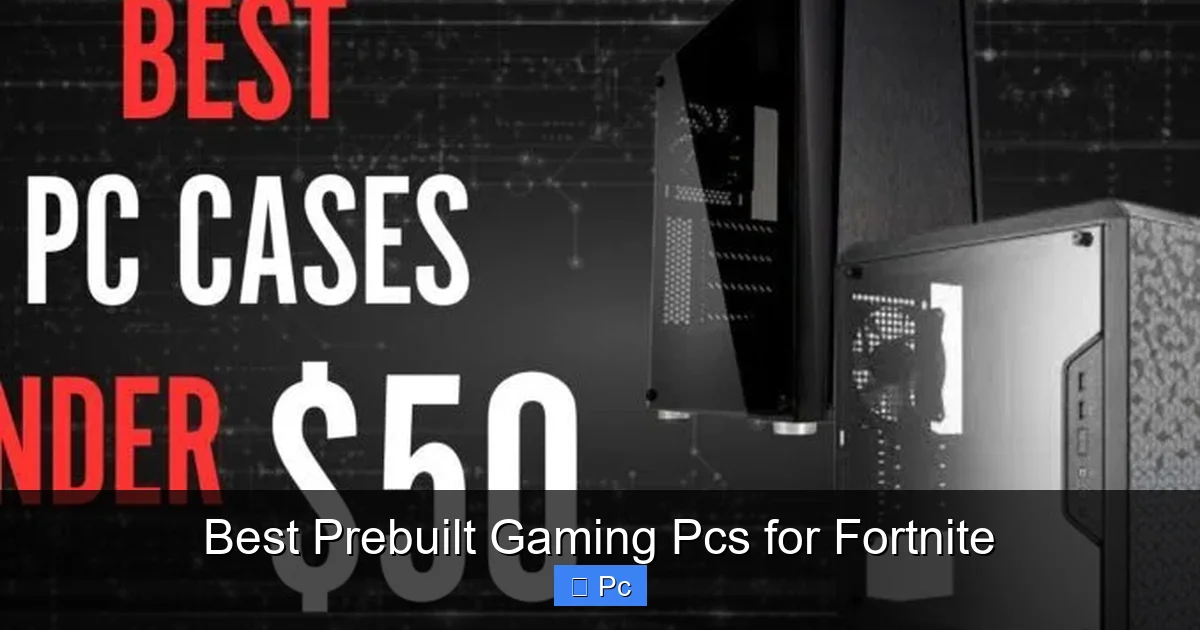
Visual guide about Best Prebuilt Gaming Pcs for Fortnite
Image source: pcmecca.com
1. CyberPowerPC Gamer Xtreme VR (Best Overall)
The CyberPowerPC Gamer Xtreme VR is a standout choice for Fortnite players who want top-tier performance without building their own rig. Packed with an Intel Core i5-13400F, NVIDIA RTX 4060, 16GB DDR5 RAM, and a 1TB NVMe SSD, this PC delivers smooth 1080p gameplay at ultra settings with FPS consistently above 120.
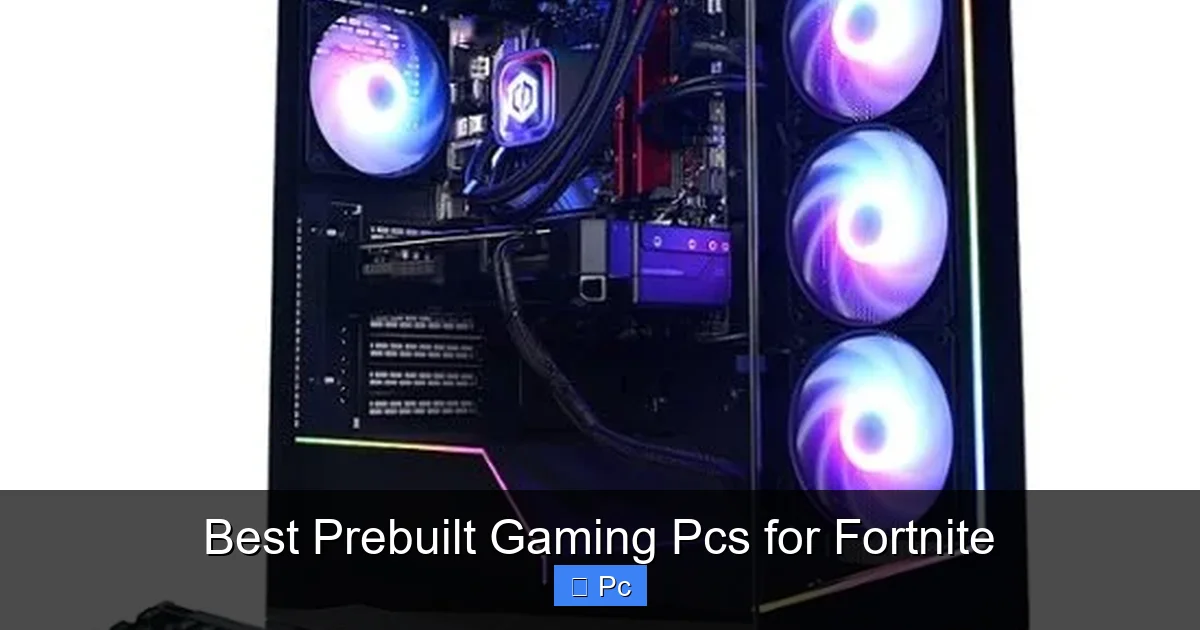
What sets it apart? The RTX 4060 supports DLSS 3, which can boost frame rates significantly in Fortnite when enabled. The case features excellent airflow with three RGB fans, and the motherboard has room for future upgrades. Plus, it comes with a 1-year warranty and 24/7 customer support. At around $1,100, it’s a fantastic value for the performance.
2. iBUYPOWER TraceMR 278i (Best for Competitive Play)
If you’re serious about climbing the Fortnite ranks, the iBUYPOWER TraceMR 278i is built for speed. It features an AMD Ryzen 5 7600X, NVIDIA RTX 4070, 16GB DDR5 RAM, and a 1TB SSD. This combo delivers 144+ FPS at 1440p, making it ideal for high-refresh monitors.
The system includes a tempered glass side panel, customizable RGB lighting, and a liquid-cooled CPU for sustained performance during long gaming sessions. iBUYPOWER also offers a 3-year warranty and free tech support. While it’s pricier at around $1,600, the performance justifies the cost for competitive players.
3. NZXT Player: One (Best Mid-Range)
NZXT is known for clean designs and solid performance, and the Player: One lives up to the reputation. It comes with an Intel Core i5-12400F, NVIDIA RTX 3060, 16GB DDR4 RAM, and a 500GB SSD. It’s not the most powerful on this list, but it handles Fortnite at 1080p with ease—averaging 100+ FPS on high settings.
The compact case is stylish and well-ventilated, and NZXT’s CAM software lets you monitor temps and performance in real time. At around $900, it’s a great mid-range option for players who want reliability and brand trust without overspending.
4. HP Omen 25L (Best for Families & Casual Gamers)
The HP Omen 25L is a versatile prebuilt PC that’s perfect for households where Fortnite is just one of many uses. It features an AMD Ryzen 5 5600G, NVIDIA GTX 1660 Super, 16GB DDR4 RAM, and a 512GB SSD. While not the most powerful, it runs Fortnite smoothly at 60–90 FPS on medium-high settings.
What makes it shine? The Omen Gaming Hub software lets you optimize performance, control RGB lighting, and even overclock safely. It’s also quiet and compact, fitting easily in a bedroom or living room. At around $800, it’s a solid entry-level pick for casual players or younger gamers.
5. Skytech Archangel (Best Budget Option)
For under $700, the Skytech Archangel delivers impressive value. It includes an AMD Ryzen 5 5600, NVIDIA GTX 1660 Super, 16GB DDR4 RAM, and a 500GB SSD. While it won’t hit 144 FPS, it easily maintains 70–90 FPS in Fortnite at 1080p, which is more than enough for most players.
The case has a sleek white design with RGB fans, and the system is well-cooled for its price. Skytech also offers a 1-year warranty and responsive customer service. If you’re on a tight budget but still want a smooth Fortnite experience, this is a smart buy.
What to Look for in a Prebuilt Gaming PC for Fortnite
Not all prebuilt PCs are created equal. To get the best experience in Fortnite, you need to know what specs matter most. Here’s a breakdown of the key components to prioritize when shopping.

Visual guide about Best Prebuilt Gaming Pcs for Fortnite
Image source: pcmecca.com
CPU: The Brain of Your Build
The CPU handles game logic, physics, and AI—critical for Fortnite’s fast-paced action. For smooth gameplay, aim for at least an Intel Core i5-12400F or AMD Ryzen 5 5600. These mid-range processors offer excellent single-core performance, which Fortnite relies on heavily.
Avoid older or low-end CPUs like the Intel i3 or AMD Ryzen 3 unless you’re on a very tight budget. While they can run Fortnite, they may struggle during intense build fights or when streaming. If you plan to multitask—like playing while watching YouTube or Discord—go for a Ryzen 5 or Intel i5 and up.
GPU: The Key to High FPS
The graphics card is the most important component for Fortnite performance. A dedicated GPU is a must—integrated graphics won’t cut it for competitive play. Here’s a quick guide:
- Entry-level: NVIDIA GTX 1660 Super or AMD RX 6600 – 60–90 FPS at 1080p
- Mid-range: NVIDIA RTX 3060 or AMD RX 6700 XT – 100–144 FPS at 1080p
- High-end: NVIDIA RTX 4070 or AMD RX 7800 XT – 144+ FPS at 1440p or 4K
NVIDIA cards have an edge with features like DLSS, which can boost FPS in Fortnite by rendering at a lower resolution and upscaling. This is especially useful for maintaining high frame rates without sacrificing visual quality.
RAM: 16GB is the Sweet Spot
Fortnite recommends 8GB of RAM, but 16GB is the real sweet spot. With 16GB, you can run the game smoothly while having Discord, Chrome, or streaming software open in the background. DDR4 is fine, but DDR5 offers better future-proofing if your budget allows.
Avoid systems with only 8GB unless it’s upgradeable. Many prebuilt PCs let you add more RAM later, so check the motherboard specs before buying.
Storage: SSD for Speed, HDD for Space
Fortnite updates frequently and can take up 80GB+ of space. A 500GB NVMe SSD is the minimum you should consider. SSDs drastically reduce load times and improve overall system responsiveness compared to traditional HDDs.
If you play other games or store large files, look for a 1TB SSD or a combo of SSD + HDD. Some prebuilt PCs include both—fast SSD for the OS and games, and a larger HDD for media.
Cooling and Case Design
Fortnite can push your system hard, especially during long sessions. Poor cooling leads to thermal throttling, which drops performance. Look for cases with good airflow—multiple fans, mesh fronts, and space for future upgrades.
Liquid cooling is nice for high-end builds, but air cooling is often sufficient for mid-range systems. Just make sure the case isn’t cramped. A well-ventilated PC runs cooler, quieter, and lasts longer.
Upgradability and Future-Proofing
Even the best prebuilt PC will eventually need upgrades. Check if the case has room for a larger GPU, extra RAM slots, or additional storage. Some brands use proprietary parts that make upgrades difficult—avoid these if you plan to keep your PC for years.
Look for standard ATX motherboards, PCIe 4.0 support, and accessible cable management. These features make it easier to swap parts down the line.
Performance Tips for Fortnite on Prebuilt PCs
Even with a great PC, optimizing your settings can make a big difference in Fortnite. Here are some practical tips to get the most out of your system.
Visual guide about Best Prebuilt Gaming Pcs for Fortnite
Image source: pcmecca.com
Optimize In-Game Settings
Fortnite offers a range of graphics settings. For maximum FPS, try this setup:
- Resolution: 1920×1080 (1080p) – ideal for most monitors
- Frame Rate Limit: Unlimited or match your monitor’s refresh rate (e.g., 144)
- 3D Resolution: 100% (lower if you need more FPS)
- View Distance: Medium or High (affects enemy visibility)
- Shadows: Off or Low (huge FPS boost)
- Effects: Low (reduces visual clutter)
- Post Processing: Low (improves clarity)
Use the “Performance Mode” in Fortnite’s settings for a built-in FPS boost. It reduces visual quality slightly but can add 20–30 FPS on mid-range systems.
Update Drivers and Windows
Outdated GPU drivers can cause stuttering or crashes. Use NVIDIA GeForce Experience or AMD Adrenalin to keep your drivers up to date. Also, enable Windows Game Mode and disable background apps that eat up resources.
Monitor Temperatures
Use tools like MSI Afterburner or HWMonitor to check CPU and GPU temps. If your system hits 85°C or higher during gameplay, it may be overheating. Clean dust from fans, ensure proper airflow, or consider adding more case fans.
Use a Wired Connection
Wi-Fi can introduce lag and packet loss. For the most stable connection, use an Ethernet cable. If that’s not possible, place your router close to your PC and use a 5GHz Wi-Fi band for less interference.
Budget vs. High-End: Which Prebuilt PC is Right for You?
Your ideal prebuilt PC depends on your goals, budget, and how seriously you take Fortnite.
Budget Builds ($600–$900)
If you’re a casual player or just starting out, a budget PC like the Skytech Archangel or HP Omen 25L is perfect. These systems deliver 60–90 FPS, which is smooth enough for most gameplay. You’ll enjoy Fortnite without breaking the bank, and many of these PCs can be upgraded later.
Mid-Range Builds ($900–$1,300)
For players who want higher FPS and better visuals, mid-range systems like the NZXT Player: One or CyberPowerPC Gamer Xtreme are ideal. They handle 1080p at high settings with 100+ FPS and offer room for future upgrades. Great for streamers or competitive players on a budget.
High-End Builds ($1,300+)
If you’re aiming for esports-level performance or want to play at 1440p/4K, invest in a high-end PC like the iBUYPOWER TraceMR. These systems deliver 144+ FPS, support ray tracing, and handle multitasking with ease. Perfect for serious gamers who want the best.
Final Thoughts: Is a Prebuilt PC Worth It for Fortnite?
Absolutely. While building your own PC can save money, prebuilt systems offer convenience, reliability, and peace of mind. For Fortnite players, that means less time troubleshooting and more time dominating the Battle Royale.
The best prebuilt gaming PCs for Fortnite balance performance, price, and support. Whether you’re dropping in for fun or climbing the competitive ladder, there’s a system out there that fits your needs. Just remember: prioritize GPU and CPU, aim for 16GB of RAM, and don’t skimp on cooling.
With the right prebuilt PC, you’ll enjoy smoother gameplay, faster load times, and a better overall experience. So gear up, drop in, and get ready for your next Victory Royale.
Frequently Asked Questions
What is the minimum PC requirement for Fortnite?
Fortnite’s minimum requirements include an Intel Core i3-3225 or AMD equivalent, 8GB of RAM, and Intel HD 4000 graphics. However, these specs only allow for low settings at 720p with 30–45 FPS—not ideal for smooth gameplay.
Can I play Fortnite on a prebuilt PC with integrated graphics?
Yes, but performance will be limited. Integrated graphics like Intel UHD or AMD Vega can run Fortnite at low settings, but expect 30–50 FPS and potential stuttering. A dedicated GPU is strongly recommended for better experience.
Do prebuilt PCs come with Windows installed?
Most reputable prebuilt gaming PCs include a licensed copy of Windows 10 or 11. Always check the product description to confirm. Some budget models may come with free trials or Linux, so verify before buying.
Can I upgrade a prebuilt gaming PC later?
Yes, many prebuilt PCs are upgradeable. Look for standard ATX cases, available RAM slots, and extra PCIe slots. Avoid brands that use proprietary parts, as they limit future upgrades.
Is 8GB of RAM enough for Fortnite?
8GB is the minimum, but 16GB is recommended. With 8GB, you may experience slowdowns if running other apps like Discord or Chrome. Upgrading to 16GB improves multitasking and overall performance.
Which is better for Fortnite: NVIDIA or AMD GPU?
Both are great, but NVIDIA has an edge with DLSS, which boosts FPS in Fortnite. AMD cards offer strong performance at lower prices. Choose based on your budget and feature preferences.
