

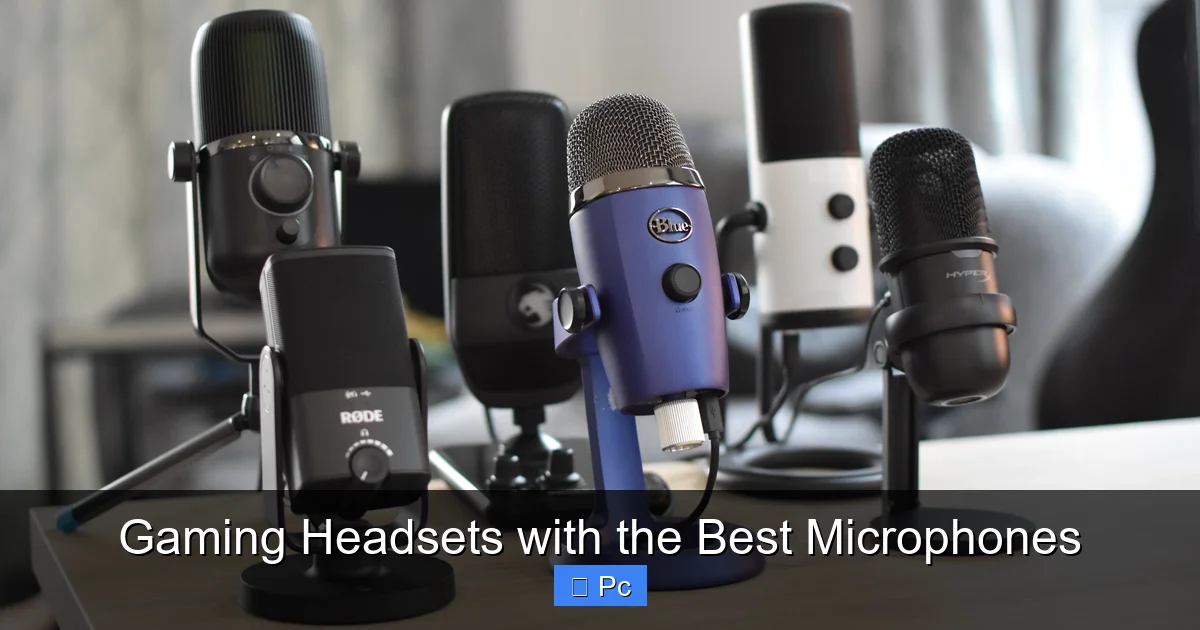
Finding a gaming headset with a top-tier microphone can make or break your multiplayer experience. Whether you’re coordinating with teammates or streaming to an audience, clear voice quality is essential—and these headsets deliver just that.
When you’re deep into a ranked match of Valorant or coordinating a raid in World of Warcraft, one thing becomes painfully clear: your teammates need to hear you—and hear you well. A muffled voice, constant static, or background echo doesn’t just break immersion—it can cost you the game. That’s why choosing a gaming headset with the best microphone isn’t just a nice-to-have; it’s a strategic advantage.
But here’s the catch: not all “gaming” headsets are created equal. Many prioritize flashy RGB lighting or bass-heavy audio over mic clarity. And let’s be honest—no one wants to be the player whose voice sounds like they’re talking through a tin can. The good news? There are standout models on the market that deliver studio-grade voice capture without sacrificing comfort or audio fidelity. In this guide, we’ll walk you through what makes a microphone truly great for gaming, highlight the top performers across different budgets, and share practical tips to help you pick the perfect fit for your setup.
Whether you’re a casual player, a competitive esports enthusiast, or a content creator streaming on Twitch, your voice is your most underrated tool. Let’s make sure it’s heard loud and clear.
Key Takeaways
- Microphone quality matters: A great mic ensures your teammates hear you clearly, reducing miscommunication and frustration during intense gameplay.
- Noise cancellation is key: Look for headsets with noise-canceling mics that filter out background sounds like keyboard clicks or room noise.
- Comfort and durability go hand-in-hand: Long gaming sessions demand lightweight builds and breathable ear cushions to prevent fatigue.
- Wired vs. wireless trade-offs: Wired headsets often offer lower latency and consistent audio, while wireless models provide freedom of movement.
- Compatibility is crucial: Ensure the headset works seamlessly with your PC, console, or streaming setup via USB, 3.5mm, or Bluetooth.
- Software enhances performance: Many premium headsets come with companion apps for EQ tuning, mic monitoring, and surround sound customization.
- Price reflects features: While budget options exist, investing in a mid-to-high-tier headset usually delivers better mic clarity and build quality.
📑 Table of Contents
- Why Microphone Quality Matters in Gaming Headsets
- What Makes a Gaming Microphone “The Best”?
- Top Gaming Headsets with Exceptional Microphones
- Wired vs. Wireless: Which Is Better for Mic Performance?
- How to Optimize Your Gaming Headset’s Microphone
- Choosing the Right Headset for Your Needs
- Final Thoughts: Your Voice Deserves to Be Heard
Why Microphone Quality Matters in Gaming Headsets
It’s easy to focus on sound quality—after all, hearing enemy footsteps before they hear you can mean the difference between victory and defeat. But equally important is how well others hear *you*. In team-based games like Overwatch, Apex Legends, or Rainbow Six Siege, communication is everything. A laggy or distorted mic can lead to missed callouts, confused strategies, and frustrated teammates.
A high-quality gaming microphone does more than just pick up your voice. It actively filters out ambient noise, reduces plosive sounds (like “p” and “b” bursts), and delivers consistent volume levels. This means whether you’re whispering a stealth plan or shouting during a firefight, your voice remains intelligible. Plus, if you stream or record gameplay, a clean mic signal drastically improves production value—no more post-processing to remove echo or hiss.
Another often-overlooked benefit is mic monitoring. Many premium headsets let you hear your own voice in real time, so you don’t accidentally shout or speak too quietly. This feature alone can transform your communication style and reduce vocal strain during long sessions.
What Makes a Gaming Microphone “The Best”?
Visual guide about Gaming Headsets with the Best Microphones
Image source: restream.io
So, what exactly separates a mediocre mic from one worthy of the “best” title? It comes down to a few key technical and design factors.
Microphone Type and Polar Pattern
Most gaming headsets use either dynamic or condenser microphones. Dynamic mics are rugged and handle loud environments well but may lack detail. Condenser mics—common in higher-end models—are more sensitive and capture a fuller range of vocal tones, making them ideal for clear speech.
The polar pattern—the direction from which the mic picks up sound—is equally important. Cardioid mics, which capture sound primarily from the front, are standard in gaming headsets because they reject noise from the sides and rear. This helps isolate your voice even if you’re typing loudly or have music playing nearby.
Noise Cancellation and Background Suppression
Top-tier headsets incorporate hardware and software-based noise cancellation. Some use physical foam windscreens to reduce breath pops, while others rely on AI-driven algorithms (like NVIDIA RTX Voice or Discord’s Krisp) to strip out keyboard clatter, fan noise, or dog barks. The best models combine both approaches for maximum clarity.
Frequency Response and Clarity
A mic’s frequency response determines how accurately it reproduces your voice. Look for a range between 100Hz and 10kHz, which covers the core of human speech. Some headsets even offer adjustable EQ settings via companion software, letting you tweak bass, mids, and treble to suit your voice type.
Detachable vs. Built-in Mics
Detachable microphones offer flexibility—you can remove them when not needed or replace them if damaged. Built-in mics (often retractable or flip-to-mute) save space and reduce clutter but may be harder to service. For streamers or frequent travelers, detachable designs are usually preferred.
Top Gaming Headsets with Exceptional Microphones

Visual guide about Gaming Headsets with the Best Microphones
Image source: m.media-amazon.com
Now that we know what to look for, let’s dive into some of the best gaming headsets currently available—each praised for its outstanding microphone performance.
SteelSeries Arctis Nova Pro Wireless
The Arctis Nova Pro Wireless is a flagship model that excels in nearly every category, especially microphone quality. Its bidirectional mic uses AI noise cancellation powered by Sonar software, effectively eliminating background noise while preserving vocal clarity. The mic is fully retractable and features a built-in pop filter, making it ideal for both gaming and streaming.
With dual wireless connectivity (2.4GHz and Bluetooth), you can stay connected to your PC and phone simultaneously. The headset also includes swappable batteries, so you never have to stop mid-session to charge. While it’s on the pricier side, the Nova Pro delivers professional-grade audio and mic performance that justifies the investment.
HyperX Cloud II Wireless
A favorite among budget-conscious gamers, the HyperX Cloud II Wireless offers surprising mic quality for its price. The detachable noise-canceling mic delivers crisp, natural-sounding voice capture with minimal hiss or distortion. It’s especially effective at suppressing keyboard noise—a common complaint with cheaper headsets.
Comfort is another strong point: memory foam ear cushions and a lightweight aluminum frame make it easy to wear for hours. The 3.5mm wired mode also ensures compatibility with consoles and older PCs. If you want reliable performance without breaking the bank, this is a solid choice.
Razer BlackShark V2 Pro
Designed with esports in mind, the BlackShark V2 Pro features Razer’s proprietary TriForce 50mm drivers and a detachable HyperClear Cardioid Mic. The mic uses advanced noise suppression to deliver broadcast-quality voice clarity, even in noisy environments.
What sets it apart is its focus on competitive gaming: low-latency wireless transmission, THX Spatial Audio for precise directional sound, and a lightweight build (just 320g). The mic also includes a built-in foam windscreen and supports real-time monitoring. It’s a top pick for players who prioritize performance and precision.
Logitech G Pro X Wireless
Endorsed by professional gamers, the G Pro X Wireless combines esports-grade audio with a Blue VO!CE-powered microphone. Blue VO!CE is Logitech’s suite of real-time voice effects and filters, offering features like de-essing, noise reduction, and voice compression—tools typically found in professional streaming setups.
The detachable mic is highly adjustable and delivers studio-level clarity. Combined with Logitech’s LIGHTSPEED wireless technology for lag-free audio, this headset is built for serious competitors and content creators alike. The included G HUB software lets you customize EQ profiles and mic settings with ease.
Corsair Virtuoso RGB Wireless SE
If you’re after premium build quality and audiophile-grade sound, the Virtuoso RGB Wireless SE is hard to beat. Its broadcast-quality microphone uses a large-diaphragm condenser capsule, capturing rich, detailed vocals with excellent dynamic range.
The mic is fully detachable and includes a built-in pop filter. Corsair’s iCUE software provides extensive customization, including mic gain control, sidetone adjustment, and noise gate settings. With up to 20 hours of battery life and premium materials like aluminum and leather, this headset feels as good as it sounds.
Wired vs. Wireless: Which Is Better for Mic Performance?
Visual guide about Gaming Headsets with the Best Microphones
Image source: cdn.mos.cms.futurecdn.net
The wired vs. wireless debate isn’t just about convenience—it can impact microphone performance too.
Wired Headsets: Stability and Simplicity
Wired headsets connect via USB or 3.5mm jack, offering plug-and-play simplicity and zero latency. Because they draw power directly from your PC, there’s no risk of battery drain mid-match. Many wired models also include built-in sound cards that enhance audio and mic processing.
For example, the HyperX Cloud Alpha uses a dual-chamber driver system and comes with a detachable noise-canceling mic that performs exceptionally well over a wired connection. If you prioritize reliability and don’t mind the cable, wired is still a strong option.
Wireless Headsets: Freedom with Modern Tech
Modern wireless headsets have largely closed the gap in performance. Technologies like Logitech’s LIGHTSPEED and SteelSeries’ Quantum 2.0 deliver sub-20ms latency—fast enough for competitive play. Many wireless models now include advanced mic processing and long battery life (15–30 hours).
The key is choosing a headset with a dedicated USB dongle rather than relying solely on Bluetooth, which can introduce lag and compression. Wireless headsets like the Arctis Nova Pro or BlackShark V2 Pro prove that you don’t have to sacrifice mic quality for freedom of movement.
How to Optimize Your Gaming Headset’s Microphone
Even the best mic won’t perform well if it’s not set up correctly. Here are some practical tips to get the most out of your headset’s microphone.
Position the Mic Correctly
Place the mic about 1–2 inches from your mouth, slightly off to the side to avoid plosives. Avoid pointing it directly at your mouth, as this can cause distortion. Most headsets allow you to bend or rotate the boom for optimal positioning.
Use Software Enhancements
Take advantage of built-in software like SteelSeries Sonar, Logitech G HUB, or Corsair iCUE. These apps let you adjust mic gain, enable noise gates, and apply voice filters. For example, setting a noise gate threshold can silence the mic when you’re not speaking, reducing background noise.
Enable Mic Monitoring
Also known as sidetone, mic monitoring lets you hear your own voice in the headset. This helps you speak at a natural volume and prevents shouting. Most gaming headsets allow you to adjust the monitoring level in their companion software.
Update Drivers and Firmware
Manufacturers frequently release updates that improve mic performance and fix bugs. Check the brand’s website or app regularly for firmware updates. For instance, Razer often pushes updates that enhance the BlackShark V2 Pro’s noise suppression algorithms.
Test in Real Conditions
Record a test clip while typing, moving your chair, or playing background music. Play it back to check for echo, distortion, or dropped words. If issues persist, try adjusting mic placement or enabling additional noise suppression features.
Choosing the Right Headset for Your Needs
With so many options, how do you pick the right one? Start by asking yourself a few questions:
– **Do you stream or record content?** If yes, prioritize headsets with detachable mics and software like Blue VO!CE or Sonar.
– **Do you play competitively?** Look for low-latency wireless models with clear directional audio and reliable mic performance.
– **Do you game in a noisy environment?** Choose headsets with strong noise cancellation and cardioid mics.
– **Do you wear glasses?** Opt for headsets with wider ear cups or adjustable headbands to reduce pressure.
Budget also plays a role. While premium models like the Arctis Nova Pro offer the best overall experience, mid-range options like the HyperX Cloud II Wireless deliver excellent value. Even budget picks like the Redragon H510 Zeus (under $50) include surprisingly decent mics for casual use.
Remember: the “best” headset is the one that fits your lifestyle, setup, and communication needs. Don’t chase specs blindly—focus on real-world performance and comfort.
Final Thoughts: Your Voice Deserves to Be Heard
In the world of online gaming, your voice is your command center. Whether you’re calling out enemy positions, coordinating a strategy, or entertaining a live audience, clarity and reliability are non-negotiable. The gaming headsets highlighted in this guide represent the current peak of microphone technology—offering noise cancellation, studio-grade clarity, and seamless integration with modern gaming setups.
Investing in a headset with a top-tier microphone isn’t just about sounding good; it’s about being understood, respected, and effective in every session. So take the time to evaluate your needs, test your options, and choose a headset that empowers your voice as much as your ears.
After all, the best gaming experience isn’t just about what you hear—it’s about what you say.
Frequently Asked Questions
What makes a gaming headset microphone “good”?
A good gaming headset microphone delivers clear, natural-sounding voice capture with minimal background noise. It should have a cardioid polar pattern, effective noise cancellation, and consistent volume levels across different speaking styles.
Can I use a gaming headset mic for streaming?
Yes, many gaming headsets—especially those with detachable mics and software enhancements like Blue VO!CE or Sonar—are excellent for streaming. They offer broadcast-quality audio and real-time voice effects that improve production value.
Do wireless headsets have worse microphones than wired ones?
Not necessarily. Modern wireless headsets use advanced codecs and dedicated USB dongles to deliver mic performance on par with wired models. The key is choosing a reputable brand with low-latency transmission and strong noise suppression.
How do I reduce keyboard noise in my mic?
Use a headset with AI-powered noise cancellation (like NVIDIA RTX Voice), enable a noise gate in your headset’s software, and position the mic slightly away from your mouth. Mechanical keyboard users may also benefit from quieter switches or a desk mat.
Is a detachable mic better than a built-in one?
Detachable mics offer more flexibility—you can remove them when not needed or replace them if damaged. Built-in mics are more convenient for quick muting but may be harder to service. For streamers and travelers, detachable is usually preferred.
Can I use my gaming headset mic with Discord or Zoom?
Absolutely. Most gaming headsets are compatible with communication apps like Discord, Zoom, and Teams. Just select the headset as your input device in the app’s audio settings, and you’re good to go.
