

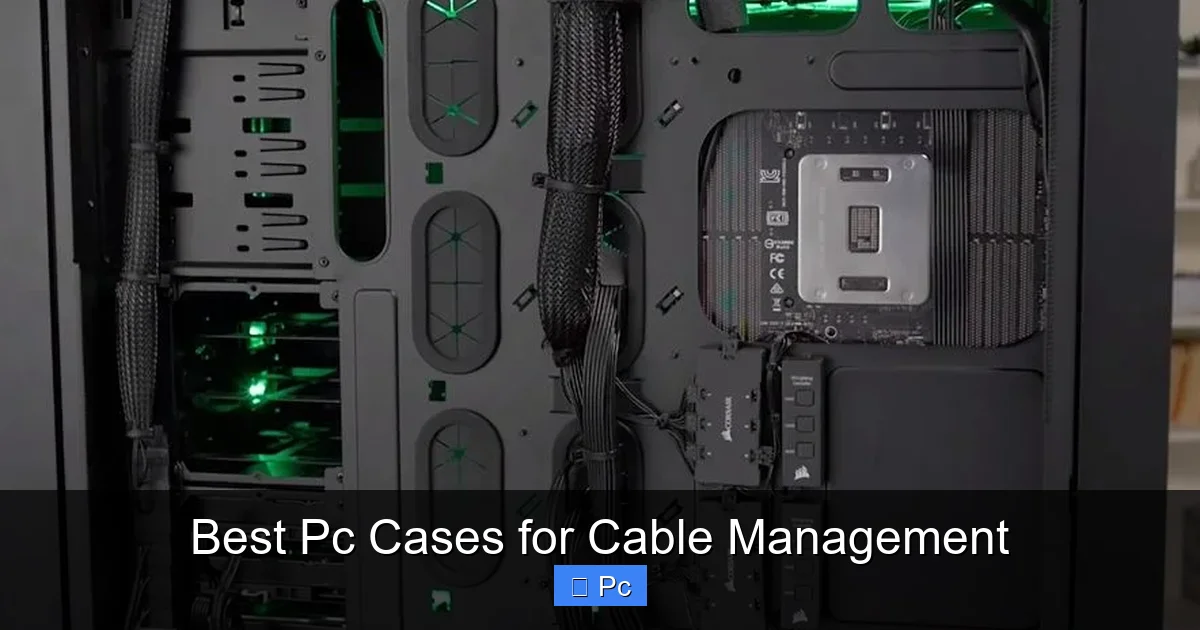
Choosing the right PC case for cable management can transform your build from messy to magazine-worthy. A well-organized interior improves airflow, simplifies upgrades, and enhances aesthetics—without breaking the bank.
Key Takeaways
- Ample routing space: Look for cases with wide cutouts and rubber grommets behind the motherboard tray to hide cables cleanly.
- Modular drive cages: Removable or repositionable drive bays free up space and reduce cable clutter in the main chamber.
- Included cable ties and Velcro straps: Quality cases often come with built-in cable management accessories to get you started.
- PSU shroud: A solid or ventilated shroud hides power supply cables and gives a clean, finished look to the bottom of the case.
- Tool-less design: Panels and brackets that don’t require screws make accessing and organizing cables much easier.
- Airflow and aesthetics balance: The best cases offer both excellent cable routing and strong cooling performance.
- Size matters: Mid-tower and full-tower cases generally offer more cable management room than compact mini-ITX models.
📑 Table of Contents
Why Cable Management Matters in Your PC Build
Let’s be honest—nobody wants to look inside their PC and see a tangled mess of wires. It’s not just ugly; it can actually hurt your system’s performance. Poor cable management blocks airflow, traps heat, and makes future upgrades a nightmare. On the flip side, a clean, organized build keeps your components cool, makes troubleshooting easier, and just feels more satisfying.
Think of your PC case like the walls of a house. Behind those walls, you’ve got electrical wiring, plumbing, and insulation—all neatly tucked away so you don’t see them. A good PC case does the same thing: it hides the messy bits while keeping everything functional and accessible. That’s where cable management comes in. It’s not just about looks—it’s about building a system that’s efficient, reliable, and easy to maintain.
The Hidden Benefits of Clean Cable Routing
When cables are neatly routed and secured, they don’t obstruct the path of air moving through your case. This means your CPU and GPU stay cooler under load, which can improve performance and extend the lifespan of your components. Plus, if you ever need to swap out a hard drive, upgrade your RAM, or add a new fan, you won’t have to play a game of “untangle the spaghetti” just to reach what you need.
Another underrated benefit? Dust buildup. Loose cables act like nets, catching dust and debris that can clog fans and heatsinks over time. A tidy interior reduces this risk, meaning less frequent cleaning and better long-term reliability.
What to Look for in a PC Case for Cable Management
Visual guide about Best Pc Cases for Cable Management
Image source: easypc.io
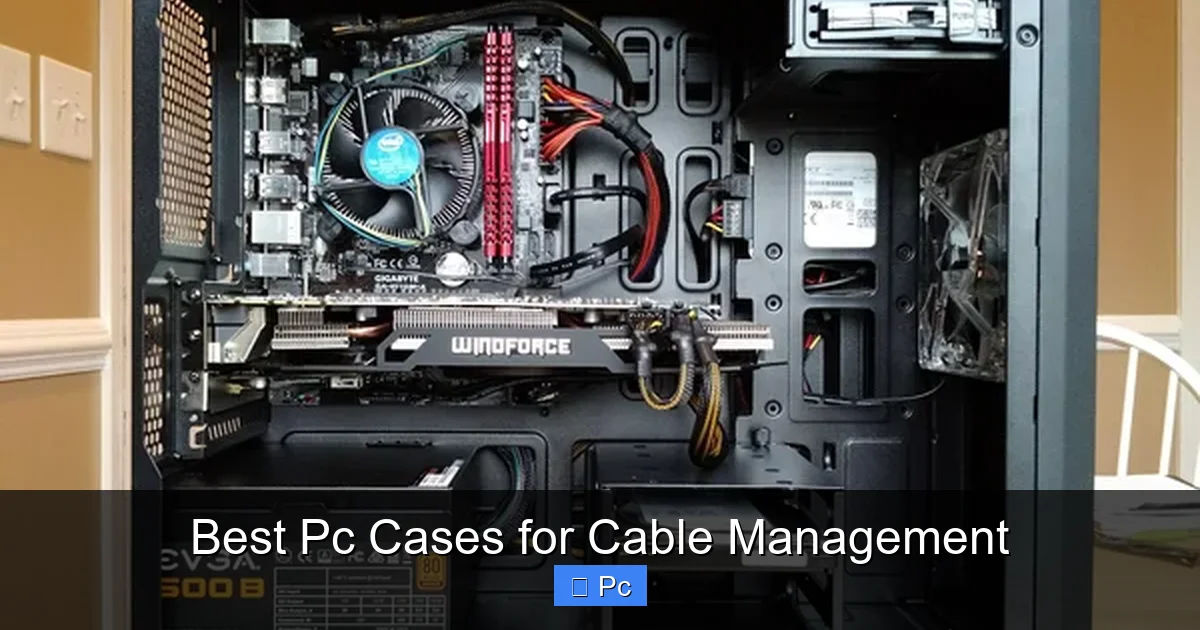
Not all PC cases are created equal when it comes to cable management. Some are designed with sleek exteriors but offer little room behind the motherboard tray. Others prioritize airflow but skimp on routing cutouts. To find the best PC cases for cable management, you need to know what features actually make a difference.
Wide Routing Cutouts with Rubber Grommets
One of the most important features is the presence of wide, well-placed cutouts behind the motherboard tray. These allow you to route power cables, SATA cables, and front panel connectors neatly out of sight. Look for cases that include rubber grommets around these cutouts—they protect cables from sharp metal edges and give a clean, professional look.
For example, the Fractal Design Define 7 has large, strategically placed cutouts with thick rubber grommets. This makes it easy to route the 24-pin motherboard power cable, CPU power, and even front USB and audio cables without forcing them through tight spaces.
Ample Space Behind the Motherboard Tray
The area behind the motherboard tray is where most of your cable management happens. A case with at least 20–25mm of clearance gives you enough room to bundle and secure cables without cramming them. This space also allows for better airflow and makes it easier to tuck away excess cable length.
Cases like the Lian Li PC-O11 Dynamic XL offer over 30mm of clearance, making it one of the best options for builders who want a truly clean interior. Even mid-range cases like the NZXT H7 Flow now include generous routing space, showing that good cable management is becoming more accessible.
PSU Shroud for a Clean Base
A PSU shroud is a panel that covers the power supply unit and any cables connected to it. This not only hides the PSU and its cables but also creates a clean, unified look at the bottom of the case. Many modern cases include a full or partial shroud, often with ventilation to keep the PSU cool.
The Corsair 4000D Airflow, for instance, features a full-length PSU shroud with a mesh panel for airflow. This design keeps the lower chamber tidy while ensuring your power supply doesn’t overheat. It’s a small detail that makes a big difference in the overall appearance of your build.
Modular Drive Cages and Brackets
Hard drives and SSDs need to be mounted somewhere, but their cables can quickly add to the clutter. Modular drive cages let you remove or reposition storage bays to create more space for cable routing. Some cases even allow you to mount drives behind the motherboard tray or on the PSU shroud.
The Phanteks Eclipse P400A Digital includes removable drive cages and optional SSD mounts on the back panel. This flexibility lets you customize the layout based on your storage needs and cable management goals.
Included Cable Management Accessories
A growing number of PC cases now come with built-in cable ties, Velcro straps, and even magnetic cable channels. These accessories help you secure cables without needing to buy extras. Look for cases that include at least a few reusable Velcro straps—they’re easier to adjust than zip ties and won’t damage your cables.
The Cooler Master MasterBox TD500 Mesh comes with pre-installed Velcro straps and a cable routing bar, making it one of the most user-friendly options for beginners. These small touches show that the manufacturer actually thought about cable management during the design phase.
Top PC Cases for Cable Management in 2024
Visual guide about Best Pc Cases for Cable Management
Image source: custompc.com
Now that you know what to look for, let’s dive into some of the best PC cases for cable management available today. These models stand out for their thoughtful design, ample routing space, and clean aesthetics.
Fractal Design Define 7
The Fractal Design Define 7 is a favorite among builders who value silence, airflow, and organization. It features a fully modular interior, with removable drive cages and a spacious rear chamber. The case includes wide routing cutouts with rubber grommets, a full PSU shroud, and pre-installed Velcro straps.
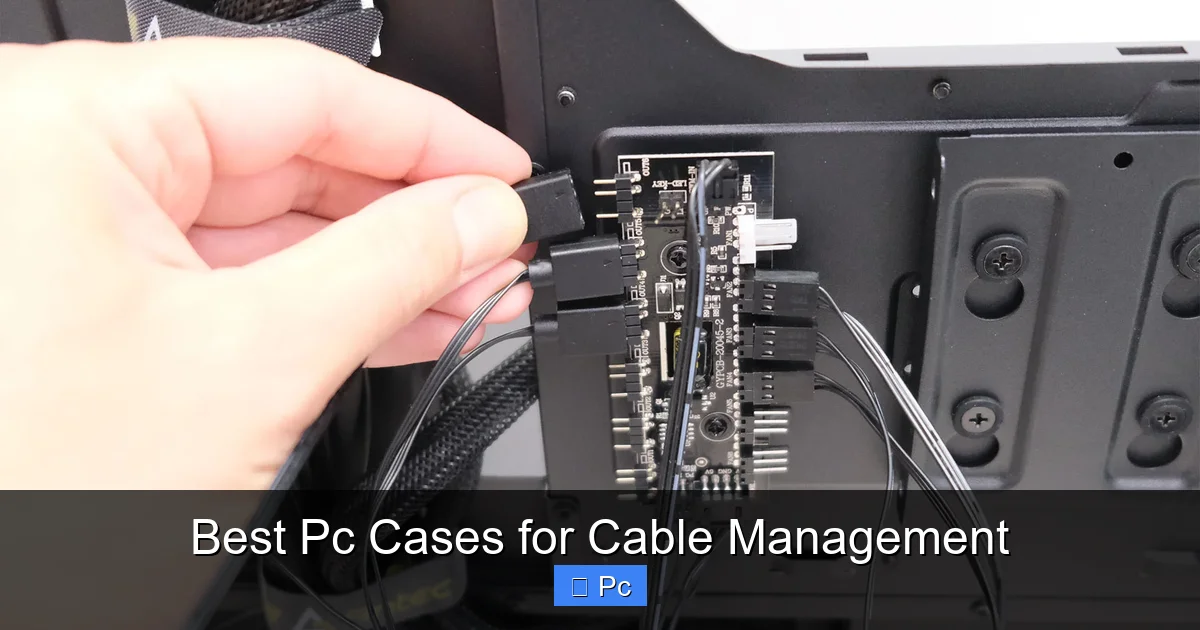
One standout feature is the Nexus+ fan hub, which helps reduce cable clutter by centralizing fan connections. The Define 7 also supports up to nine fans, making it ideal for high-performance builds that need both cooling and clean cable routing.
Lian Li PC-O11 Dynamic XL
If you’re building a high-end system with custom water cooling, the Lian Li PC-O11 Dynamic XL is hard to beat. This case offers exceptional cable management with over 30mm of space behind the motherboard tray, multiple routing channels, and a dual-chamber design that separates the main components from the PSU and storage.
The case includes a vertical GPU mount option, which not only looks great but also keeps power cables off the main floor. With support for up to 10 fans and multiple radiator sizes, it’s a top pick for enthusiasts who want both performance and presentation.
Corsair 4000D Airflow
The Corsair 4000D Airflow strikes a great balance between price, performance, and cable management. It features a full-length PSU shroud, wide routing cutouts, and a spacious rear chamber. The case comes with pre-installed Velcro straps and a cable routing bar, making it easy to achieve a clean build right out of the box.
Its mesh front panel ensures excellent airflow, while the tempered glass side panel lets you show off your work. For under $100, the 4000D Airflow offers some of the best cable management features in its price range.
NZXT H7 Flow
The NZXT H7 Flow is a sleek, minimalist case that doesn’t skimp on functionality. It includes a full PSU shroud, wide routing cutouts, and a generous amount of space behind the motherboard tray. The case also features a built-in cable management bar and pre-installed Velcro straps.
One unique feature is the front I/O panel, which includes USB-C and USB-A ports with clean internal routing. The H7 Flow supports up to seven fans and offers excellent airflow, making it a great choice for gamers and content creators alike.
Phanteks Eclipse P400A Digital
The Phanteks Eclipse P400A Digital is a budget-friendly case with premium cable management features. It includes removable drive cages, optional SSD mounts on the back panel, and wide routing cutouts with rubber grommets. The case also comes with pre-installed Velcro straps and a cable routing bar.
Its mesh front panel ensures strong airflow, while the tempered glass side panel showcases your build. For under $80, the P400A Digital offers exceptional value for builders who want a clean, organized interior without overspending.
Tips for Effective Cable Management
Visual guide about Best Pc Cases for Cable Management
Image source: custompc.com
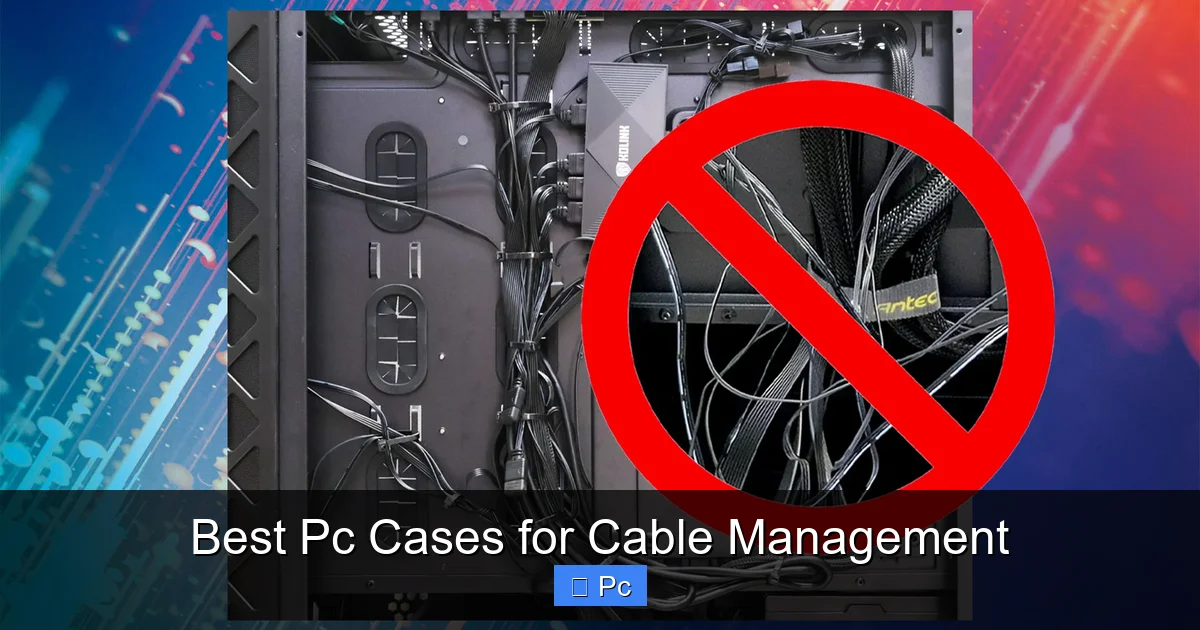
Even the best PC case won’t manage cables for you—you still need to put in the work. But with the right approach, you can achieve a clean, professional-looking build in just a few steps.
Plan Your Cable Routing Before Installing Components
Before you start plugging in your motherboard, GPU, and drives, take a moment to plan your cable routes. Identify where each cable needs to go and how you’ll route it behind the motherboard tray. This prevents last-minute scrambling and reduces the risk of damaging components.
Use the case’s routing cutouts as guides. For example, route the 24-pin motherboard power cable through the large cutout near the top of the motherboard tray, and use the lower cutouts for SATA and front panel cables.
Use Velcro Straps, Not Just Zip Ties
While zip ties are cheap and effective, they’re permanent and can damage cables if tightened too much. Velcro straps are reusable, adjustable, and gentler on your wires. Most quality cases now include them, but you can also buy packs online for under $10.
Bundle similar cables together—like all the fan connectors or SATA power cables—and secure them with Velcro. This keeps things organized and makes future upgrades easier.
Tuck Excess Cable Length Behind the PSU Shroud
Power supplies often come with more cable length than you need. Instead of coiling it up in the main chamber, tuck the excess behind the PSU shroud. This keeps the main area clean and prevents cables from blocking airflow.
If your case doesn’t have a shroud, consider using a cable sleeve or braided wrap to bundle the extra length and secure it to the side panel or drive cage.
Label Your Cables (Optional but Helpful)
If you’re building a complex system with multiple fans, RGB strips, or storage drives, labeling your cables can save time during troubleshooting. Use small tags or colored tape to mark each cable’s purpose—like “Front Fan 1” or “GPU Power.”
This is especially helpful if you plan to upgrade or reconfigure your system later. You’ll know exactly which cable goes where without having to trace it from the component.
Common Cable Management Mistakes to Avoid
Even experienced builders can fall into bad habits when it comes to cable management. Here are a few common mistakes and how to avoid them.
Over-Tightening Cables
It’s tempting to pull cables as tight as possible to make them look neat, but this can stress connectors and reduce flexibility. Leave a little slack—just enough to allow for movement during upgrades or maintenance.
Ignoring the Rear Chamber
Some builders focus so much on the main chamber that they forget about the space behind the motherboard tray. This area is just as important for airflow and aesthetics. Take the time to route and secure all rear cables properly.
Using Too Many Zip Ties
While zip ties are useful, overusing them can make your build look cluttered and make future changes difficult. Use them sparingly and opt for Velcro straps whenever possible.
Skipping the PSU Shroud
If your case has a PSU shroud, use it! Leaving the power supply and its cables exposed defeats the purpose of cable management. Even if you’re not going for a showpiece build, a shroud keeps things tidy and improves airflow.
Conclusion: Build Clean, Build Smart
Choosing the best PC case for cable management is about more than just looks—it’s about creating a system that’s efficient, reliable, and easy to maintain. A well-organized interior improves airflow, reduces dust buildup, and makes upgrades a breeze.
From premium options like the Lian Li PC-O11 Dynamic XL to budget-friendly picks like the Phanteks Eclipse P400A Digital, there’s a case out there for every builder. Look for features like wide routing cutouts, a PSU shroud, modular drive cages, and included cable management accessories.
And remember, the case is just the foundation. Effective cable management also depends on your approach—plan your routes, use the right tools, and avoid common mistakes. With a little effort, you can achieve a build that’s not only powerful but also beautiful.
So whether you’re building a gaming rig, a workstation, or a media center, don’t overlook the importance of cable management. Your components—and your future self—will thank you.
Frequently Asked Questions
What is the most important feature for cable management in a PC case?
The most important feature is ample space behind the motherboard tray, ideally with wide routing cutouts and rubber grommets. This allows you to hide and organize cables cleanly without cramping or damaging them.
Can I manage cables well in a small form factor case?
Yes, but it’s more challenging. Mini-ITX cases often have limited space, so look for models with clever routing channels, modular components, and PSU shrouds to maximize organization.
Do I need to buy extra cable management accessories?
Not always. Many modern cases include Velcro straps, cable ties, and routing bars. However, buying a pack of reusable Velcro straps or cable sleeves can give you more flexibility and a cleaner look.
How much space should be behind the motherboard tray for good cable management?
At least 20–25mm of clearance is recommended. More space (30mm or more) is ideal for high-end builds with multiple cables and custom cooling.
Does cable management affect PC performance?
Indirectly, yes. Poor cable management can block airflow, leading to higher temperatures and reduced performance. Clean routing helps maintain optimal cooling and system stability.
Are PSU shrouds necessary for cable management?
While not strictly necessary, PSU shrouds greatly improve aesthetics and help hide power cables. They also contribute to better airflow by separating the PSU from the main chamber.
