

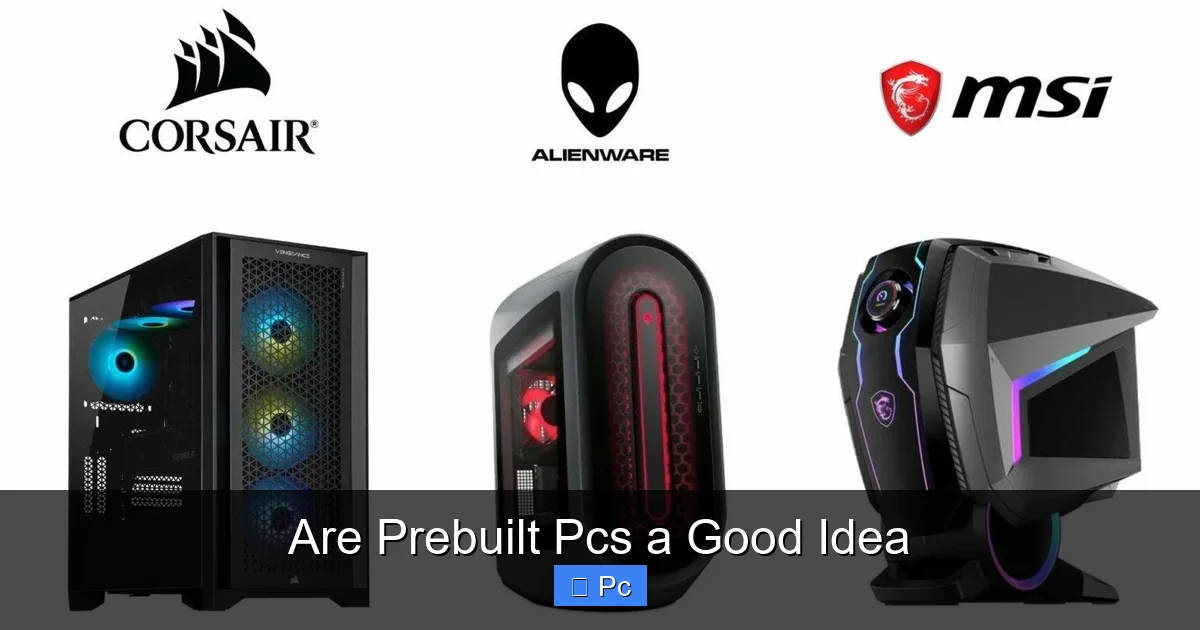
Prebuilt PCs offer convenience, warranty support, and hassle-free setup, making them ideal for beginners or those short on time. However, they often come with higher prices, limited customization, and potential bloatware. Whether a prebuilt PC is a good idea depends on your budget, technical skills, and specific needs.
[FEATURED_IMAGE_PLACEHODEL]
Key Takeaways
- Convenience and Time Savings: Prebuilt PCs are ready to use out of the box, eliminating the need for assembly and troubleshooting.
- Warranty and Support: Most prebuilt systems include comprehensive warranties and customer support, offering peace of mind.
- Higher Cost Compared to DIY: You typically pay a premium for the convenience, with less value per dollar than building your own.
- Limited Customization: Prebuilt systems often use proprietary parts or limited configurations, restricting future upgrades.
- Potential for Bloatware: Many prebuilt PCs come with unnecessary software that can slow down performance.
- Ideal for Non-Technical Users: If you’re not comfortable building a PC, a prebuilt is a safe and reliable choice.
- Gaming and Workstation Options Available: Brands like Alienware, Origin PC, and NZXT offer high-performance prebuilts tailored to specific uses.
📑 Table of Contents
Are Prebuilt PCs a Good Idea? A Complete Guide
So, you’re in the market for a new computer. Maybe your old laptop is on its last legs, or you’re finally ready to dive into PC gaming. You’ve heard about building your own rig—custom parts, maximum performance, total control—but the idea of assembling a PC from scratch feels overwhelming. Enter the prebuilt PC: a fully assembled, plug-and-play machine ready to go right out of the box.
But are prebuilt PCs a good idea? That’s the million-dollar question. The answer isn’t a simple yes or no. It depends on who you are, what you need, and how much you’re willing to spend. For some, a prebuilt PC is a no-brainer—convenient, reliable, and stress-free. For others, it’s a costly compromise that limits freedom and performance.
In this guide, we’ll break down everything you need to know about prebuilt PCs. We’ll explore the pros and cons, compare them to DIY builds, and help you decide whether a prebuilt PC is the right choice for your lifestyle, budget, and goals. Whether you’re a gamer, a student, a creative professional, or just someone who wants a reliable machine for everyday tasks, this article will give you the clarity you need.
What Is a Prebuilt PC?

Visual guide about Are Prebuilt Pcs a Good Idea
Image source: pcmecca.com
A prebuilt PC is a fully assembled computer system that you buy ready to use. Unlike building your own PC—where you select individual components like the CPU, GPU, RAM, and storage and put them together yourself—a prebuilt PC comes with all parts already installed and configured. These systems are typically sold by major brands like Dell, HP, Lenovo, or specialized gaming companies like Alienware, ASUS ROG, and NZXT.
Prebuilt PCs come in all shapes and sizes. You can find budget-friendly desktops for basic web browsing and office work, mid-range systems for casual gaming and content creation, and high-end machines designed for 4K gaming, video editing, or 3D rendering. Some are compact and sleek, while others are large and packed with RGB lighting and liquid cooling.
One of the biggest selling points of a prebuilt PC is convenience. You don’t need to worry about compatibility issues, installing the operating system, or troubleshooting hardware conflicts. You simply unbox it, plug it in, and start using it. This makes prebuilt PCs especially appealing to people who aren’t tech-savvy or simply don’t have the time or patience to build a system from scratch.
But convenience comes at a cost—literally. Prebuilt PCs often carry a price premium compared to building the same system yourself. You’re paying not just for the parts, but for labor, branding, warranty, and sometimes unnecessary software. That said, for many users, that extra cost is worth it for the peace of mind and time saved.
Pros of Buying a Prebuilt PC

Visual guide about Are Prebuilt Pcs a Good Idea
Image source: pcmecca.com
Let’s start with the good news: prebuilt PCs have a lot going for them. If you’re on the fence, here are some compelling reasons why a prebuilt might be the right choice.
1. Convenience and Time Savings
The biggest advantage of a prebuilt PC is how easy it is to get started. You don’t need to spend hours researching parts, watching YouTube tutorials, or fiddling with screws and cables. Everything is already done for you. This is especially valuable if you’re not confident in your technical skills or just don’t want the hassle.
Imagine this: you order your PC on a Monday, it arrives Wednesday, and by Wednesday evening, you’re already gaming, working, or streaming. No stress, no confusion. That’s the magic of a prebuilt.
2. Comprehensive Warranty and Support
Most prebuilt PCs come with a manufacturer warranty that covers the entire system—not just individual parts. If something goes wrong, you can contact customer support, and they’ll help you troubleshoot or even send a technician to your home. This kind of support is hard to match when you build your own PC, where warranties are usually handled by individual component manufacturers.
For example, Dell offers on-site service for many of its desktops, meaning a technician will come to your house to fix hardware issues. That’s a huge perk if you’re not comfortable opening up your PC or shipping parts back and forth.
3. Quality Control and Testing
Reputable brands test their prebuilt systems before shipping. This means the components are checked for compatibility, stability, and performance. You’re less likely to run into issues like overheating, driver conflicts, or boot failures—common problems that can plague first-time PC builders.
Companies like Origin PC and Maingear even offer stress testing and burn-in periods to ensure everything runs smoothly under load. This level of quality assurance is reassuring, especially for high-performance systems.
4. Aesthetic and Design Choices
Many prebuilt PCs come with sleek, stylish cases, RGB lighting, and cable management already done. Brands like NZXT and Corsair offer systems with clean, modern designs that look great on a desk. If you care about how your setup looks, a prebuilt can save you the trouble of choosing a case and managing cables.
Some systems even include custom water cooling loops or tempered glass panels, giving you a high-end look without the DIY effort.
5. Immediate Use for Specific Needs
Prebuilt PCs are often optimized for specific use cases. Gaming PCs come with high-refresh monitors in mind, workstations are tuned for software like Adobe Premiere or AutoCAD, and compact systems are designed for small spaces. This targeted approach means you get a system that’s ready to perform right away.
For example, a prebuilt gaming PC from ASUS ROG might include a high-end GPU, fast RAM, and a motherboard optimized for overclocking—all configured to deliver the best gaming experience out of the box.
Cons of Buying a Prebuilt PC

Visual guide about Are Prebuilt Pcs a Good Idea
Image source: geekawhat.com
Of course, prebuilt PCs aren’t perfect. There are some significant downsides to consider before you hit “buy now.”
1. Higher Cost
This is the most common complaint about prebuilt PCs: they’re more expensive than building your own. You’re paying for labor, branding, and sometimes unnecessary software. A prebuilt with the same specs as a DIY build can cost 10% to 30% more.
For example, a custom-built gaming PC with an RTX 4070, Ryzen 7 7700X, and 32GB of RAM might cost around $1,500. A comparable prebuilt from a major brand could easily run $1,800 or more. That’s $300 extra for convenience—something you need to decide is worth it.
2. Limited Customization and Upgradeability
Many prebuilt PCs use proprietary parts—custom motherboards, non-standard power supplies, or odd-sized cases—that make upgrading difficult. You might not be able to swap out the GPU or add more storage without compatibility issues.
For instance, some Dell and HP desktops use proprietary motherboards that only accept specific CPUs or RAM types. This limits your ability to upgrade in the future, potentially shortening the lifespan of your system.
3. Bloatware and Unwanted Software
One of the biggest annoyances with prebuilt PCs is bloatware—pre-installed software that you don’t want or need. This can include trial versions of antivirus programs, productivity suites, or manufacturer utilities that slow down your system and clutter your desktop.
It’s not uncommon for a new prebuilt PC to come with 10 or more unnecessary programs. While you can uninstall most of them, it takes time and effort. Some bloatware is deeply integrated and hard to remove completely.
4. Lower Value for Money
Because of the markup, you often get less performance per dollar with a prebuilt. The same budget that gets you a high-end GPU in a DIY build might only get you a mid-range one in a prebuilt. This is especially true for gaming PCs, where GPU performance is critical.
Additionally, some prebuilt systems use lower-quality components—like cheaper power supplies or slower storage—to cut costs and increase profit margins. This can affect long-term reliability and performance.
5. Less Learning and Control
Building your own PC teaches you how hardware works, how to troubleshoot issues, and how to optimize performance. With a prebuilt, you miss out on that hands-on experience. You also have less control over component selection, cooling solutions, and system configuration.
If you’re someone who enjoys tinkering, upgrading, or learning about technology, a prebuilt might feel limiting.
Prebuilt vs. DIY: Which Is Better?
So, how do prebuilt PCs stack up against building your own? Let’s break it down side by side.
Cost
DIY wins hands down. You can build a powerful PC for significantly less than a comparable prebuilt. You also have full control over where you spend your money—investing in a better GPU or SSD, for example.
Customization
DIY offers unlimited customization. You choose every part, from the case to the cooling system. Prebuilts are limited by what the manufacturer offers.
Convenience
Prebuilts win here. No assembly, no driver hunting, no compatibility worries. Just plug and play.
Support and Warranty
Prebuilts have the edge. Full-system warranties and customer support are hard to beat. With DIY, you deal with multiple manufacturers if something goes wrong.
Learning Experience
DIY is the clear winner. Building a PC teaches valuable skills and gives you a deeper understanding of your machine.
Time Investment
Prebuilts save time. DIY requires research, assembly, and troubleshooting—anywhere from a few hours to a full day.
Ultimately, the choice depends on your priorities. If you value time, support, and ease of use, go prebuilt. If you want maximum performance, customization, and value, build your own.
Who Should Buy a Prebuilt PC?
Not everyone needs to build their own PC. Here are some scenarios where a prebuilt is a smart choice.
Beginners and Non-Technical Users
If you’re new to PCs or not comfortable with hardware, a prebuilt is the safest option. You avoid the risk of damaging components or making configuration errors.
Busy Professionals
If you’re a student, remote worker, or creative professional with a tight schedule, a prebuilt saves time. You can focus on your work, not on building a computer.
Gamers Who Want Plug-and-Play
Many gamers prefer to spend their time playing, not building. Prebuilt gaming PCs from brands like Alienware or CyberPowerPC offer high performance with zero hassle.
Those Who Value Warranty and Support
If peace of mind is important, a prebuilt with a strong warranty and customer support is worth the extra cost.
People with Limited Space or Tools
Building a PC requires space, tools, and a clean workspace. If you live in a small apartment or don’t have the right tools, a prebuilt is more practical.
Tips for Buying a Prebuilt PC
If you decide a prebuilt is right for you, here are some tips to get the best value and avoid common pitfalls.
1. Research the Brand
Not all prebuilt brands are created equal. Stick with reputable companies like Dell, HP, Lenovo, ASUS, NZXT, or Origin PC. Avoid no-name brands or deals that seem too good to be true.
2. Check the Specs Carefully
Don’t just look at the CPU and GPU. Check the RAM speed, storage type (SSD vs. HDD), power supply wattage, and cooling solution. A weak PSU or slow storage can bottleneck performance.
3. Avoid Bloatware
Look for systems that offer a “clean install” option or minimal pre-installed software. Some brands let you choose a Windows installation without bloatware.
4. Consider Future Upgrades
Choose a system with standard components and room for expansion. Avoid proprietary parts that limit upgradeability.
5. Read Reviews
Check user and professional reviews to see how the system performs in real-world use. Look for feedback on build quality, thermals, and customer support.
6. Compare Prices
Use tools like PCPartPicker to build a comparable DIY system and compare the total cost. This will help you understand the markup and decide if it’s worth it.
Conclusion: Are Prebuilt PCs a Good Idea?
So, are prebuilt PCs a good idea? The answer is: it depends.
For many people—especially beginners, busy professionals, and those who value convenience and support—prebuilt PCs are an excellent choice. They offer a hassle-free way to get a powerful, reliable computer without the stress of building one yourself. The warranty, quality control, and plug-and-play setup are hard to beat.
However, if you’re on a tight budget, enjoy tinkering, or want maximum performance and customization, building your own PC is the better option. You’ll save money, learn valuable skills, and have full control over your system.
Ultimately, the decision comes down to your priorities. If time, ease, and peace of mind matter most, go prebuilt. If performance, value, and control are your top concerns, build your own.
Either way, you’re getting a great machine. It’s just a matter of how you want to get there.
Frequently Asked Questions
Are prebuilt PCs more expensive than building your own?
Yes, prebuilt PCs typically cost more than building a comparable system yourself. You’re paying for labor, branding, and sometimes lower-quality components. However, the convenience and warranty may justify the extra cost for some users.
Can I upgrade a prebuilt PC?
It depends on the model. Some prebuilt PCs use standard parts and are easy to upgrade, while others have proprietary components that limit expansion. Always check the specifications and case design before buying.
Do prebuilt PCs come with bloatware?
Many do. Bloatware includes unnecessary software like trial antivirus programs or manufacturer utilities. You can usually uninstall most of it, but it may take time and effort.
Are prebuilt gaming PCs worth it?
They can be, especially if you want a high-performance system without the hassle of building. Brands like Alienware and NZXT offer well-optimized gaming PCs with strong support and warranties.
What’s the best brand for prebuilt PCs?
Top brands include Dell, HP, Lenovo, ASUS, NZXT, and Origin PC. These companies offer reliable systems, good customer support, and quality components.
Should I buy a prebuilt PC if I’m a beginner?
Yes, prebuilt PCs are ideal for beginners. They eliminate the complexity of assembly and troubleshooting, allowing you to focus on using your computer right away.
