

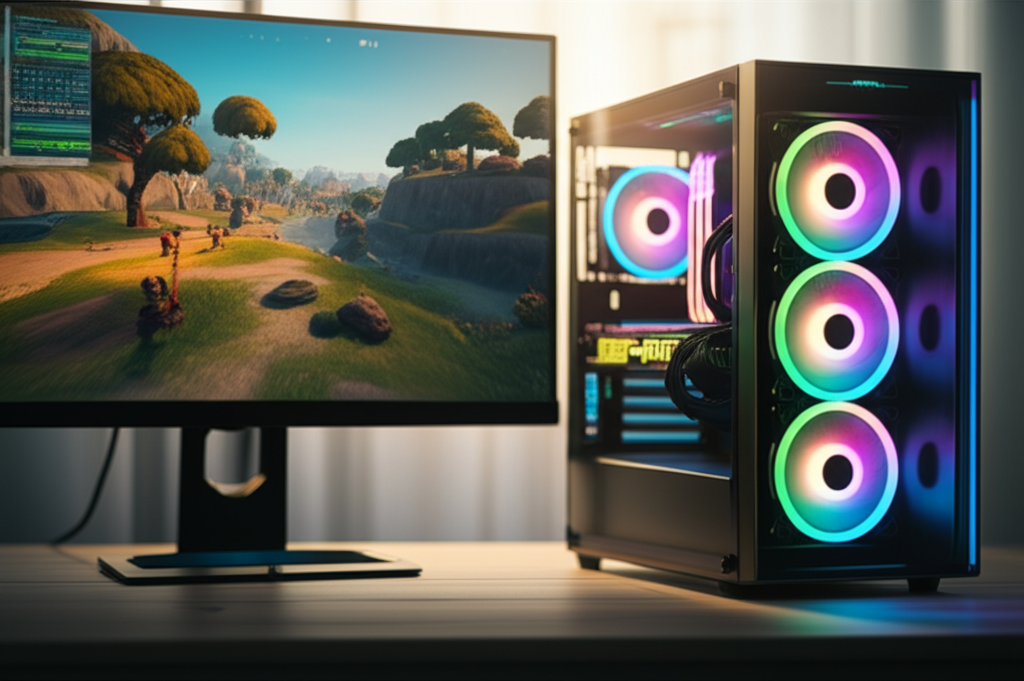
Ready for buttery-smooth Fortnite gameplay at 240 FPS? Discover the best gaming PCs designed to deliver this elite performance, balancing power, cooling, and budget for beginners.
Key Takeaways
- Achieve 240 FPS in Fortnite with powerful GPUs and CPUs.
- Prioritize fast RAM and NVMe SSDs for quick loading.
- Consider pre-built PCs for beginner-friendly setup.
- Liquid cooling offers better performance for high-end builds.
- Monitor benchmarks to find the right PC for your budget.
Why 240 FPS Matters for Fortnite
Fortnite, with its fast-paced action and building mechanics, demands smooth performance to give you the competitive edge. While many PCs can run the game, achieving a stable 240 frames per second (FPS) is a different ballgame. High FPS means more fluid movements, quicker reactions, and a generally more immersive experience. This level of performance is often sought after by esports professionals and serious players. But if you’re new to gaming PCs, sorting through the technical jargon to find the best gaming PCs for Fortnite at stable 240 FPS can feel overwhelming. Don’t worry, this guide is here to break it down simply, showing you exactly what to look for and recommending some great options.
Understanding the Specs for 240 FPS Fortnite
Hitting 240 FPS in Fortnite isn’t just about having a powerful graphics card. It’s a combination of several key components working together. Think of it like a crew on a ship: each member has a crucial role, and they all need to be top-notch for the ship to sail at its fastest. Let’s look at the essential parts.
The Graphics Card (GPU): The Visual Powerhouse
Your GPU is the most critical component for gaming performance. For 240 FPS in Fortnite, especially at higher settings, you’ll need a high-end GPU. Fortnite is known to scale well with powerful graphics cards, meaning a better GPU directly translates to higher FPS.
- NVIDIA GeForce RTX Series: Cards like the RTX 4080 SUPER, RTX 4090, or even the RTX 4070 Ti SUPER are excellent choices. These offer superior rendering capabilities and support advanced features that enhance visuals and performance. The RTX 4090 is the current king, capable of crushing 240 FPS even at higher resolutions, but it comes with a premium price tag. For a more balanced approach, the RTX 4070 Ti SUPER offers a strong performance-to-price ratio for this FPS target.
- AMD Radeon RX Series: Competitors like the RX 7900 XTX also provide excellent performance. While NVIDIA often has a slight edge in certain games or features like ray tracing, AMD offers compelling value.
When choosing, look at benchmarks for Fortnite specifically. Many tech review sites, such as TechSpot, provide detailed performance data for various GPUs.
The Processor (CPU): The Brains of the Operation
While the GPU handles graphics, the CPU processes game logic, AI, and player inputs. For high FPS, especially at lower resolutions where the GPU is less stressed, a powerful CPU becomes vital to avoid bottlenecks. A CPU that can’t keep up will limit your GPU’s potential.
- Intel Core i7/i9 ( terbaru generation): Processors like the Intel Core i7-14700K or i9-14900K offer excellent single-core and multi-core performance, crucial for gaming.
- AMD Ryzen 7/9 (terbaru generation): AMD’s Ryzen 7 7800X3D is often hailed as a top gaming CPU due to its large 3D V-Cache, which significantly boosts performance in many games, including Fortnite. The Ryzen 9 7950X3D is also a strong contender for those needing more cores for productivity alongside gaming.
For 240 FPS, a CPU with high clock speeds and good core performance is key. Consider CPUs that excel in gaming benchmarks. You can find detailed CPU comparisons on sites like Tom’s Hardware.
Memory (RAM): Fast Access to Data
RAM is your computer’s short-term memory. For gaming, especially at high frame rates, you need enough RAM, and it needs to be fast.
- Capacity: 32GB of RAM is the sweet spot for modern gaming and future-proofing. While 16GB might suffice for some games, 32GB ensures smoother multitasking and prevents potential stutters in demanding titles like Fortnite when other applications are running.
- Speed: DDR5 RAM is the latest standard and offers significantly higher speeds than DDR4. For DDR5, aim for speeds of 6000MHz or higher with low latency (CL30 or lower is ideal). For DDR4, 3600MHz with CL16 is a good target. Fast RAM can provide a noticeable FPS boost, especially with AMD Ryzen CPUs.
Storage (SSD): Quick Boot and Load Times
A Solid State Drive (SSD) is essential. Traditional Hard Disk Drives (HDDs) are too slow for modern gaming. For the best experience, especially for game loading times, an NVMe SSD is recommended.
- NVMe SSD: These drives connect directly to your motherboard via the M.2 slot and offer much faster read/write speeds than SATA SSDs. This means quicker game launches, faster level loading, and less waiting time. A 1TB or 2TB NVMe SSD is ideal for storing your operating system, essential programs, and several large games like Fortnite.
Cooling: Keeping Things Chill
High-performance components generate a lot of heat. Effective cooling is crucial to prevent thermal throttling, where components slow down to avoid overheating. This directly impacts your FPS stability.
- Air Cooling: A high-quality aftermarket air cooler (like Noctua’s NH-D15 or Deepcool’s AK620) can be sufficient for many CPUs.
- Liquid Cooling (AIO): All-In-One (AIO) liquid coolers, typically 240mm or 360mm radiators, offer superior cooling performance, especially for overclocked or high-end CPUs like Intel’s i9 or AMD’s Ryzen 9. They also contribute to a quieter system under load.
- Case Fans: Ensure your PC case has good airflow with multiple intake and exhaust fans.
Pre-built vs. Custom-built PCs for 240 FPS Fortnite
When buying a PC, you have two main paths: buying a pre-built system or building one yourself. For beginners aiming for 240 FPS in Fortnite, both have their pros and cons.
Pre-built Gaming PCs: Convenience and Simplicity
Pre-built PCs come ready to go right out of the box. They are assembled by manufacturers, tested, and often come with a warranty that covers the entire system.
- Pros:
- Ease of Use: No assembly required. Just plug it in and play.
- Warranty: A single warranty for all components.
- Support: Technical support from the manufacturer.
- Often Certified Components: Manufacturers use components they know work well together.
- Cons:
- Higher Cost: You often pay a premium for the assembly and warranty.
- Limited Customization: You get what’s offered; upgrades might be restricted by proprietary parts.
- Potential for Bloatware: Pre-installed software you might not need.
Top Pre-built Brands to Consider for 240 FPS:
- Origin PC: Known for high-end custom builds with excellent craftsmanship.
- Corsair: Offers a range of powerful pre-built systems with quality components.
- NZXT: Provides aesthetically pleasing PCs with solid performance.
- CyberPowerPC / iBUYPOWER: Often offer competitive pricing for high-performance configurations.
When looking at pre-builts, pay close attention to the specific components listed. Don’t just look at the marketing name; check the exact CPU model, GPU model, RAM speed, and SSD type.
Custom-built Gaming PCs: The Ultimate Control
Building your own PC allows you to select every single component, ensuring you get exactly what you want and potentially saving money.
- Pros:
- Cost Savings: You can often get more performance for your money.
- Full Customization: Choose every part to fit your needs and aesthetics.
- Better Component Quality: You pick trusted brands for each part.
- Learning Experience: Understanding your PC better.
- Cons:
- Requires Technical Skill: Assembly can be daunting for beginners.
- Time Consuming: Researching and building takes time.
- Troubleshooting: If something goes wrong, you have to figure it out yourself.
- Individual Component Warranties: You need to manage warranties for each part.
If you’re a beginner but lean towards custom building, there are tons of resources available. YouTube channels like Linus Tech Tips, Gamers Nexus, and Paul’s Hardware offer excellent build guides.
Recommended PC Configurations for 240 FPS Fortnite
Hitting a consistent 240 FPS in Fortnite requires a balance of high-end components. The exact settings in Fortnite (like resolution, graphics quality, and whether you use Performance Mode) play a huge role. For this guide, we’re assuming you want to maintain 240 FPS with solid visual settings, perhaps not maxed out but certainly above the absolute minimum. Using Fortnite’s “Performance Mode” can significantly lower graphical fidelity but drastically increase FPS, making it a viable option for achieving 240 FPS even with slightly less powerful hardware.
Entry-Level 240 FPS Build (Performance Mode Focus)
This configuration aims to hit 240 FPS primarily by leveraging Fortnite’s Performance Mode, which prioritizes raw frame rates over visual quality. It’s a good starting point if budget is a concern.
| Component | Recommendation | Notes |
|---|---|---|
| CPU | AMD Ryzen 5 7600X or Intel Core i5-13600K | Good value, strong gaming performance. |
| GPU | NVIDIA GeForce RTX 4070 / AMD Radeon RX 7800 XT | Capable of high FPS, especially in Performance Mode. |
| RAM | 16GB (2x8GB) DDR5 6000MHz CL30 | Sufficient for gaming, speed is important. |
| Storage | 1TB NVMe SSD | Fast loading times. |
| Motherboard | B650 (AMD) / B760 (Intel) | Reliable mid-range options. |
| Power Supply (PSU) | 650W 80+ Gold | Ensures stable power delivery. |
| Cooling | Good Air Cooler (e.g., Deepcool AK400) | Adequate for these components. |
Mid-Range 240 FPS Build (Balanced Settings)
This build aims for a good mix of visual quality and high frame rates, capable of hitting 240 FPS consistently in most scenarios, including some higher settings or 1440p resolution with Performance Mode or tweaked Epic settings.
| Component | Recommendation | Notes |
|---|---|---|
| CPU | AMD Ryzen 7 7800X3D or Intel Core i7-14700K | Excellent gaming CPUs, 7800X3D is top-tier for gaming. |
| GPU | NVIDIA GeForce RTX 4070 SUPER / RTX 4070 Ti SUPER | Strong performance for high refresh rates. |
| RAM | 32GB (2x16GB) DDR5 6000MHz CL30 | Ideal for modern gaming and multitasking. |
| Storage | 1TB or 2TB NVMe SSD | Plenty of space and speed. |
| Motherboard | X670 (AMD) / Z790 (Intel) | More robust features and overclocking potential. |
| Power Supply (PSU) | 750W-850W 80+ Gold | Provides headroom for upgrades and stable power. |
| Cooling | 240mm AIO or High-End Air Cooler (e.g., Noctua NH-D15) | Keeps high-performance CPUs cool. |
High-End 240 FPS Build (Maxed Settings, High Resolution)
This is the ultimate build for achieving 240 FPS with maximum graphical settings, even at resolutions like 1440p or 4K. It’s an investment for the absolute best experience.
| Component | Recommendation | Notes |
|---|---|---|
| CPU | AMD Ryzen 9 7950X3D or Intel Core i9-14900K | Top-tier performance for gaming and productivity. |
| GPU | NVIDIA GeForce RTX 4080 SUPER / RTX 4090 | The best GPUs available for uncompromising performance. |
| RAM | 32GB (2x16GB) DDR5 6400MHz+ CL32 | Top-tier speed for maximum gaming uplift. |
| Storage | 2TB NVMe PCIe 4.0/5.0 SSD | Blazing fast speeds, ample storage. |
| Motherboard | X670E (AMD) / Z790 (Intel) | Enthusiast-grade motherboards with all features. |
| Power Supply (PSU) | 1000W+ 80+ Gold/Platinum | Necessary for power-hungry top-tier components. |
| Cooling | 360mm AIO Liquid Cooler | Essential for keeping flagship CPUs cool under heavy load. |
Remember, these are just guidelines. Actual performance can vary based on your specific game settings, driver versions, and background processes. Always check recent benchmarks for the components you’re considering.
Pro Tip: When building or buying a PC, don’t forget about the display! To actually see 240 FPS, you need a monitor with at least a 240Hz refresh rate. A 144Hz or even 165Hz monitor will still feel smoother than a standard 60Hz, but a 240Hz monitor is necessary to fully appreciate the frame rates you’re aiming for.
Where to Buy Your Fortnite Gaming PC
Choosing where to buy your gaming PC is as important as choosing the components. Here are some reliable options for beginners:
- Online Retailers:
- Best Buy: Offers a good selection of pre-built PCs and often has sales.
- Amazon: A vast marketplace with options from major brands and smaller boutique builders. Look for reviews carefully.
- Newegg: A popular choice for PC components and pre-built gaming desktops, often with competitive pricing.
- Direct from Manufacturers:
- Origin PC, Corsair, NZXT, CyberPowerPC, iBUYPOWER: Buying directly from these brands often gives you more customization options and ensures you’re getting their specific build quality.
- System Integrators: Many smaller, reputable system integrators focus on building custom PCs for gamers. A quick search for “custom gaming PCs” in your region can reveal local or online specialists.
For pre-built systems, checking out reviews from reputable tech outlets like Forbes Advisor can help you identify trustworthy brands and models.
Fortnite Settings for Maximum FPS
Even with the best hardware, optimizing your in-game settings is crucial for achieving and maintaining 240 FPS. Fortnite offers a “Performance Mode” which drastically simplifies graphics to prioritize frame rates. If you want to use higher graphical settings, here’s a breakdown of what impacts FPS the most:
- Resolution: Lower resolutions (like 1080p) will yield higher FPS.
- View Distance: Set to “Epic” or “Far” is usually fine, but lowering it can help if you’re struggling.
- Textures: Keep on “Medium” or “High” for better visual clarity.
- Anti-Aliasing: Turn this off or to low.
- Shadows, Post Processing, Effects: Turning these to “Low” or “Off” provides a significant FPS boost.
- Vsync: Disable Vsync to prevent input lag and cap FPS. Use an FPS limiter in the game or via your GPU software if you experience screen tearing or unstable frame rates.
Performance Mode: This mode is designed for competitive players. It disables many graphical features, uses DirectX 11, and prioritizes raw frame rates. If your goal is strictly 240 FPS, experimenting with Performance Mode is highly recommended. You can find detailed guides on optimizing Fortnite settings on the official Epic Games website or community forums.
FAQ: Your 240 FPS Fortnite PC Questions Answered
What is the minimum GPU needed for 240 FPS in Fortnite?
To achieve 240 FPS in Fortnite, especially with decent visual settings or at 1080p resolution, you’ll generally need at least an NVIDIA GeForce RTX 3070 or AMD Radeon RX 6700 XT. However, for a more stable and consistent 240 FPS across various settings, an RTX 4070 SUPER or RX 7800 XT is a much safer bet.
Do I need a 240Hz monitor for 240 FPS?
Yes, to see and benefit from 240 frames per second, you need a monitor with a 240Hz refresh rate. A lower refresh rate monitor (like 144Hz) will limit what you can display, even if your PC is outputting 240 FPS.
Is 32GB of RAM necessary for 240 FPS Fortnite?
While 16GB can sometimes be enough, 32GB of RAM is highly recommended for a smooth 240 FPS experience. It ensures your system has ample memory for the game, background processes, and future game updates, preventing stutters.
Can a PC under $1000 achieve 240 FPS in Fortnite?
It’s challenging but possible, especially if you heavily rely on Fortnite’s Performance Mode and are willing to play at 1080p with low graphical settings. You’d likely be looking at GPUs like an RTX 3060 Ti or RX 6700 XT, paired with a solid mid-range CPU. However, achieving a stable 240 FPS consistently might require some compromises.
What does “bottlenecking” mean for my PC?
Bottlenecking occurs when one component in your PC is significantly slower than others, preventing the faster components from reaching their full potential. For example, a weak CPU can bottleneck a powerful GPU, meaning you won’t get the FPS you expect because the CPU can’t process information fast enough.
How do I check my FPS in Fortnite?
You can enable the in-game FPS counter in Fortnite’s video settings. Alternatively, you can use third-party software like NVIDIA GeForce Experience overlay or AMD’s Adrenalin software, which often provide more detailed performance metrics.
Should I prioritize CPU or GPU for 240 FPS Fortnite?
For 240 FPS, especially at 1080p, both are crucial, but the GPU often has a slight edge. However, a strong CPU is vital to prevent bottlenecks and ensure the GPU can be fully utilized. For competitive gaming, a CPU with excellent single-core performance is highly valued.
Conclusion
Reaching a stable 240 FPS in Fortnite is an achievable goal with the right PC. It requires careful selection of a powerful GPU and CPU, complemented by fast RAM and storage. Whether you opt for the convenience of a pre-built system or the customization of a custom build, focusing on the key components discussed will set you on the right path. Remember to also optimize your in-game settings and pair your powerful PC with a high-refresh-rate monitor to fully experience the fluid gameplay 240 FPS offers. With this guide, you’re well-equipped to make an informed decision and jump into the action with unparalleled smoothness and responsiveness.
