


For gaming keyboards, beginner prices range from $50-$100, with mid-range options at $100-$200, and high-end enthusiast boards exceeding $200. Your budget depends on desired features, build quality, and switch type.
Key Takeaways
- Set a clear budget before shopping.
- Understand switch types and their feel.
- Consider build materials for durability.
- Prioritize features important for your games.
- Research reputable brands and user reviews.
How Much Should You Spend On A Gaming Keyboard?
As a gamer, you’re always looking for an edge. Your reflexes are sharp, your strategy is solid, and your rig is top-notch. But what about your keyboard? It’s your primary interface with the game, and the right one can make a noticeable difference. If you’re wondering, “How much should you spend on a gaming keyboard?”, you’re not alone. The sheer variety of options, from basic models to feature-packed mechanical marvels, can be overwhelming. Don’t worry, though! This guide will help you navigate the price points and features so you can find the perfect keyboard that fits your budget and your playstyle. We’ll break down what you get at different price ranges, helping you invest wisely in your gaming setup.
Understanding Keyboard Types: The Foundation of Your Budget
Before diving into prices, it’s crucial to understand the two main types of keyboards: membrane and mechanical. This distinction significantly impacts cost and performance. Think of it like choosing between a regular car and a sports car – both get you places, but the experience and price are vastly different.
Membrane Keyboards: The Affordable Entry Point
Membrane keyboards are the most common and budget-friendly option. They use a rubber dome or membrane layer under each keycap. When you press a key, it pushes down on this membrane, completing a circuit.
- Feel: Often described as “mushy” or soft due to the rubber domes.
- Durability: Generally less durable than mechanical keyboards, with a lifespan of around 5-10 million keystrokes per key.
- Noise: Usually quieter than mechanical keyboards.
- Price: Typically range from $20 to $70.
While great for general typing and casual gaming, they might not offer the tactile feedback or rapid actuation some competitive gamers prefer.
Mechanical Keyboards: The Gamer’s Choice
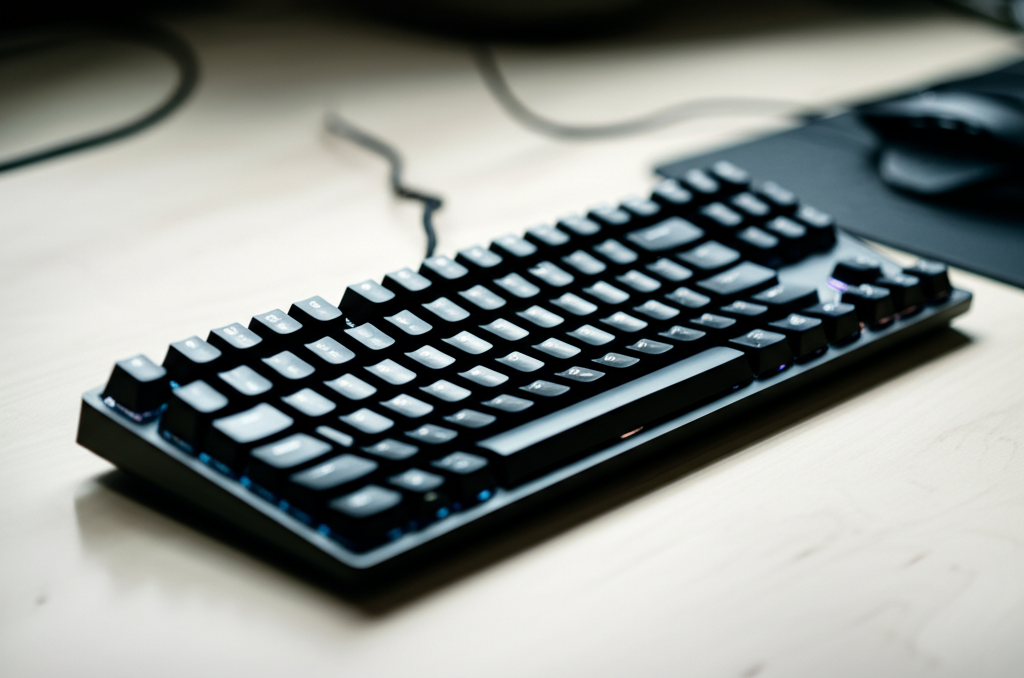
Mechanical keyboards are favored by many gamers for their distinct feel, responsiveness, and durability. Each key has its own individual mechanical switch underneath.
- Feel: Offers a more tactile and audible “click” or “thock” with each press, providing clear feedback.
- Durability: Built to last, with lifespans often exceeding 50 million keystrokes per key.
- Noise: Can range from relatively quiet to quite loud, depending on the switch type.
- Price: Generally start at $50 and go up significantly.
These switches come in various types (linear, tactile, clicky), each offering a different typing experience. This variety is why mechanical keyboards often command higher prices but deliver a superior gaming feel for many.
How Much Should You Spend On A Gaming Keyboard? A Price Breakdown
Now, let’s break down what you can expect to spend and what features come along with each price tier. This will help you see where your money goes and what’s most important for your needs.
Budget Gaming Keyboards ($50 – $100)
This price range is perfect for beginners or casual gamers looking for a significant upgrade without breaking the bank. You’ll primarily find mechanical keyboards in this segment, offering a taste of the superior gaming experience.
What to Expect:
- Switch Types: You’ll likely find keyboards with “blue” (clicky), “red” (linear), or “brown” (tactile) mechanical switches. While these might not be premium brands, they offer a good introduction.
- Build Quality: Expect durable plastic construction. They might feel slightly less robust than more expensive options, but they’ll hold up to regular gaming sessions.
- Features: Basic RGB backlighting (often single-zone or static colors), anti-ghosting (allowing multiple key presses simultaneously), and dedicated media keys might be included.
- Connectivity: Wired USB is standard.
Examples:
- Redragon K552 KUMARA
- Tecware Phantom Mechanical Keyboard
This tier is an excellent starting point. You get the core benefits of mechanical switches – better response and durability – at an accessible price.
Mid-Range Gaming Keyboards ($100 – $200)

Stepping into the mid-range opens up a world of enhanced features, better build quality, and more reputable switch brands. This is often the sweet spot for serious gamers who want a reliable, feature-rich keyboard.
What to Expect:
- Switch Types: You’ll find more options from reputable brands like Cherry MX, Gateron, or Kailh. Access to a wider variety of switch feels (e.g., speed switches for faster actuation) becomes common.
- Build Quality: Look for keyboards with aluminum top plates or more robust plastic construction. Keycaps might be made of PBT plastic, which is more durable and resistant to shine than ABS.
- Features: Per-key RGB backlighting for custom lighting effects, dedicated macro keys for programmable shortcuts, USB passthrough (allowing you to plug in accessories like a mouse or headset), wrist rests, and more sophisticated software for customization.
- Connectivity: Wired USB is still standard, but some might offer wireless options with low latency.
Examples:
- Corsair K70 RGB MK.2
- Logitech G Pro Mechanical Gaming Keyboard
- Razer BlackWidow Elite
At this price point, you’re investing in a keyboard that feels premium, performs reliably, and offers customization options that can genuinely enhance your gaming experience.
High-End & Enthusiast Gaming Keyboards ($200+)
This is where you find the crème de la crème. These keyboards are for dedicated enthusiasts who demand the absolute best in performance, customization, and build quality.
What to Expect:
- Switch Types: Access to exclusive or premium switch variants, sometimes hot-swappable switches (allowing you to change switches without soldering), and top-tier Cherry MX or custom switch options.
- Build Quality: Often feature solid aluminum or even magnesium alloy cases, high-quality PBT keycaps, and premium internal dampening for a satisfying sound profile.
- Features: Advanced per-key RGB, dedicated media controls with volume wheels, advanced macro capabilities, sophisticated software suites, OLED screens for displaying information, and often wireless connectivity with near-zero latency.
- Connectivity: High-performance wireless (often 2.4GHz dongles) or a combination of wired and wireless.
Examples:
- Filco Majestouch 2 Ninja
- Varmilo VA87M
- Das Keyboard 4 Professional (While not strictly “gaming” branded, its quality is top-tier for enthusiasts)
These keyboards are an investment. They offer unparalleled typing feel, extreme durability, and the most advanced features available. They are often chosen for their unique aesthetics and the sheer joy of using a meticulously crafted tool.
Key Factors Influencing Gaming Keyboard Price
Several components and features contribute to the final price tag of a gaming keyboard. Understanding these will help you prioritize what matters most to you.
Switch Type and Brand
As mentioned, mechanical switches are more expensive than membrane domes. Within mechanical switches, brands also matter.
- Cherry MX: The long-standing gold standard, known for quality and durability, but often the most expensive.
- Gateron/Kailh: Popular alternatives that offer similar performance at a lower price point.
- Optical Switches: Use a beam of light to detect key presses, potentially faster but often more expensive.
The specific type of switch (linear, tactile, clicky, speed) also affects preference and price.
Build Materials and Construction
The materials used significantly impact durability and feel.
- Plastic: Standard for budget boards, can feel lighter and less premium.
- Aluminum/Metal Plates: Add weight, rigidity, and a premium feel; common in mid-range and high-end boards.
- Keycaps:
- ABS Plastic: Cheaper, but can develop a shine over time with use.
- PBT Plastic: More durable, textured, and resistant to wear; often found in higher-priced keyboards.
A solid build means your keyboard will withstand intense gaming sessions and last for years.
Features and Customization
Extra features come with an added cost.
- RGB Lighting: Per-key customizable RGB is more expensive than single-color or zone lighting.
- Macro Keys: Dedicated programmable keys are a premium feature.
- USB Passthrough: Lets you connect peripherals through the keyboard, adding convenience and cost.
- Wrist Rests: Detachable or integrated ergonomic wrist rests add to comfort and price.
- Software: Advanced control over lighting, macros, and profiles often means more sophisticated and costly software integration.
- Hot-swappable Switches: Allows you to change switches yourself, a hallmark of enthusiast boards.
Brand Reputation and Warranty
Established brands like Corsair, Logitech, Razer, and SteelSeries often charge a premium for their brand name, extensive R&D, and robust customer support/warranty. Newer or lesser-known brands may offer similar specs at a lower price but might lack the same level of polish or support. A good warranty (e.g., 2-3 years) is a sign of quality and adds value.
Pro Tip:
Use reputable tech review sites like RTINGS.com or watch detailed video reviews on YouTube from channels like Linus Tech Tips or Hardware Unboxed to gauge the real-world performance and build quality of keyboards across different price points. This research avoids buyer’s remorse.
Comparing Keyboard Options by Price
Here’s a table summarizing what you can generally expect in different price brackets. Remember, these are guidelines, and there can be exceptions.
| Price Range | Typical Keyboard Type | Build Quality | Key Switches | Key Features | Ideal For |
|---|---|---|---|---|---|
| $20 – $50 | Membrane, some very basic mechanical | Lightweight plastic | Rubber domes or basic, unbranded mechanical | Basic backlighting, anti-ghosting | Casual gamers, budget-conscious beginners |
| $50 – $100 | Mechanical | Durable plastic, some with metal accents | Entry-level branded mechanical (Gateron, Kailh) | Basic RGB, anti-ghosting, media keys | Beginners, enthusiasts on a budget |
| $100 – $200 | Mechanical | Aluminum top plate, sturdy plastic | Branded mechanical (Cherry MX, Gateron, Kailh) with variety | Per-key RGB, macro keys, USB passthrough, wrist rest, advanced software | Serious gamers, streamers, enthusiasts |
| $200+ | Mechanical, Custom | Premium aluminum/metal, high-quality PBT keycaps | Premium branded, custom, or hot-swappable switches | Advanced RGB, OLED screens, high-end wireless, premium sound dampening | Enthusiasts, competitive pros, those seeking the ultimate experience |
Should You Invest in a “Gaming” Keyboard?
The term “gaming keyboard” often implies specific features like RGB lighting, faster response times, and durability. However, a high-quality keyboard with good tactile feedback and responsiveness can be beneficial for any task, including gaming.
If you spend significant time gaming, investing in a mechanical keyboard, even a budget-friendly one, can enhance your experience. The tactile feedback helps with accuracy, and the durability means it will last longer than a standard office keyboard. For example, a study by researchers at the National Institutes of Health has explored the impact of haptic feedback on user performance, hinting at how tactile input from keyboards can influence interaction.
However, if you’re on a very tight budget, a good quality, standard keyboard might suffice for casual gaming. The key is to find what feels comfortable and responsive to you.
Steps to Choosing Your Perfect Gaming Keyboard
Here’s a simple, step-by-step approach to help you make the right decision:
-
Determine Your Budget
Decide how much you’re willing to spend. This will immediately narrow down your options. Are you looking for an entry-level board for under $75, a solid mid-range option between $100-$150, or are you ready to splurge for a premium experience?
-
Decide Between Membrane and Mechanical
For gaming, mechanical keyboards are generally recommended due to their responsiveness and durability. If budget is extremely tight, a good membrane board can work, but mechanical switches offer a noticeable upgrade for most gamers.
-
Understand Mechanical Switch Types
This is crucial for feel and performance. Research the differences:
- Linear (e.g., Cherry MX Red, Gateron Red): Smooth, consistent keystroke with no tactile bump or click. Great for fast-paced games where rapid actuation is key.
- Tactile (e.g., Cherry MX Brown, Gateron Brown): A noticeable bump during the key press, but no audible click. Good for a balance of typing and gaming.
- Clicky (e.g., Cherry MX Blue, Gateron Blue): A tactile bump accompanied by an audible click. Very satisfying for typing, but can be noisy for others.
If possible, try out different switch types at a local electronics store or ask friends.
-
Consider Build Quality and Keycaps
For durability, look for metal top plates and PBT keycaps. If your budget is lower, durable plastic is acceptable, but be aware that ABS keycaps might develop a shine over time.
-
Identify Essential Features
Do you need full RGB lighting, programmable macro keys, a USB passthrough, or a comfortable wrist rest? Prioritize the features that will genuinely enhance your gaming sessions. Don’t pay for features you won’t use.
-
Research Brands and Read Reviews
Look into well-known brands and read reviews from both professional tech sites and actual users. Pay attention to comments about reliability, customer service, and long-term performance.
Frequently Asked Questions (FAQ)
Q1: Is a mechanical keyboard really worth the extra cost for gaming?
For most gamers who play regularly, yes. The improved responsiveness, tactile feedback, and durability of mechanical keyboards offer a significant advantage and a more satisfying gaming experience compared to standard membrane keyboards. The lifespan is also much longer.
Q2: What is “anti-ghosting” and “N-key Rollover” and why do they matter for gaming?
Anti-ghosting ensures that when you press multiple keys simultaneously, all of them register correctly. N-key Rollover (NKRO) means that every single key press can be registered at the same time. For fast-paced games where you might be pressing several keys at once (like WASD plus a few abilities), these features are crucial to prevent missed inputs.
Q3: How important is RGB lighting on a gaming keyboard?
RGB lighting is largely an aesthetic feature. While it can make your setup look great and some gamers enjoy customizing their lighting profiles, it doesn’t directly improve gaming performance. If budget is a concern, you can opt for a great-performing keyboard without fancy RGB.
Q4: Can I use a gaming keyboard for everyday work or typing?
Absolutely! Many people prefer gaming keyboards for everyday use due to their superior typing feel and durability. Some switch types, like tactile browns, offer a good middle ground for both gaming and productivity. You might find yourself typing faster and more comfortably.
Q5: What’s the difference between wired and wireless gaming keyboards?
Wired keyboards offer a stable, lag-free connection. High-end wireless gaming keyboards (using 2.4GHz dongles, not Bluetooth) now offer performance that is virtually indistinguishable from wired, with very low latency. Wireless offers convenience and a cleaner desk setup but comes at a higher price point and requires battery charging.
Q6: Should I prioritize a wrist rest when buying a gaming keyboard?
A wrist rest can significantly improve comfort during long gaming or typing sessions, helping to prevent strain. If you experience wrist fatigue or spend many hours at your computer, a keyboard that includes or is compatible with a good wrist rest is a worthwhile consideration.
Conclusion
Deciding how much to spend on a gaming keyboard is a personal journey that balances your budget with your gaming needs and preferences. For beginners, a solid mechanical keyboard in the $50-$100 range offers fantastic value and a noticeable upgrade. Stepping up to the $100-$200 bracket unlocks premium features, superior build quality, and renowned switch brands, perfect for serious hobbyists. Enthusiasts willing to spend $200+ will find top-tier craftsmanship and customization options.
Ultimately, the “best” gaming keyboard is the one that feels right under your fingers, performs reliably for your favorite games, and fits comfortably within your budget. Do your research, understand the core components like switches and build materials, and prioritize the features that matter most to you. With this guide, you’re well-equipped to make an informed decision and elevate your gaming experience. Happy gaming!
