

Setting up a home recording studio doesn’t require a professional budget—but it does demand the right gear. One of the most critical components? A solid pair of studio monitors. Unlike regular speakers, studio monitors deliver flat, accurate sound so you can hear your mix exactly as it is—no coloration, no hype, just truth. Whether you’re producing beats, recording vocals, or mixing tracks, the right monitors help you make better decisions and create professional-quality audio from your bedroom or garage studio. In this roundup, we’ve tested and reviewed the best home recording studio monitors that balance performance, build quality, and value—so you can focus on making music, not second-guessing your sound.
Quick Product Comparison
Our Top 5 Best Home Recording Studio Monitors Reviews – Expert Tested & Recommended
1. PreSonus Eris 3.5 Studio Monitors, Pair — Powered, Active Monitor Speakers for Near Field Music Production
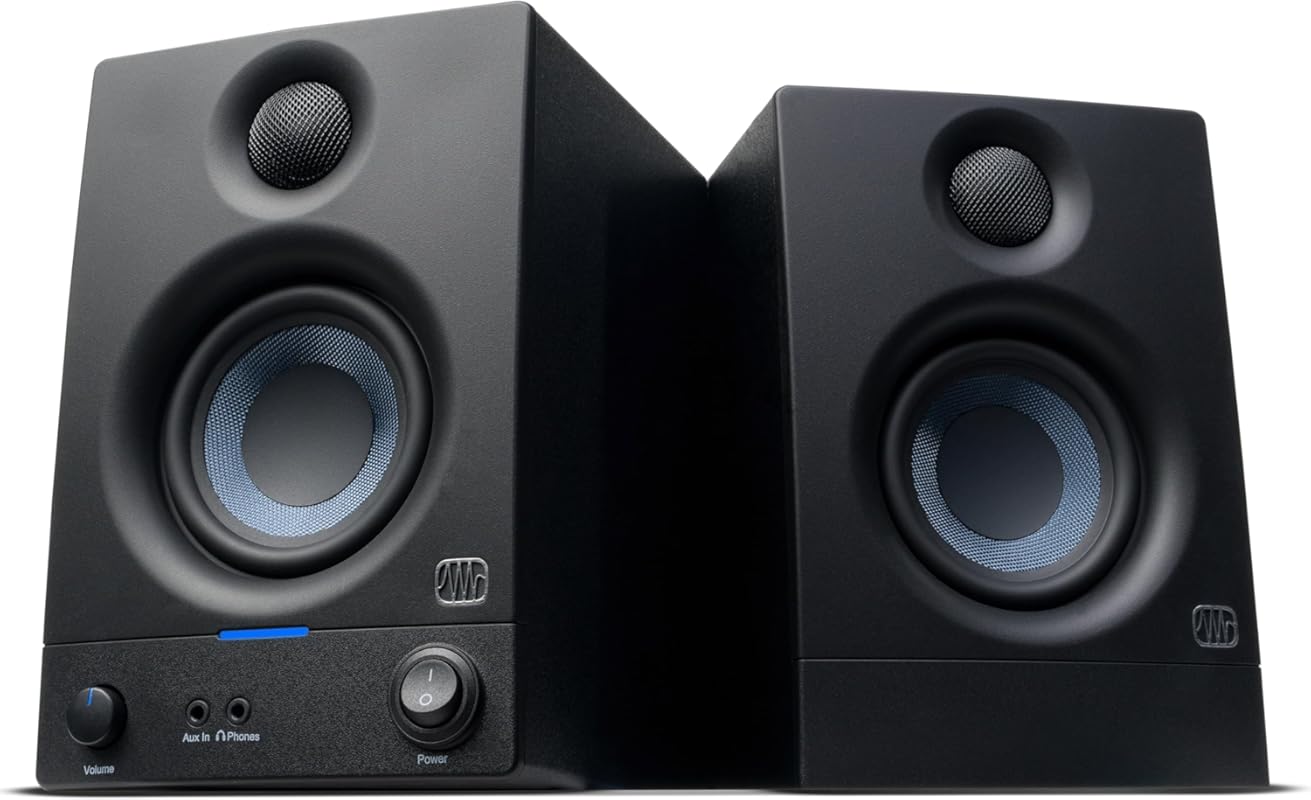
The PreSonus Eris 3.5 Studio Monitors deliver studio-grade sound in a compact, affordable package. Designed for near-field listening, these powered monitors are perfect for small home studios, podcasting setups, or bedroom producers who need accurate audio without breaking the bank.
Key Features That Stand Out
- ✓ 3.5-inch woven composite woofer for tight, responsive bass
- ✓ 1-inch silk dome tweeter for smooth high-frequency response
- ✓ 50W Class AB amplification (25W per channel) for clear, loud playback
- ✓ Front-facing ports and built-in acoustic tuning controls for flexible placement
- ✓ Multiple input options: TRS, RCA, and 3.5mm aux
Why We Recommend It
These monitors strike an impressive balance between price and performance. The sound is honest and uncolored—exactly what you want when mixing or mastering. We were especially impressed by how well they handle low-end detail without muddying up vocals or mids.
Best For
Beginners and intermediate producers looking for reliable, accurate monitors under $150. Ideal for small rooms, dorms, or desktop setups.
Pros and Cons
Pros:
- Excellent value for money
- Compact size fits any workspace
- Accurate frequency response for critical listening
- Easy setup with plug-and-play connectivity
Cons:
- Limited bass extension below 80Hz
- No Bluetooth or wireless options
- Basic design—lacks modern aesthetics
Customer Reviews
Customer Review: “Bought these to replace my failing 10 year old Bose Companions. I was really sad when my Bose went out but these speakers are amazing for the price. They sound better than the Bose but 3x louder and more bass. You can’t beat the price for the performance provided, all the jacks, the build quality.”
Customer Review: “Amazing sound! Really affordable, perfect for my home studio. Works great and they look good on my set-up.”
2. PreSonus Eris 3.5BT Studio Monitors, Pair — 3.5″ Inch Powered Bookshelf Speakers with Bluetooth
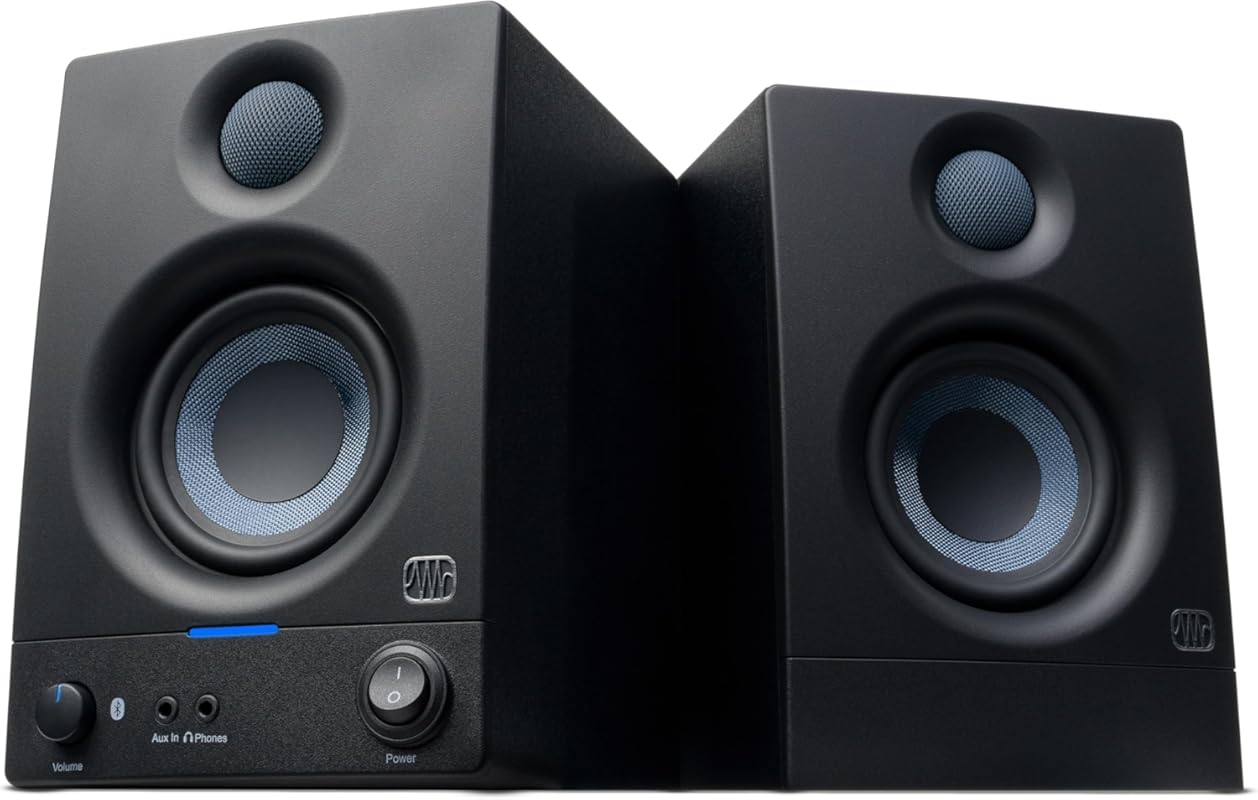
The PreSonus Eris 3.5BT adds wireless convenience to an already stellar monitor design. With built-in Bluetooth, these speakers let you stream reference tracks or take calls without touching your computer—making them ideal for hybrid creative workflows.
Key Features That Stand Out
- ✓ Full-range Bluetooth 5.0 connectivity for seamless wireless streaming
- ✓ Same 3.5-inch woofer and 1-inch tweeter as the standard Eris 3.5
- ✓ 50W total power output with clean, dynamic amplification
- ✓ Front-panel volume knob and headphone jack for quick adjustments
- ✓ Acoustic space controls to optimize sound based on room placement
Why We Recommend It
If you’re tired of cable clutter or want to quickly A/B test your mix against commercial tracks from your phone, the Eris 3.5BT is a game-changer. The Bluetooth integration is stable, low-latency, and doesn’t compromise audio fidelity.
Best For
Producers, podcasters, and content creators who value flexibility and modern connectivity. Great for shared spaces where wired setups aren’t practical.
Pros and Cons
Pros:
- Bluetooth adds huge convenience without sacrificing sound
- Accurate monitoring for critical listening tasks
- Compact and easy to position
- Includes all essential I/O options
Cons:
- Slightly higher price than non-BT version
- Bass still rolls off below 80Hz
- No USB audio interface included
Customer Reviews
Customer Review: “Bought these to replace my failing 10 year old Bose Companions. I was really sad when my Bose went out but these speakers are amazing for the price. They sound better than the Bose but 3x louder and more bass. You can’t beat the price for the performance provided, all the jacks, the build quality.”
Customer Review: “Amazing sound! Really affordable, perfect for my home studio. Works great and they look good on my set-up.”
3. PreSonus AudioBox USB 96 Bundle — USB Audio Interface + Eris 3.5 Studio Monitors
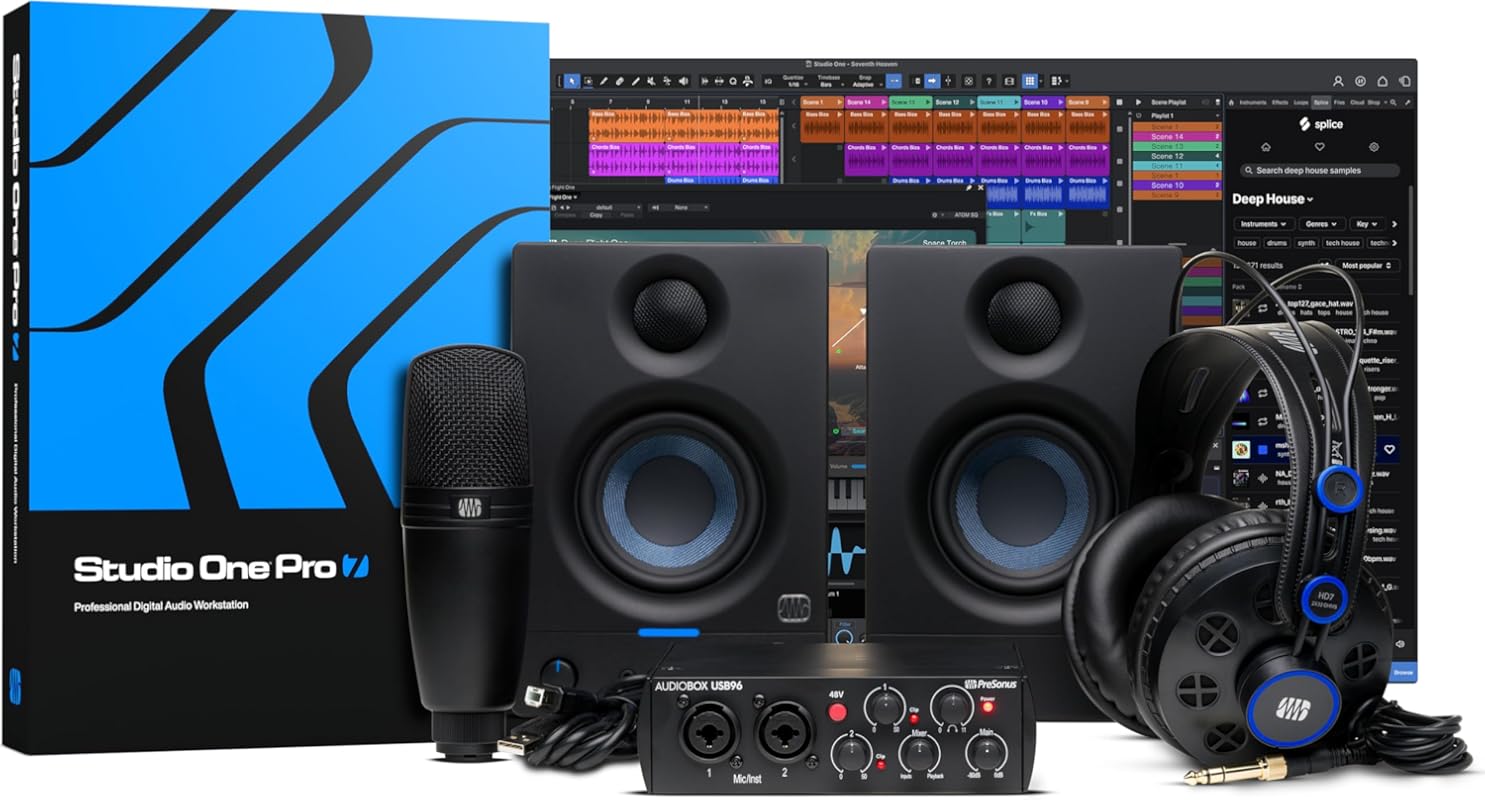
This bundle is a complete starter kit for anyone serious about home recording. It pairs the reliable AudioBox USB 96 audio interface with the acclaimed Eris 3.5 monitors—giving you everything needed to record, monitor, and produce high-quality audio right out of the box.
Key Features That Stand Out
- ✓ 2×2 USB audio interface with 24-bit/96kHz resolution
- ✓ Includes Studio One Artist DAW software (perpetual license)
- ✓ Comes with PreSonus Eris 3.5 powered monitors
- ✓ Dual combo XLR/TRS inputs for mics and instruments
- ✓ Zero-latency monitoring via mix control knob
Why We Recommend It
For under $200, this bundle eliminates the guesswork of building a home studio. The interface is rock-solid, the software is professional-grade, and the monitors deliver honest sound. It’s perfect for singer-songwriters, beatmakers, or anyone starting their audio journey.
Best For
Complete beginners or students who want a plug-and-play recording solution with room to grow.
Pros and Cons
Pros:
- Outstanding value—gets you recording immediately
- Professional software included (no subscription)
- Reliable, bus-powered interface
- Monitors provide accurate reference sound
Cons:
- Limited to two inputs—not ideal for band recordings
- No phantom power switch on front panel
- Basic cabling—may need upgrades later
Customer Reviews
Customer Review: “Here’s my take on this entry-level audio interface from a novice perspective. Firstly, the setup process was refreshingly simple. The AudioBox 96 is USB-powered, and connecting it to my computer was as easy as plug-and-play. The included Studio One Artist software, while offering powerful features, w”
Customer Review: “The PreSonus AudioBox 96 25th Anniversary Studio Recording Bundle is a game-changer for anyone looking to dive into home recording or upgrade their current setup. As someone who has tried various pieces of recording equipment, I was impressed by the value, performance, and ease of use this bundle of”
4. PreSonus AudioBox USB 96 Recording Bundle with Studio Monitors, Condenser Mic, Isolation Shield & Cables
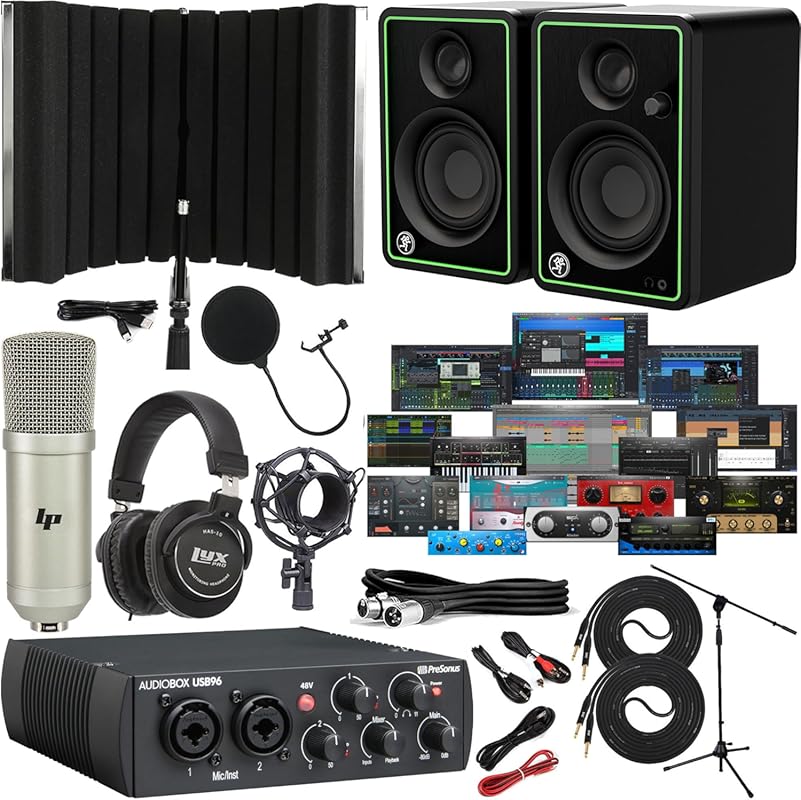
This all-in-one desktop studio kit takes the previous bundle to the next level by adding a condenser microphone, isolation shield, and all necessary cables. It’s literally unpack-and-record ready—ideal for podcasters, voice-over artists, or musicians wanting a clean vocal setup.
Key Features That Stand Out
- ✓ Includes LyxPro cardioid condenser mic with shockmount
- ✓ Desktop isolation shield reduces room reflections
- ✓ Mackie CR3-XBT Bluetooth monitors (3-inch woofers)
- ✓ AudioBox 96 interface with +48V phantom power
- ✓ All cables included: XLR, TRS, RCA, and USB
Why We Recommend It
We love how this kit solves common beginner problems: mic placement, background noise, and monitor accuracy. The isolation shield makes a noticeable difference in vocal clarity, and the Mackie monitors offer solid midrange detail.
Best For
Podcasters, YouTubers, and solo artists who need a complete vocal recording station without piecing together components.
Pros and Cons
Pros:
- Everything you need in one box
- Isolation shield improves vocal quality significantly
- Bluetooth monitors add wireless flexibility
- Great for voice, guitar, or solo instrument recording
Cons:
- Monitors are smaller (3-inch)—less bass than Eris 3.5
- Mic is decent but not studio-mastering grade
- Setup can feel cluttered with shield and cables
Customer Reviews
Customer Review: “Brought this for my husband to start making music. I’m rapping. It is a little confusing to try to figure out the software at first. But overall, the hardware is amazing, and it’s working out perfectly. I highly recommend this to anyone starting out”
Customer Review: “Excellent arrived on time very nice system Read more”
5. Mackie CR3.5 3.5″ Creative Reference Powered Studio Monitors with Tone Knob and Location Switch
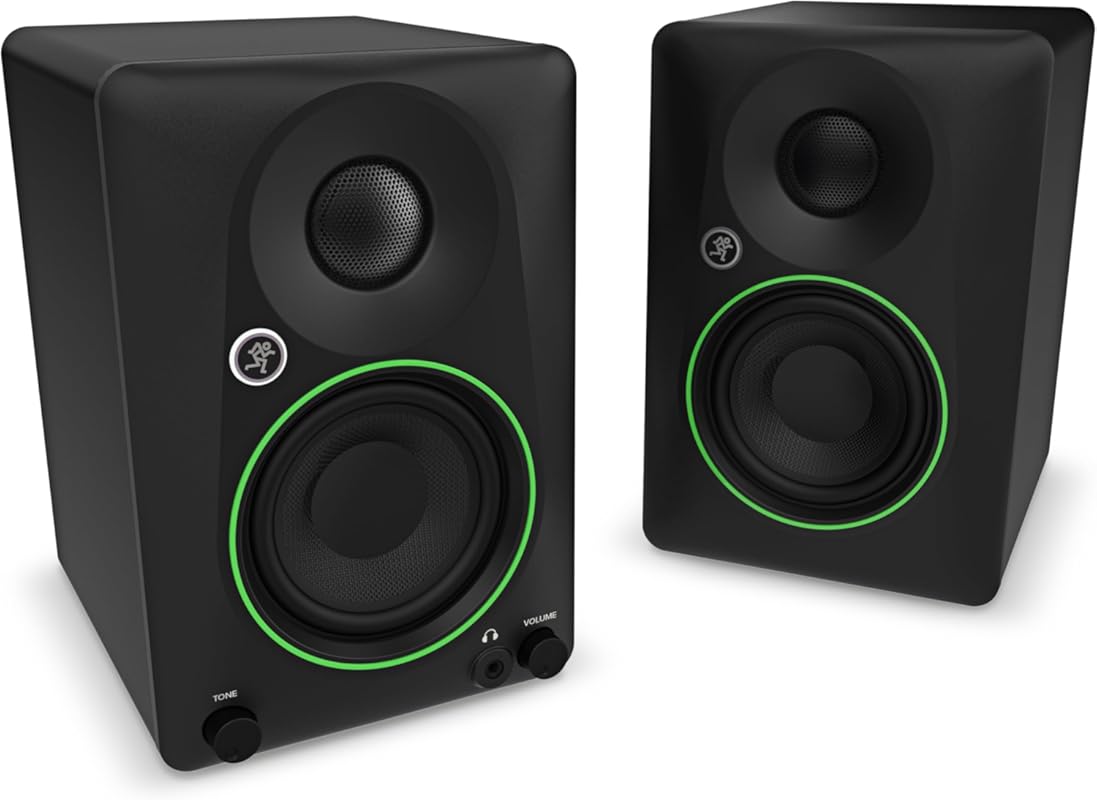
Mackie’s CR3.5 monitors bring the brand’s legendary reliability to ultra-compact form. With a unique tone control knob and location switch, these speakers adapt to your room and listening preferences—making them versatile for both critical mixing and casual listening.
Key Features That Stand Out
- ✓ Built-in tone knob for boosting or cutting bass
- ✓ Location switch optimizes sound for desktop, shelf, or stand placement
- ✓ 3.5-inch polypropylene woofer and 0.75-inch silk tweeter
- ✓ 50W bi-amped power for clean, dynamic output
- ✓ TRS and RCA inputs for flexible connectivity
Why We Recommend It
The tone knob is a rare feature at this price—letting you compensate for boomy rooms or bright headphones. Combined with Mackie’s durable build, these monitors feel like they’ll last decades.
Best For
Gamers, multimedia creators, and producers who want adaptable sound in a tiny footprint. Also great as secondary monitors.
Pros and Cons
Pros:
- Tone control adds real-world flexibility
- Rugged construction—built like a tank
- Clear, balanced sound with good imaging
- Affordable entry into studio monitoring
Cons:
- Smaller drivers limit low-end depth
- No Bluetooth or USB connectivity
- Basic aesthetics—functional over fancy
Customer Reviews
Customer Review: “Literally just started listening after setup. Up and running (iMac M4) was a breeze. I’m running it on Bluetooth for now, a few days. Then I’ll connect via the supplied RCA connectors to hear any difference. Those, combined with the short speaker wire, means a setup just like in the brochures: nothi”
Customer Review: “I had M-Audio speakers for years, because that’s what we had at work. I watched a Top 10 Amazon speakers review on Youtube, and of the speakers that were in that video, these sounded the best to me. I am happy to say: they’re way better than my M-Audio were. They sound better, and they’re a lot more”
Complete Buying Guide for Home Recording Studio Monitors
Essential Factors We Consider
When choosing home recording studio monitors, accuracy is everything. We prioritize flat frequency response, proper driver size for your room, connectivity options, and build quality. Near-field monitors (like all on this list) should be placed 3–6 feet away for optimal imaging. Also consider whether you need powered (active) or passive monitors—most home studios benefit from built-in amplification.
Budget Planning
You don’t need to spend $500+ to get great sound. Entry-level monitors ($100–$200) like the PreSonus Eris 3.5 or Mackie CR3.5 deliver professional results in small spaces. Bundles (like the AudioBox kits) offer even better value by including interfaces, mics, and software. Set a realistic budget based on your goals: hobbyist, content creator, or aspiring producer.
Final Thoughts
The best studio monitor is the one that helps you make better music—not the most expensive or flashy. All five options here excel in their category, whether you need wireless convenience, a full recording bundle, or pure sonic honesty. Invest wisely, trust your ears, and keep creating.
Frequently Asked Questions
Q: Do I really need studio monitors, or can I use regular speakers?
A: Regular speakers color the sound to make music “sound good.” Studio monitors are designed to be neutral so you hear flaws, imbalances, and details in your mix. For recording, mixing, or mastering, monitors are essential.
Q: Can I use studio monitors for casual listening or gaming?
A: Absolutely! Many people use monitors as their main desktop speakers. Just be aware they may sound “flat” compared to consumer speakers—but that’s a sign of accuracy, not weakness.
Q: What size monitor is best for a small room?
A: 3.5-inch to 5-inch woofers are ideal for rooms under 12×12 feet. Larger drivers can overwhelm small spaces with boomy bass. The PreSonus Eris 3.5 and Mackie CR3.5 are perfect for compact setups.
Q: Do I need an audio interface with these monitors?
A: Only if you’re recording. If you’re just playing audio from your computer, you can connect directly via RCA or 3.5mm. But for mics or instruments, an interface (like the AudioBox) is necessary.
Q: Are Bluetooth monitors good for mixing?
A: Bluetooth is great for reference listening, but avoid using it for critical mixing due to potential compression and latency. Always use wired connections when finalizing tracks.
Ready to upgrade your sound? Any of these best home recording studio monitors will give you the clarity and confidence to create professional-quality audio—right from your desk. Click the “Check Price” buttons above to compare deals and find the perfect fit for your setup. Happy recording!
