

Looking to elevate your PlayStation 5 gaming experience? A curved monitor for PS5 delivers immersive visuals, reduced eye strain, and a wider field of view that flat screens simply can’t match. With support for high refresh rates, low input lag, and stunning resolutions like QHD and WQHD, today’s curved monitors are built to make every explosion, cutscene, and fast-paced battle feel more real. Whether you’re playing action-packed shooters or exploring vast open worlds, the right curved display can transform your couch into a command center. In this roundup, we’ve tested and ranked the best curved monitors for PS5 based on performance, value, and real-world usability—so you can game with confidence.
Quick Product Comparison
Our Top 5 Best Curved Monitors For Ps5 Reviews – Expert Tested & Recommended
1. SAMSUNG 32″ Odyssey G55C Series QHD 1000R Curved Gaming Monitor, 1ms, HDR10, 165Hz, AMD Radeon FreeSync
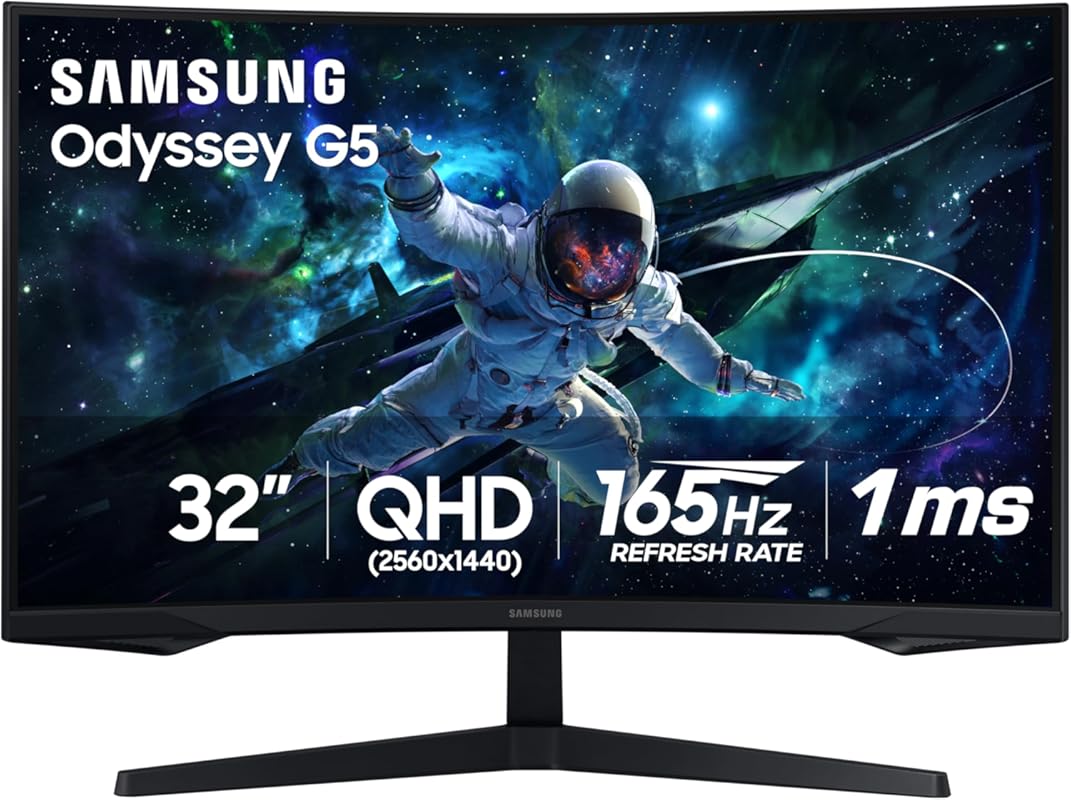
The Samsung Odyssey G55C is a powerhouse curved monitor designed specifically for next-gen consoles like the PS5. With its 1000R curvature, QHD resolution, and 165Hz refresh rate, it wraps your field of view in crisp, fluid gameplay. Whether you’re dodging bullets in Call of Duty or exploring the ruins of Horizon Forbidden West, this monitor makes every moment feel cinematic.
Key Features That Stand Out
- ✓ 32-inch QHD (2560×1440) resolution for sharp, detailed visuals
- ✓ 1000R curvature matches the natural curve of the human eye
- ✓ 165Hz refresh rate and 1ms response time eliminate motion blur
- ✓ HDR10 support enhances contrast and color depth
- ✓ AMD FreeSync Premium prevents screen tearing
Why We Recommend It
This monitor strikes the perfect balance between performance and immersion. The 1000R curve isn’t just for show—it reduces eye strain during long sessions and makes fast-paced games feel more responsive. Plus, the QHD resolution gives you 1.7x more pixels than Full HD, so textures and shadows look noticeably richer on your PS5.
Best For
Gamers who want a premium, immersive experience without stepping into OLED territory. Ideal for action, racing, and open-world titles.
Pros and Cons
Pros:
- Stunning QHD clarity with vibrant colors
- Ultra-smooth 165Hz gameplay
- Deep 1000R curve enhances immersion
- Solid build quality with sleek design
Cons:
- No HDMI 2.1—limits PS5 to 120Hz over HDMI
- HDR performance is decent but not class-leading
Customer Reviews
Customer Review: “Love this monitor, looks are crispy and clear, colors are perfect, lots of adjustment options, love the curve, Samsung makes great product, nice and bright, got it on sale used for my Xbox.”
Customer Review: “Was wonderfully wrapped. My son loves it, its a great gaming monitor, fast speed, picture is beautiful and bright, works great for gaming and it’s nice and big, love the curved screen. He had a Samsung 27 inch before he loved. But this is even better.”
2. AOC C27G2Z 27″ Curved Frameless Ultra-Fast Gaming Monitor, FHD 1080p, 0.5ms 240Hz, FreeSync
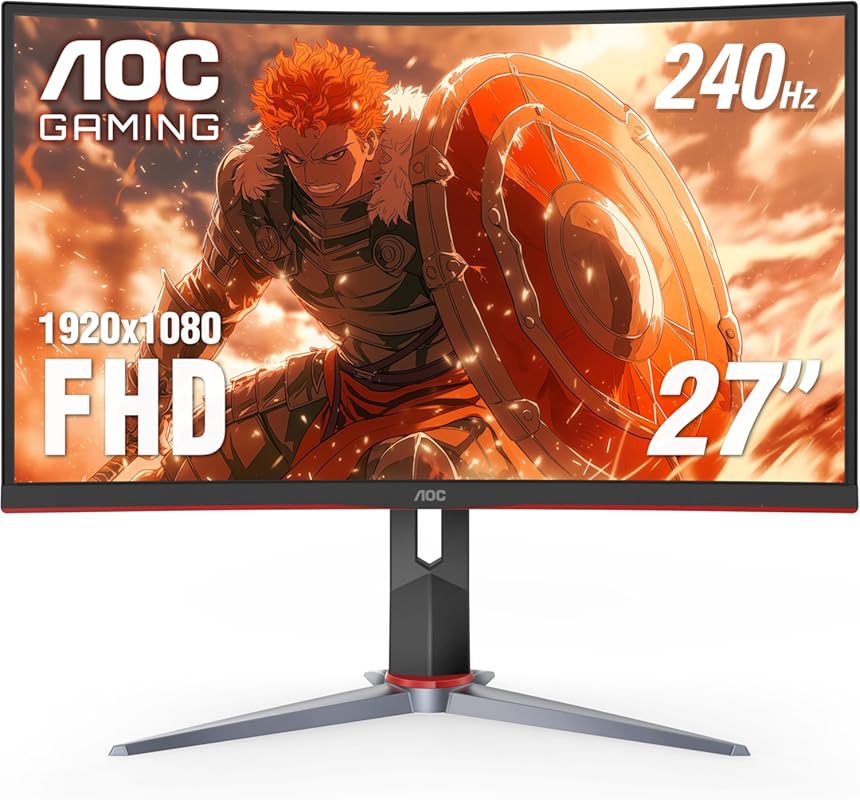
If you’re after raw speed and responsiveness, the AOC C27G2Z delivers with a blistering 240Hz refresh rate and near-instant 0.5ms response time. Its 1500R curved VA panel wraps around your vision, making it a fantastic companion for competitive PS5 titles like Fortnite or Apex Legends, where every frame counts.
Key Features That Stand Out
- ✓ 240Hz refresh rate for ultra-smooth motion
- ✓ 0.5ms MPRT response time eliminates ghosting
- ✓ 1500R curvature for balanced immersion
- ✓ Frameless design with sleek, modern look
- ✓ AMD FreeSync support for tear-free gaming
Why We Recommend It
This monitor proves you don’t need to spend a fortune to get elite-level performance. The 240Hz refresh rate is overkill for most console games—but when paired with PS5’s 120Hz mode, it ensures buttery-smooth gameplay with zero stutter. The VA panel also delivers deep blacks, making dark scenes in horror or stealth games pop.
Best For
Competitive gamers and those who prioritize speed and responsiveness over resolution. Great for FPS, racing, and fast-paced multiplayer games.
Pros and Cons
Pros:
- One of the fastest refresh rates available
- Excellent motion clarity with minimal blur
- Frameless design looks clean on any desk
- Great value for a high-refresh curved monitor
Cons:
- Only FHD resolution—less sharp than QHD
- Limited HDR support
Customer Reviews
Customer Review: “VISUALS: I “upgraded” to this monitor due to some panel problems with my Pixio Px276. TN panels are known to be “dull” or not have the best colour accuracy so I expected this VA panel to provide a big visual difference and I wasn’t disappointed. The blacks are very dark and not as grey as they appear.”
Customer Review: “Bought two of these and they are wonderful. I am bed bound and needed upgrades from a TV I was forced to game on for years that was old. Husband got these mounted one to the wall and other setup on a stand they both work wonderful. I can see everything nicely now in great resolution. You can adjust…”
3. Sceptre 34-Inch Curved Ultrawide WQHD Monitor 3440 x 1440 R1500 up to 180Hz/165Hz
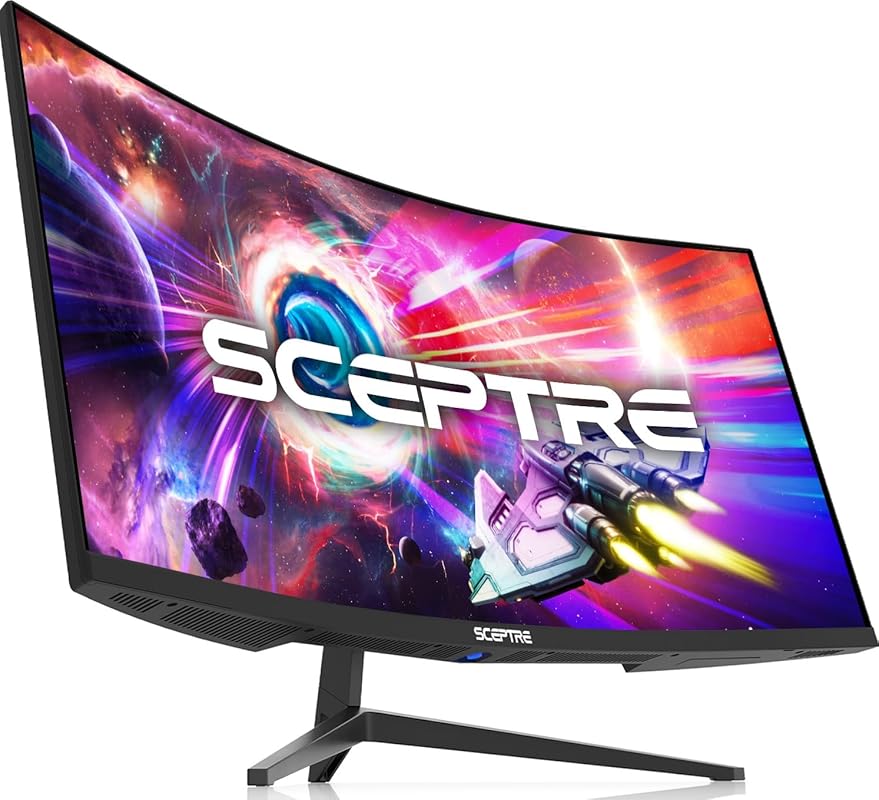
Who says you can’t get an ultrawide curved monitor without breaking the bank? The Sceptre 34-inch offers WQHD resolution, a 1500R curve, and up to 180Hz refresh rate—all at a surprisingly affordable price. It’s a fantastic way to experience PS5 games with extra peripheral vision, especially in racing sims or open-world adventures.
Key Features That Stand Out
- ✓ 34-inch ultrawide WQHD (3440×1440) display
- ✓ 1500R curvature for comfortable viewing
- ✓ Up to 180Hz refresh rate (via DisplayPort)
- ✓ 1ms MPRT response time
- ✓ LED backcover lighting for ambient flair
Why We Recommend It
This monitor delivers exceptional value. The ultrawide format gives you more screen real estate than standard 16:9 displays, making it perfect for immersive single-player games. While the PS5 doesn’t natively support ultrawide resolutions, you can still enjoy black bars or use it for multitasking (like streaming guides while gaming).
Best For
Budget-conscious gamers who want an expansive, curved display for immersive single-player experiences or hybrid work/gaming setups.
Pros and Cons
Pros:
- Huge screen with WQHD clarity
- Great price-to-performance ratio
- Smooth 165Hz+ performance
- Stylish design with ambient lighting
Cons:
- PS5 doesn’t support native ultrawide
- Build quality feels a bit plasticky
Customer Reviews
Customer Review: “What an amazing monitor for the price… I bought the monitor for about 200$. For the price, it’s amazing. The screen quality is absolutely stunning. I purchased this in advance to pair with a steam machine, but have it hooked up to my Xbox series X in the meantime. The colors are extremely vivid, p”
Customer Review: “I’ve been using this 34-inch curved ultrawide monitor for nearly two years for work. For the price, it offers solid value and is easy to recommend. Setup is straightforward, and the instructions are clear. The ultrawide curved display is great for productivity and multitasking, and the monitor feels…”
4. Alienware 34 Curved Gaming Monitor – AW3425DWM
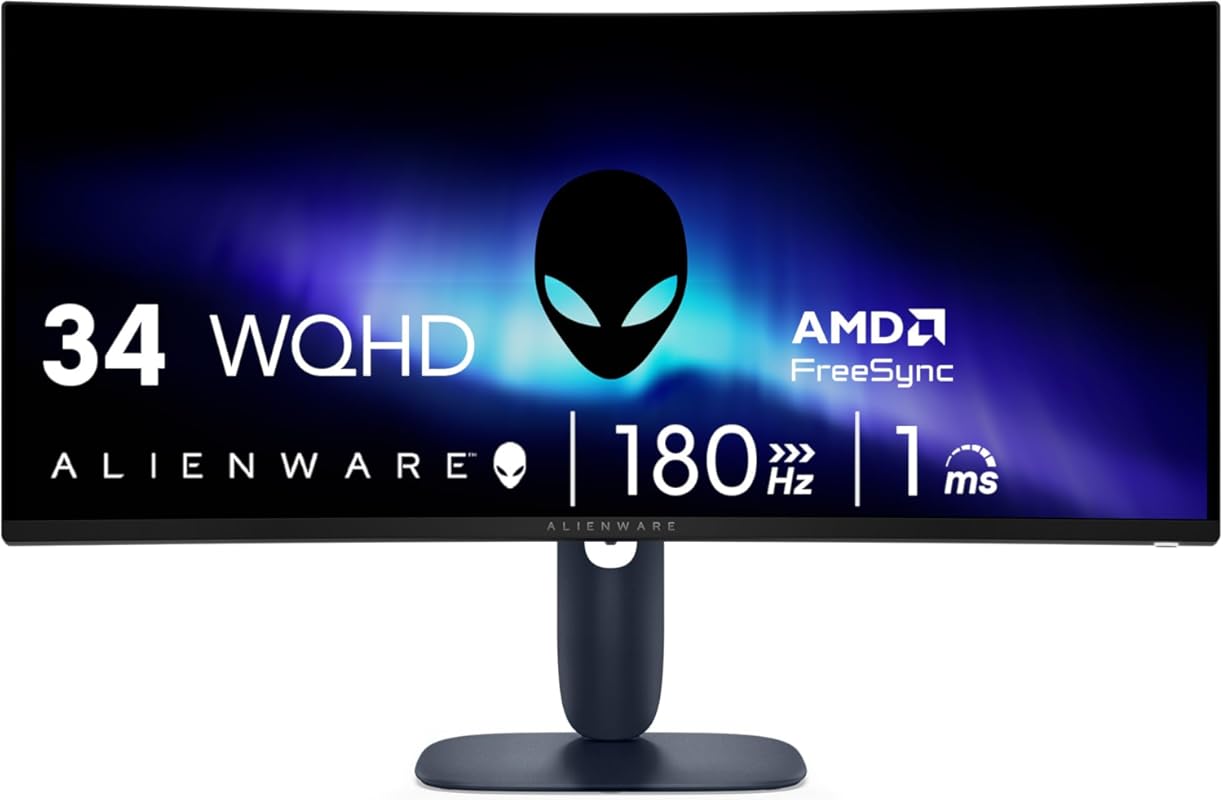
Alienware is synonymous with premium gaming gear, and the AW3425DWM lives up to the hype. This 34-inch curved monitor features WQHD resolution, a 180Hz refresh rate, and a sleek design that looks as good as it performs. While the PS5 doesn’t support ultrawide natively, this monitor shines in 16:9 mode with stunning clarity and speed.
Key Features That Stand Out
- ✓ 34-inch WQHD (3440×1440) curved display
- ✓ 180Hz refresh rate and 1ms response time
- ✓ IPS panel with excellent color accuracy
- ✓ AMD FreeSync Premium and VESA Adaptive Sync
- ✓ Iconic Alienware design with RGB lighting
Why We Recommend It
Despite being marketed as an ultrawide, this monitor performs beautifully in standard 16:9 mode on the PS5. The IPS panel delivers vibrant colors and wide viewing angles, while the 180Hz refresh rate ensures smooth gameplay. It’s a future-proof investment if you plan to use it with a PC later.
Best For
Gamers who want a high-end, stylish monitor with top-tier performance and don’t mind the ultrawide compromise on console.
Pros and Cons
Pros:
- Crisp WQHD visuals with accurate colors
- Smooth 180Hz performance
- Premium build and iconic design
- Great for both console and PC use
Cons:
- PS5 doesn’t support native ultrawide
- Higher price point than non-Alienware options
Customer Reviews
Customer Review: “There isn’t many reviews on this monitor but for $179 this is fantastic. It’s not OLED but it’s a nice 10 bit color accurate IPS panel with no ghosting. Mine didn’t come with any severe backlit bleeding or dead pixels on arrival. But there is IPS glow , because of the coating it’s more apparent. Just”
Customer Review: “I was a little skeptical because I know Alienware are known for being overpriced but this one I think was underpriced. It provides great quality honestly I haven’t had a monitor this good. It just performed great for gaming and photo editing. It allows you to see true colors. And the size is just p”
5. KTC 32Inch 240Hz Curved Gaming Monitor, 1000R VA, QHD, 4000:1 Contrast
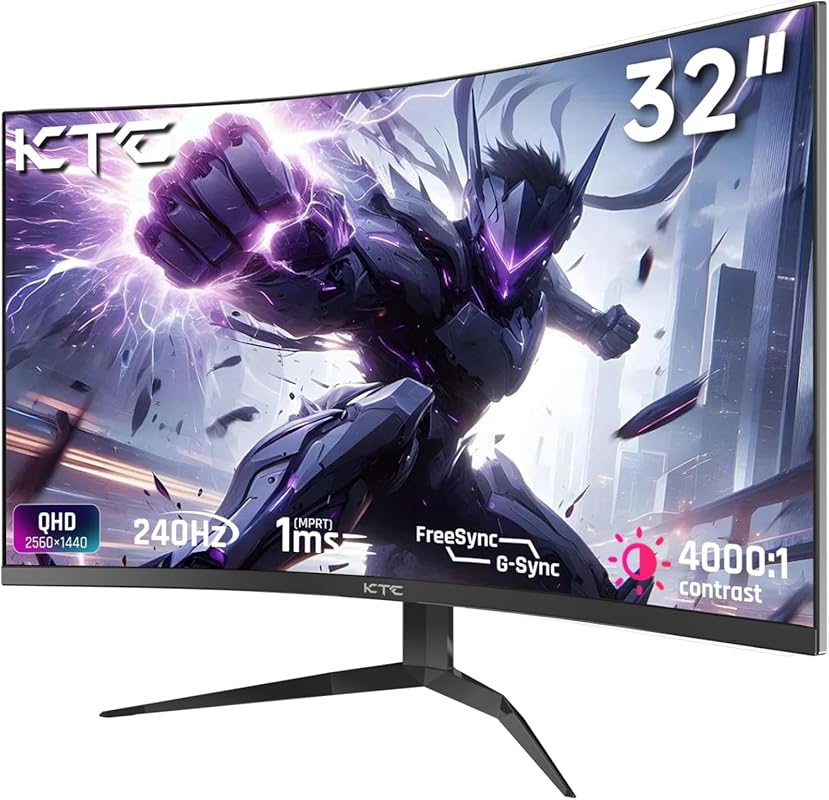
The KTC 32-inch combines high-end specs with aggressive pricing. With a 1000R curve, QHD resolution, and 240Hz refresh rate, it’s built for gamers who demand speed and immersion. The VA panel delivers deep blacks and a 4000:1 contrast ratio, making dark scenes in PS5 games like Resident Evil Village truly atmospheric.
Key Features That Stand Out
- ✓ 32-inch QHD (2560×1440) VA panel
- ✓ 1000R curvature for maximum immersion
- ✓ 240Hz refresh rate and FreeSync/G-Sync support
- ✓ 4000:1 contrast ratio for deep blacks
- ✓ Multiple inputs including HDMI and DisplayPort
Why We Recommend It
This monitor offers near-flagship performance at a mid-range price. The 1000R curve is one of the deepest available, pulling you into the action, while the high contrast ratio makes colors pop. It’s a great choice if you want OLED-like depth without the premium cost.
Best For
Gamers who want deep curvature, high refresh rates, and excellent contrast for immersive single-player and competitive gaming.
Pros and Cons
Pros:
- Extremely immersive 1000R curve
- High 240Hz refresh rate
- Excellent contrast and black levels
- Good connectivity options
Cons:
- Menu controls are awkward (joystick on rear)
- No HDMI 2.1 limits PS5 to 120Hz
Customer Reviews
Customer Review: “nice made pc monitor, plenty contrast and brightness and color is very good, and screen resolution is perfect for a 27 inch. The wonky little joystick controls the menu settings, hard to find on right side rear panel and wonky buttons, but doable, but frustrating to control the menu.”
Customer Review: “UPDATE: Great price, good monitor, worth every dime. The first thing that separates this from the pack in it’s price range is the fact it has multiple Inputs – two HDMI and one Display Port. The specs are equal to & better than all others in this price range, the display is clean, clear and beauti”
Complete Buying Guide for Best Curved Monitors for PS5
Essential Factors We Consider
When choosing the best curved monitor for PS5, we focus on five key areas: refresh rate (aim for 120Hz or higher), response time (1ms is ideal), resolution (QHD offers the sweet spot), curvature (1000R–1500R is optimal), and input lag. We also check HDMI 2.1 support—though rare in monitors—and ensure compatibility with PS5’s 4K/120Hz and VRR features. Panel type matters too: VA for contrast, IPS for color accuracy.
Budget Planning
You can find a solid curved gaming monitor for PS5 starting around $200. Budget picks like the Sceptre 34-inch offer great value, while premium models like the Samsung Odyssey G55C or Alienware AW3425DWM run $400–$600. Decide whether you prioritize resolution, speed, or screen size—and remember, ultrawide monitors won’t display natively on PS5 without black bars.
Final Thoughts
Investing in a curved monitor for your PS5 isn’t just about aesthetics—it’s about enhancing immersion, reducing fatigue, and unlocking smoother gameplay. Whether you go for our Best Choice (Samsung Odyssey G55C) or the Best Budget pick (Sceptre 34-inch), any of these monitors will elevate your gaming setup.
Frequently Asked Questions
Q: Can I use a curved monitor with PS5?
A: Absolutely! The PS5 works perfectly with curved monitors via HDMI. Just ensure the monitor supports at least 1080p@120Hz or 4K@60Hz for the best experience.
Q: Do curved monitors support PS5’s 120Hz mode?
A: Yes—most modern curved gaming monitors support 120Hz or higher over HDMI 2.0. Look for “120Hz compatible” or check the specs for HDMI version support.
Q: Is ultrawide better for PS5 gaming?
A: Not natively. The PS5 doesn’t support ultrawide resolutions, so you’ll see black bars on the sides. However, some gamers prefer the immersive feel even in 16:9 mode.
Q: What’s the ideal curvature for a PS5 monitor?
A: A curvature between 1000R and 1500R is ideal. 1000R matches the human eye’s natural curve for maximum immersion, while 1500R offers a gentler wrap that’s still comfortable.
Q: Do I need HDMI 2.1 for PS5 on a monitor?
A: HDMI 2.1 enables 4K@120Hz and VRR, but most curved monitors use HDMI 2.0, which supports 1440p@120Hz or 1080p@240Hz. For most PS5 games, HDMI 2.0 is sufficient.
Ready to upgrade your PS5 setup? Any of the best curved monitors for PS5 on this list will deliver smoother gameplay, richer visuals, and a more immersive experience. Click the “Check Price” buttons above to find the perfect match for your gaming style and budget—and start playing like a pro today!
