

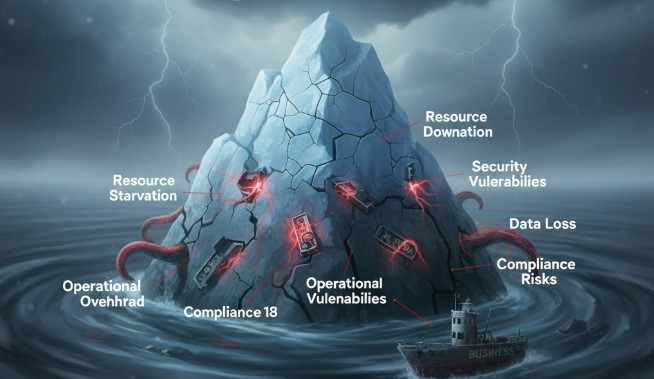
Kubernetes cost optimization is crucial, but focusing solely on cutting expenses without understanding the risks can lead to performance issues, security vulnerabilities, and unexpected downtime. Learn to optimize wisely to avoid these hidden dangers.
Key Takeaways
- Identify hidden Kubernetes cost traps.
- Balance cost savings with performance needs.
- Prevent over-provisioning to stop waste.
- Secure your Kubernetes cluster effectively.
- Monitor usage for continuous optimization.
- Choose the right tools for visibility.
Introduction
You’re likely here because you want to save money on your Kubernetes infrastructure. It’s a smart move! Kubernetes can be powerful, but its complexity often leads to higher-than-expected cloud bills. However, what if your enthusiastic pursuit of Kubernetes cost optimization is actually putting your applications and your business at risk? It sounds counterintuitive, but cutting corners in the wrong places can lead to bigger problems down the line. This guide will help you uncover these hidden dangers and show you how to optimize your Kubernetes spending the right way, ensuring stability and performance are never sacrificed.
The Allure of Kubernetes Cost Optimization
When you first adopt Kubernetes, you marvel at its ability to manage complex containerized applications. You gain scalability, resilience, and the power to deploy services rapidly. But as your cluster grows, so does your cloud bill. Suddenly, the spotlight shifts to cost savings. It’s natural to want to rein in expenses, especially when you see line items for compute, storage, and network traffic adding up. Tools and strategies promising significant reductions are everywhere, and the idea of shaving off percentages of your bill is incredibly appealing.
Many organizations start by simply reducing resource requests and limits for their containers, thinking, “If it’s not using that much, why pay for it?” Others might cut down on node sizes or scale down replica counts aggressively. These are often the first steps taken when cost optimization becomes a priority. The goal is straightforward: use less, pay less.
Hidden Dangers of Aggressive Kubernetes Cost Optimization
While the intention is good, a myopic focus on reducing costs can create a cascade of unintended consequences. It’s like trying to save money on car maintenance by skipping oil changes – you might save a bit in the short term, but you risk major engine failure later.
1. Performance Degradation and Application Instability
One of the most immediate dangers is impacting your application’s performance. When you aggressively lower CPU and memory limits for your containers, you’re essentially telling Kubernetes to run them with less power. If your application experiences a traffic spike or needs more resources to perform a critical task, it will be starved.
- CPU Throttling: When a container hits its CPU limit, Kubernetes will throttle its CPU usage. This means your application will slow down, leading to increased latency and a poor user experience. Imagine a customer trying to complete a purchase on your e-commerce site, and it takes ages to load each page – they’ll likely abandon their cart.
- Out-of-Memory (OOM) Errors: If you set memory limits too low, your application might try to use more memory than allocated. When this happens, the Linux kernel will kill the offending process to free up memory, resulting in an Out-of-Memory error. This can cause your pod to crash and restart, leading to downtime.
- Reduced Throughput: With insufficient resources, your applications simply can’t process as many requests per second. This directly impacts your business’s ability to serve customers and generate revenue.
A study by Google Cloud highlighted that poor resource utilization and inefficient configurations are major contributors to cloud waste, but hasty reductions can be equally damaging. (Source: Google Cloud Blog)
2. Security Vulnerabilities and Compliance Risks
Cost optimization efforts can sometimes inadvertently compromise your cluster’s security. This is often overlooked because security often involves adding more tools or services, which might seem counter to cost-cutting.
- Reduced Monitoring and Logging: To save on storage or compute for logging and monitoring infrastructure, teams might reduce the verbosity of logs or the frequency of metrics collection. This leaves you in the dark when an incident occurs, making it harder to detect breaches or troubleshoot issues.
- Under-provisioned Security Tools: If you’re running security tools like vulnerability scanners or intrusion detection systems within Kubernetes, scaling them down too aggressively can make them ineffective. They might not be able to keep up with the workload or perform their scans adequately.
- Ignoring Updates and Patching: Sometimes, cost-cutting measures can lead to delays in applying security updates to your Kubernetes nodes or container images. Running unpatched software is a significant security risk, as known vulnerabilities can be exploited by attackers. According to the Verizon Data Breach Investigations Report, many breaches exploit unpatched vulnerabilities.
Security is not a feature you can afford to cut corners on. A single security incident can cost far more than any savings achieved through aggressive optimization.
3. Increased Operational Overhead and Complexity
While the goal is often to simplify and save, poorly executed cost optimization can actually increase your operational burden.
- Constant Triage: When applications are constantly hitting resource limits or crashing due to insufficient resources, your operations team spends more time firefighting than on proactive work. This constant firefighting is a hidden cost in terms of developer and operations engineer time.
- Complex Workarounds: Teams might resort to complex workarounds to make applications function with minimal resources, leading to brittle systems that are hard to maintain and understand.
- Tool Sprawl: Trying to find granular cost data might lead to adopting multiple, often unintegrated, tools for monitoring and cost allocation, adding to the overall complexity of your environment.
4. Inefficient Resource Utilization (Paradoxical Waste)
This is a significant danger: trying to optimize too much can lead to even greater waste. This happens through a few common scenarios:
- Over-committing Resources: If you set resource requests too low, Kubernetes’ scheduler might place too many pods on a single node, believing there’s plenty of capacity. When these pods collectively demand more resources than the node can physically provide, the node becomes unstable, impacting all pods running on it.
- Underutilized Reserved Instances/Savings Plans: If you aggressively downsize your clusters, you might end up with unused Reserved Instances or Savings Plans, negating potential discounts.
- “Zombie” Resources: Unused or orphaned Kubernetes resources (like Persistent Volumes not attached to any pod) can silently accumulate costs.
Statista data consistently shows that cloud waste is a major concern for businesses, with a significant percentage of cloud spending being attributable to underused or misconfigured resources. (Source: Statista)
The Right Way to Optimize Kubernetes Costs: Balancing Act
Effective Kubernetes cost optimization isn’t about simply cutting resources. It’s about understanding your applications, observing their actual usage, and making informed decisions. It’s a continuous process, not a one-time fix.
1. Understand Your Workloads and Set Realistic Requests/Limits
Before you touch any configuration, you need data. Use Kubernetes monitoring tools to understand the actual CPU and memory usage patterns of your applications under typical and peak loads.
- Analyze Pod Metrics: Look at metrics like CPU utilization, memory usage, network traffic, and disk I/O for your pods over a representative period (e.g., two weeks to a month).
- Use the Vertical Pod Autoscaler (VPA): VPA can automatically adjust your pod’s resource requests based on historical usage. While often recommended for recommendations only initially, it provides excellent insights.
- Set Requests and Limits Appropriately:
- Requests: These guarantee a minimum amount of resources for your pod. Setting requests too low can lead to over-committing nodes. Setting them too high can lead to underutilization.
- Limits: These cap the maximum resources a pod can use. Setting limits too low causes performance issues and OOMKills. Setting them too high can starve other pods.
Your goal is to set requests that reflect your application’s typical needs and limits that prevent runaway processes from destabilizing your cluster, without being so restrictive that they hinder normal operation.
2. Implement Horizontal Pod Autoscaler (HPA) and Cluster Autoscaler
These are your best friends for dynamic scaling and cost efficiency.
- HPA: This automatically scales the number of pod replicas up or down based on observed metrics like CPU utilization or custom metrics. If your application usage increases, HPA adds more pods to handle the load. When usage drops, it scales down, saving resources.
- Cluster Autoscaler: This automatically adjusts the number of nodes in your cluster. If pods are pending due to insufficient node resources, the Cluster Autoscaler will add new nodes. Conversely, if nodes are underutilized for an extended period, it will remove them.
This dynamic scaling ensures you’re only paying for the resources you actually need, when you need them. It’s a cornerstone of efficient Kubernetes cost management.
3. Right-Size Your Nodes and Node Pools
Don’t just use generic, oversized nodes. Choose instance types that are best suited for your workloads. If you have CPU-intensive applications, opt for compute-optimized instances. For memory-heavy tasks, choose memory-optimized ones.
- Consider Node Pools: Group nodes with similar characteristics and purposes into different node pools. This allows you to run different types of workloads on nodes optimized for their specific needs.
- Utilize Spot Instances (Carefully): For fault-tolerant, non-critical workloads, spot instances can offer massive savings. However, they can be terminated with little notice, so they are not suitable for all applications.
4. Optimize Storage and Networking
Storage and networking can be significant cost drivers in Kubernetes.
- Storage:
- Choose Appropriate Storage Classes: Don’t use high-performance SSDs for data that doesn’t require it. Use standard storage for less critical needs.
- Clean Up Unused Persistent Volumes (PVs): Regularly identify and delete PVs that are no longer attached to any pods.
- Data Lifecycle Management: Implement policies to archive or delete old data that is no longer needed.
- Networking:
- Minimize Egress Traffic: Data transfer out of your cloud provider’s network (egress) is often expensive. Optimize your applications to reduce unnecessary outbound traffic.
- Efficient Load Balancing: Ensure you are using the most cost-effective load balancing solutions for your needs.
5. Leverage Kubernetes Cost Management Tools
While manual analysis is important, specialized tools can provide deeper insights and automate aspects of cost optimization.
Here’s a comparison of common approaches:
| Tool Type | Description | Pros | Cons |
|---|---|---|---|
| Cloud Provider Native Tools (e.g., AWS Cost Explorer, Azure Cost Management, Google Cloud Billing) |
Built-in reporting and analysis capabilities of your cloud provider. | Free, integrated, good for overall spend. | Often lack Kubernetes-specific granular detail; may require manual tagging and filtering. |
| Kubernetes Cost Allocation Tools (e.g., Kubecost, OpenCost, Harness) |
Tools that specifically track costs per namespace, deployment, pod, label, etc. | Granular Kubernetes cost visibility, helps identify waste at the application level, often open-source options available. | Can add resource overhead; may require setup and configuration; some advanced features are paid. |
| Cloud Cost Management Platforms (e.g., CloudHealth, Flexera, Densify) |
Comprehensive platforms for managing cloud spend across multiple clouds. | Holistic view, automation for rightsizing and savings, advanced recommendations. | Can be expensive; may have a steeper learning curve. |
Choosing the right tool depends on your organization’s size, budget, and specific needs for Kubernetes cost visibility. For beginners, starting with cloud-native tools and then exploring open-source Kubernetes-specific tools like OpenCost is a great approach.
Pro Tip: Implement FinOps Practices
Cost optimization in Kubernetes is not solely an engineering problem. Embracing FinOps (Cloud Financial Operations) principles fosters collaboration between finance, engineering, and business teams. This shared responsibility ensures that cost is a consideration in every decision, from architecture to development, leading to more sustainable and efficient cloud usage.
Common Pitfalls to Avoid
Beyond the dangers already discussed, here are some common mistakes beginners make when trying to optimize Kubernetes costs:
- Focusing Only on Compute: Forgetting about other significant cost centers like storage, data transfer, and managed services.
- Ignoring Application Architecture: Relying solely on infrastructure tuning without addressing inefficient application code or design.
- “Set It and Forget It” Mentality: Assuming a one-time optimization effort will suffice. Kubernetes environments are dynamic and require continuous monitoring and adjustment.
- Overly Aggressive Autoscaling: Configuring autoscalers to react too slowly or scale too aggressively, leading to either resource starvation or unnecessary overspending.
- Lack of Tagging and Labeling: Failing to properly tag resources makes it incredibly difficult to allocate costs accurately to teams or applications.
FAQ: Understanding Kubernetes Cost Optimization
Q1: What is Kubernetes cost optimization?
Kubernetes cost optimization is the practice of analyzing and reducing the expenses associated with running applications and infrastructure on Kubernetes without negatively impacting performance, reliability, or security.
Q2: Why is Kubernetes cost optimization important?
It’s important because Kubernetes, while powerful, can become expensive if not managed efficiently. Optimization ensures you get the most value from your cloud spend and avoid wasteful spending.
Q3: What are the main costs associated with Kubernetes?
The main costs include compute (VMs/nodes), storage (Persistent Volumes), networking (data transfer, load balancers), and managed Kubernetes services (like EKS, GKE, AKS).
Q4: Can optimizing Kubernetes costs lead to security issues?
Yes. If optimization involves reducing resources for security monitoring, logging, or patching, it can create vulnerabilities. It’s crucial to balance cost savings with security requirements.
Q5: How can I prevent my applications from crashing due to cost optimization?
Set realistic CPU and memory requests and limits based on actual usage data. Use the Horizontal Pod Autoscaler (HPA) to dynamically scale your application replicas. Avoid aggressive resource reductions that starve your applications.
Q6: What is the role of autoscaling in Kubernetes cost optimization?
Autoscaling (HPA and Cluster Autoscaler) is vital. It ensures you have just enough resources to meet demand. You scale up when needed and scale down when demand decreases, paying only for what you use.
Q7: Are there free tools to help with Kubernetes cost optimization?
Yes, many tools offer free tiers or are open-source. Examples include OpenCost, Prometheus for monitoring, and the cost management tools provided by your cloud provider (e.g., AWS Cost Explorer, Google Cloud Billing).
Conclusion
Kubernetes cost optimization is a vital discipline for any organization leveraging container orchestration. However, the pursuit of savings can present hidden dangers that, if ignored, can lead to performance degradation, security breaches, and increased operational headaches. By focusing on understanding your workloads, implementing intelligent autoscaling, right-sizing your infrastructure, and leveraging appropriate tools, you can achieve significant cost savings without compromising the integrity and performance of your applications.
Remember, effective Kubernetes cost management is not about cutting corners; it’s about smart, informed decisions and continuous improvement. Start by analyzing your current usage, prioritize critical applications, and gradually implement optimization strategies. This balanced approach will ensure your Kubernetes environment remains both cost-effective and robust.
