

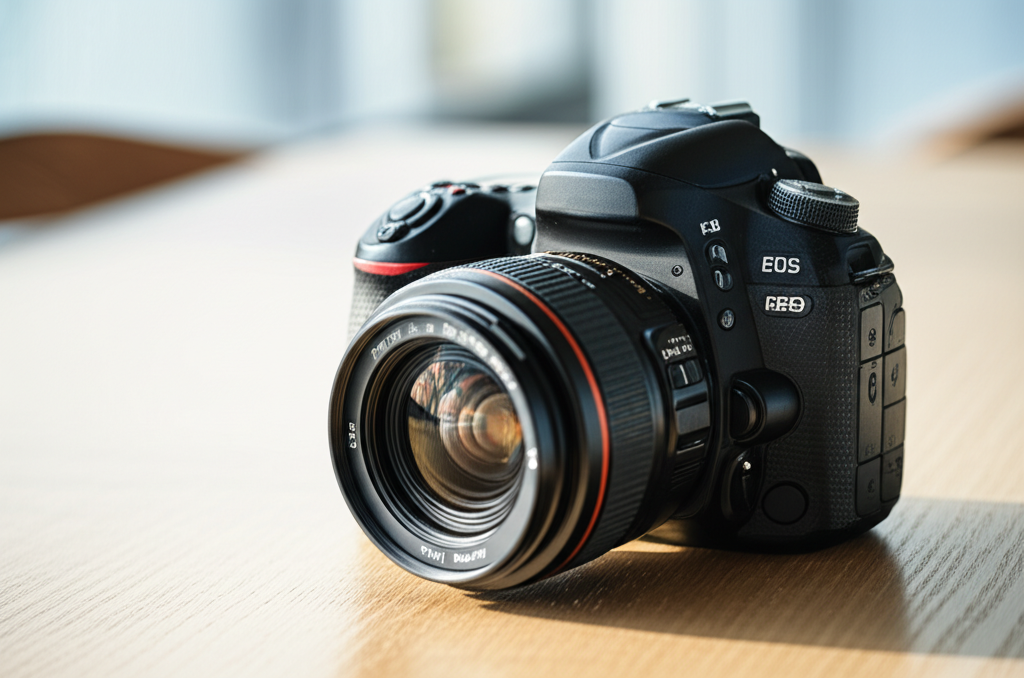
Wondering how to reduce shutter sound on your DSLR? You can minimize that click with quiet shooting modes, lens adjustments, and mindful technique. Learn simple, effective ways to shoot more discreetly, perfect for events, wildlife, or quiet environments.
Key Takeaways
- Activate your DSLR’s quiet shooting mode for softer shutter clicks.
- Use silent or electronic shutter options when available.
- Lens choice impacts sound; prime lenses are often quieter.
- Practice mindful shooting techniques to absorb shutter noise.
- Consider accessories like external mufflers for extreme quiet.
- Understand your camera’s limitations for realistic expectations.
As a photographer, you love capturing moments. But sometimes, that distinct click-clack of your DSLR’s shutter feels a bit too loud. Whether you’re photographing a wedding ceremony, a sleeping infant, or skittish wildlife, a noisy shutter can disrupt the scene or scare your subject. It’s a common concern, especially for beginners who are still getting acquainted with their gear. But don’t worry! You don’t need to buy a whole new camera to achieve quieter shots. This guide will walk you through easy, practical steps on how to reduce shutter sound on your DSLR, making your photography more versatile and less intrusive. Let’s dive in!
Understanding Your DSLR’s Shutter Sound
Before we look at how to reduce it, it’s helpful to understand what causes the shutter sound in the first place. When you press the shutter button, two curtains move: the first opens to expose the sensor to light for the duration of your chosen shutter speed, and the second closes to end the exposure. This mechanical action, involving springs and gears, creates the audible click you hear. Some DSLRs also have an internal mirror that flips up and down during the exposure, adding another layer of sound. The intensity of this sound can vary significantly between different camera models and even between shooting modes.
Think of it like a small, precise machine working at high speed. While this mechanical precision is what gives DSLRs their excellent image quality and responsiveness, it’s also the source of the noise. Understanding this helps us appreciate the different methods available to quiet things down, as some address the mirror movement, while others focus on the shutter mechanism itself.
Step 1: Utilize Your DSLR’s Built-in Quiet Shooting Modes
Many modern DSLRs come equipped with a “quiet” or “silent” shooting mode. This is often the first and easiest step to reduce shutter sound. These modes are designed to slow down the mechanical actions of the mirror and shutter, making them operate with less force and therefore less noise. The exact name and functionality can vary by manufacturer (e.g., Canon might call it “Quiet Shutter” or “Live View Shooting,” while Nikon might refer to “Quiet Mode” or specific settings within Live View).
When you engage quiet mode, the camera often performs the mirror flip and shutter actuation in a more subdued sequence. This might mean the mirror stays up for longer, or the shutter mechanism moves with less impact. While this mode won’t make your DSLR completely silent like some mirrorless cameras, it can significantly dampen the shutter’s loudness, making it more acceptable in sensitive situations.
How to Find and Activate Quiet Mode:
- Check your camera’s manual: This is the most reliable way to find out if your camera has a quiet mode and how to activate it.
- Look in the Shooting Menu: Many cameras hide this setting within the main shooting menu, often categorized under “Sound” or “Custom Settings.”
- Live View is Key: On many DSLRs, quiet modes are only available when shooting in Live View (using the rear LCD screen instead of the optical viewfinder). This is because using Live View often bypasses the need for the mirror to flip up and down for every shot.
- Dedicated Button/Dial: Some higher-end cameras might have a dedicated dial or button for selecting shooting modes, including a quiet option.
What to Expect:

It’s important to manage your expectations. “Quiet” mode on a DSLR is rarely truly silent. It’s more accurately a “quieter” mode. The sound will be reduced, but still present. Additionally, enabling quiet mode might sometimes come with slight compromises, such as a slower continuous shooting rate or limitations on certain autofocus functions. Always test it out in a non-critical situation first to see how it affects your workflow and the sound level.
Step 2: Explore “Live View” and Electronic Shutter Options
As mentioned, quiet modes are often tied to using your DSLR’s Live View feature. When you shoot in Live View, the mirror is locked in the “up” position, meaning it doesn’t flip down and then back up with each shot. This eliminates a significant source of noise. The shutter still operates, but without the mirror’s movement, the overall sound is reduced.
Some advanced DSLRs, and many mirrorless cameras, also offer an electronic shutter option. While not all DSLRs have this, if yours does, it’s a game-changer for silence. An electronic shutter essentially uses the sensor itself to start and stop the exposure, much like a computer screen turning pixels on and off. This bypasses the mechanical shutter entirely, resulting in near-silent operation.
When to Use Live View for Quiet Shooting:
- Indoor Events: Performances, ceremonies, or presentations where silence is crucial.
- Portraits: Especially when photographing children or pets who might be startled by loud noises.
- Street Photography: When you want to be as unobtrusive as possible.
Limitations of Electronic Shutter (if available):
Be aware that electronic shutters can sometimes lead to “rolling shutter” effects, where fast-moving subjects can appear distorted. They can also sometimes produce banding under artificial lighting. Traditional mechanical shutters are generally superior for capturing fast action without distortion.
Step 3: Consider Your Lens Choice
Believe it or not, the lens you use can also influence the overall sound profile of your DSLR shots. While the main noise comes from the camera body, some lenses can contribute to it, or conversely, help to mask it.
Prime Lenses vs. Zoom Lenses:
Prime lenses (those with a fixed focal length, like a 50mm f/1.8) are often simpler in construction compared to zoom lenses. They have fewer moving parts. This generally means they are lighter and can be quieter when focusing. Some zoom lenses, especially those with complex internal focusing mechanisms or older designs, might produce a slight whirring or clicking sound as they adjust focus.
Autofocus Motor Types:
The type of autofocus (AF) motor in your lens can also play a role. Newer lenses often feature ultrasonic motors (like Canon’s USM or Nikon’s SWM) which are designed to be much quieter and faster than older screw-drive mechanisms found in some budget DSLRs and lenses. If your primary goal is quiet operation, pairing your DSLR with a lens that has a quiet AF motor can make a noticeable difference, especially when shooting in a continuous autofocus mode.
Pro Tip: For the absolute quietest autofocus experience, look for lenses with “ring-type” ultrasonic motors, as these are generally smoother and more silent than the older “micro-motor” types.
Step 4: Practice Mindful Shooting Techniques
Beyond the camera’s settings and your equipment, your own shooting habits can also help reduce the perceived shutter sound.
Holding Your Camera Still:
A firm grip on your camera can help absorb some of the vibrations caused by the shutter and mirror. Holding your breath for the exact moment of exposure can also reduce the slight movement that might otherwise amplify the sound.
Pre-focusing and Single Shot Mode:
If you’re shooting a static subject or know exactly where your subject will be, pre-focusing can be a huge advantage. If you can acquire focus before the critical moment, you can then switch to manual focus. This avoids any potential autofocus hunting sounds or movements that might occur just before you take the shot. Using single shot mode rather than continuous shooting also ensures you only trigger the shutter actuation when absolutely necessary.
Strategic Placement and Timing:
Sometimes, the best way to deal with noise is to minimize its impact. Position yourself strategically so that the sound isn’t directed towards your subject or audience. Also, choose your moments. If you’re at an event, wait for a natural break in speech or music to take your photos, rather than interrupting a quiet spell.
Think of it like this: if you’re trying to sneak past a creaky floorboard, you don’t just stomp on it; you carefully step around it. Similarly, with your DSLR, you can be strategic about when and where you choose to capture your images.
Step 5: Explore External Accessories and Modifications (for advanced users)
For those situations where even the quietest mode isn’t enough, there are a few more advanced options, though they often come with significant trade-offs.
External Camera Silencers/Mufflers:
These are specialized covers or enclosures designed to wrap around your camera body and lens to physically block sound. They are typically bulky and can impede your access to camera controls, making them impractical for everyday use. They are most commonly seen in professional wildlife photography where extreme stealth is required.
DIY Sound Dampening:
Some enthusiasts have experimented with adding sound-dampening materials (like foam or felt) inside the camera body or around the shutter mechanism. This is highly technical, can void your warranty, and is generally not recommended for beginners as it can easily damage your camera.
Mirrorless Alternatives:
While this article focuses on reducing shutter sound on DSLRs, it’s worth noting that mirrorless cameras are inherently quieter. They lack the mirror box mechanism, and many offer fully electronic silent shutters. If reducing shutter sound is a top priority and you find DSLRs too noisy, considering a mirrorless camera might be a future option. For a comparison of DSLR vs. Mirrorless, check out this article from DPReview.
Comparing Sound Reduction Methods
To help you decide which methods to try, here’s a quick comparison of the most common approaches to reducing DSLR shutter sound:
| Method | Effectiveness | Ease of Use | Potential Downsides | Best For |
|---|---|---|---|---|
| Quiet Shooting Mode | Moderate | Very Easy | Not completely silent; may slow shooting speed. | Most common scenarios needing less noise. |
| Live View Shooting | Good | Easy | Slower autofocus; may drain battery faster. | Portraits, events, controlled environments. |
| Electronic Shutter (if available) | Very High | Easy | Rolling shutter artifacts; banding under certain lights. | Extremely quiet shooting needs, static subjects. |
| Prime Lenses/Quiet AF Motors | Minor | N/A (equipment choice) | Limited focal length options; may be more expensive. | Improving overall quietness of operation. |
| Mindful Technique | Moderate | Requires practice | Relies on user skill and timing. | Any situation where awareness helps. |
| External Mufflers | Very High | Difficult | Bulky, restrictive, expensive, not practical for most. | Highly specialized professional use (wildlife). |
As you can see, the built-in features your DSLR offers are generally the most practical and effective starting points for most users.
Common Shutter Sounds and Their Sources
Let’s break down the typical sounds and what they mean:
| Sound Type | Likely Source | Can it be Reduced? |
|---|---|---|
| Loud, sharp click | Standard shutter and mirror slap. | Yes, with quiet modes, Live View. |
| Whirring or grinding | Autofocus motor in lens or internal camera mechanics. | Yes, by using lenses with quiet AF motors or manual focus. |
| Muted thud | Shutter actuation in quiet mode. | Already reduced; further reduction is difficult. |
| High-pitched beep | Camera settings like focus confirmation or timer. | Yes, by disabling these audio alerts in camera settings. |
Understanding the source of each sound helps you pinpoint the right solution. For instance, a loud snap is the shutter, but a subtle whirr might be your lens focusing.
FAQ: Your Questions Answered
Q1: Can I make my DSLR completely silent?
A1: Generally, no. DSLRs are mechanical cameras, and while you can significantly reduce the noise, achieving complete silence is very difficult without specialized, bulky accessories or by switching to certain mirrorless cameras with fully electronic shutters.
Q2: Does shooting in Live View always make my DSLR quieter?
A2: Yes. Shooting in Live View keeps the mirror locked up, eliminating the sound of the mirror flipping. The shutter will still make noise, but the overall sound is considerably reduced.
Q3: Will using a prime lens make my DSLR quiet enough for a concert?
A3: A prime lens can contribute to quieter operation, especially if it has a silent autofocus motor. However, the primary noise comes from the shutter and mirror. While it helps, it might not be enough to be completely unnoticed at a quiet concert. You’d likely still need quiet mode and careful timing.
Q4: Are there any apps that can silence my DSLR shutter?
A4: No. Camera shutter sound is a mechanical function. There are no software applications that can alter or eliminate the physical sound of your DSLR’s shutter and mirror.
Q5: What’s the difference between “quiet mode” and just using Live View?
A5: Live View eliminates mirror slap noise. Quiet mode often combines Live View (or a modified mirror movement) with a slower, more cushioned shutter actuation, further reducing the sound. Some cameras might have quiet modes that work even when using the viewfinder, by modifying the mirror movement sequence.
Q6: My camera beeps when I take a photo. How do I stop that?
A6: Most cameras have settings to disable audio feedback like focus confirmation beeps or shutter-press sounds. Check your camera’s “Sound” or “Custom Settings” menu to turn off these beeps. This is separate from the mechanical shutter sound but contributes to the overall noise.
Conclusion
Reducing the shutter sound on your DSLR is certainly achievable, especially for beginners looking to be less intrusive in their photography. By understanding your camera’s features, you can leverage built-in quiet shooting modes, utilize Live View, and even make informed lens choices to significantly dampen that familiar click. While your DSLR might never be as silent as a whisper, these techniques will empower you to capture moments in churches, quiet nature spots, or during sensitive events without causing a disturbance. Experiment with these methods, practice your technique, and you’ll soon find yourself shooting more discreetly and effectively. Happy (and quieter) shooting!
