

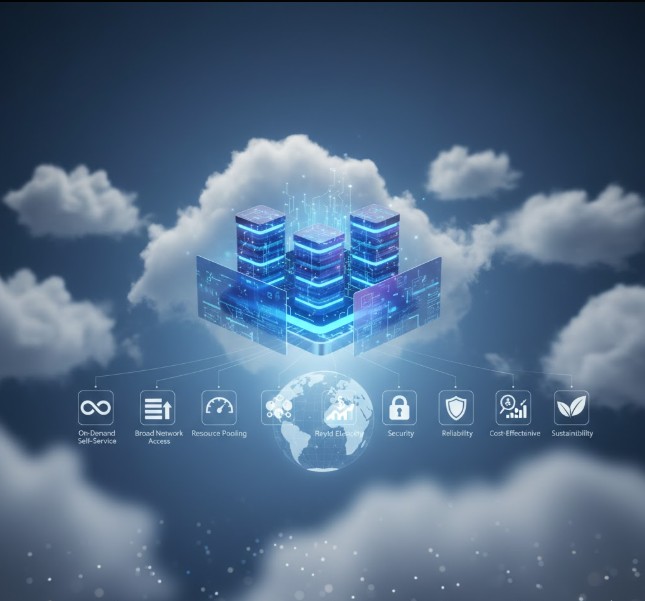
In the last decade, cloud computing has transformed from a technical buzzword into the beating heart of the digital economy. Whether you’re scrolling through social media, streaming your favorite show, or managing a remote team, you’re already relying on the features of cloud computing every single day. This technology quietly powers everything behind the scenes — from storing massive data sets to running business applications without the need for bulky on-premise servers.
At its core, cloud computing allows users to access computing power, databases, and software applications over the internet. Instead of owning and maintaining physical infrastructure, businesses and individuals “rent” resources from cloud providers like Amazon Web Services (AWS), Microsoft Azure, or Google Cloud. This flexibility has changed how companies operate, making innovation faster and more cost-effective than ever.
In this article, we’ll dive deep into the 10 major characteristics of cloud computing that make it so powerful, practical, and indispensable in today’s digital-first world. Each feature contributes uniquely to its scalability, affordability, and reliability — turning the cloud into a cornerstone of modern IT.
1. Resource Pooling – The Power of Shared Efficiency

One of the most defining features of cloud computing is resource pooling. Imagine a massive apartment complex where every tenant shares the same building infrastructure — water, power, and elevators — but each enjoys privacy within their own unit. That’s how resource pooling works in the cloud.
In cloud environments, providers use a multi-tenant model that allows multiple users (tenants) to share computing resources like servers, storage, and bandwidth. These resources are dynamically allocated and reassigned depending on the user’s demand. You don’t have to know the exact location of your data — it could be stored in Singapore today and shifted to Frankfurt tomorrow — but you still access it seamlessly.
This pooling concept helps providers achieve economies of scale, meaning lower costs for users and optimized resource usage for the host. It’s like carpooling for data: everyone benefits by sharing a high-performing system while keeping operations secure and private. In essence, resource pooling enables efficiency, scalability, and sustainability — the three key pillars of cloud success.
2. On-Demand Self-Service – Control at Your Fingertips

Have you ever used a streaming service that lets you watch anything, anytime, without asking permission? The on-demand self-service feature of cloud computing works in a similar way. Users can access computing resources — such as virtual machines, networks, or storage — whenever they need them, without waiting for manual approval from a service provider.
This self-service model gives organizations complete control over their IT infrastructure. With just a few clicks, you can scale up your server capacity during peak traffic or reduce it when demand slows down. You don’t need to depend on long procurement processes or hardware installation. Everything happens instantly through intuitive dashboards or APIs.
Businesses love this feature because it aligns perfectly with agility and speed — two things essential in a competitive digital landscape. Developers can test, deploy, and manage applications independently, leading to faster innovation cycles. In other words, on-demand self-service empowers users to be their own IT managers, saving both time and operational headaches.
3. Easy Maintenance – Always Updated, Never Outdated

One of the most underrated features of cloud computing is its ease of maintenance. Anyone who’s ever struggled with updating software or patching systems knows how time-consuming it can be. In the cloud, that frustration disappears.
Cloud providers take care of server maintenance, security updates, and system optimization automatically. Users don’t have to worry about downtime or manually installing updates — the provider handles it all behind the scenes. In many cases, maintenance is performed with zero interruption, ensuring that applications and data remain available 24/7.
What makes this feature so valuable is that updates in the cloud often include performance enhancements and bug fixes, ensuring that users always operate on the latest version. It’s like having a car that services itself while you’re driving. The result is higher productivity, less downtime, and greater peace of mind. For growing businesses, this means more time spent innovating and less time firefighting technical issues.
4. Broad Network Access – Work from Anywhere, Anytime
The modern workplace isn’t tied to a desk anymore, and broad network access is the reason why. Among the essential features of cloud computing, this one stands out as the backbone of remote accessibility. Cloud services can be accessed from anywhere in the world through an internet connection, regardless of the device or platform you’re using — whether it’s a laptop, smartphone, or tablet.
This characteristic empowers businesses to embrace flexibility and mobility. For example, a marketing team in New York can collaborate in real time with developers in Bangalore using shared tools hosted on the cloud. Files sync instantly, and applications run smoothly without requiring local installations.
This feature also enhances disaster recovery and business continuity. Even if your local hardware fails, your data and applications remain safe in the cloud and accessible from another device. In short, broad network access breaks geographical barriers, enabling truly global collaboration and uninterrupted workflows.
5. Availability and Scalability – Never Out of Reach
Another defining feature of cloud computing is its availability — the guarantee that resources are accessible anytime you need them. Cloud providers design their infrastructure for high uptime, often promising 99.9% availability through redundant systems and geographically distributed data centers. This means your data and applications remain online even if one server goes down.
Scalability goes hand in hand with availability. The cloud can automatically scale resources up or down depending on your needs. For instance, during an e-commerce flash sale, your system might experience heavy traffic. Instead of crashing, the cloud scales up computing power to handle the surge and scales down once demand normalizes.
This elasticity is one of the biggest reasons businesses move to the cloud. It eliminates the risk of over-provisioning (buying more than needed) or under-provisioning (falling short during peak use). Whether you’re a startup or a multinational corporation, availability and scalability ensure consistent performance without the costs of maintaining physical infrastructure.
6. Automatic System – Smarter Operations through Automation
Automation is one of the most futuristic features of cloud computing. In traditional IT setups, managing resources manually can be a nightmare — tracking usage, scheduling backups, or optimizing storage often demands constant human intervention. Cloud systems change that by introducing intelligent automation at every level.
The cloud continuously monitors, analyzes, and optimizes system performance. It tracks how much storage, processing power, or bandwidth is being used and adjusts automatically to maintain efficiency. This feature supports metering capabilities, meaning users can see exactly how much of each resource they’re consuming.
Automation also improves transparency between users and providers. Both parties can monitor and control usage, ensuring fair billing and efficient resource allocation. It’s like having a smart home system that adjusts lighting, temperature, and energy use automatically — only in this case, it’s managing digital infrastructure. The automatic system capability helps organizations reduce errors, save energy, and maintain smooth operations without manual oversight.
7. Economical and Cost-Effective – Paying Only for What You Use
Perhaps one of the most appealing features of cloud computing for businesses is its cost-efficiency. Traditional IT infrastructure demands massive upfront investment — buying servers, installing software, hiring maintenance teams, and upgrading hardware regularly. Cloud computing eliminates these expenses with its economical, pay-as-you-go model.
Here’s how it works: you only pay for the resources you actually use, just like your electricity or water bill. There’s no need to invest in unused capacity “just in case.” This approach allows startups, freelancers, and large enterprises alike to manage budgets more effectively and focus financial resources on innovation instead of infrastructure.
Moreover, since maintenance, upgrades, and security are handled by the provider, operational costs drop significantly. It’s like renting a fully furnished office where everything is taken care of — you simply walk in and start working. This cost-effective nature of the cloud has democratized access to enterprise-level computing power, empowering small businesses to compete with global giants on a level playing field.
8. Security – Protecting What Matters Most
When we talk about the features of cloud computing, security often tops the list of priorities. After all, in a world where data is the new oil, protecting it is non-negotiable. Cloud providers understand this deeply and have built multilayered security mechanisms that are far more robust than most on-premise systems.
Data stored in the cloud is encrypted — both when it’s moving across networks and when it’s at rest in storage. This ensures that even if someone intercepts it, the information remains unreadable. Providers also maintain redundant backups, meaning copies of your data exist across several data centers. So even if one location fails, your information remains safe and accessible elsewhere.
Moreover, security in the cloud isn’t just about firewalls or encryption. It’s also about identity management, compliance, and monitoring. Users can set access controls, track login activity, and integrate tools like multi-factor authentication (MFA) to prevent unauthorized entry. For organizations handling sensitive information — like healthcare records or financial transactions — the cloud provides compliance with global standards such as ISO 27001, HIPAA, and GDPR.
In short, the security feature of cloud computing doesn’t just keep data safe — it builds trust. When businesses know their information is secure, they can focus on growth and innovation instead of worrying about breaches or downtime.
9. Pay-As-You-Go Model – The Freedom to Scale Without Fear
Another practical feature of cloud computing that revolutionized IT spending is the pay-as-you-go (PAYG) model. This pricing approach means you only pay for what you actually use — no more, no less. Think of it like a utility bill. You don’t pay for 1,000 liters of water if you only used 500. Similarly, in cloud computing, you’re billed based on actual consumption — whether that’s storage, bandwidth, or processing power.
This flexibility gives businesses unprecedented control over their budgets. Startups, for instance, can launch applications without huge upfront investments. As they grow, they can easily expand resources without renegotiating contracts or buying new hardware. And when business slows down, they can scale back instantly to cut costs.
The pay-as-you-go system also encourages better resource management. Teams become more mindful of consumption, optimizing workflows and reducing waste. It’s efficient, transparent, and perfectly suited for agile organizations that want to stay lean and responsive.
This feature also ties beautifully with sustainability goals. Because resources are used efficiently and shared among multiple users, overall energy consumption drops — making cloud computing not only economical but also environmentally friendly.
10. Measured Service – Transparency and Accountability Built-In
The last but equally important feature of cloud computing is the measured service capability. In simple terms, this means that every bit of resource usage — from data transfer to CPU cycles — is monitored, recorded, and reported. This isn’t just about billing accuracy; it’s about visibility and accountability.
Cloud providers use advanced metering systems to track usage in real time. Users can log into dashboards and see exactly how much storage, bandwidth, or processing power they’re consuming. This data helps organizations forecast expenses, identify inefficiencies, and plan for future growth more intelligently.
Measured service also enhances transparency between the provider and the user. There’s no guesswork or hidden fees — everything is data-driven and clearly documented. This level of openness builds trust, especially for companies that rely heavily on cloud infrastructure for daily operations.
In addition, this feature supports performance optimization. By analyzing usage patterns, both providers and clients can identify bottlenecks, balance loads, and fine-tune system efficiency. It’s a win-win scenario that ensures fairness, predictability, and continuous improvement in service delivery.
Comparative Overview: 10 Major Features of Cloud Computing
Here’s a quick comparison table summarizing the core characteristics of cloud computing and their practical impact:
| Feature | Description | Business Advantage |
|---|---|---|
| Resource Pooling | Shared computing resources serving multiple users | Cost savings and efficient resource utilization |
| On-Demand Self-Service | Users can provision resources without human intervention | Faster deployment and independence |
| Easy Maintenance | Automatic updates and minimal downtime | Always up-to-date systems and higher reliability |
| Broad Network Access | Access from anywhere using any device | Flexibility and global collaboration |
| Availability & Scalability | Resources expand or shrink based on demand | Business continuity and performance stability |
| Automatic System | Intelligent automation for monitoring and control | Efficiency, transparency, and reduced errors |
| Economical | Reduced upfront investment and operational costs | Affordability and predictable budgeting |
| Security | Encryption, backups, and compliance | Data protection and trust |
| Pay-As-You-Go | Payment only for used services | Financial flexibility and cost optimization |
| Measured Service | Usage tracking and performance monitoring | Transparency and accountability |
This table illustrates how each feature of cloud computing contributes to its massive adoption across industries. Together, they form a seamless, scalable, and intelligent ecosystem that drives digital transformation.
Why These Features Matter – The Real-World Impact
Understanding the features of cloud computing isn’t just about knowing technical jargon — it’s about realizing their impact on real businesses and everyday life.
Take small businesses, for example. In the past, launching a new online platform meant buying expensive servers and hiring a full-time IT team. Today, with cloud computing, even a two-person startup can deploy a global website in hours and pay only for what they use. This accessibility fuels innovation and levels the playing field across industries.
Enterprises, too, benefit immensely. With features like scalability, automation, and measured service, large corporations can optimize their operations, predict costs, and maintain uninterrupted service globally. Even government agencies and educational institutions are leveraging the cloud to modernize their infrastructure and improve public access to information.
In essence, the characteristics of cloud computing aren’t just technological advancements — they’re enablers of progress, equality, and resilience in the digital era.
Additional Benefits of Cloud Computing
Beyond these ten features, cloud computing offers a range of additional benefits that amplify its value:
- Disaster Recovery: Cloud backups ensure that even if local data is lost due to hardware failure or natural disasters, recovery is quick and seamless.
- Collaboration Efficiency: Teams across continents can work simultaneously on shared projects in real time.
- Performance Optimization: Cloud providers continuously upgrade their infrastructure to ensure users benefit from the latest hardware and network technologies.
- Sustainability: By centralizing resources, cloud computing reduces overall energy waste and promotes greener IT practices.
Each of these reinforces why cloud adoption is no longer optional — it’s essential for survival in an increasingly data-driven world.
Key Takeaways – The Cloud as a Game Changer
Let’s recap the most powerful features of cloud computing that make it a cornerstone of modern technology:
- It’s accessible, allowing users to work from anywhere.
- It’s scalable, adapting instantly to business needs.
- It’s secure, protecting valuable data with advanced encryption.
- It’s cost-effective, reducing financial burdens for organizations.
- It’s automated and measurable, ensuring efficiency and transparency.
In short, cloud computing has redefined how we think about IT infrastructure. Instead of physical servers collecting dust in a backroom, we now have a digital powerhouse that grows, adapts, and innovates alongside us.
Frequently Asked Questions (FAQs)
1. What are the main features of cloud computing?
The main features of cloud computing include resource pooling, on-demand self-service, easy maintenance, broad network access, scalability, automation, cost-efficiency, security, pay-as-you-go pricing, and measured service. Each feature ensures that users experience flexibility, affordability, and reliability.
2. How does the pay-as-you-go model benefit small businesses?
This model allows startups to avoid heavy upfront infrastructure costs. They can start small, pay only for what they use, and scale up as demand grows. It’s a cost-efficient way to compete with larger players without overextending budgets.
3. Is cloud computing secure for sensitive data?
Yes. Cloud providers implement advanced security measures like encryption, access controls, and compliance with international standards (e.g., GDPR, ISO). Data redundancy across data centers ensures that information remains protected even during outages.
4. How does cloud scalability work?
Scalability allows resources to automatically adjust based on usage demand. During traffic spikes, additional servers come online, and when activity decreases, they scale back down. This ensures performance stability without unnecessary costs.
5. What makes cloud computing economical compared to traditional IT?
Unlike traditional systems that require large capital investments, cloud computing uses a pay-per-use model. Maintenance, updates, and infrastructure costs are covered by the provider, significantly reducing total expenses.
6. What is meant by resource pooling in the cloud?
Resource pooling means that computing resources like servers and storage are shared among multiple users through virtualization. This enables providers to optimize efficiency while maintaining data isolation for each customer.
7. Can cloud computing improve remote collaboration?
Absolutely. Cloud-based tools like Google Workspace or Microsoft 365 allow real-time collaboration, file sharing, and communication from anywhere, making remote teamwork seamless and efficient.
8. Why is measured service important in cloud computing?
Measured service provides transparency in billing and usage. Users can track exactly what resources they’ve consumed, forecast future needs, and ensure accountability between them and the provider.
Conclusion – The Future Belongs to the Cloud
As we move deeper into the digital age, the features of cloud computing continue to evolve and shape the future of technology. From startups to global enterprises, everyone relies on the cloud’s flexibility, speed, and security to stay competitive and innovative.
Cloud computing isn’t just a technical upgrade; it’s a shift in mindset. It’s about moving from ownership to access, from limitations to scalability, and from complexity to simplicity. The ten features we’ve explored here — from resource pooling to measured service — define the DNA of this transformation.
Looking ahead, as technologies like artificial intelligence, IoT, and 5G integrate more deeply with cloud platforms, we can expect even more intelligent automation, seamless connectivity, and global collaboration. One thing is certain: the sky’s not the limit anymore — the cloud is.
