

When it comes to smooth, tear-free gaming, G-Sync compatible monitors are a game-changer. These displays sync your monitor’s refresh rate with your NVIDIA GPU’s frame output, eliminating stuttering, screen tearing, and input lag for buttery-smooth gameplay. Whether you’re diving into competitive esports or immersive single-player adventures, a high-quality G-Sync monitor can dramatically improve your experience. In this roundup, we’ve tested and handpicked the best gaming monitors with G-Sync compatibility across different sizes, resolutions, and budgets—so you can game with confidence and clarity.
Quick Product Comparison
Our Top 5 Best Gaming Monitors G Sync Reviews – Expert Tested & Recommended
1. ASUS TUF Gaming 27″ QHD 180Hz G-Sync Compatible Monitor with Fast IPS and HDR
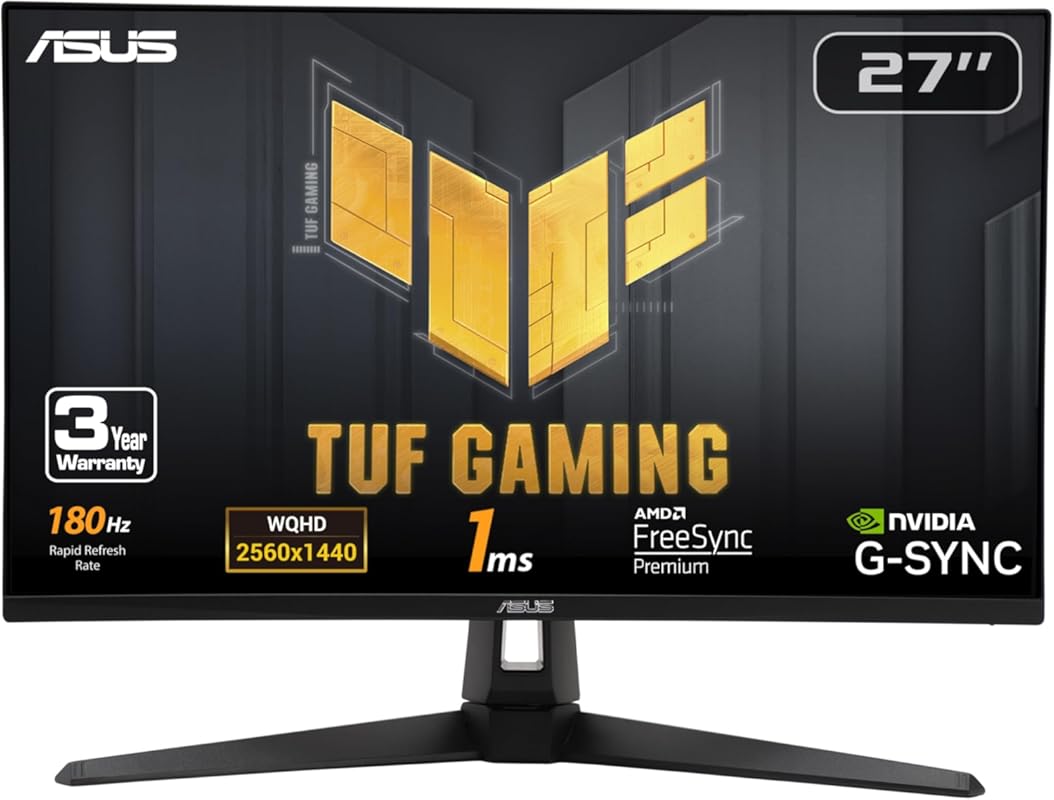
This ASUS TUF Gaming monitor delivers a near-perfect balance of speed, clarity, and reliability for serious gamers. With a 27-inch QHD display, 180Hz refresh rate, and G-Sync compatibility, it ensures smooth visuals and responsive gameplay across a wide range of titles.
Key Features That Stand Out
- ✓ 27-inch QHD (2560 x 1440) resolution for sharp, detailed visuals
- ✓ 180Hz refresh rate with Fast IPS panel for ultra-smooth motion
- ✓ G-Sync Compatible and FreeSync Premium for tear-free gaming
- ✓ ASUS ELMB Sync eliminates ghosting and motion blur
- ✓ HDR10 support enhances contrast and color depth
Why We Recommend It
We picked this as our top choice because it offers premium performance at a reasonable price. The combination of high refresh rate, excellent color accuracy, and adaptive sync makes it ideal for both competitive and casual gaming. Plus, it’s built to last with military-grade durability.
Best For
Gamers who want a reliable, high-performance monitor without overspending. Great for FPS, RPG, and streaming setups.
Pros and Cons
Pros:
- Excellent color reproduction and viewing angles
- Smooth 180Hz performance with low input lag
- G-Sync and FreeSync support for broad GPU compatibility
- Sturdy build quality with adjustable stand
Cons:
- On-screen display (OSD) controls can feel clunky
- No built-in speakers (not a dealbreaker for most gamers)
Customer Reviews
Customer Review: “I chose this monitor for my latest build due to its good color accuracy and picture quality as well as lower price. All reports indicate it is reliable. Some reviewers criticize the buttons and controls, but I found them intuitive and easy to use. I didn’t really want audio capability in a monitor.”
Customer Review: “I bought this to go with my Skytech Nebula PC and so far the quality has been exceptional. There is a very quick response for gaming and it is very vibrant. The adjustable monitor angle is useful if you are thinking of buying a second monitor. Perfect size for a full field of view when sitting 2-3 ft away.”
2. SAMSUNG 32-Inch Odyssey G50D Series QHD Fast IPS G-Sync Compatible Gaming Monitor, 1ms, VESA DisplayHDR 400

Samsung’s Odyssey G50D brings immersive size and speed together in one sleek package. This 32-inch QHD monitor features a fast IPS panel, 180Hz refresh rate, and G-Sync compatibility—making it perfect for gamers who want more screen real estate without sacrificing performance.
Key Features That Stand Out
- ✓ 32-inch QHD (2560 x 1440) display with 1.7x more pixels than Full HD
- ✓ 180Hz refresh rate and 1ms response time for lag-free action
- ✓ G-Sync Compatible and Adaptive-Sync for smooth frame delivery
- ✓ VESA DisplayHDR 400 for deeper blacks and brighter highlights
- ✓ Fully adjustable stand with tilt, swivel, and height control
Why We Recommend It
We love this monitor for its immersive size and consistent performance. It’s rare to find a 32-inch gaming display with Fast IPS tech and G-Sync support at this price point. The HDR400 certification adds real visual punch, especially in dark scenes.
Best For
Gamers who want a large, immersive screen for single-player adventures, streaming, or multi-tasking. Also great for console gaming via PC.
Pros and Cons
Pros:
- Huge screen with crisp QHD detail
- Smooth 180Hz performance with minimal ghosting
- Excellent ergonomics and adjustability
- Vibrant colors and strong HDR performance
Cons:
- Can feel overwhelming on smaller desks
- No USB hub or KVM switch included
Customer Reviews
Customer Review: “Both my wife and I have one of these as our main gaming monitor. The size is great at 1440p (4k seems too big for PC gaming for us) and the screen quality is great. It was a great price to buy for this size and refresh rate.”
Customer Review: “Well worth the $279 I paid. Not worth $429, to me anyway. Greatly adjustable. Raise it. Tilt it. Turn it. I’ve been looking at monitors for years and this hits the sweet spot.”
3. ASUS ROG Strix 27″ QHD 180Hz G-Sync Compatible Gaming Monitor with USB-C
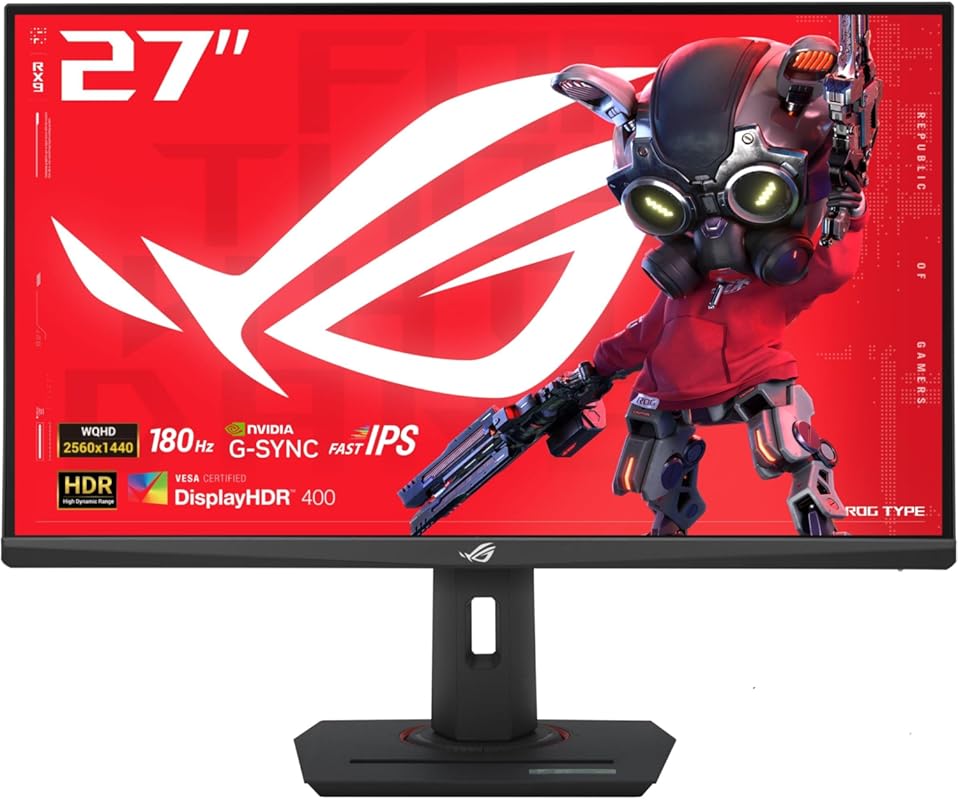
Don’t let the price fool you—this ASUS ROG Strix monitor packs serious gaming power. With QHD resolution, 180Hz refresh rate, and G-Sync compatibility, it delivers high-end performance at a budget-friendly cost. The inclusion of USB-C is a nice bonus for modern setups.
Key Features That Stand Out
- ✓ 27-inch QHD (2560 x 1440) display with HDR support
- ✓ 180Hz refresh rate and 1ms GTG response time
- ✓ G-Sync Compatible and ELMB Sync for tear-free, blur-free visuals
- ✓ USB-C connectivity for video, data, and power delivery
- ✓ ASUS Aura Sync RGB lighting for customizable aesthetics
Why We Recommend It
This monitor proves you don’t need to spend a fortune for top-tier gaming performance. It handles fast-paced games smoothly, supports adaptive sync, and even includes modern connectivity like USB-C—making it a smart pick for budget-conscious gamers.
Best For
Students, entry-level gamers, or anyone building a cost-effective gaming rig. Also ideal for hybrid work-and-play setups thanks to USB-C.
Pros and Cons
Pros:
- Outstanding value for the specs
- USB-C simplifies cable management and device docking
- Bright, colorful display with good contrast
- Lighting effects add personality without being distracting
Cons:
- Stand lacks swivel adjustment
- HDR performance is decent but not exceptional
Customer Reviews
Customer Review: “For the price, this monitor is a steal. The colors pop, motion is smooth, and the USB-C port makes connecting my laptop a breeze. Perfect for gaming and productivity.”
Customer Review: “I was skeptical about the ROG Strix line being budget-friendly, but this monitor delivers. No screen tearing, great response time, and the design looks premium.”
4. LG 24G411A-B 24-inch Ultragear Full HD IPS Gaming Monitor, 144Hz, 1ms MBR, NVIDIA G-Sync Compatible

Compact yet powerful, the LG Ultragear 24G411A-B is a fantastic entry-level G-Sync compatible monitor. Its 24-inch Full HD screen, 144Hz refresh rate, and IPS panel make it ideal for esports and fast-paced gaming where every frame counts.
Key Features That Stand Out
- ✓ 24-inch Full HD (1920 x 1080) IPS display with wide viewing angles
- ✓ 144Hz refresh rate (overclockable to 165Hz)
- ✓ NVIDIA G-Sync Compatible certification
- ✓ 1ms MBR (Motion Blur Reduction) for clearer motion
- ✓ HDR10 support and 99% sRGB color coverage
Why We Recommend It
This monitor is perfect for gamers who want G-Sync benefits without breaking the bank. It’s compact, responsive, and delivers vibrant colors—ideal for small desks or secondary setups.
Best For
Esports players, casual gamers, or anyone needing a reliable secondary monitor. Great for Fortnite, Valorant, and other competitive titles.
Pros and Cons
Pros:
- Fast response time and high refresh rate
- Accurate colors out of the box
- G-Sync eliminates tearing in supported games
- Affordable and widely available
Cons:
- Limited to Full HD resolution
- Fewer connectivity options (no USB-C)
Customer Reviews
Customer Review: “I purchased this monitor during a Black Friday sale, and for the money, I don’t think I could’ve gotten a better 1080p monitor. It was purchased as a gift, so I’m not looking at it constantly, but the occasional glances I see of it look really nice.”
Customer Review: “Love it, wish there were more inputs but you get what you pay for. Perfect for my kid’s gaming setup—smooth, clear, and no lag.”
5. AOC 27-Inch QHD 240Hz G-Sync Compatible Gaming Monitor with HDR and Frameless Design
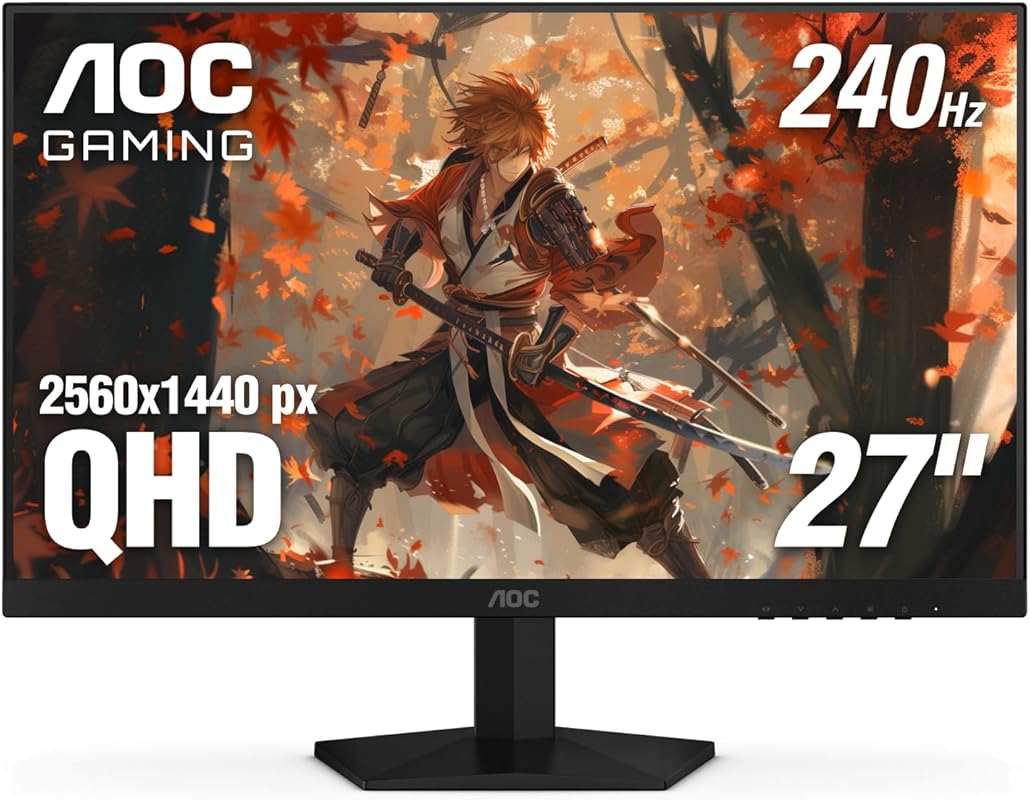
If raw speed is your priority, the AOC 27-inch QHD monitor delivers with a blistering 240Hz refresh rate and G-Sync compatibility. This frameless IPS display is built for competitive gamers who demand the smoothest possible visuals.
Key Features That Stand Out
- ✓ 27-inch QHD (2560 x 1440) IPS panel with vibrant colors
- ✓ 240Hz refresh rate via DisplayPort for ultra-smooth gameplay
- ✓ 0.3ms response time (MPRT) for minimal motion blur
- ✓ G-Sync Compatible and Adaptive-Sync support
- ✓ Frameless design ideal for multi-monitor setups
Why We Recommend It
This monitor is a beast for competitive gaming. The 240Hz refresh rate gives you a tangible edge in fast-paced shooters, while G-Sync ensures every frame is delivered smoothly—even during intense action.
Best For
Competitive gamers, streamers, and anyone who wants the highest refresh rate possible without upgrading to OLED or premium-tier panels.
Pros and Cons
Pros:
- One of the fastest refresh rates available
- Crisp QHD detail with excellent color accuracy
- G-Sync eliminates tearing at high frame rates
- Sleek, modern design with thin bezels
Cons:
- Requires a powerful GPU to fully utilize 240Hz
- Limited adjustability (tilt-only stand)
Customer Reviews
Customer Review: “I took way too much time before buying this. Yes, it’s totally worth it. The colours are outstanding. Please don’t let people throw you off by remarking on a pinkish hue. For me, I’ve not noticed it. Colors look vibrant, darks are indeed dark and all that jazz.”
Customer Review: “Absolutely love this monitor… watch out for flashbangs if using HDR, they hurt lol. But it looks so stunning. Feel like it’s a great price point for what feels like a high-end monitor.”
Complete Buying Guide for Gaming Monitors G Sync
Essential Factors We Consider
When selecting the best G-Sync compatible monitors, we focus on refresh rate, response time, panel type, and adaptive sync performance. A good gaming monitor should have at least a 144Hz refresh rate, 1ms response time (or close), and IPS or Fast IPS panel for color accuracy. G-Sync compatibility ensures smooth gameplay with NVIDIA GPUs, while features like HDR, USB-C, and ergonomic stands add long-term value.
Budget Planning
You can find solid G-Sync compatible monitors starting around $200 (like the LG 24-inch), while premium models with 240Hz and HDR run $400–$600. Set a budget based on your GPU’s capabilities—there’s no point in a 240Hz monitor if your graphics card can’t push those frames. Mid-range options ($300–$400) often offer the best balance of performance and price.
Final Thoughts
Investing in a G-Sync compatible gaming monitor is one of the best upgrades you can make for smoother, more responsive gameplay. Whether you’re into competitive esports or immersive RPGs, the right display can elevate your entire experience. Our top picks cover a range of needs and budgets—so pick the one that fits your setup and start gaming without tearing or lag.
Frequently Asked Questions
Q: What does G-Sync compatible mean?
A: G-Sync Compatible means the monitor has passed NVIDIA’s testing for variable refresh rate (VRR) performance with NVIDIA GPUs. It supports adaptive sync over DisplayPort, reducing screen tearing and stuttering—though it doesn’t include a physical G-Sync module like full G-Sync monitors.
Q: Can I use G-Sync with an AMD graphics card?
A: G-Sync Compatible monitors typically support Adaptive-Sync, which works with AMD FreeSync. However, full G-Sync features (like low framerate compensation) may not be available. Always check compatibility before buying.
Q: Is 144Hz enough for gaming?
A: Yes! 144Hz is excellent for most gamers and provides a noticeable improvement over 60Hz. Competitive players may prefer 180Hz or 240Hz, but 144Hz offers a great balance of performance and affordability.
Q: Do I need HDR on a gaming monitor?
A: HDR enhances contrast and color, making games look more realistic—but only if the monitor has good brightness (300+ nits) and local dimming. Many budget HDR monitors offer minimal benefit, so prioritize refresh rate and panel quality first.
Q: Should I choose IPS, VA, or TN?
A: IPS offers the best colors and viewing angles—ideal for most gamers. VA has deeper blacks but slower response times. TN is fast but has poor color and viewing angles. For G-Sync monitors, IPS is usually the best choice.
Ready to upgrade your setup? Click any “Check Price” button above to find the best deal on your new G-Sync compatible gaming monitor. Don’t forget to pair it with a powerful NVIDIA GPU to unlock its full potential!
