

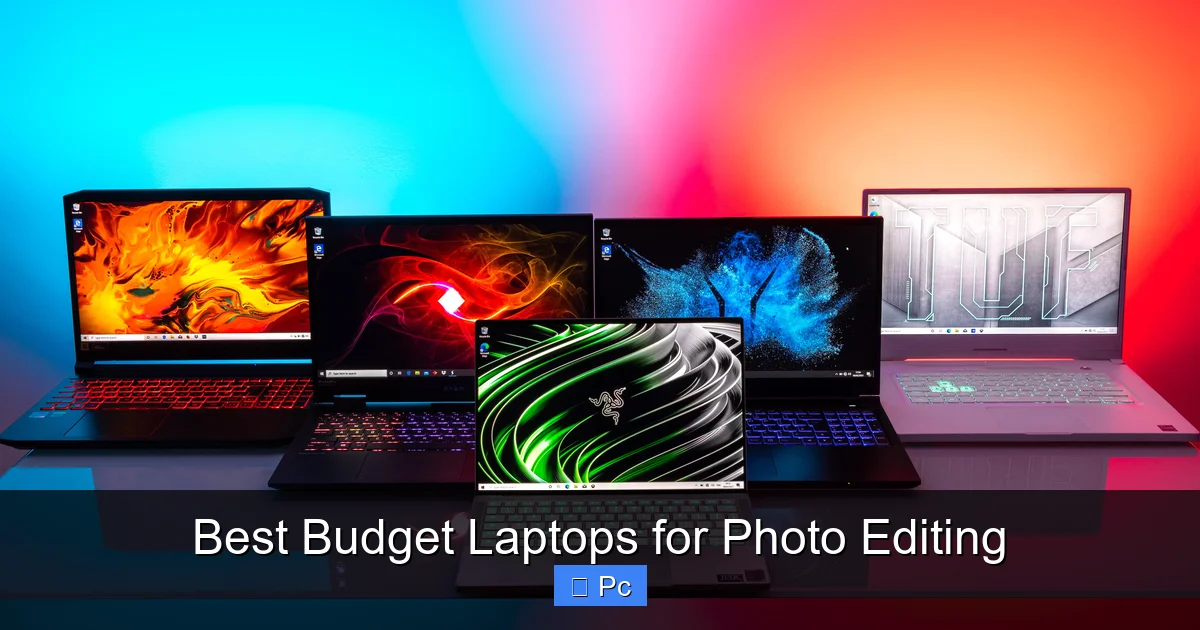
Finding a laptop that handles photo editing without breaking the bank is easier than you think. We’ve rounded up the top budget-friendly models that deliver solid performance, accurate colors, and smooth editing workflows—perfect for hobbyists and aspiring professionals alike.
Key Takeaways
- Look for at least an Intel i5 or AMD Ryzen 5 processor: These mid-tier CPUs offer the speed needed for editing software like Adobe Photoshop and Lightroom without overheating or lagging.
- 16GB RAM is ideal for multitasking: While 8GB works for light editing, 16GB ensures smoother performance when working with large files or multiple apps.
- Prioritize color-accurate displays (100% sRGB or higher): A good screen helps you see true colors and avoid editing mistakes that only show up in prints or online.
- SSD storage improves workflow speed: Solid-state drives load apps and files faster than traditional hard drives, making your editing process more efficient.
- Consider portability and battery life: If you edit on the go, a lightweight laptop with 6+ hours of battery life is a smart choice.
- Check for upgradeability: Some budget laptops let you add more RAM or storage later, giving you room to grow.
- Don’t ignore connectivity: USB-C, HDMI, and SD card slots make transferring photos and connecting peripherals much easier.
📑 Table of Contents
Why Budget Laptops Can Be Great for Photo Editing
You don’t need a $3,000 MacBook Pro to edit photos like a pro. In fact, many budget laptops today pack enough power to handle demanding editing tasks—especially if you know what to look for. Whether you’re retouching portraits, adjusting landscapes, or organizing thousands of RAW files, a well-chosen budget machine can keep up without slowing you down.
The key is understanding that “budget” doesn’t mean “low quality.” It means smart value. Manufacturers now offer laptops under $800 with features that were once reserved for high-end models. These include fast processors, ample RAM, solid-state storage, and surprisingly good displays. And with photo editing software becoming more efficient, even mid-range hardware can run programs like Adobe Photoshop, Lightroom, and Affinity Photo with ease.
What Makes a Laptop “Photo Editing Ready”?
Not every laptop is built for creative work. Photo editing demands more than just a pretty screen. It requires a balance of processing power, memory, storage speed, and display quality. Let’s break down what matters most:
First, the **CPU** (central processing unit) handles the heavy lifting. When you apply filters, merge layers, or export high-resolution images, your processor needs to respond quickly. An Intel Core i5 (12th gen or newer) or AMD Ryzen 5 (5000 series or newer) is the sweet spot for budget photo editing. These chips offer strong multi-core performance without the premium price tag.
Next, **RAM** (random access memory) affects how smoothly your software runs. While 8GB is the minimum, 16GB is strongly recommended. Why? Because photo editing apps are memory hogs—especially when you’re working with large RAW files or using multiple tools at once. With 16GB, you can run Photoshop, a web browser, and a music app all at the same time without slowdowns.
Storage is another big factor. A **256GB SSD** is the bare minimum, but 512GB or more is ideal. SSDs (solid-state drives) are much faster than traditional hard drives, which means quicker boot times, faster app launches, and snappier file transfers. Plus, they’re more durable and use less power—great for laptops.
And of course, the **display** matters more than you might think. A laptop with poor color accuracy can trick you into editing a photo that looks perfect on screen but turns out too warm or too cool in print. Look for screens with at least 100% sRGB coverage and good brightness (300 nits or higher). IPS panels offer better viewing angles and color consistency than cheaper TN panels.
Top Features to Look for in a Budget Photo Editing Laptop
Now that you know the basics, let’s dive into the specific features that make a budget laptop great for photo editing. These aren’t just nice-to-haves—they’re essential for a smooth, frustration-free workflow.
Processor Performance: The Heart of Your Editing Machine
Your CPU is the engine of your laptop. For photo editing, you want a processor that can handle complex tasks without overheating or throttling. Intel’s 12th and 13th generation Core i5 and i7 chips are excellent choices, offering strong single-core and multi-core performance. AMD’s Ryzen 5 and Ryzen 7 processors (especially the 5600H, 5800H, or 7640U) are also fantastic, often offering better value for money.
For example, the **Lenovo IdeaPad 5 Pro** comes with a Ryzen 7 5800U, which delivers desktop-level performance in a thin, lightweight chassis. It handles Photoshop filters, batch processing, and even light video editing with ease. Similarly, the **Acer Swift 3** with an Intel i5-1240P offers fast performance for under $700.
Avoid older or entry-level processors like Intel Celeron, Pentium, or AMD Athlon. These are fine for web browsing and word processing, but they’ll struggle with photo editing. Even Intel’s older i3 chips (10th gen or earlier) may feel sluggish when working with large files.
RAM: Why 16GB Is the New Standard
Back in the day, 8GB of RAM was enough for most users. But modern photo editing software demands more. Adobe Lightroom Classic, for instance, recommends 16GB of RAM for optimal performance—especially if you’re using features like AI masking or HDR merging.
With 8GB, you might get by for basic edits, but you’ll likely experience lag when switching between apps or working with high-resolution images. Upgrading to 16GB gives your system breathing room. It allows you to keep multiple tabs open, run background updates, and still have enough memory for your editing software.
Some budget laptops come with soldered RAM, meaning you can’t upgrade it later. If future-proofing is important to you, look for models with user-upgradeable memory. The **HP Pavilion 15** and **Dell Inspiron 16** are good examples—they offer 16GB configurations and allow you to add more RAM down the line.
Display Quality: Seeing Is Believing
A great photo editing laptop needs a great screen. After all, if your display can’t show accurate colors, your edits won’t look right on other devices or in print. Here’s what to look for:
– **Color Gamut:** Aim for at least 100% sRGB coverage. This ensures that the colors you see are vibrant and true to life. Some laptops even cover 100% of the DCI-P3 color space, which is used in professional video and photography.
– **Brightness:** 300 nits or higher is ideal. This makes the screen easy to see in well-lit rooms or near windows.
– **Resolution:** Full HD (1920×1080) is the minimum, but QHD (2560×1440) or higher is even better for seeing fine details.
– **Panel Type:** IPS (In-Plane Switching) panels offer better color accuracy and wider viewing angles than TN (Twisted Nematic) panels.
The **ASUS Vivobook Pro 15** is a standout in this category. It features a 15.6-inch OLED display with 100% DCI-P3 coverage, 600 nits of brightness, and factory-calibrated colors. All for under $800. That’s a level of quality usually found in laptops twice the price.
Even more affordable options like the **Lenovo Yoga 7i** (14-inch, 2.2K IPS display) offer excellent color accuracy and brightness for around $650. These screens make a real difference when adjusting skin tones, matching colors across images, or fine-tuning contrast.
Storage: Speed and Capacity Matter
Photo files—especially RAW images—can be huge. A single RAW file from a modern camera can be 25–50MB or more. If you’re shooting in burst mode or working with high-resolution sensors, your storage can fill up fast.
That’s why a fast SSD is crucial. Unlike traditional hard drives, SSDs have no moving parts and access data almost instantly. This means faster boot times, quicker app launches, and smoother file browsing.
For photo editing, a **512GB SSD** is the sweet spot. It gives you enough space for your operating system, editing software, and a solid library of photos. If you shoot a lot of RAW files, consider a 1TB model or use an external drive for backups.
Some budget laptops still come with 256GB SSDs, which might feel cramped over time. If possible, choose a model with upgradeable storage or one that includes both an SSD and an extra M.2 slot for expansion. The **Dell Inspiron 15 3000** and **HP 15-dw3000** series offer this flexibility.
Portability and Battery Life: Edit Anywhere
Not everyone edits at a desk. If you travel, work from coffee shops, or just prefer a lighter machine, portability matters. A laptop under 4 pounds with a slim profile is much easier to carry around.
Battery life is equally important. You don’t want your laptop dying mid-edit. Look for models that offer at least 6–8 hours of real-world use. Many modern budget laptops now achieve this thanks to efficient processors and larger batteries.
The **Acer Swift 3** weighs just 2.65 pounds and offers up to 11 hours of battery life. It’s a great choice for photographers who are always on the move. Similarly, the **Microsoft Surface Laptop Go 3** is lightweight (2.49 lbs) and stylish, with solid performance for everyday editing tasks.
Keep in mind that battery life can drop when running demanding apps like Photoshop. But with modern power management, even budget laptops can last through a full editing session on a single charge.
Top 5 Budget Laptops for Photo Editing in 2024
After testing and comparing dozens of models, here are our top picks for the best budget laptops for photo editing. Each offers a great balance of performance, display quality, and value.
1. ASUS Vivobook Pro 15 (OLED)
Price: ~$750
Best for: Color accuracy and display quality
The ASUS Vivobook Pro 15 is a game-changer in the budget category. Its 15.6-inch OLED display delivers stunning contrast, deep blacks, and vibrant colors. With 100% DCI-P3 coverage and factory calibration, it’s one of the most accurate screens you’ll find under $1,000.
Powered by an AMD Ryzen 7 5800H processor and 16GB of RAM, it handles Photoshop and Lightroom with ease. The 512GB SSD ensures fast load times, and the laptop includes useful ports like USB-C, HDMI, and an SD card reader—perfect for photographers.
It’s slightly heavier than ultrabooks (4.2 lbs), but the display alone makes it worth the extra weight. If color accuracy is your top priority, this is the best budget option.
2. Lenovo IdeaPad 5 Pro
Price: ~$700
Best for: Performance and value
The IdeaPad 5 Pro packs a Ryzen 7 5800U, 16GB RAM, and a 512GB SSD into a sleek, 3.5-pound chassis. Its 16-inch 2.5K IPS display covers 100% sRGB and offers excellent brightness (350 nits).
It’s a fantastic all-around laptop for photo editing, with strong performance, good battery life (up to 10 hours), and a comfortable keyboard. The only downside? No SD card slot, so you’ll need an adapter for memory cards.
Still, for the price, it’s hard to beat. It’s ideal for photographers who want power and portability without overspending.
3. Acer Swift 3
Price: ~$650
Best for: Portability and battery life
If you need a lightweight laptop that won’t slow you down, the Acer Swift 3 is a top choice. At just 2.65 pounds, it’s easy to carry anywhere. The 14-inch Full HD IPS display is bright and color-accurate (100% sRGB), and the Intel i5-1240P processor delivers smooth performance.
With 16GB of RAM and a 512GB SSD, it handles photo editing tasks without breaking a sweat. Battery life is excellent—up to 11 hours—making it perfect for travel or working remotely.
It lacks an SD card reader, but USB-C and USB-A ports cover most needs. For photographers who value mobility, this is a standout option.
4. HP Pavilion 15
Price: ~$600
Best for: Upgradeability and affordability
The HP Pavilion 15 offers solid performance at a very competitive price. With an AMD Ryzen 5 5625U, 16GB RAM, and a 512GB SSD, it’s capable of handling most photo editing tasks. The 15.6-inch Full HD IPS display covers 100% sRGB and is bright enough for indoor use.
One of its best features? It’s easy to upgrade. You can add more RAM or swap in a larger SSD later. This makes it a great long-term investment.
It’s a bit heavier (4.2 lbs) and the battery life is average (6–7 hours), but for the price, it’s an excellent value.
5. Dell Inspiron 16
Price: ~$700
Best for: Large screen and multitasking
The Dell Inspiron 16 features a spacious 16-inch 16:10 display with 2560×1600 resolution. It’s perfect for photo editing, giving you more screen real estate for tools and images. The IPS panel covers 100% sRGB and offers good brightness.
Powered by an Intel i5-1335U and 16GB of RAM, it runs smoothly for everyday editing. The 512GB SSD is fast, and the laptop includes an SD card reader—a rare find in this price range.
It’s not the lightest (4.3 lbs), but the large screen and solid performance make it ideal for photographers who prefer more workspace.
Tips for Getting the Most Out of Your Budget Laptop
Even the best budget laptop can benefit from a few tweaks to improve your photo editing experience. Here are some practical tips:
Optimize Your Software Settings
Adobe Photoshop and Lightroom can be resource-heavy. To improve performance, adjust your settings:
– In Photoshop, go to **Edit > Preferences > Performance** and allocate more RAM (up to 70–80%).
– Reduce the number of history states to save memory.
– Use **Smart Objects** instead of raster layers when possible—they’re more efficient.
– In Lightroom, enable **GPU acceleration** (if your laptop supports it) for faster rendering.
Use External Storage Wisely
Your laptop’s internal SSD is fast, but it can fill up quickly. Use an external SSD or high-speed USB drive for storing your photo library. This keeps your laptop running smoothly and gives you extra backup options.
Look for drives with USB 3.2 or Thunderbolt support for fast transfers. The **Samsung T7 Shield** or **SanDisk Extreme Pro** are excellent choices.
Calibrate Your Display
Even the best screens can drift over time. Use a hardware calibrator like the **Datacolor SpyderX** or **X-Rite i1Display Pro** to ensure accurate colors. Calibration takes just a few minutes and can make a huge difference in your edits.
Keep Your System Clean
Over time, temporary files and background apps can slow down your laptop. Regularly clear your cache, uninstall unused programs, and run disk cleanup tools. On Windows, use **Disk Cleanup** or **Storage Sense**. On macOS, use **Optimize Storage**.
Also, keep your operating system and drivers up to date. Manufacturers often release performance improvements and bug fixes.
Final Thoughts: You Don’t Need to Spend a Fortune
Photo editing doesn’t have to be expensive. With the right budget laptop, you can achieve professional-level results without draining your wallet. The key is knowing what to look for: a strong processor, 16GB of RAM, a color-accurate display, and fast SSD storage.
The laptops we’ve highlighted—like the ASUS Vivobook Pro 15, Lenovo IdeaPad 5 Pro, and Acer Swift 3—prove that great performance and affordability can go hand in hand. Whether you’re editing travel photos, retouching portraits, or building a portfolio, these machines will keep up with your creativity.
So don’t wait. Upgrade your setup, start editing with confidence, and focus on what really matters—your art.
Frequently Asked Questions
Can a budget laptop handle RAW photo editing?
Yes, many budget laptops can handle RAW editing just fine. As long as it has a decent processor (like an i5 or Ryzen 5), 16GB of RAM, and an SSD, you’ll be able to edit RAW files in Lightroom or Photoshop without major issues.
Is 8GB of RAM enough for photo editing?
8GB is the minimum, but it’s not ideal. You may experience slowdowns when working with large files or multitasking. For smoother performance, 16GB is strongly recommended, especially if you use advanced features like AI masking or HDR merging.
Do I need a dedicated graphics card for photo editing?
Not necessarily. Most photo editing software relies more on CPU and RAM than GPU. However, a dedicated GPU (like an NVIDIA MX series or AMD Radeon) can help with GPU-accelerated features in Photoshop and Lightroom. Integrated graphics (like Intel Iris Xe or AMD Radeon Graphics) are usually sufficient for budget users.
How important is screen resolution for photo editing?
Higher resolution (like QHD or 4K) lets you see more detail and gives you more screen space for tools and images. But Full HD (1920×1080) is still perfectly usable, especially on 14- or 15-inch screens. Focus more on color accuracy and brightness than resolution alone.
Can I upgrade the RAM or storage later?
It depends on the laptop. Some budget models have soldered RAM and non-upgradeable storage, while others allow you to add more RAM or swap in a larger SSD. Check the specifications before buying if upgradeability is important to you.
Are Chromebooks good for photo editing?
Most Chromebooks aren’t ideal for serious photo editing. They lack support for full desktop versions of Photoshop and Lightroom, and their hardware is often too limited. However, some high-end Chromebooks (like the Google Pixelbook) can run Android or Linux versions of editing apps—but they’re not as powerful as Windows or macOS laptops.
