

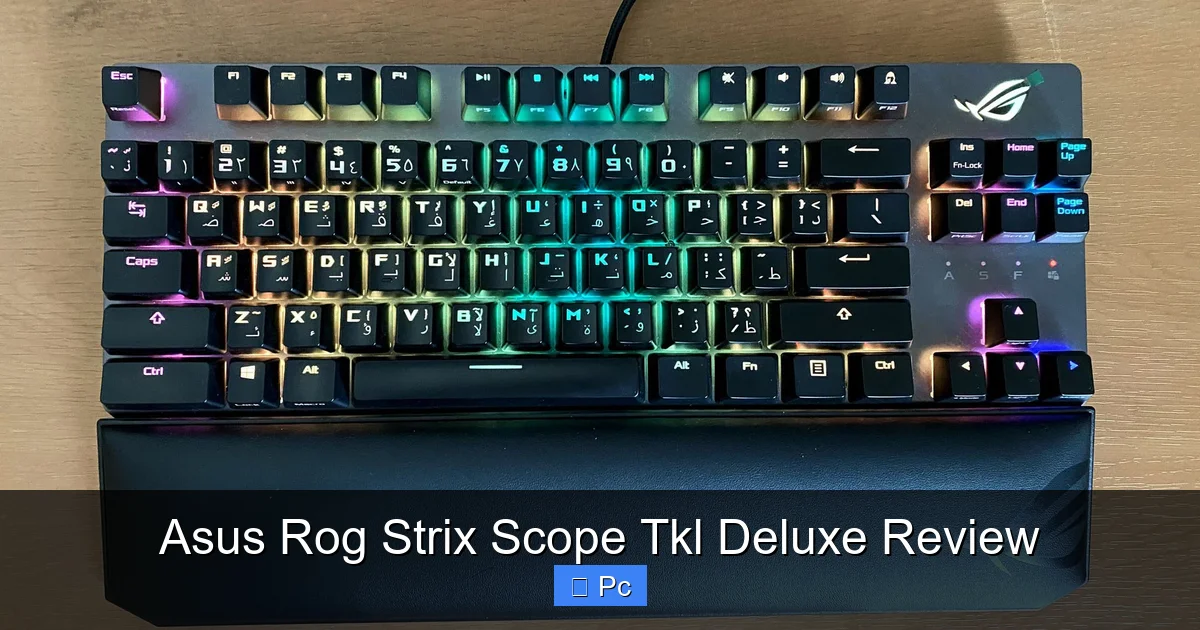
The Asus ROG Strix Scope TKL Deluxe is a premium tenkeyless mechanical gaming keyboard built for speed, precision, and style. With Cherry MX switches, customizable RGB lighting, and a sleek aluminum frame, it delivers top-tier performance in a compact form factor perfect for competitive gaming and everyday use.
If you’re serious about gaming—or even just serious about typing—you know that your keyboard can make or break your experience. It’s not just about pressing buttons; it’s about responsiveness, comfort, and control. Enter the **Asus ROG Strix Scope TKL Deluxe**, a mechanical keyboard that blends high-end performance with a sleek, space-saving design. Whether you’re dominating in FPS titles, grinding through MMO raids, or cranking out reports at work, this keyboard aims to deliver precision and style in equal measure.
What sets the ROG Strix Scope TKL Deluxe apart isn’t just its flashy RGB lights or compact size—it’s the thoughtful engineering behind every keypress. From the satisfying click of Cherry MX switches to the solid feel of its aluminum frame, this keyboard feels like it was built for people who demand more from their peripherals. It’s not just another gaming accessory; it’s a tool designed to enhance your workflow and gameplay.
In this review, we’ll dive deep into what makes the Asus ROG Strix Scope TKL Deluxe stand out in a crowded market. We’ll explore its build quality, switch options, lighting features, software integration, and real-world performance. Whether you’re upgrading from a membrane keyboard or comparing it to other mechanical models, this guide will help you decide if the Strix Scope TKL Deluxe is the right fit for your setup.
Key Takeaways
- Compact TKL Design: The tenkeyless layout saves desk space while retaining full functionality, ideal for gamers with limited room or those who prefer a minimalist setup.
- Cherry MX Switches: Available in Red, Blue, and Brown variants, these switches offer reliable tactile feedback, smooth actuation, and long-term durability rated for 50 million keystrokes.
- Customizable RGB Lighting: Per-key RGB backlighting with Aura Sync support lets you create stunning lighting effects that sync with other ROG components for a unified aesthetic.
- Durable Aluminum Frame: The top plate is made from brushed aluminum, providing rigidity, resistance to wear, and a premium feel that stands up to intense gaming sessions.
- Dedicated Media Controls: Convenient volume wheel and media keys allow quick adjustments without leaving the game or application.
- On-the-Fly Macro Recording: Record complex macros instantly using the dedicated macro key, perfect for streamlining in-game actions or productivity tasks.
- Detachable Braided Cable: The included USB-C cable is durable and detachable, making travel and cable management easier for LAN parties or mobile setups.
📑 Table of Contents
Design and Build Quality
When you first unbox the Asus ROG Strix Scope TKL Deluxe, the first thing you’ll notice is how solid it feels. This isn’t a flimsy plastic keyboard that creaks under pressure. The top plate is made from brushed aluminum, giving it a premium, industrial look and feel. That aluminum isn’t just for show—it adds significant rigidity, reducing flex and ensuring consistent keypresses even during intense gaming marathons.
The keyboard features a tenkeyless (TKL) layout, meaning it omits the numeric keypad to save space. This makes it ideal for gamers who want more room for mouse movement or those with smaller desks. Despite its compact size, the layout retains all the essential keys, including function keys, arrow keys, and a full row of modifiers. The compact footprint also makes it easier to pack for LAN events or travel.
One of the standout design elements is the subtle ROG branding. The Republic of Gamers logo is tastefully placed on the spacebar and in the top-right corner, avoiding the overly aggressive aesthetic some gaming gear leans into. The overall look is sleek, modern, and professional enough to blend into a work environment without looking out of place.
The keyboard sits low to the desk, with a slight incline thanks to two flip-out feet at the back. These feet offer two height settings, allowing you to adjust the typing angle for comfort. The feet also have rubber pads to prevent slipping, which is a nice touch during fast-paced gameplay.
Another practical feature is the detachable USB-C cable. The braided cable is durable and tangle-resistant, and the fact that it’s detachable means you can easily replace it if damaged or swap in a longer one for different setups. The USB-C connection ensures a secure fit and fast data transfer, which is essential for low-latency input.
Ergonomics and Comfort
Even though the Strix Scope TKL Deluxe isn’t a full-sized ergonomic keyboard, it’s surprisingly comfortable for long sessions. The keycaps are sculpted with a slight dish, helping your fingers find the home row naturally. The Cherry MX switches provide a satisfying tactile bump (depending on the variant), reducing finger fatigue over time.
The keyboard’s low profile means your wrists don’t have to bend awkwardly, which is a common issue with taller mechanical boards. Combined with the adjustable feet, you can find a position that works for your typing or gaming style. While it doesn’t include a wrist rest, Asus offers optional magnetic wrist rests that snap onto the front edge—great for those who want extra support during marathon sessions.
Switch Options and Typing Experience
Visual guide about Asus Rog Strix Scope Tkl Deluxe Review
Image source: dlcdnwebimgs.asus.com
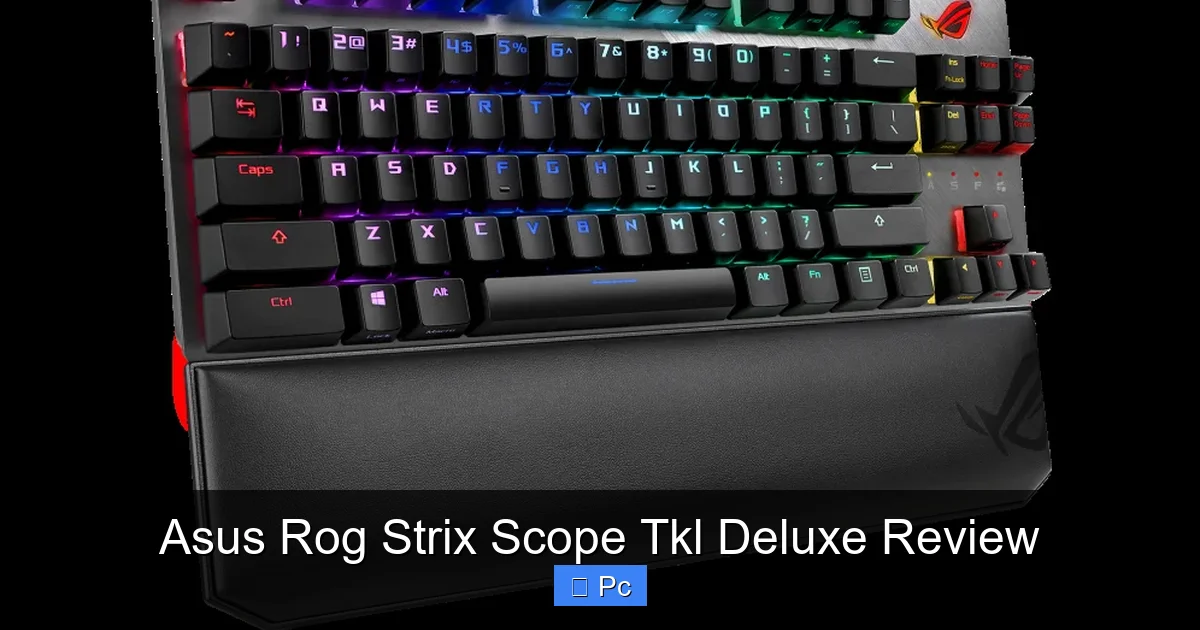
One of the biggest decisions when choosing a mechanical keyboard is the switch type. The Asus ROG Strix Scope TKL Deluxe gives you three Cherry MX options: Red, Blue, and Brown. Each offers a different feel and sound profile, so your choice depends on your preferences.
Cherry MX Red switches are linear and smooth, with no tactile bump or audible click. They’re ideal for fast-paced gaming, especially FPS titles where rapid keypresses are crucial. The 45g actuation force is light enough for quick double-taps but not so light that you accidentally press keys.
Cherry MX Blue switches are tactile and clicky, offering a pronounced bump and a loud click with each press. These are great for typists who love audible feedback, but they can be distracting in quiet environments or shared spaces. The tactile feedback helps prevent bottoming out, which can improve typing accuracy.
Cherry MX Brown switches sit in the middle—tactile but not clicky. They offer a subtle bump without the noise, making them a popular choice for mixed use (gaming and typing). They’re a solid all-around option if you want feedback without the distraction.
All three switch types are rated for 50 million keystrokes, which is standard for high-quality mechanical switches. This ensures long-term reliability, even with heavy daily use. The switches are also hot-swappable in some variants (check your model), meaning you can replace them without soldering—though this feature isn’t available on all versions of the Strix Scope TKL Deluxe.
Real-World Performance
In actual use, the keyboard feels responsive and consistent. Whether you’re executing complex combos in a fighting game or typing up a document, the keys register accurately and with minimal delay. The anti-ghosting and N-key rollover features ensure that every keypress is recognized, even when multiple keys are pressed simultaneously—critical for gaming.
The actuation point is well-tuned, and there’s no noticeable input lag. In fast-paced games like Valorant or CS:GO, the Cherry MX Red version feels snappy and precise. For MMO players, the tactile feedback of Browns or Blues can help with spell timing and combo execution.
Typing on the Strix Scope TKL Deluxe is a pleasure. The keycaps are made from durable PBT plastic (on most models), which resists shine and wear over time. The legends are laser-etched, so they won’t fade with use. The spacing between keys is standard, so there’s no learning curve if you’re coming from another mechanical keyboard.
RGB Lighting and Customization
Visual guide about Asus Rog Strix Scope Tkl Deluxe Review
Image source: dlcdnwebimgs.asus.com
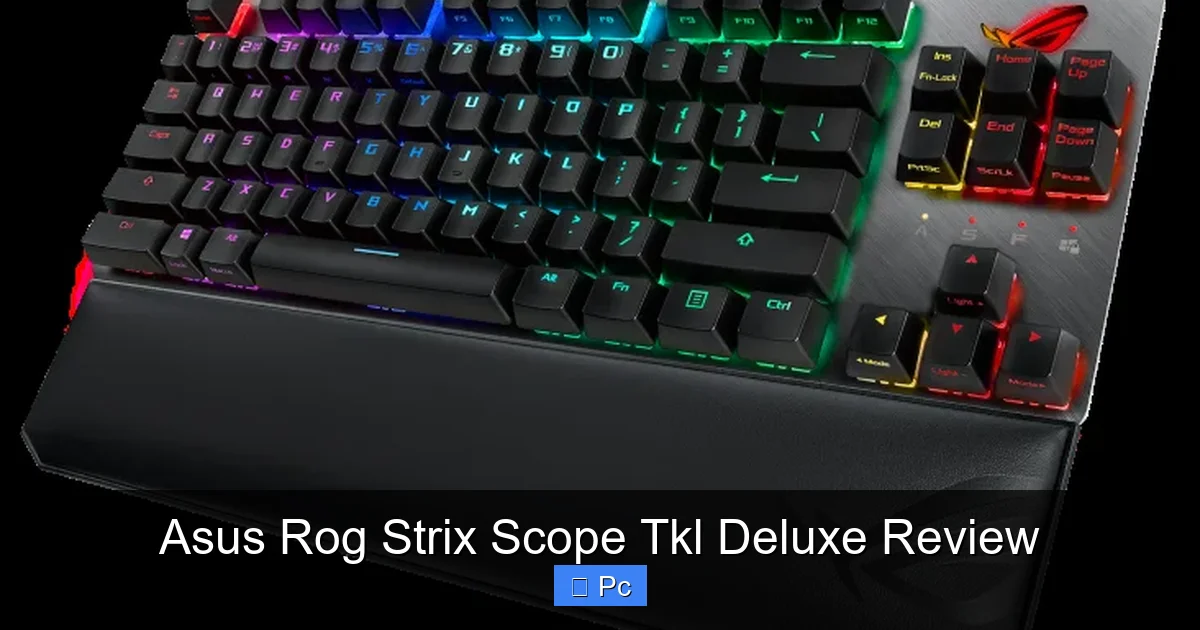
Let’s be honest—RGB lighting isn’t just about looks. For many gamers, it’s part of the experience. The Asus ROG Strix Scope TKL Deluxe delivers in this department with per-key RGB backlighting that’s bright, vibrant, and fully customizable.
Using Asus’s Armoury Crate software, you can create custom lighting profiles, sync effects with other Aura Sync-compatible devices (like your mouse, headset, or motherboard), or choose from a variety of presets. Effects include static colors, breathing, color cycle, wave, and reactive lighting that responds to keystrokes.
One standout feature is the ability to assign different colors to specific keys for in-game use. For example, you can highlight WASD, ability keys, or macros in a different color to improve visibility during gameplay. This is especially useful in dark rooms or low-light environments.
The lighting is evenly distributed, with no hotspots or dim zones. Even the secondary legends (like function keys) are backlit, which is a nice touch. You can also adjust brightness levels or turn off the lighting entirely if you prefer a more subdued look.
Aura Sync Integration
If you’re already invested in the Asus ecosystem, Aura Sync is a game-changer. It allows all your compatible devices to share the same lighting theme, creating a cohesive and immersive setup. Imagine your keyboard, mouse, and PC case all pulsing in sync with your game’s soundtrack or flashing red when your health is low.
Setting up Aura Sync is straightforward through Armoury Crate. Once connected, you can control all your devices from one interface. You can also create profiles that change lighting based on the application you’re using—gaming mode with aggressive reds, work mode with calm blues, etc.
Software and Programmability
Visual guide about Asus Rog Strix Scope Tkl Deluxe Review
Image source: dlcdnwebimgs.asus.com
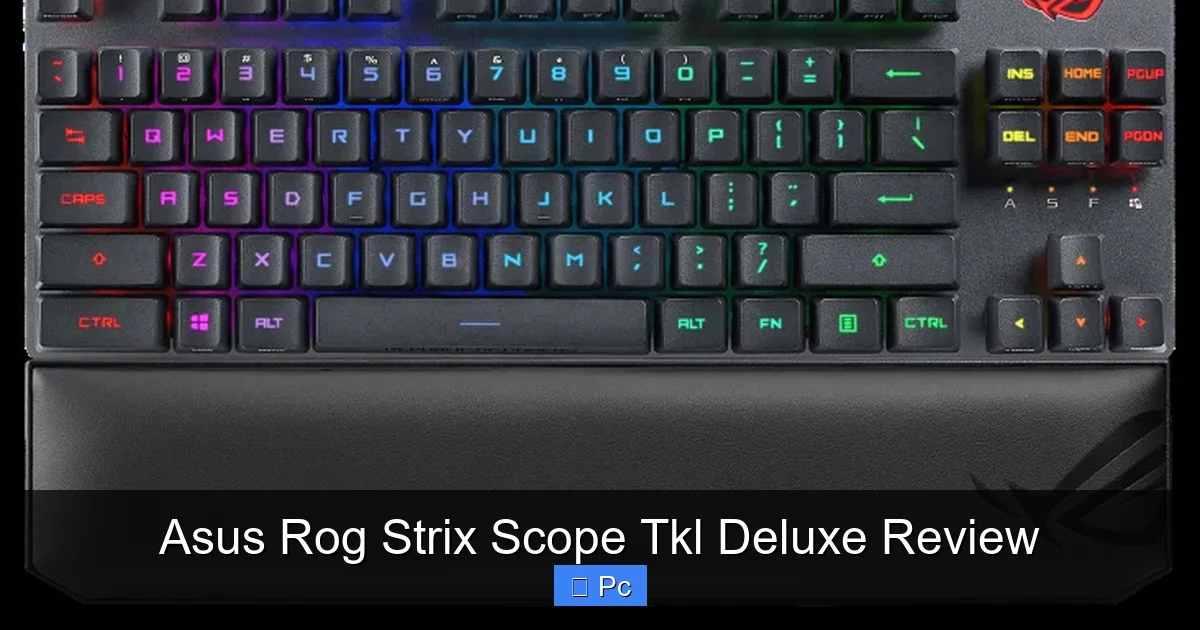
The Asus ROG Strix Scope TKL Deluxe is supported by Armoury Crate, Asus’s unified software suite for managing peripherals and system components. While some users find Armoury Crate a bit bloated, it offers powerful customization options once you get past the initial setup.
With Armoury Crate, you can remap keys, create macros, adjust lighting, and save profiles to the keyboard’s onboard memory. This means your settings travel with the keyboard—ideal for LAN parties or using it on different PCs.
One of the most useful features is on-the-fly macro recording. Press the dedicated “MR” (Macro Record) key, perform your sequence, and press MR again to save it. You can assign these macros to any key, making complex in-game actions or productivity shortcuts a single press away.
The software also allows you to create multiple profiles and switch between them using keyboard shortcuts. For example, you could have one profile for gaming with aggressive lighting and macros, and another for work with subdued lighting and media controls.
Onboard Memory and Portability
A major advantage of the Strix Scope TKL Deluxe is its onboard memory. You can save up to three profiles directly to the keyboard, so you don’t need to install software on every computer you use it with. This is perfect for esports players or frequent travelers who need consistent settings across devices.
The keyboard also supports USB passthrough via a USB-A port on the side. This lets you plug in a flash drive, mouse, or other device without reaching for your PC. It’s a small convenience that adds up over time.
Dedicated Media Controls and Practical Features
In a world where keyboards often sacrifice functionality for minimalism, the Strix Scope TKL Deluxe includes thoughtful extras that enhance usability.
The most notable is the dedicated volume wheel on the top-right corner. It’s smooth, precise, and provides instant feedback. You can scroll to adjust volume or press it to mute—no need to alt-tab or use function keys. This is especially handy during gaming or video calls.
Below the volume wheel are four media control keys: play/pause, stop, previous, and next. These work with most media players and streaming services, making it easy to control music or podcasts without leaving your game.
There’s also a dedicated “Windows Key Lock” button, which disables the Windows key during gameplay to prevent accidental presses that could minimize your game. This is a simple but essential feature for competitive gamers.
Additional Features
Other practical touches include:
– **Fn key layer:** Access secondary functions like brightness, media controls, and profile switching.
– **Gaming mode:** Disables Alt+Tab, Ctrl+Esc, and other shortcuts to prevent interruptions.
– **Durable keycaps:** PBT material resists wear and fading, even after years of use.
Performance in Gaming and Productivity
So, how does the Asus ROG Strix Scope TKL Deluxe perform in real-world scenarios? In short: exceptionally well.
In gaming, the keyboard’s responsiveness and anti-ghosting ensure that every input is registered accurately. Whether you’re strafing in Apex Legends, casting spells in World of Warcraft, or building in Fortnite, the keys feel immediate and reliable. The compact layout gives you more room for mouse movement, which is a big plus for FPS players.
The tactile feedback of the switches (depending on your choice) helps with muscle memory, so you can execute combos or macros without looking. The macro recording feature is particularly useful for MMOs or MOBAs, where complex sequences can be simplified into single keystrokes.
For productivity, the keyboard holds its own. The Cherry MX Browns, in particular, offer a great balance of feedback and quiet operation, making them suitable for office environments. The media controls and volume wheel are convenient for managing music, videos, or conference calls.
The only minor drawback is the lack of a wrist rest in the box. While optional rests are available, some users might prefer it included, especially given the keyboard’s premium price point.
Price and Value
The Asus ROG Strix Scope TKL Deluxe sits in the mid-to-high price range for mechanical keyboards. Depending on the switch type and region, it typically retails between $130 and $160. That’s more than budget mechanical boards but less than some ultra-premium models with exotic switches or wireless features.
So, is it worth the price? For gamers and power users who value build quality, customization, and performance, absolutely. The aluminum frame, Cherry MX switches, RGB lighting, and software integration justify the cost. It’s not the cheapest option, but it delivers excellent value for what you get.
Compared to competitors like the Corsair K63 or Razer BlackWidow V3, the Strix Scope TKL Deluxe offers better build quality and more thoughtful features like the volume wheel and USB passthrough. It’s a strong contender in its class.
Final Verdict
The Asus ROG Strix Scope TKL Deluxe is a top-tier mechanical keyboard that excels in nearly every category. Its compact design, premium build, and high-performance switches make it a standout choice for gamers and typists alike. The customizable RGB lighting, dedicated media controls, and robust software support add layers of functionality that go beyond the basics.
While it’s not the most affordable option, the quality and features justify the price for serious users. Whether you’re climbing the ranks in competitive games or powering through a workday, this keyboard delivers precision, comfort, and style.
If you’re looking for a tenkeyless mechanical keyboard that balances performance and aesthetics without cutting corners, the Asus ROG Strix Scope TKL Deluxe is one of the best options on the market today.
Frequently Asked Questions
What switch types are available on the Asus ROG Strix Scope TKL Deluxe?
The keyboard is available with Cherry MX Red (linear), Blue (clicky), and Brown (tactile) switches. Each offers a different feel and sound, so you can choose based on your preference for gaming or typing.
Does the keyboard support wireless connectivity?
No, the Asus ROG Strix Scope TKL Deluxe is a wired-only keyboard. It uses a detachable USB-C cable for a stable, low-latency connection ideal for gaming.
Can I customize the RGB lighting without software?
Basic lighting adjustments can be made using keyboard shortcuts (Fn + arrow keys), but full customization, including Aura Sync and per-key lighting, requires the Armoury Crate software.
Is the keyboard compatible with macOS?
Yes, the keyboard works with macOS, but some features like Aura Sync and advanced macro programming may be limited. Basic functionality, including media keys, should work out of the box.
Does it come with a wrist rest?
No, the wrist rest is sold separately. Asus offers a magnetic wrist rest designed specifically for the Strix Scope series, which attaches easily to the front edge.
How many profiles can be saved to the keyboard’s onboard memory?
You can save up to three custom profiles directly to the keyboard’s onboard memory, allowing you to use your settings on any PC without installing software.
