

Finding the best 5K monitor for Mac means balancing ultra-sharp resolution, color accuracy, and seamless connectivity—especially if you’re a creative professional, developer, or multitasker who demands pixel-perfect clarity. With Apple’s Retina-level standards, not every high-res display cuts it. That’s why we’ve tested and compared the top 5K monitors that truly complement macOS, offering Thunderbolt support, wide color gamuts, and ergonomic designs. Whether you need a 27-inch studio companion or a 40-inch ultrawide powerhouse, this list has the right fit for your Mac setup.
Quick Product Comparison
Our Top 5 Best 5K Monitors For Mac Reviews – Expert Tested & Recommended
1. Best 5K Monitor for Mac: BenQ PD2730S 27″ with Thunderbolt 4 and Nano Matte Panel
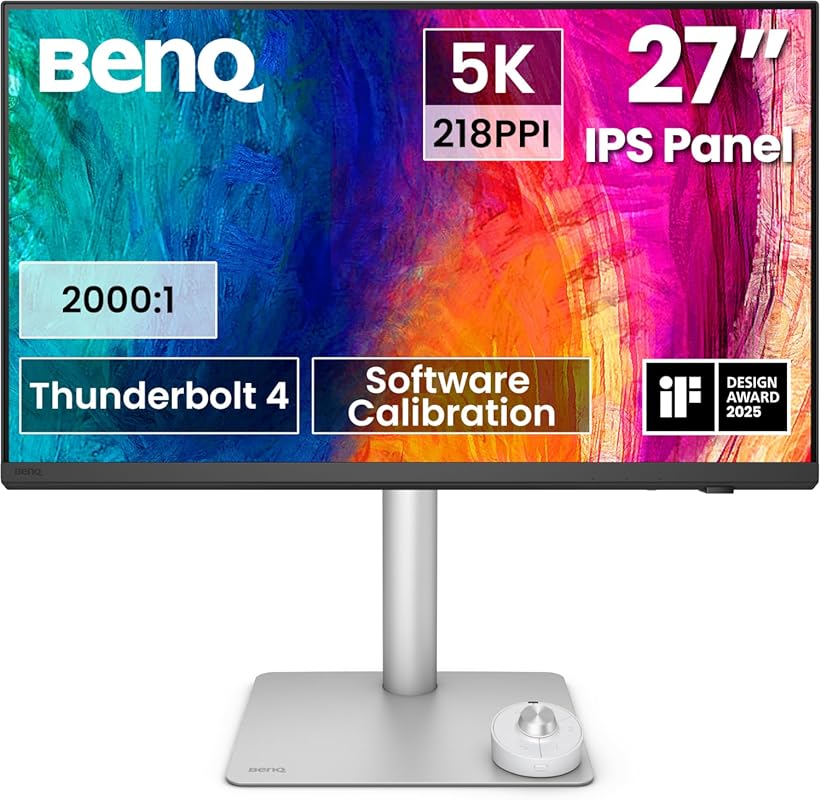
The BenQ PD2730S stands out as the best 5K monitor for Mac users who refuse to compromise on color fidelity or connectivity. With its stunning 5120×2880 resolution and Thunderbolt 4 support, it delivers a retina-like experience that feels native to macOS—perfect for photo editing, video production, and design work.
Key Features That Stand Out
✓ 5K resolution (5120×2880) with 218 PPI for razor-sharp text and images
✓ Thunderbolt 4 with 90W power delivery and daisy-chaining support
✓ 98% DCI-P3 color gamut and 2000:1 contrast ratio for cinematic visuals
✓ Nano matte anti-glare coating reduces reflections without blurring details
✓ HotKey Puck G2 for quick access to settings and presets
Why We Recommend It
This monitor blends professional-grade color accuracy with Mac-friendly features like seamless plug-and-play setup and macOS scaling compatibility. The Thunderbolt 4 port charges your MacBook while driving the display, eliminating cable clutter.
Best For
Creative professionals, designers, and Mac users who need studio-level color precision and ultra-high resolution in a compact 27-inch form factor.
Pros and Cons
Pros:
- Exceptional color accuracy out of the box
- Thunderbolt 4 enables single-cable workflow
- HotKey Puck improves productivity
- Anti-reflective nano coating enhances comfort
Cons:
- Limited USB-A ports (only 2)
- No built-in Ethernet port
Customer Reviews
Customer Review: “TL/DR: Amazing monitor. Great picture, Great Features. HotKey Puck – the accessory I didn’t know I needed, but can’t live without! Wish it had 1 or 2 more USB ports & Ethernet port. I shopped for a monitor for months. I have used dual 27″ monitors for at least a decade.”
Customer Review: “The PD3220U is ideal for digital work, as BenQ is notably silent on its Adobe RGB performance but boasts its P3 performance. It’s also an improved monitor over the PD3200U. It may lack variable refresh rates making it not gaming-focused. Outside that particular omission, it has just about everything.”
2. 40″ Ultrawide 5K Monitor for Mac: INNOCN 21:9 IPS Display with USB-C and HDR400
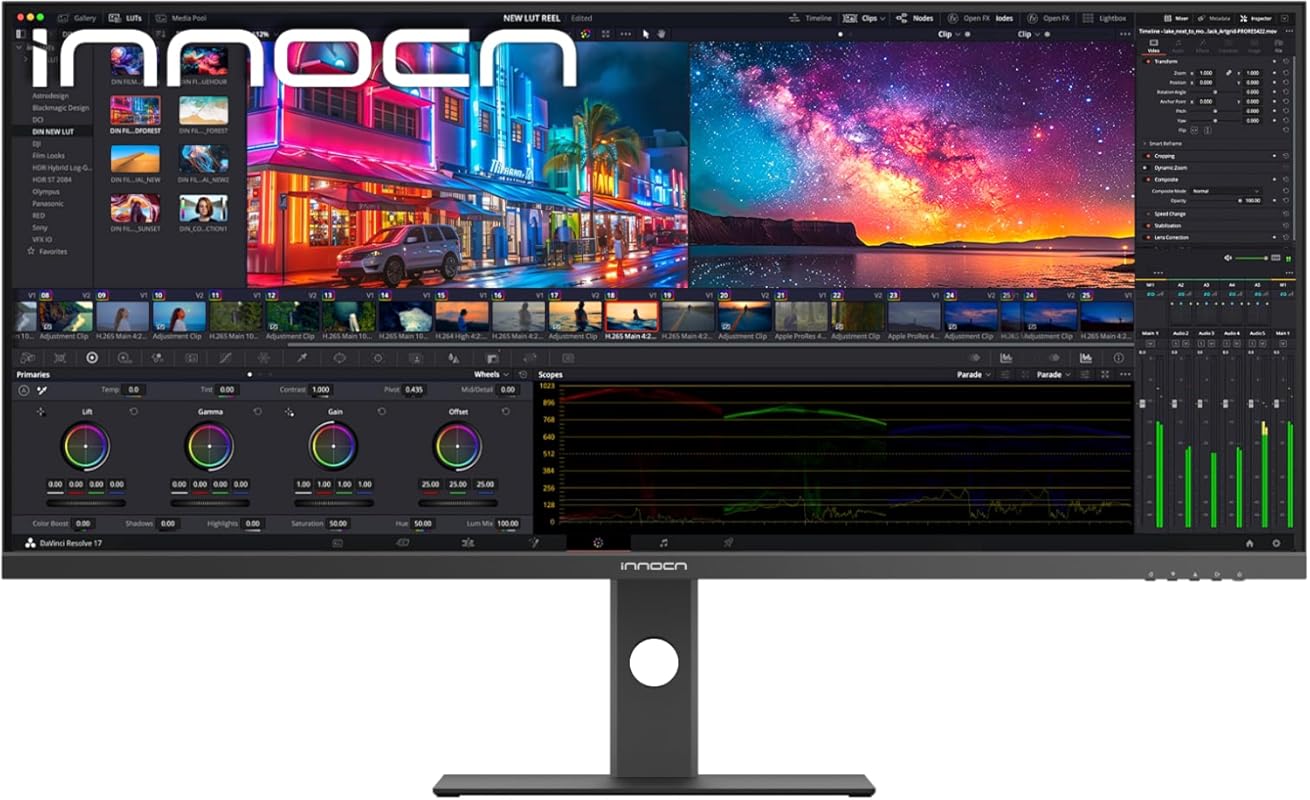
If you’re ready to go big, the INNOCN 40-inch ultrawide 5K monitor offers a rare combination of expansive screen real estate and Mac-compatible connectivity. Its 5120×2160 resolution fills the 21:9 panel with crisp detail, ideal for multitasking across apps or editing wide timelines in Final Cut Pro.
Key Features That Stand Out
✓ Massive 40-inch 21:9 ultrawide 5K display (5120×2160)
✓ USB-C with 90W power delivery and data transfer
✓ HDR400 certification for enhanced contrast and brightness
✓ 135% sRGB color gamut covers vibrant creative workflows
✓ Fully adjustable stand with tilt, swivel, and height control
Why We Recommend It
This monitor transforms your Mac into a command center—imagine having Slack, Safari, and Adobe Premiere all visible at once without scrolling. The USB-C connection simplifies setup, and the IPS panel ensures consistent colors from edge to edge.
Best For
Video editors, researchers, developers, and power users who need maximum screen space and color-rich visuals without sacrificing Mac integration.
Pros and Cons
Pros:
- Huge workspace reduces need for dual monitors
- USB-C powers MacBook and transmits video/data
- Excellent color coverage for creative work
- Sturdy, tool-free assembly
Cons:
- No Thunderbolt support (USB-C only)
- Requires significant desk space
Customer Reviews
Customer Review: “This is a great monitor and for $89.99 on sale it is a steal! Bought it for my home office so I could extend my laptop display to 3 screens. The stand extends to 12 inches vertical, pivots horizontally and vertically. It is very wide and very sturdy. No tools needed to assemble it. Comes with an HDMI…”
Customer Review: “Before this I had the LG 34950F, and in less than 2 years it developed vertical lines (common issue), in my search I was looking for another brand, then I came across the Sceptre E415B-QUN168B, months later this one was in stock and I decided to give it a try, but I lik…”
3. 27″ 5K Monitor for Mac: KTC Dual Mode with Type-C 65W and 99% DCI-P3 Color
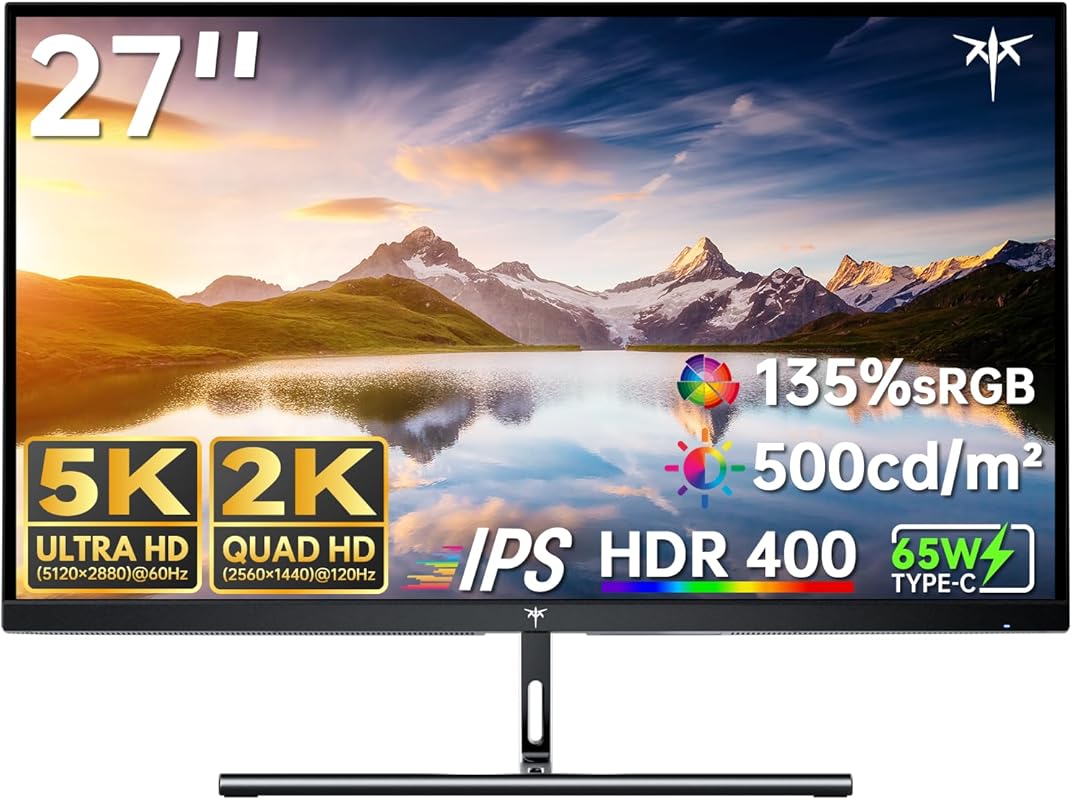
The KTC 27-inch 5K monitor proves you don’t need to spend a fortune for premium visuals. With dual-mode support (5K@60Hz and 2K@160Hz), it adapts to both creative work and casual gaming—all while delivering 99% DCI-P3 color accuracy that rivals monitors twice its price.
Key Features That Stand Out
✓ Dual-mode display: 5K@60Hz for clarity or 2K@160Hz for smooth motion
✓ 99% DCI-P3 and 100% sRGB with ΔE<2 color deviation
✓ USB-C with 65W power delivery charges your MacBook
✓ HDR400 and 500 cd/m² brightness for vivid, glare-free viewing
✓ Slim bezels and modern design blend well with Mac aesthetics
Why We Recommend It
For Mac users on a budget who still want 5K resolution and wide color gamut, this KTC model is a rare find. The dual-mode feature adds versatility, letting you switch to high refresh rate when gaming or watching fast-paced content.
Best For
Students, hybrid workers, and budget-conscious creatives who want 5K quality without the premium price tag.
Pros and Cons
Pros:
- Outstanding value for a 5K monitor
- Dual-mode flexibility enhances usability
- Accurate colors right out of the box
- USB-C simplifies connectivity
Cons:
- 65W power delivery may not fully charge high-wattage MacBook Pros under heavy load
- Limited stand adjustability (tilt only)
Customer Reviews
Customer Review: “I’m very happy with this monitor. The image is sharp and the colors are vibrant — perfect for watching shows, working, and especially for gaming. The screen is fast and smooth; nothing lags or looks blurry during fast movements, which makes a big difference when playing…”
Customer Review: “Great monitor for price clean crisp 1440p display no complaints speakers aren’t the loudest but still good product easy setup”
4. Dell UltraSharp U4025QW 40″ Curved 5K2K Monitor for Mac in 21:9 WUHD
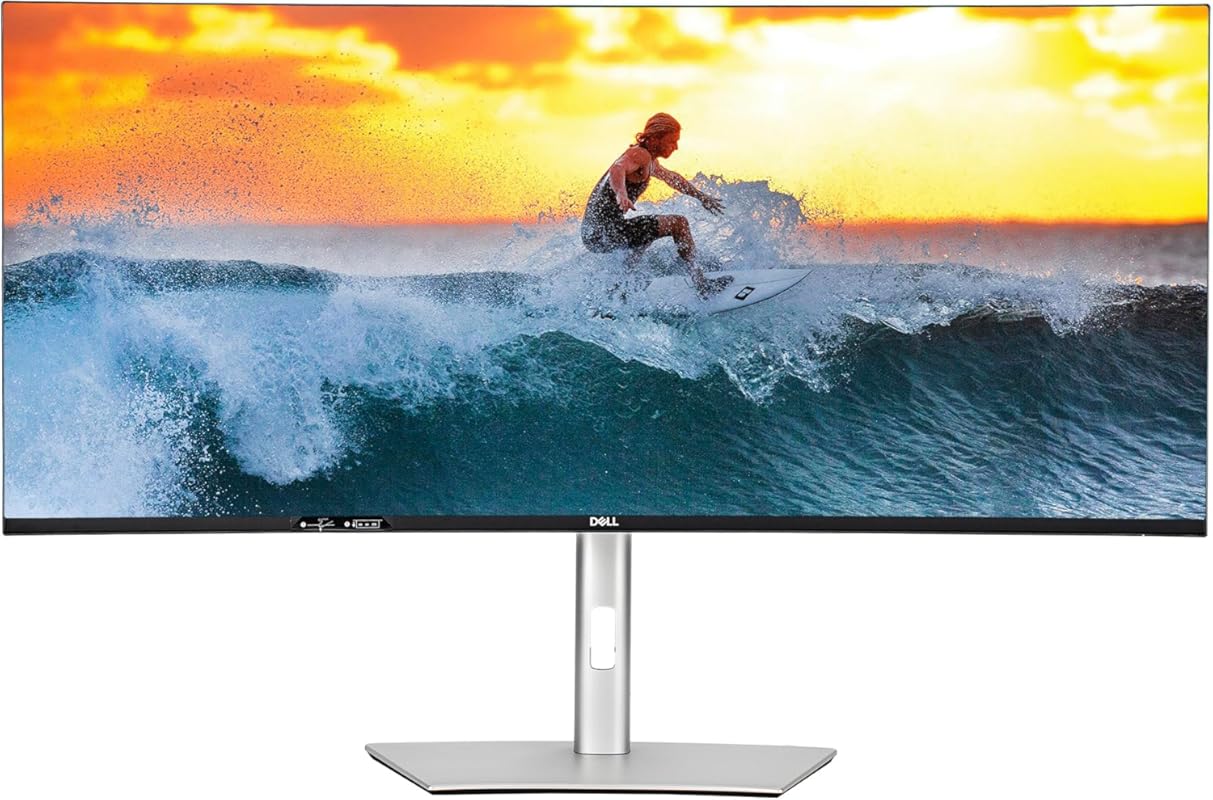
Dell’s UltraSharp U4025QW brings enterprise-grade reliability to the Mac ecosystem. This 40-inch curved 5K2K (5120×2160) monitor offers a wraparound viewing experience that’s perfect for long coding sessions, spreadsheet analysis, or immersive video editing—all with Dell’s legendary build quality.
Key Features That Stand Out
✓ 40-inch curved 21:9 5K2K WUHD display (5120×2160)
✓ USB-C with 90W power delivery and DisplayPort Alt Mode
✓ 98% DCI-P3 and 1000:1 contrast ratio
✓ Built-in KVM switch for multi-device control
✓ Fully adjustable stand with pivot, tilt, swivel, and height
Why We Recommend It
While not Thunderbolt-native, its USB-C implementation works flawlessly with Macs, and the KVM feature lets you control a Mac and PC with one keyboard/mouse—ideal for hybrid setups. The curve reduces eye strain during long workdays.
Best For
Professionals in finance, engineering, or media who need a large, reliable display with strong Mac compatibility and productivity-enhancing features.
Pros and Cons
Pros:
- Impressive screen real estate and curvature
- USB-C with high-power delivery
- KVM switch boosts workflow efficiency
- Dell’s 3-year warranty and support
Cons:
- No Thunderbolt 3/4 support
- Higher price point than non-curved alternatives
Customer Reviews
Customer Review: “I recently invested in the Dell UltraSharp U4025QW and I am very happy with my choice. For anyone involved in creative/productivity type work like audio and video editing, spreadsheets, etc., this monitor won’t disappoint. The color and clarity are visually stunning. The 5K2K WUHD resolution on the 4…”
Customer Review: “A picture can hardly show the amazing quality of this display, but I’ve attached one to give you a general idea. I should say that I am not a gamer, so I can’t comment on that aspect of this monitor. But for productivity – such as being able to see an entire spreadsheet without horizontal scrollin…”
5. LG 27MD5KL-B 27″ 5K UHD Monitor for Mac – Renewed Ultrafine IPS Display
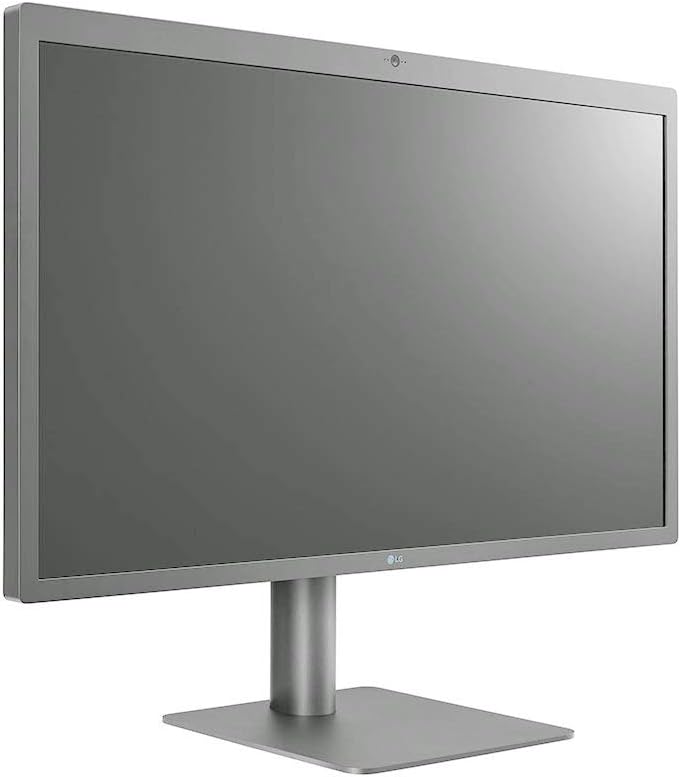
The renewed LG 27MD5KL-B offers a cost-effective way to experience Apple’s original 5K Ultrafine technology. Originally designed for Mac, this 27-inch IPS panel delivers 5120×2880 resolution, 99% DCI-P3, and built-in Thunderbolt 3—making it a natural extension of your MacBook.
Key Features That Stand Out
✓ Native 5K resolution (5120×2880) with 218 PPI
✓ Thunderbolt 3 with 85W power delivery
✓ 99% DCI-P3 color gamut and 500 nits brightness
✓ Built-in camera, microphone, and stereo speakers
✓ Seamless macOS integration with automatic scaling
Why We Recommend It
As one of the first true 5K monitors made for Mac, this LG model still holds up beautifully—especially when renewed by certified sellers. It’s plug-and-play with Thunderbolt Macs and includes extras like a webcam, which newer monitors often omit.
Best For
Budget-aware Mac users who want authentic 5K performance with Thunderbolt 3 and don’t mind buying refurbished with warranty.
Pros and Cons
Pros:
- True Mac-native 5K experience
- Thunderbolt 3 with high-power charging
- Includes camera and speakers
- Excellent color accuracy
Cons:
- Renewed units may have minor cosmetic wear
- Known issues with red pixel failure in some units
Customer Reviews
Customer Review: “Excellent retina level clarity, 500 nit brightness – feels great sitting about 30″ away on VESA mount. Easily connected with thunderbolt 3 without any issues with MacOS, display settings changed through keyboard without navigating GUI on monitor itself. Charges continuously during lighter work loads…”
Customer Review: “Do not buy, the red fails on this monitor. I have had it for two years only before this happened. If you google you will see that this is a constant issue.”
Complete Buying Guide for Best 5K Monitors for Mac
Essential Factors We Consider
When choosing the best 5K monitor for Mac, we prioritize resolution (true 5120×2880 or 5120×2160), color accuracy (DCI-P3 coverage ≥95%), connectivity (Thunderbolt 3/4 or USB-C with power delivery), and macOS compatibility (automatic scaling, plug-and-play setup). Panel type (IPS preferred), brightness (≥400 nits), and ergonomic adjustability also matter for long-term comfort.
Budget Planning
Prices range from around $600 for budget 5K options like the KTC to over $1,500 for premium models like the Dell UltraSharp. Renewed units (e.g., LG 27MD5KL-B) offer savings but check warranty terms. Invest in Thunderbolt if you use MacBook Pro or Studio—it future-proofs your setup.
Final Thoughts
The right 5K monitor should feel like a natural extension of your Mac—not a compromise. Whether you choose the color-perfect BenQ, the spacious INNOCN, or the value-driven KTC, ensure it matches your workflow, desk space, and budget. All five options here deliver exceptional clarity, but your ideal pick depends on what you value most: size, color, connectivity, or cost.
Frequently Asked Questions
Q: Do all 5K monitors work seamlessly with Mac?
A: Not all—look for Thunderbolt 3/4 or USB-C with DisplayPort Alt Mode and macOS scaling support. Monitors like the BenQ PD2730S and LG 27MD5KL-B are designed for Mac and offer plug-and-play simplicity.
Q: Can I daisy-chain 5K monitors on a Mac?
A: Only with Thunderbolt 3/4. The BenQ PD2730S supports daisy-chaining two 5K displays, but USB-C-only models like the INNOCN cannot.
Q: Is 5K worth it over 4K for Mac users?
A: Absolutely—if you use a MacBook with Retina display. 5K provides 218 PPI, matching Apple’s pixel density, so text and graphics appear sharper and more detailed.
Q: Do I need a powerful Mac for 5K?
A: A MacBook Pro (M1 or later), iMac, or Mac Studio handles 5K easily. Older Intel Macs may struggle with dual 5K displays or high refresh rates.
Q: Are renewed 5K monitors safe to buy?
A: Yes, if certified by reputable sellers (like Amazon Renewed) and include a warranty. Check return policies and avoid units with known issues (e.g., LG red pixel failure).
Ready to upgrade your Mac setup? Any of these best 5K monitors for Mac will elevate your visual experience—whether you’re editing 8K video, coding complex apps, or just enjoying crisp Netflix streams. Click the “Check Price” buttons above to find the perfect match for your needs and budget today!
