


Mastering your aim is crucial in FPS games. Learn how to improve your tracking aim with these practical steps, from adjusting settings to consistent practice drills.
Key Takeaways
- Adjust sensitivity for smooth mouse control.
- Practice with aim trainers for better precision.
- Focus on crosshair placement to anticipate enemies.
- Maintain a consistent setup for optimal performance.
- Analyze your gameplay to identify weaknesses.
- Stay patient; improvement takes time and dedication.
Introduction
Have you ever found yourself in a tense firefight, only to miss your shots because your crosshair just couldn’t keep up with the enemy? It’s a frustrating, common experience for many players diving into fast-paced first-person shooter (FPS) games. Good tracking aim – the ability to smoothly follow a moving target with your crosshair – is a game-changer. It can be the difference between a glorious victory and a swift defeat. But don’t worry, improving this skill is absolutely achievable, even if you’re new to the genre. This guide will break down exactly how to improve your tracking aim in FPS games with simple, actionable steps.
Understanding Tracking Aim
Before we dive into how to get better, let’s quickly define what tracking aim is. In FPS games, there are two main types of aiming: flicking and tracking. Flicking is when you quickly snap your crosshair to a target. Tracking, on the other hand, is about maintaining your crosshair on a moving target for an extended period, whether they are running, strafing, or dodging.
Why is tracking aim so important? Most engagements in FPS games involve targets that aren’t stationary. Enemies are constantly moving, strafing, and repositioning. If you can’t consistently keep your crosshair on them as they move, you’ll struggle to land consistent damage, leading to lost gunfights. Think of it like trying to catch a frisbee; you don’t just snap your hand to where it is, you have to follow its arc to catch it. Tracking aim in games is very similar.
Step 1: Optimize Your Mouse and Sensitivity Settings
This is arguably the most critical step. Your mouse and its settings are your primary tools for aiming. Getting them right lays the foundation for all your practice.
Choosing the Right Mouse
While you don’t need the most expensive gaming mouse, having a comfortable, responsive one makes a significant difference. Look for a mouse that fits your hand size and grip style. Ambidextrous mice are good for symmetrical fits, while ergonomic mice are shaped for comfort. A good sensor is key for accurate tracking. Most modern gaming mice have excellent sensors that perform well.
Understanding DPI and In-Game Sensitivity
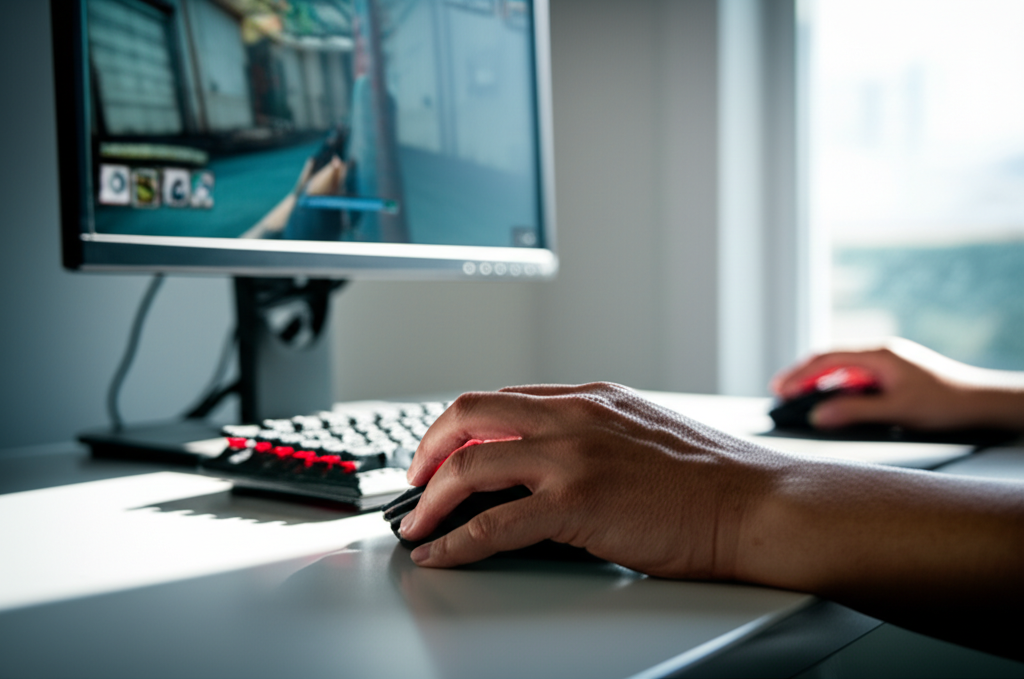
Two crucial settings are your mouse’s DPI (Dots Per Inch) and the in-game sensitivity. DPI refers to how sensitive your mouse is to movement. A higher DPI means your cursor moves further on screen for the same physical mouse movement. In-game sensitivity multiplies your DPI to determine the final cursor speed.
The goal is to find a sensitivity that allows you to make both large turns (like a 180-degree spin) and small, precise adjustments without feeling like you’re fighting your mouse. Many professional players use lower sensitivities combined with larger mousepads for more control. This allows for finer movements using more of your arm rather than just your wrist.
Low vs. High Sensitivity: What’s Best?
| Sensitivity Type | Pros | Cons | Best For |
|---|---|---|---|
| Low Sensitivity | Precise micro-adjustments, better for tracking. | Requires more desk space, slower 180-degree turns. | Tracking-heavy games, players with large mousepads. |
| High Sensitivity | Quick turns, good for close-quarters combat. | Can be jittery, harder to make small adjustments. | Fast-paced games, players with limited space. |
A commonly recommended starting point is an eDPI (effective DPI) between 400 and 1200. eDPI is calculated as: Mouse DPI × In-Game Sensitivity = eDPI. For example, if your mouse is set to 800 DPI and your in-game sensitivity is 0.5, your eDPI is 400.
To find your sweet spot, try adjusting your sensitivity in-game. Start with a medium setting and try to track a static object or a teammate moving slowly. If you’re overshooting, lower your sensitivity. If you’re undershooting or feel sluggish, increase it slightly. Consistency is key once you find something that feels comfortable.
Mouse Acceleration
Generally, it’s best to turn off mouse acceleration. This Windows setting makes your cursor move further the faster you move your mouse. While it might seem helpful for quick turns, it makes your aim inconsistent. Your muscle memory can’t develop properly because the same physical movement results in a different on-screen distance depending on speed. Most professional FPS players recommend disabling it in both Windows and your game settings.
You can disable mouse acceleration in Windows by going to Mouse Settings > Additional mouse options > Pointer Options and unchecking “Enhance pointer precision.”
Step 2: Master Your Crosshair Placement
Effective crosshair placement means always having your crosshair positioned where an enemy is likely to appear. This reduces the amount of aiming you need to do when an opponent shows up. Instead of reacting and flicking, you’re pre-aiming.
Key principles of good crosshair placement:
- Head Level: Aim at head height. Most players aim for the body, so hitting headshots gives you a significant advantage.
- Anticipate Angles: When moving around the map, keep your crosshair pointed at corners or doorways where enemies might peek.
- Clear Angles Systematically: Don’t just run into open spaces. “Slice the pie” by clearing angles one by one.
This skill develops over time as you learn the maps and common enemy positions. Good crosshair placement means when an enemy appears, your crosshair is already close to them, and you only need to make minor tracking adjustments.
Step 3: Utilize Aim Trainers
Aim trainers are dedicated software programs designed to help you improve your mouse control. They offer a variety of scenarios to practice flicking, tracking, and target switching. These are invaluable tools for dedicated improvement outside of live matches.
Some of the most popular aim trainers include:
- KovaaK’s FPS Aim Trainer: Highly customizable with thousands of community-created scenarios. A favorite among many pro players.
- Aim Lab: Free to play and offers detailed performance analytics. It also has specific training routines for popular games like Valorant and Apex Legends.
- osu!: While not strictly an FPS aim trainer, it’s excellent for improving mouse speed, precision, and reaction time through its rhythm-based gameplay.
When using aim trainers, focus on both accuracy and speed. Don’t just mindlessly click targets. Pay attention to how smoothly you can track moving targets and how accurately you can adjust your aim. Aim Lab, for example, provides feedback on your tracking smoothness, precision, and reaction time. Many trainers offer specific tracking drills that mimic in-game scenarios.
Aim Trainer Scenario Examples:
| Scenario Type | Description | What it Improves |
|---|---|---|
| Tracking Scenarios | Targets move in predictable or unpredictable patterns (e.g., Airstrafe, Close Fast Strafes). | Smoothness, consistency in following moving targets. |
| Target Switching Scenarios | Multiple targets appear quickly, requiring you to flick between them and track briefly (e.g., Tile Frenzy, Grid Shot). | Speed and accuracy when engaging multiple enemies. |
| Click Timing Scenarios | Targets appear and disappear, requiring precise timing to click them (e.g., Reflect Strafes). | Precision and reaction for headshots. |
Pro Tip: Aim to dedicate at least 15-30 minutes daily to aim training. Consistency is far more effective than sporadic, long sessions. Focus on one or two areas of improvement each session to avoid feeling overwhelmed.
Step 4: Practice in Game – Focus on Movement and Aim Duels
Aim trainers are great for raw mechanics, but they can’t fully replicate the chaos and strategy of a real match. You need to translate your training into actual gameplay.
Warm-up Routine

Before jumping into competitive matches, spend 10-20 minutes warming up. This could involve playing a few rounds of an aim trainer, using the game’s practice range, or playing an unranked mode. A good warm-up gets your hand-eye coordination firing and helps you get a feel for the game’s specific mechanics.
Focus on Tracking in Duels
During actual matches, consciously focus on your tracking. When you engage an enemy, try to keep your crosshair glued to them. Don’t panic and spray wildly. Instead, focus on smooth mouse movements that mirror their strafes. If they move left, you move left. If they move right, you move right. This often involves counter-strafing (moving in the opposite direction to steady your aim) in games where movement accuracy is a factor.
“Slice the Pie” and Clear Angles
As mentioned with crosshair placement, actively practice clearing corners and angles. Don’t rush into new areas. Instead, expose yourself to enemy positions incrementally. This gives you more time to react and track if an enemy appears.
Learn Player Movement Patterns
Players often have predictable movement patterns. Some opponents favor wide strafes, others tight jiggles. Pay attention to how different players move. This knowledge can help you anticipate their next move and adjust your tracking accordingly.
For example, in Valorant, players often use “ADAD” strafing (moving left and right quickly). Recognizing this pattern allows you to pre-aim the likely path they will take.
Step 5: Analyze Your Gameplay
One of the most effective ways to improve is to watch yourself play. Many games offer a replay system, or you can use recording software like OBS Studio or Nvidia ShadowPlay.
When reviewing your gameplay, look for:
- Missed Shots: Why did you miss? Did you overshoot? Undershoot? Was your crosshair lagging behind?
- Lost Duels: What happened in the moments leading up to your death? Was your crosshair placement off? Did you react too slowly?
- Tracking Consistency: Can you see moments where you lose track of an enemy during sustained fire?
This self-analysis helps you identify specific weaknesses that you can then target in your practice sessions, whether that’s in an aim trainer or back in the game.
Step 6: Optimize Your Gaming Setup
Even with perfect aim mechanics, a poor gaming setup can hinder your performance. Ensure your environment is conducive to focused gameplay.
Desk Space and Mousepad
As discussed earlier, lower sensitivities require more mousepad real estate. Ensure you have enough space to move your mouse freely without running off the edge. A large, smooth mousepad is essential for consistent tracking.
Monitor Refresh Rate
A monitor with a higher refresh rate (e.g., 144Hz or 240Hz) displays more frames per second. This results in a smoother visual experience, making it easier to track fast-moving targets. The difference between 60Hz and 144Hz is substantial for tracking.
According to NVIDIA, “A higher refresh rate means you see more frames per second. This results in smoother motion and can help you spot enemy players more easily and track their movements.” This is particularly beneficial for tracking moving targets accurately.
Ergonomics and Comfort
Playing for extended periods can lead to fatigue and discomfort, which affects your aim. Ensure your chair, desk height, and monitor position are ergonomic. Your arm and wrist should be in a relaxed position. Consider a wrist rest if needed, but ensure it doesn’t impede your mouse movement.
Step 7: Stay Patient and Consistent
Improving tracking aim is a marathon, not a sprint. You won’t become a pro overnight. It requires consistent effort and dedication.
Key principles for long-term improvement:
- Regular Practice: Dedicate time each day or week to practice.
- Focus on Fundamentals: Don’t neglect your crosshair placement or sensitivity settings.
- Avoid Tilt: Getting frustrated after losing a few games can lead to poor decision-making and practice. Take breaks when you need them.
- Celebrate Small Wins: Notice when your tracking feels better, when you win more duels, or when you hit more shots. Acknowledge your progress.
Many high-level players have been training for thousands of hours. Your journey will also take time. The most important thing is to enjoy the process of getting better.
FAQ
What is the best sensitivity for tracking aim?
There’s no single “best” sensitivity. It’s highly personal. However, many players find success with lower sensitivities (e.g., an eDPI between 400-1200) because it allows for more precise movements using the arm. Experiment to find what feels comfortable and controllable for you.
How often should I practice tracking aim?
Consistency is key. Aim for at least 15-30 minutes of dedicated practice daily. This could be in an aim trainer, a game’s practice range, or by consciously focusing on tracking during matches.
Is mouse acceleration good for tracking?
No, it’s generally recommended to turn off mouse acceleration for consistent aiming. It makes your cursor speed inconsistent, hindering muscle memory development and precise control needed for tracking.
How can I improve tracking in games like Valorant or CS:GO?
Focus on crosshair placement at head height, practice precise counter-strafing to stabilize your aim, and utilize aim trainers with specific tracking scenarios. Games like Valorant and CS:GO heavily reward precise, controlled bursts and tracking.
Should I mirror my favorite pro player’s sensitivity?
You can use pro player sensitivities as a starting point for experimentation, but don’t feel obligated to stick with them if they don’t feel right. Hand size, mouse, mousepad, and personal preference play a huge role. Finding your own comfortable sensitivity is more important.
What is the difference between tracking and flicking aim?
Flicking is a quick, snapping movement of the crosshair to a target. Tracking is the continuous adjustment of the crosshair to follow a moving target. Both are important, but tracking is crucial for sustained engagements.
How do I stop my crosshair from shaking when tracking?
Jittery tracking often comes from using too much wrist and trying to make too many micro-adjustments too quickly. Try to use more of your arm for tracking, maintain a slightly lower sensitivity, and focus on smooth, consistent movements rather than jerky corrections.
Conclusion
Improving your tracking aim in FPS games is a journey that combines technical setup, dedicated practice, and smart analysis. By optimizing your mouse settings, mastering crosshair placement, utilizing aim trainers, practicing strategically in-game, analyzing your performance, and ensuring a comfortable setup, you’ll see tangible improvements over time. Remember that patience and consistency are your greatest allies. Keep practicing, stay focused, and you’ll find your aim becoming smoother, more precise, and ultimately, more deadly in every firefight.
