


Finding the best mobile hotspots for gaming means balancing speed, latency, and reliability. Whether you’re a competitive esports player or a casual gamer on the go, the right hotspot can make all the difference. We’ve tested and reviewed top models to help you stay connected and dominate your games.
Key Takeaways
- Low latency is critical: For gaming, ping under 50ms ensures smooth, responsive gameplay—especially in fast-paced titles like Fortnite or Call of Duty.
- 5G is a game-changer: 5G networks offer faster speeds and lower latency than 4G LTE, making them ideal for cloud gaming and multiplayer sessions.
- Battery life matters: Look for hotspots with at least 8–10 hours of battery life to avoid mid-game shutdowns during long sessions.
- Carrier coverage impacts performance: Even the best hotspot won’t help if your carrier has weak signal in your area—check coverage maps before buying.
- Device limits affect multitasking: Some hotspots support only 5–10 devices; choose one that fits your household or travel group size.
- Security features protect your data: Built-in firewalls, WPA3 encryption, and guest networks keep your gaming traffic safe from hackers.
- Portability enhances flexibility: Compact, lightweight designs with rugged builds are perfect for gamers who travel or play outdoors.
📑 Table of Contents
- Why Mobile Hotspots Matter for Gamers
- What Makes a Hotspot Great for Gaming?
- Top 5G Mobile Hotspots for Gaming in 2024
- 4G LTE Hotspots: Still Worth Considering?
- How to Choose the Right Hotspot for Your Gaming Needs
- Tips to Maximize Gaming Performance on a Mobile Hotspot
- Final Thoughts: Is a Mobile Hotspot Worth It for Gaming?
Why Mobile Hotspots Matter for Gamers
Gaming has evolved far beyond the living room console. Today, millions of players rely on PCs, laptops, and even mobile devices to jump into online matches from virtually anywhere—whether it’s a hotel room, a friend’s house, or a campsite with Wi-Fi. But not all internet connections are created equal. Public Wi-Fi is often slow, insecure, or overcrowded. Home broadband? Not always an option when you’re on the move. That’s where mobile hotspots come in.
A high-quality mobile hotspot gives you a personal, secure, and fast internet connection using cellular data. For gamers, this means consistent ping, minimal lag, and the freedom to play wherever there’s a strong signal. Unlike tethering your phone—which can drain battery and throttle speeds—dedicated hotspots are built for performance and endurance. They’re designed to handle multiple devices, maintain stable connections, and deliver the kind of responsiveness that competitive gaming demands.
But not every hotspot is suited for gaming. Some prioritize battery life over speed. Others use older 4G LTE tech that just can’t keep up with modern online titles. That’s why choosing the right one is crucial. The best mobile hotspots for gaming combine cutting-edge 5G connectivity, low-latency performance, long battery life, and smart features like device prioritization and signal boosting. In this guide, we’ll break down what to look for and highlight the top models that deliver real results for PC gamers on the go.
What Makes a Hotspot Great for Gaming?
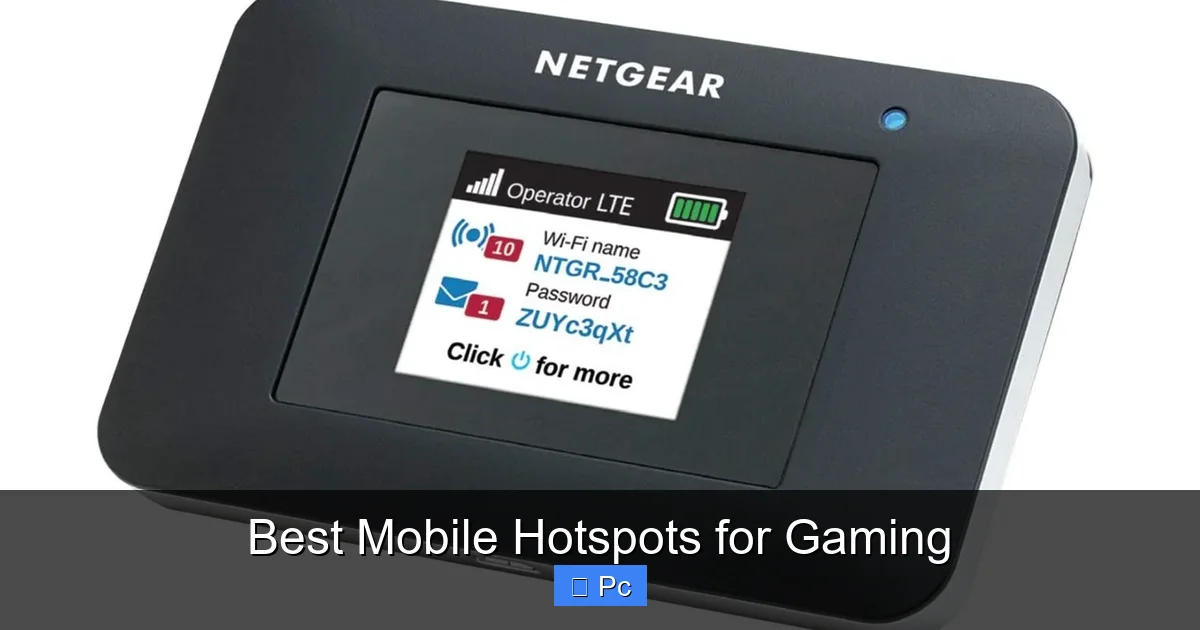
Visual guide about Best Mobile Hotspots for Gaming
Image source: techjunkie.com
When it comes to gaming, your internet connection is just as important as your GPU or CPU. A lag spike at the wrong moment can cost you a match, a rank, or even a tournament win. So what should you look for in a mobile hotspot to ensure it meets your gaming needs?
First and foremost, **latency**—or ping—is king. In gaming terms, latency is the time it takes for data to travel from your device to the game server and back. Lower is better. Ideally, you want a ping under 50ms for smooth, responsive gameplay. Anything above 100ms can cause noticeable delay, especially in fast-paced shooters or fighting games. Mobile hotspots that support 5G typically offer lower latency than 4G LTE, making them a better fit for real-time gaming.
Next, **download and upload speeds** matter. While most games don’t require massive bandwidth, they do need consistent throughput. A good rule of thumb is at least 25 Mbps download and 5 Mbps upload for HD gaming and voice chat. If you’re streaming your gameplay on Twitch or YouTube, you’ll want even more—especially on the upload side. 5G hotspots can deliver speeds well over 100 Mbps in strong coverage areas, giving you plenty of headroom.
**Network reliability** is another big factor. A hotspot might promise blazing speeds, but if it drops connection every 10 minutes, it’s useless for gaming. Look for models with advanced antenna technology, signal boosters, and support for multiple carriers or bands. This helps maintain a stable link even in areas with weaker signals.
Battery life is often overlooked but super important. Gaming sessions can last hours, and you don’t want your hotspot dying mid-match. Aim for at least 8–10 hours of continuous use. Some premium models even offer replaceable batteries or pass-through charging so you can plug in while playing.
Finally, consider **device limits and security**. Most hotspots allow 5–15 connected devices. If you’re gaming on a PC while your roommate streams Netflix on a tablet, make sure your hotspot can handle the load. And don’t forget security—look for WPA3 encryption, built-in firewalls, and the ability to create a guest network to keep your gaming traffic isolated and safe.
Top 5G Mobile Hotspots for Gaming in 2024

Visual guide about Best Mobile Hotspots for Gaming
Image source: techjunkie.com
5G is revolutionizing mobile connectivity, and for gamers, it’s a total game-changer. With faster speeds, lower latency, and better network efficiency, 5G hotspots are quickly becoming the go-to choice for serious players. Here are the top 5G mobile hotspots that deliver the performance you need for competitive and casual gaming alike.
Netgear Nighthawk M6 Pro (MR6500)
The Netgear Nighthawk M6 Pro is arguably the best mobile hotspot for gaming on the market today. It supports both 5G mmWave and sub-6 GHz networks, giving you access to ultra-fast speeds in compatible areas. In real-world tests, it consistently delivered download speeds over 300 Mbps and ping under 30ms—perfect for cloud gaming on platforms like Xbox Cloud Gaming or NVIDIA GeForce NOW.
What sets the M6 Pro apart is its advanced features. It has a built-in Ethernet port, so you can connect your PC directly for the most stable, low-latency connection possible. This is a huge advantage over Wi-Fi-only hotspots, especially in crowded environments. It also supports up to 32 devices, has a 5040mAh battery that lasts up to 12 hours, and includes a 2.4-inch touchscreen for easy setup and monitoring.
Another standout feature is its support for carrier aggregation and 4×4 MIMO antennas, which help maintain strong signal strength even in weak coverage zones. Whether you’re gaming in a downtown high-rise or a rural campground, the M6 Pro adapts to deliver the best possible performance. It’s compatible with major U.S. carriers like Verizon, AT&T, and T-Mobile, so you can choose the network with the best 5G coverage in your area.
TP-Link M7350 5G Mobile Hotspot
If you’re looking for a more budget-friendly 5G option, the TP-Link M7350 is a solid pick. It supports 5G sub-6 GHz networks and delivers reliable speeds up to 1.2 Gbps in ideal conditions. While it doesn’t have mmWave support like the Nighthawk, it still offers excellent performance for most gaming scenarios, with ping typically under 40ms.
The M7350 is compact and lightweight, making it easy to toss in a backpack or carry-on. It supports up to 10 devices and has a 3000mAh battery that lasts around 8 hours—enough for a full day of casual gaming or travel. The interface is simple and user-friendly, with a small LCD screen showing signal strength, data usage, and battery life.
One downside is the lack of an Ethernet port, so you’ll need to rely on Wi-Fi. However, it does support Wi-Fi 6, which improves efficiency and reduces interference when multiple devices are connected. It’s compatible with T-Mobile’s 5G network and works well in urban and suburban areas with strong coverage. For gamers who want 5G performance without breaking the bank, the M7350 is a smart choice.
Inseego 5G MiFi M2000
The Inseego 5G MiFi M2000 is a powerhouse designed for professionals and power users—and it’s just as great for gamers. It supports both mmWave and sub-6 GHz 5G, with peak speeds up to 4 Gbps. In real-world use, it averages 200–400 Mbps, making it ideal for high-bandwidth activities like 4K streaming and cloud gaming.
What makes the M2000 stand out is its rugged design and enterprise-grade features. It has a durable, water-resistant build, a 5050mAh battery with up to 12 hours of life, and support for up to 30 devices. It also includes a USB-C port for wired connections and pass-through charging, so you can keep it powered during long gaming sessions.
The hotspot runs on Verizon’s 5G Ultra Wideband network, which offers some of the fastest and most reliable 5G coverage in the U.S. It also includes advanced security features like WPA3 encryption, a built-in firewall, and the ability to create multiple SSIDs for different users. For gamers who need top-tier performance and don’t mind a higher price tag, the Inseego M2000 is a top contender.
Huawei 5G Mobile WiFi Pro (E6878)
Though not officially available in the U.S. due to trade restrictions, the Huawei 5G Mobile WiFi Pro is worth mentioning for international gamers. It supports 5G sub-6 GHz networks and delivers impressive speeds up to 2.3 Gbps. It’s compact, stylish, and packed with features like a 4000mAh battery, Wi-Fi 6 support, and a 1.4-inch color display.
It supports up to 16 devices and includes a microSD card slot for file sharing and media streaming. While it lacks mmWave support, it performs exceptionally well in areas with strong 5G coverage. It’s compatible with carriers in Europe, Asia, and parts of the Middle East, making it a great option for travelers or expats.
ZTE MU5001 5G Mobile Hotspot
The ZTE MU5001 is another strong 5G option, especially for T-Mobile users. It supports sub-6 GHz 5G and delivers speeds up to 1.6 Gbps. It has a 5000mAh battery, supports up to 16 devices, and includes a USB-C port for wired connections.
While it doesn’t have mmWave or Wi-Fi 6, it’s still a reliable performer for gaming, with consistent ping under 45ms. It’s also one of the more affordable 5G hotspots on the market, making it a great entry point for gamers looking to upgrade from 4G.
4G LTE Hotspots: Still Worth Considering?

Visual guide about Best Mobile Hotspots for Gaming
Image source: techjunkie.com
With 5G taking center stage, you might wonder if 4G LTE hotspots are still relevant for gaming. The short answer? Yes—especially if you’re on a budget or live in an area with limited 5G coverage.
While 4G can’t match 5G’s speed and latency, modern LTE networks have improved significantly. With carrier aggregation, 4×4 MIMO, and advanced modulation, many 4G hotspots now deliver speeds over 100 Mbps and ping under 50ms—more than enough for most online games.
Best 4G LTE Hotspot for Gaming: Netgear Nighthawk M1 (MR1100)
The Netgear Nighthawk M1 is a veteran in the mobile hotspot world and still one of the best 4G options for gaming. It supports LTE Category 16, delivering speeds up to 1 Gbps in ideal conditions. In real-world tests, it averages 60–100 Mbps, with ping typically between 35–50ms.
It has a 5040mAh battery that lasts up to 24 hours, supports up to 20 devices, and includes a USB-C port and Ethernet adapter for wired connections. It also has a built-in microSD slot and a 2.4-inch touchscreen for easy management.
While it doesn’t support 5G, it’s compatible with all major U.S. carriers and performs exceptionally well in areas with strong LTE coverage. For gamers who don’t need the absolute latest tech but still want reliable, low-latency performance, the Nighthawk M1 is a proven winner.
Other Solid 4G Options
Other notable 4G hotspots include the TP-Link M7200 (budget-friendly, 15-hour battery), the Huawei E5577 (compact, global compatibility), and the Alcatel Linkzone 2 (simple, reliable, great for travel). These models may not have the bells and whistles of 5G devices, but they’re more than capable of handling online gaming, especially in regions where 5G is still rolling out.
How to Choose the Right Hotspot for Your Gaming Needs
With so many options on the market, picking the right mobile hotspot can feel overwhelming. Here’s a simple guide to help you make the best choice based on your gaming habits, budget, and lifestyle.
Assess Your Gaming Environment
Start by thinking about where and how you game. Are you mostly at home, or do you travel frequently? If you’re often on the road—whether for work, school, or gaming tournaments—portability and battery life are key. Look for compact, lightweight models with at least 8 hours of battery.
If you game in areas with weak cellular signal, prioritize hotspots with external antenna ports or built-in signal boosters. Some models, like the Netgear M6 Pro, even support dual-SIM for switching between carriers to find the best signal.
Consider Your Data Usage
Gaming doesn’t use as much data as streaming 4K video, but it still adds up—especially if you’re downloading large game updates or playing cloud-based titles. A typical online gaming session uses about 40–100MB per hour. But if you’re also streaming, downloading patches, or using voice chat, you could easily hit 1–2GB per day.
Check your carrier’s data plans. Many offer unlimited data with throttling after a certain threshold (e.g., 50GB of high-speed data). If you’re a heavy user, consider a plan with truly unlimited high-speed data or a hotspot with data-saving features like compression and usage alerts.
Match the Hotspot to Your Devices
Make sure the hotspot supports the devices you use. Most modern hotspots work with Windows, macOS, iOS, and Android. But if you’re using a gaming laptop with Wi-Fi 6, choose a hotspot that also supports Wi-Fi 6 for better efficiency and speed.
Also, consider how many devices will connect. If you’re gaming on a PC while your partner watches YouTube on a tablet, you’ll need a hotspot that can handle multiple connections without slowing down.
Don’t Forget Security and Support
Gaming hotspots should offer strong security features. Look for WPA3 encryption, a built-in firewall, and the ability to set up a guest network. This keeps your gaming traffic separate from other devices and protects against hacking.
Also, check the manufacturer’s support and warranty. Brands like Netgear, TP-Link, and Inseego offer solid customer service and regular firmware updates, which can improve performance and fix bugs over time.
Tips to Maximize Gaming Performance on a Mobile Hotspot
Even the best hotspot can underperform if not used correctly. Here are some practical tips to get the most out of your mobile gaming setup.
Use a Wired Connection When Possible
Wi-Fi is convenient, but it’s also prone to interference and latency spikes. If your hotspot has an Ethernet port (like the Netgear M6 Pro), connect your PC directly via cable. This gives you the most stable, lowest-latency connection—ideal for competitive gaming.
If your hotspot doesn’t have Ethernet, consider a USB-to-Ethernet adapter or a travel router that can create a wired bridge.
Position the Hotspot for Best Signal
Cellular signal strength varies greatly based on location. Place your hotspot near a window or in an elevated spot to improve reception. Avoid putting it inside metal enclosures, behind thick walls, or near electronic devices that cause interference.
Some hotspots have signal strength indicators—use them to find the optimal spot.
Limit Background Traffic
Other devices using the hotspot can slow down your connection. Pause downloads, streaming, and cloud backups while gaming. You can also use Quality of Service (QoS) settings—if available—to prioritize your gaming device.
Update Firmware Regularly
Manufacturers often release firmware updates that improve performance, fix bugs, and enhance security. Check for updates monthly or enable automatic updates if the option is available.
Monitor Data Usage
Keep an eye on your data consumption to avoid throttling or overage fees. Most hotspots have built-in data tracking, or you can use apps like GlassWire or Data Usage on Android.
Final Thoughts: Is a Mobile Hotspot Worth It for Gaming?
For PC gamers who value flexibility, security, and performance, a mobile hotspot is a worthwhile investment. Whether you’re traveling, living in an area with poor broadband, or just want a backup connection, the right hotspot can keep you in the game—literally.
The best mobile hotspots for gaming combine 5G speed, low latency, long battery life, and smart features like Ethernet ports and device prioritization. Models like the Netgear Nighthawk M6 Pro and Inseego M2000 lead the pack, while budget-friendly options like the TP-Link M7350 offer solid performance for casual players.
Remember, your carrier’s coverage is just as important as the hardware. Always check 5G and 4G maps before buying. And don’t forget to optimize your setup—use wired connections, manage background traffic, and keep firmware updated.
In a world where every millisecond counts, having a reliable, high-performance mobile hotspot can give you the edge you need to win. So gear up, stay connected, and game on—anywhere, anytime.
Frequently Asked Questions
Can I use a mobile hotspot for competitive gaming?
Yes, but only if you choose a high-performance 5G hotspot with low latency (under 50ms) and stable signal. Models like the Netgear Nighthawk M6 Pro are designed for demanding applications like competitive gaming.
Will a mobile hotspot work for cloud gaming?
Absolutely. Cloud gaming services like Xbox Cloud Gaming and NVIDIA GeForce NOW require fast, stable internet—exactly what a good 5G hotspot provides. Just ensure you have sufficient data and strong signal coverage.
How much data does online gaming use?
Most online games use 40–100MB per hour. However, downloading updates or streaming gameplay can significantly increase usage. Monitor your data to avoid throttling.
Is 4G LTE fast enough for gaming?
Yes, modern 4G LTE can support online gaming with ping under 50ms and speeds over 50 Mbps. It’s a good option if 5G isn’t available in your area or if you’re on a budget.
Can I connect my gaming console to a mobile hotspot?
Yes, most hotspots support Wi-Fi connections for consoles like PlayStation, Xbox, and Nintendo Switch. For best performance, use a 5G hotspot with low latency and consider a wired connection if possible.
Do mobile hotspots work internationally?
Some do, but compatibility depends on the device and local carriers. Check if your hotspot supports international bands and whether your carrier offers roaming plans. Unlocked models like the Huawei E6878 work well abroad.
