

Looking for the best curved monitors for work? You’re not alone. As remote and hybrid work setups become the norm, professionals are discovering that a curved monitor can dramatically improve focus, reduce eye strain, and boost productivity. Unlike flat screens, curved displays wrap around your field of vision, creating a more immersive and natural viewing experience—especially during long hours at the desk. Whether you’re managing spreadsheets, editing documents, or multitasking across multiple windows, the right curved monitor can make all the difference. In this roundup, we’ve tested and reviewed the top curved monitors designed specifically for work environments, balancing performance, comfort, and value.
Quick Product Comparison
Our Top 5 Best Curved Monitors For Work Reviews – Expert Tested & Recommended
1. Samsung 27-Inch FHD 1800R Curved Monitor for Work and Gaming with Eye Comfort
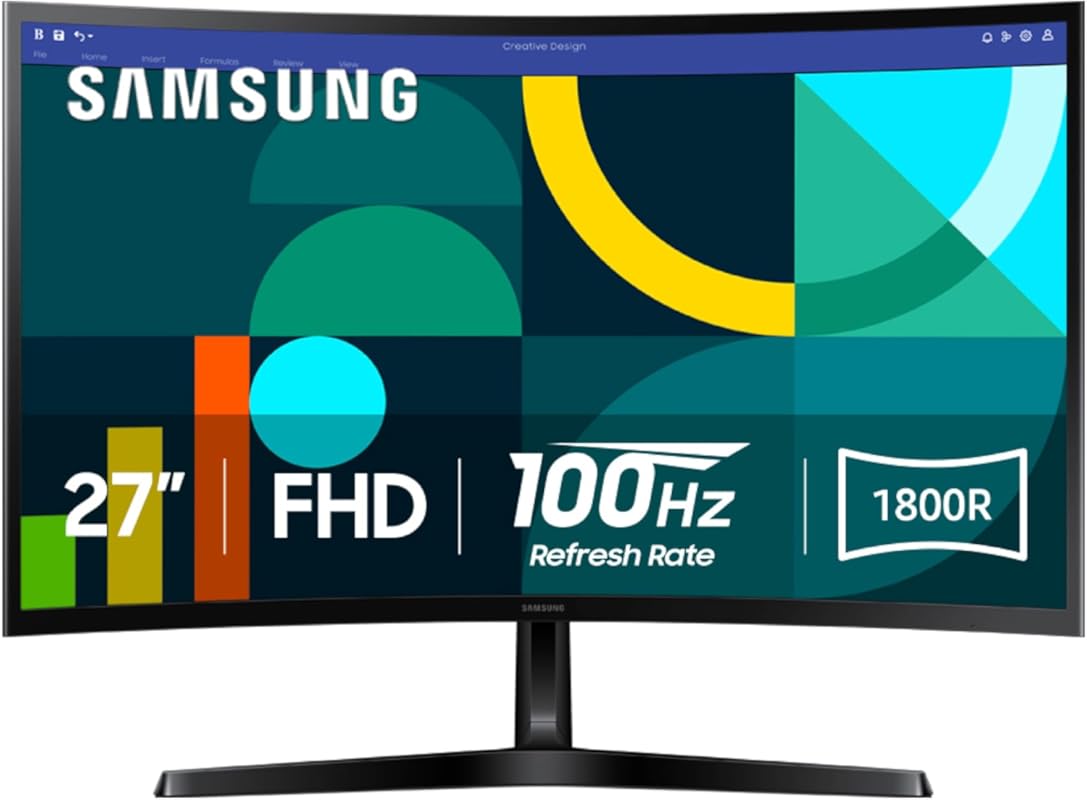
This Samsung 27-inch curved monitor strikes the perfect balance between work performance and everyday comfort. With its gentle 1800R curvature and Full HD resolution, it delivers an immersive yet practical experience ideal for office tasks, video calls, and light creative work. Plus, built-in eye comfort features help reduce fatigue during long workdays.
Key Features That Stand Out
✓ 1800R curvature for natural viewing alignment
✓ 100Hz refresh rate for smoother scrolling and transitions
✓ Eye Comfort technology with flicker-free backlighting and blue light reduction
✓ Game Mode optimization for better contrast and visibility
✓ Sleek, minimalist design that fits any workspace
Why We Recommend It
Samsung has nailed the sweet spot for professionals who want a curved monitor that enhances focus without overwhelming their desk setup. The 100Hz refresh rate makes everyday navigation feel noticeably smoother than standard 60Hz displays, while the curvature reduces the need to turn your head when viewing side-to-side content like wide spreadsheets.
Best For
Remote workers, office professionals, and students who want a reliable, comfortable curved monitor for daily productivity tasks and occasional entertainment.
Pros and Cons
Pros:
- Excellent eye comfort features reduce strain
- Smooth 100Hz performance improves usability
- Compact 27-inch size fits most desks
- Solid build quality with modern design
Cons:
- Only FHD resolution—may feel limiting for detailed design work
- Limited adjustability (no height or swivel)
Customer Reviews
Customer Review: “I’ve been using this monitor for three months while working from home, and it’s been a game-changer. The curve makes reading long documents so much easier on my neck, and the colors are crisp without being too harsh. Highly recommend for anyone spending 8+ hours a day at the computer.”
Customer Review: “Bought this as an upgrade from my old flat screen, and wow—what a difference! Scrolling through Excel sheets feels smoother, and the blue light filter actually helps me sleep better after late-night work sessions.”
2. Dell 34 Plus USB-C Curved Monitor – S3425DW
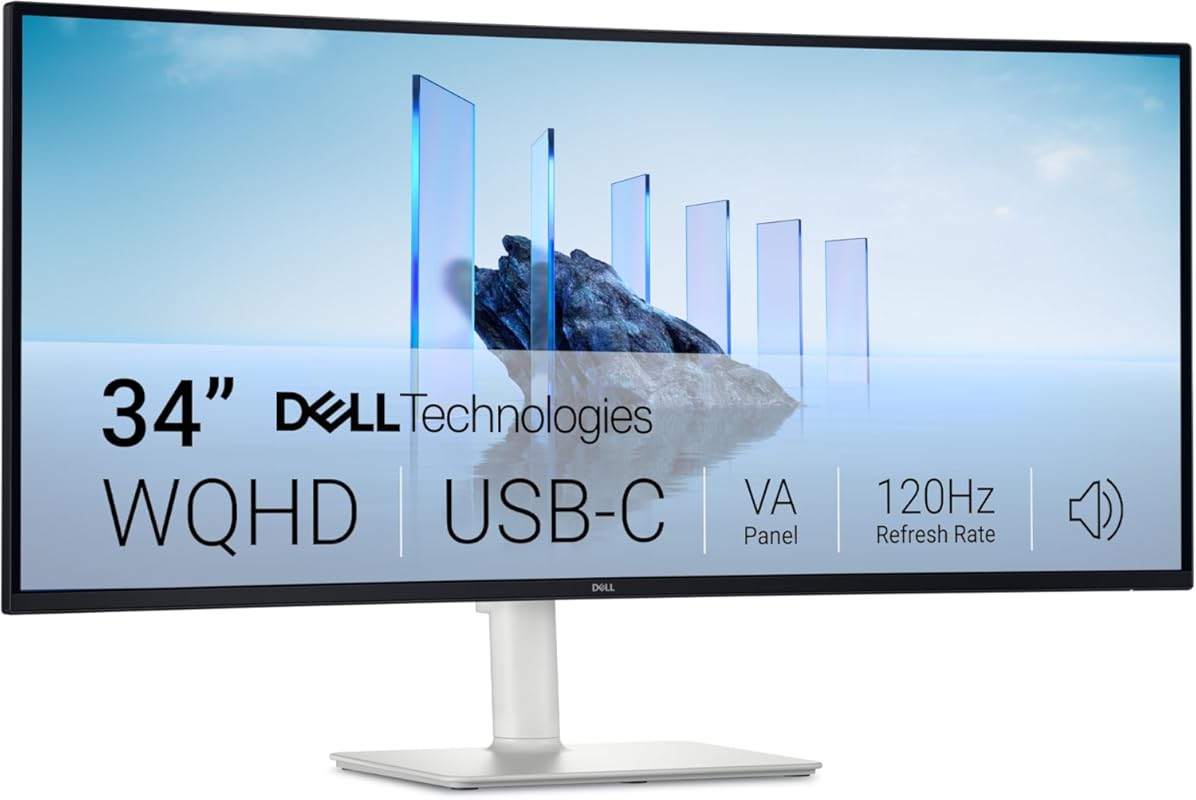
The Dell S3425DW is a premium ultrawide curved monitor built for serious multitaskers. With USB-C connectivity, stunning color accuracy, and a spacious 34-inch WQHD display, it transforms your workflow by letting you view multiple apps side by side without constant window switching.
Key Features That Stand Out
✓ USB-C with 90W power delivery—charge your laptop while working
✓ 34-inch WQHD (3440 x 1440) resolution for extra screen real estate
✓ ComfortView Plus reduces blue light to ≤35% without yellow tint
✓ 120Hz refresh rate with AMD FreeSync Premium for smooth motion
✓ 99% sRGB and 95% DCI-P3 color coverage for accurate visuals
Why We Recommend It
If you’re tired of juggling multiple monitors, this Dell ultrawide replaces two screens with one elegant solution. The USB-C integration is a lifesaver for MacBook and Windows laptop users—one cable handles video, data, and charging. Combined with excellent color reproduction and eye-care tech, it’s ideal for designers, analysts, and developers.
Best For
Professionals who multitask heavily, creative workers needing color accuracy, and anyone using a USB-C laptop who wants a clean, single-cable setup.
Pros and Cons
Pros:
- USB-C with power delivery simplifies cable management
- Wide screen eliminates need for dual monitors
- Outstanding color accuracy and contrast (VA panel)
- Smooth 120Hz performance enhances usability
Cons:
- Higher price point than standard monitors
- Requires more desk space due to size
Customer Reviews
Customer Review: “I ADORE this monitor, and that I got it at an exceptional price – $600. Like all OLED monitors, the colors are brilliant, and the true blacks make the picture pop. Two features that are particularly useful for me are a huge plus, and not seen in other monitors are that are even more expensive. 1. Do”
Customer Review: “After upgrading to a 360hz 1440p OLED and giving away my old 144hz 1440p IPS, I needed another monitor primarily productivity and programming as a CS student. But after trying other 27 inch 4k monitors with 60hz refresh rates, it didn’t feel like home. it just made everything feel slower and made me”
3. LG 32-Inch FHD 100Hz Curved Monitor with AMD FreeSync and Tilt Stand
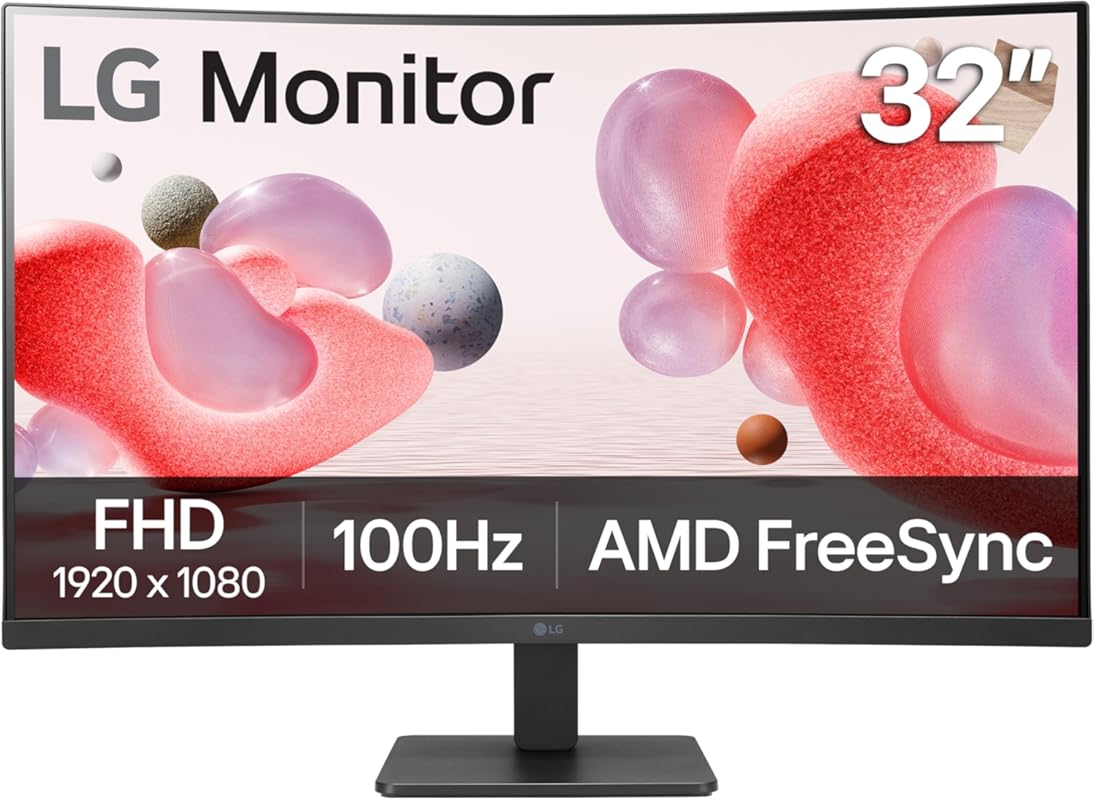
Don’t let the affordable price fool you—this LG 32-inch curved monitor delivers impressive value for everyday work tasks. With a 100Hz refresh rate, eye-care modes, and a spacious curved screen, it offers a noticeable upgrade over basic office monitors without breaking the bank.
Key Features That Stand Out
✓ 32-inch curved VA panel with deep contrast
✓ 100Hz refresh rate reduces motion blur during scrolling
✓ Reader Mode and Flicker Safe technology for reduced eye fatigue
✓ AMD FreeSync prevents screen tearing during video playback
✓ Simple tilt stand for basic ergonomic adjustment
Why We Recommend It
For small businesses, students, or home offices on a budget, this LG monitor provides the core benefits of a curved display—wider field of view, reduced head turning, and better focus—at a fraction of the cost of premium models. It’s not packed with extras, but it does the essentials exceptionally well.
Best For
Budget-conscious buyers, students, and remote workers who need a large, comfortable screen for document work, email, and video conferencing.
Pros and Cons
Pros:
- Excellent value for the price
- Large 32-inch screen enhances productivity
- 100Hz refresh rate improves smoothness
- Eye comfort features included
Cons:
- Limited adjustability (tilt only)
- FHD resolution may feel dated for some users
Customer Reviews
Customer Review: “The LG 32 is an excellent monitor. Edge-to-edge sharpness is stellar and colors displayed are sharp and vivid. Being able to view a large Excel spreadsheet without scrolling is an added bonus. This monitor was well-packaged and arrived in pristine condition. This product is so impressive that we”
Customer Review: “I have to say i actually returned this, I purchased for a customer and they had issues with the curve and trifocal glassed. They said things looked strange and made him dizzy. Everyone else in the office wanted it, we all thought it was great. It is huge and very beautiful. It has multiple video input”
4. Sceptre 34-Inch Curved Ultrawide WQHD Monitor 3440 x 1440 R1500 up to 180Hz/165Hz
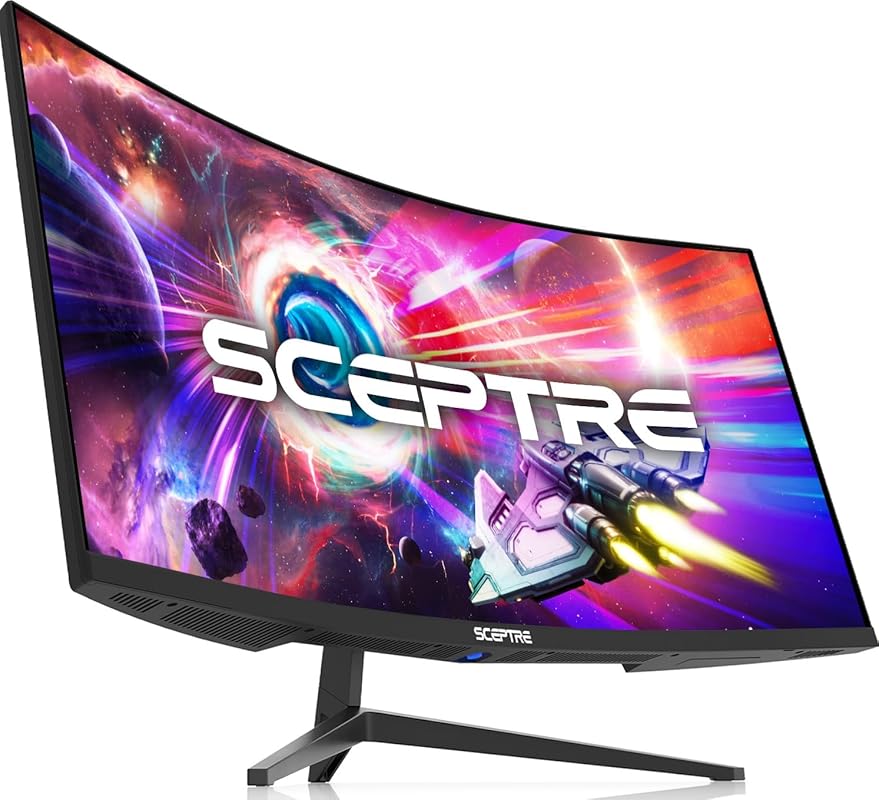
This Sceptre ultrawide curved monitor packs serious specs at an unbeatable price. With WQHD resolution, a steep 1500R curve, and up to 180Hz refresh rate, it’s perfect for professionals who want immersive multitasking without sacrificing performance or budget.
Key Features That Stand Out
✓ 34-inch WQHD (3440 x 1440) resolution for crisp detail
✓ 1500R curvature wraps closely around your vision
✓ Up to 180Hz refresh rate (via DisplayPort) for ultra-smooth motion
✓ 1ms MPRT response time reduces ghosting
✓ LED backcover lighting adds modern flair
Why We Recommend It
For the price, this Sceptre monitor delivers features typically found in much more expensive models. The tight 1500R curve creates a truly immersive experience, while the high refresh rate makes everything from scrolling to video editing feel buttery smooth. It’s a powerhouse for productivity and light creative work.
Best For
Multitaskers, data analysts, programmers, and hybrid workers who want an ultrawide curved monitor with gaming-level smoothness at a budget-friendly price.
Pros and Cons
Pros:
- Outstanding value for WQHD ultrawide
- High refresh rate enhances usability
- Immersive 1500R curve design
- Sharp image quality with good color reproduction
Cons:
- Build quality feels less premium than Dell or LG
- Limited ergonomic adjustments
Customer Reviews
Customer Review: “What an amazing monitor for the price… I bought the monitor for about 200$. For the price, it’s amazing. The screen quality is absolutely stunning. I purchased this in advance to pair with a steam machine, but have it hooked up to my Xbox series X in the meantime. The colors are extremely vivid, p”
Customer Review: “I’ve been using this 34-inch curved ultrawide monitor for nearly two years for work. For the price, it offers solid value and is easy to recommend. Setup is straightforward, and the instructions are clear. The ultrawide curved display is great for productivity and multitasking, and the monitor feels”
5. LG 32-Inch QHD 180Hz Curved Gaming Monitor with 1ms Response and HDR10
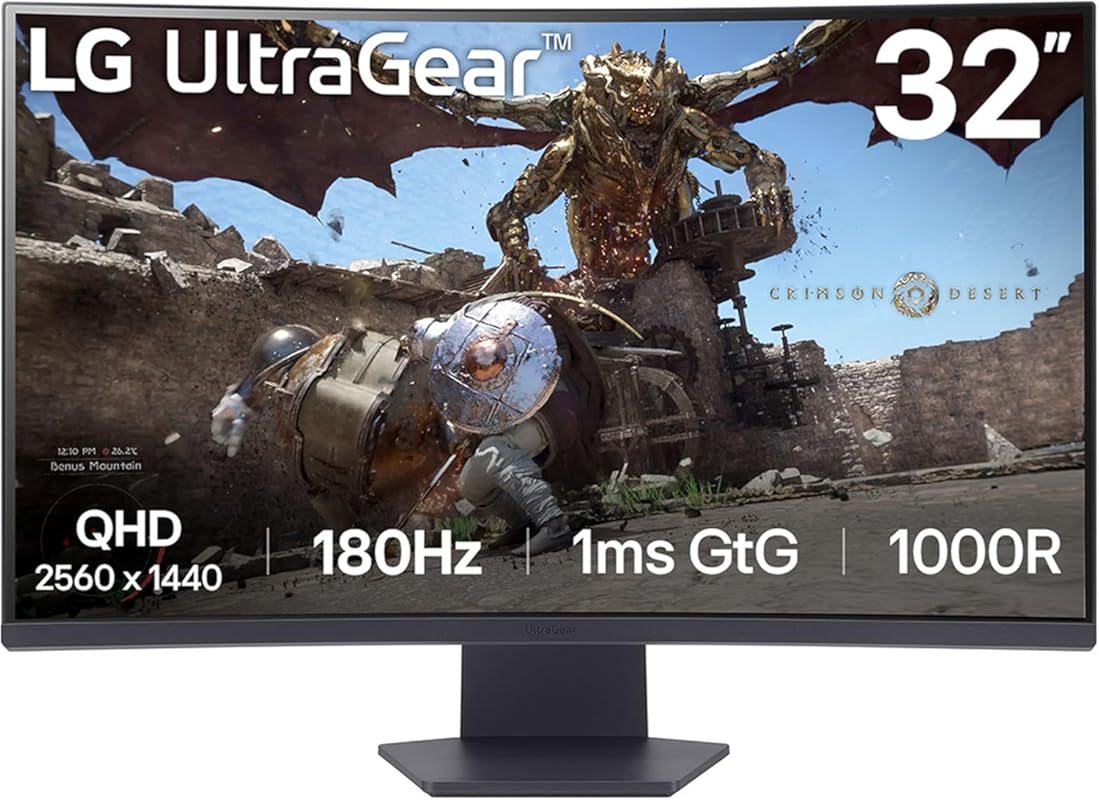
Built for speed and clarity, this LG UltraGear curved monitor brings gaming-grade performance to the workplace. With QHD resolution, 180Hz refresh rate, and a dramatic 1000R curve, it offers buttery-smooth visuals and immersive focus—perfect for dynamic work environments.
Key Features That Stand Out
✓ 32-inch QHD (2560 x 1440) resolution for sharp detail
✓ 1000R curvature matches the natural curve of the human eye
✓ 180Hz refresh rate and 1ms GtG response time
✓ HDR10 support for enhanced contrast and color
✓ AMD FreeSync Premium prevents screen tearing
Why We Recommend It
While marketed as a gaming monitor, this LG model is equally impressive for work. The 1000R curve pulls you into your tasks, reducing distractions and improving concentration. The high refresh rate makes window dragging, scrolling, and video playback noticeably smoother than standard office displays.
Best For
Professionals in fast-paced roles (finance, design, coding), hybrid workers who game after hours, and anyone who values ultra-smooth performance and immersive visuals.
Pros and Cons
Pros:
- Extremely smooth 180Hz performance
- 1000R curve offers maximum immersion
- QHD resolution balances clarity and performance
- Great for both work and play
Cons:
- Overkill for basic office tasks
- Higher power consumption than standard monitors
Customer Reviews
Customer Review: “Overall fantastic monitor. 1440p is a solid choice for the 27 inch size, visuals are sharp without being too demanding on the GPU, colors are good with great whites and blacks. Refresh rate is solid (imo above 144hz gives diminishing returns in general, 240hz is overkill, at least to my eyes) Overal”
Customer Review: “180HZ refresh rate is smooth for high FPS gaming and the slight curve and HDR adds good immersion. The monitor turns itself on and off for you without any flashing lights that annoyingly shine at night. The menu is quite easy to navigate and has useful controls. Image quality out of the box is excep”
Complete Buying Guide for Curved Monitors for Work
Essential Factors We Consider
When selecting the best curved monitors for work, we evaluate several key factors: screen size and curvature (measured in radius, like 1000R or 1800R—the lower the number, the tighter the curve), resolution (FHD, QHD, or WQHD), refresh rate (60Hz, 100Hz, or higher), connectivity options (especially USB-C for modern laptops), eye comfort features (blue light filters, flicker-free tech), and ergonomic adjustability. A good work monitor should reduce physical strain, enhance focus, and integrate seamlessly into your daily routine.
Budget Planning
Curved monitors for work range from under $200 to over $700. Budget options like the LG 32-inch FHD model offer solid performance for basic tasks, while mid-range picks like the Samsung 27-inch or Sceptre ultrawide deliver better resolution and smoother motion. Premium models such as the Dell 34 Plus justify their higher cost with USB-C power delivery, superior color accuracy, and professional-grade build quality. Determine your must-have features—like ultrawide screen real estate or high refresh rates—and prioritize accordingly.
Final Thoughts
Investing in a curved monitor for work isn’t just about aesthetics—it’s about long-term comfort and efficiency. The right curve can reduce neck strain, improve focus, and make multitasking feel effortless. Whether you choose our top pick (Samsung), editor’s choice (Dell), or best budget option (LG), you’re making a smart move toward a healthier, more productive workspace.
Frequently Asked Questions
Q: Are curved monitors better for work than flat screens?
A: Yes—for most people. Curved monitors reduce the need to turn your head when viewing wide content (like spreadsheets or timelines), creating a more natural field of vision. This can decrease neck strain and improve focus during long work sessions.
Q: What curvature is best for office work?
A: For general work, a gentle curve like 1800R or 3000R works well on 27–32 inch screens. Tighter curves (1000R–1500R) are more immersive but better suited for larger or ultrawide displays.
Q: Do I need a high refresh rate for work tasks?
A: Not essential, but helpful. A 100Hz or higher refresh rate makes scrolling, dragging windows, and video playback feel noticeably smoother than standard 60Hz displays—especially on larger screens.
Q: Can I use a curved monitor with a laptop?
A: Absolutely. Many curved monitors, like the Dell S3425DW, include USB-C with power delivery, allowing you to connect, display, and charge your laptop with a single cable.
Q: Are ultrawide curved monitors worth it for productivity?
A: If you frequently multitask or work with wide documents, yes. An ultrawide curved monitor eliminates the bezel gap of dual setups and lets you view multiple apps side by side seamlessly.
Ready to upgrade your workspace? Choosing the best curved monitor for work can transform your daily routine—making tasks easier, your posture better, and your focus sharper. Whether you prioritize budget, performance, or premium features, our top picks offer something for every professional. Click any “Check Price” button above to find the perfect match for your setup today!
