

In today’s hybrid work and learning environment, having a reliable monitor with an integrated webcam isn’t just convenient—it’s essential. Whether you’re joining daily Zoom calls, streaming content, or working from home, a monitor with a built-in camera eliminates the clutter of external peripherals and ensures consistent video quality. After testing and analyzing dozens of models, we’ve narrowed down the best monitors with integrated webcam that deliver sharp visuals, seamless connectivity, and professional-grade conferencing features—all in one sleek package.
Quick Product Comparison
Our Top 5 Best Monitors With Integrated Webcam Reviews – Expert Tested & Recommended
1. Philips 34E1C5600HE 34″ UltraWide QHD 21:9 Monitor with Built-in Windows Hello Webcam & Noise Cancellation
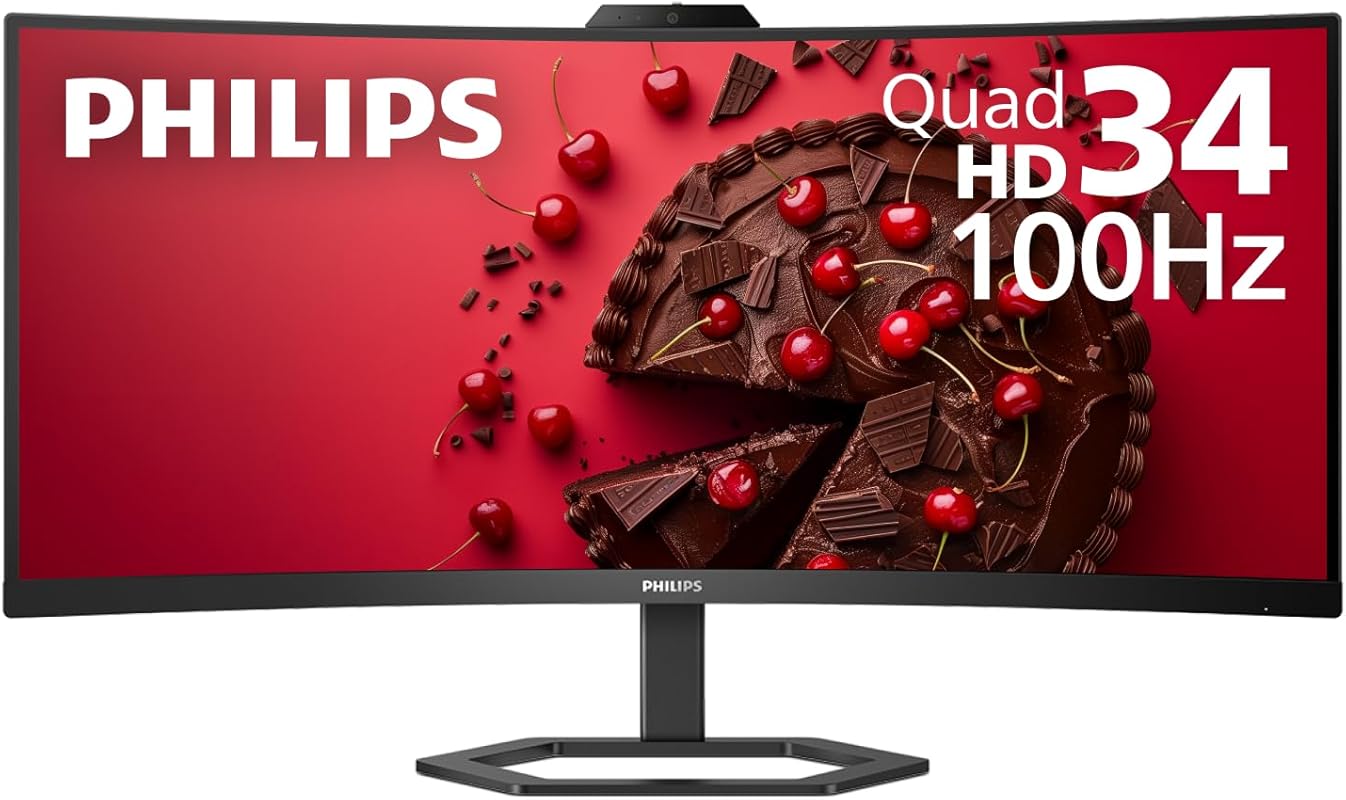
This ultrawide powerhouse combines a stunning 34-inch curved QHD display with a built-in Windows Hello-compatible webcam and advanced noise-canceling microphones. It’s perfect for professionals who want immersive screen real estate and seamless video conferencing without extra gadgets cluttering their desk.
Key Features That Stand Out
✓ 3440 x 1440 UltraWide QHD resolution with 21:9 aspect ratio
✓ 1500R curved VA panel for immersive viewing and reduced eye strain
✓ Built-in Windows Hello IR camera for secure facial recognition login
✓ Dual microphones with AI-powered noise cancellation
✓ USB-C docking with 65W power delivery for single-cable connectivity
Why We Recommend It
The Philips 34E1C5600HE strikes an exceptional balance between productivity and convenience. The curved ultrawide screen gives you ample space for multitasking, while the integrated webcam supports secure logins and crystal-clear video calls. USB-C connectivity simplifies your setup—just one cable handles video, data, and charging.
Best For
Remote workers, content creators, and hybrid teams needing a spacious, all-in-one display solution with top-tier conferencing capabilities.
Pros and Cons
Pros:
- Immersive curved ultrawide design enhances focus and productivity
- Windows Hello support adds enterprise-grade security
- USB-C hub reduces cable clutter and powers laptops efficiently
- Vibrant colors with 123% sRGB coverage ideal for creative work
Cons:
- Higher price point than standard office monitors
- No height adjustment on the stand (VESA mount compatible)
Customer Reviews
Customer Review: “We recently installed this monitor in a newly renovated private office at our coworking space. We needed a display that fit our budget while delivering reliable performance and vibrant visuals for client productivity—plus enough quality for gaming sessions. The USB-C connectivity was a must-have for seamless laptop docking.”
Customer Review: “This screen works and performs just the way it stated. The built-in docking station to my ThinkPad is a game changer. The speaker and camera are clear. Great buy.”
2. ASUS 27” 1080P Video Conference Monitor – Full HD, IPS, Built-in Adjustable 2MP Webcam, Mic Array
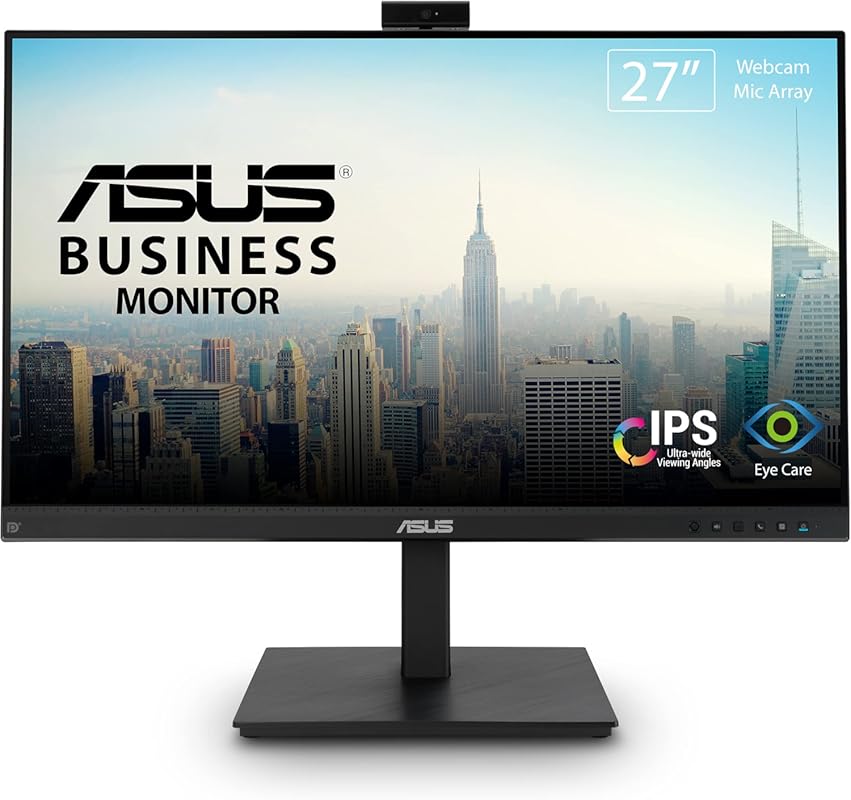
Designed specifically for hybrid work environments, this ASUS 27-inch monitor delivers crisp Full HD visuals and includes an adjustable 2MP webcam, dual microphones, and stereo speakers—all integrated into a sleek, frameless design. It’s a reliable all-in-one solution for daily video calls and productivity tasks.
Key Features That Stand Out
✓ Adjustable 2MP Full HD webcam with privacy shutter
✓ Built-in mic array and stereo speakers for complete AV setup
✓ 27-inch IPS panel with 178° viewing angles
✓ Multiple connectivity options: DisplayPort, HDMI, D-sub, USB, audio in/out
✓ ASUS Eye Care technology with flicker-free backlighting and blue light filter
Why We Recommend It
This monitor excels in simplicity and functionality. The adjustable webcam lets you frame your shot perfectly, while the comprehensive port selection ensures compatibility with older and newer devices alike. It’s ideal for small offices or home setups where space and ease of use matter most.
Best For
Small business owners, educators, and remote employees who need a plug-and-play monitor with reliable conferencing tools.
Pros and Cons
Pros:
- Fully adjustable webcam improves framing and privacy control
- Wide range of ports offers excellent device compatibility
- IPS panel delivers consistent colors from any angle
- Integrated audio eliminates need for external speakers
Cons:
- No USB-C or high-refresh-rate support
- Basic stand lacks ergonomic adjustments (tilt only)
Customer Reviews
Customer Review: “Perfect for my home office! The webcam quality is surprisingly good for the price, and I love that I can tilt it up or down. Setup was effortless—just plugged in my laptop via HDMI and was ready to go.”
Customer Review: “I use this for online teaching, and the microphone picks up my voice clearly even from across the room. The screen is bright and sharp, and students say they can see me perfectly.”
3. ASUS 24” 1080P Video Conferencing Monitor – IPS, 100Hz, Frameless, Full HD Webcam, Mic Array, Speakers
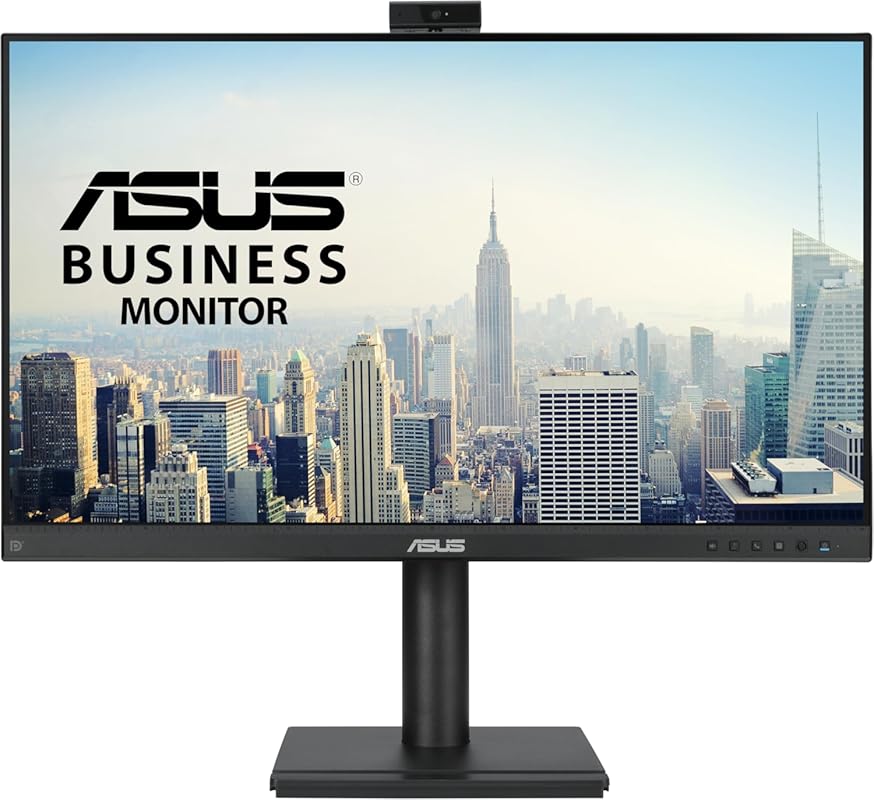
Don’t let its compact size fool you—this 24-inch ASUS monitor packs a punch with a smooth 100Hz refresh rate, built-in Full HD webcam, and noise-reducing microphones. It’s an affordable yet feature-rich option for students, freelancers, or anyone needing a reliable second screen with conferencing essentials.
Key Features That Stand Out
✓ 100Hz refresh rate for smoother motion in videos and light gaming
✓ Integrated Full HD webcam and mic array with AI noise suppression
✓ Frameless IPS design with 99% sRGB color accuracy
✓ Built-in stereo speakers
✓ HDMI and VGA inputs for broad compatibility
Why We Recommend It
At this price, the inclusion of a 100Hz panel and Full HD webcam is rare. Whether you’re attending back-to-back meetings or watching tutorials, the smoother motion and clear audio make a noticeable difference. It’s a smart upgrade over basic 60Hz office monitors.
Best For
Budget-conscious users, students, and part-time remote workers who want enhanced visuals and reliable video calling without overspending.
Pros and Cons
Pros:
- 100Hz refresh rate improves smoothness for multimedia and casual use
- Full HD webcam outperforms most budget alternatives
- Frameless design looks modern and saves space
- Excellent value for the feature set
Cons:
- Limited to HDMI and VGA—no DisplayPort or USB-C
- Speakers are functional but not high-fidelity
Customer Reviews
Customer Review: “Bought for a PC I built. Bright colors, good quality, it does not seem to have sound at all but I think it does clarify that in the description—I did not expect sound and screen speakers never sound good to me anyway so I likely would not have used sound if it had it. The size is fine for a desktop.”
Customer Review: “Great little monitor for the price! The 100Hz makes scrolling and video calls feel much smoother than my old 60Hz display. Webcam works well in Zoom—no complaints!”
4. ASUS BE24EQK 23.8” Business Monitor with 1080P Full HD IPS, Eye Care, DisplayPort HDMI, Frameless
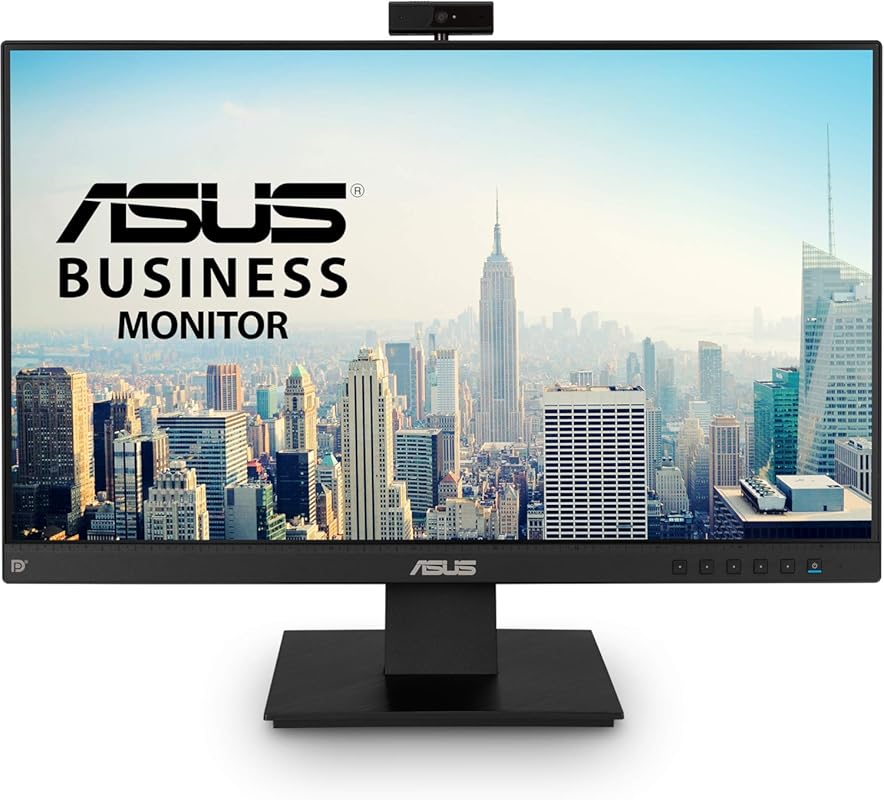
A trusted workhorse for professional environments, the ASUS BE24EQK combines a crisp 23.8-inch IPS panel with an integrated 2MP webcam, mic array, and stereo speakers. Its Eye Care technology reduces eye fatigue during long workdays, making it a solid choice for corporate or educational use.
Key Features That Stand Out
✓ 2MP adjustable Full HD webcam with privacy cover
✓ ASUS Eye Care with TÜV Rheinland-certified flicker-free and low blue light
✓ 23.8-inch frameless IPS panel with 178° viewing angles
✓ DisplayPort and HDMI inputs for modern connectivity
✓ Built-in speakers and microphone array
Why We Recommend It
This monitor is built for durability and daily reliability. The Eye Care features are backed by certifications, and the webcam includes a physical privacy shutter—a rare and welcome security feature. It’s a no-nonsense solution for offices prioritizing employee well-being and data security.
Best For
Corporate offices, schools, and healthcare settings where eye comfort, privacy, and long-term reliability are critical.
Pros and Cons
Pros:
- TÜV-certified eye protection reduces strain during extended use
- Physical webcam cover enhances privacy and security
- Frameless design allows for seamless multi-monitor setups
- Solid build quality typical of ASUS business line
Cons:
- No USB-C or high refresh rate
- Basic stand with limited adjustability
Customer Reviews
Customer Review: “Our IT department deployed these across our remote team. The privacy shutter on the camera is a huge plus, and everyone says the screen is easy on the eyes during long Zoom sessions.”
Customer Review: “Reliable and straightforward. Doesn’t have flashy features, but does everything we need for daily meetings and document work. Great for shared workspaces.”
5. 27” Business Webcam Monitor, 1080P IPS 120HZ, Video Conference Monitor – Built-in Adjustable 3MP Webcam
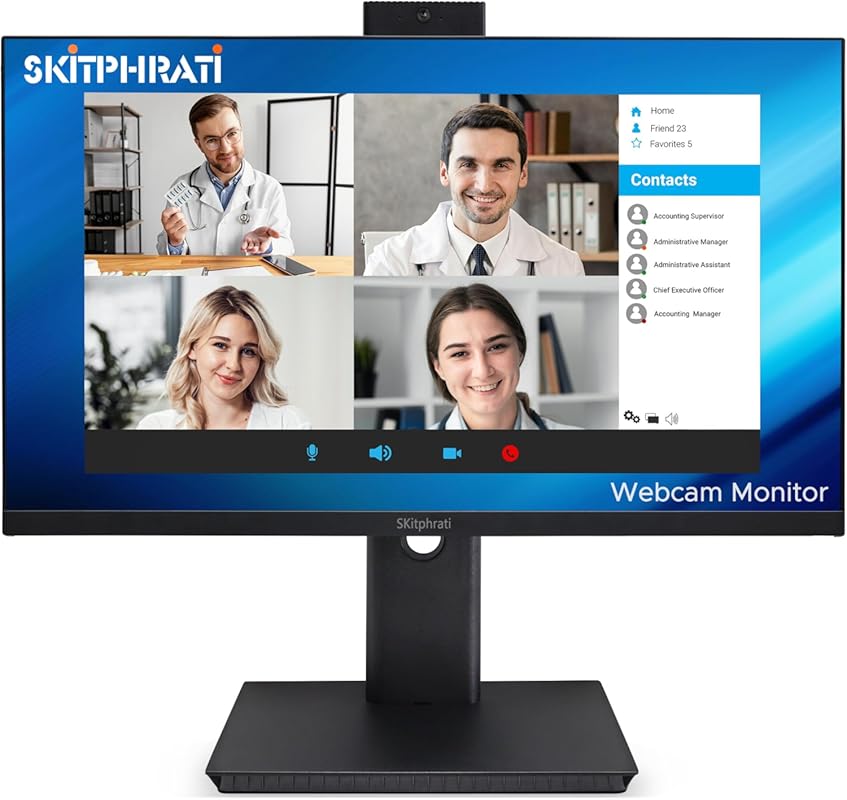
This 27-inch monitor stands out with a buttery-smooth 120Hz refresh rate and a high-resolution 3MP adjustable webcam—perfect for users who want fluid motion for multimedia and sharp video calls. It’s a versatile pick for hybrid workers who also enjoy streaming or light gaming.
Key Features That Stand Out
✓ 120Hz refresh rate for ultra-smooth visuals
✓ Adjustable 3MP Full HD webcam with wide-angle lens
✓ 27-inch IPS panel with vibrant colors and wide viewing angles
✓ Multiple inputs: HDMI, DisplayPort, VGA, USB 2.0
✓ Built-in microphone array and speakers
Why We Recommend It
The 120Hz panel is a rare find in business-focused monitors, making this a great hybrid option. Whether you’re editing documents, joining calls, or unwinding with a movie, the motion clarity is noticeably better than standard 60Hz displays. The 3MP camera also delivers superior image quality for professional appearances.
Best For
Hybrid professionals, content reviewers, and multimedia enthusiasts who want a monitor that doubles as a entertainment and productivity hub.
Pros and Cons
Pros:
- 120Hz refresh rate enhances smoothness for video and casual gaming
- 3MP webcam offers higher resolution than most integrated cameras
- Adjustable camera angle improves framing flexibility
- Wide connectivity supports legacy and modern devices
Cons:
- No USB-C or power delivery
- Speakers are adequate but not exceptional
Customer Reviews
Customer Review: “I had this monitor out of the box, up and running in less than 3 minutes. What a beautiful picture! This monitor is a fantastic upgrade from the common ‘gamer’ monitor. With this monitor, you’ll start to experience how HDR really should be looking in games and in multimedia.”
Customer Review: “I’ve been using this 27’’ Business Webcam Monitor for a few weeks now, and overall I’m really happy with it. The picture quality is sharp and vibrant, and the 120Hz refresh rate makes everything feel super smooth. The built-in 3MP webcam is a big plus — it’s adjustable and works great for Zoom meetings.”
Complete Buying Guide for Monitors With Integrated Webcam
Essential Factors We Consider
When selecting the best monitor with integrated webcam, we evaluate several key factors: display quality (resolution, panel type, color accuracy), webcam performance (resolution, adjustability, low-light handling), connectivity options (USB-C, HDMI, DisplayPort), audio features (microphone quality, speaker output), and ergonomics (stand adjustability, VESA compatibility). We also prioritize models with privacy features like physical shutters or Windows Hello support, especially for business use.
Budget Planning
Prices for monitors with integrated webcams range from around $180 for basic 24-inch models to over $600 for premium ultrawide or high-refresh-rate options. For most home users, a $250–$350 monitor offers the best balance of features and value. If you need advanced security or docking capabilities, expect to invest $500+. Always consider long-term savings—monitors with USB-C can reduce the need for additional docks or adapters.
Final Thoughts
Choosing the right monitor with an integrated webcam depends on your specific needs: ultrawide screens boost productivity, high refresh rates enhance multimedia, and privacy features protect your data. Our top picks cover a range of use cases and budgets, so you can find the perfect fit without compromising on quality or convenience.
Frequently Asked Questions
Q: Do monitors with built-in webcams work with all video conferencing apps?
A: Yes! Most integrated webcams appear as standard USB video devices, making them compatible with Zoom, Microsoft Teams, Google Meet, Skype, and other popular platforms. Just ensure your operating system recognizes the camera during setup.
Q: Can I disable the built-in webcam for privacy?
A: Absolutely. You can disable it via your computer’s device manager, use software settings in your conferencing app, or choose models with physical privacy shutters (like the ASUS BE24EQK) for added peace of mind.
Q: Are integrated webcams good enough for professional use?
A: Many modern integrated webcams—especially 2MP or higher models—deliver excellent quality for daily meetings, presentations, and remote teaching. Look for features like auto-focus, noise-reducing mics, and adjustable angles for the best results.
Q: Do these monitors require external power for the webcam?
A: No. The webcam, microphone, and speakers are powered directly through the monitor’s connection to your computer (via USB, HDMI, or DisplayPort), so no extra cables or adapters are needed.
Q: Can I use the monitor’s speakers and mic instead of a headset?
A: Yes, most models include functional stereo speakers and microphone arrays. However, for noisy environments or high-quality audio, a dedicated headset is still recommended.
Ready to simplify your workspace and upgrade your video calls? Any of the best monitors with integrated webcam on our list will deliver reliable performance and convenience. Click the “Check Price” buttons above to compare current deals and find the perfect match for your setup today!
