

Looking for a budget keyboard for gaming that doesn’t sacrifice performance or style? You’re in the right place. Whether you’re building your first gaming setup or upgrading on a tight budget, finding the perfect balance between cost and quality is key. In this roundup, we’ve tested and reviewed the top affordable gaming keyboards that deliver responsive keys, vibrant RGB lighting, and solid build quality—all without breaking the bank. From wireless options to compact 60% designs, these picks offer serious value for gamers who want speed, customization, and durability—all under $70.
Quick Product Comparison
Our Top 4 Best Budget Keyboard For Gaming Reviews – Expert Tested & Recommended
1. AULA F75 Pro Wireless Mechanical Keyboard with Knob, RGB Backlit, Hot Swappable, PBT Keycaps
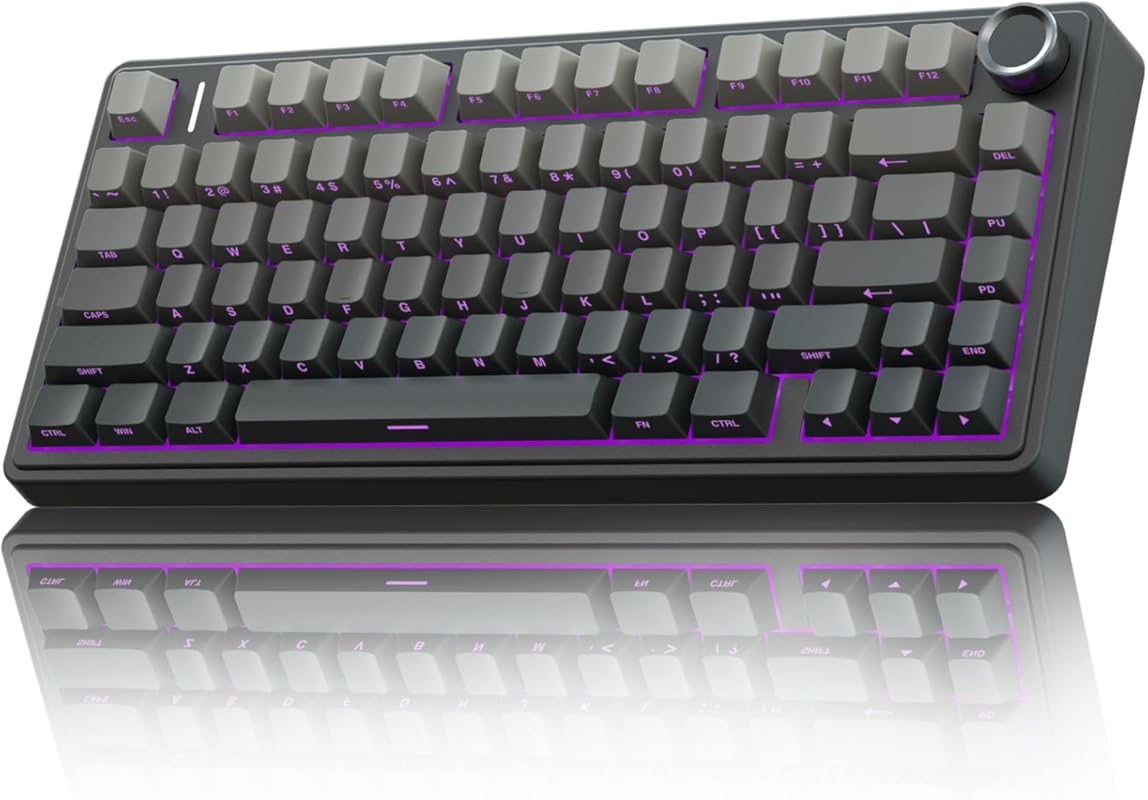
The AULA F75 Pro stands out as a top-tier budget keyboard for gaming thanks to its premium features at an unbeatable price. With tri-mode connectivity, hot-swappable switches, and a durable PBT keycap set, it delivers a mechanical typing experience usually reserved for high-end models. The integrated rotary knob adds a unique touch for media control and in-game adjustments, making it ideal for streamers and productivity users alike.
Key Features That Stand Out
- ✓ Tri-mode connectivity (Bluetooth 5.0, 2.4GHz wireless, USB-C wired)
- ✓ Hot-swappable 3/5-pin switch sockets for customizable typing feel
- ✓ Durable PBT keycaps with anti-slip texture
- ✓ Integrated rotary knob for volume and media control
- ✓ Full RGB backlighting with per-key customization via software
Why We Recommend It
This keyboard proves you don’t need to spend over $100 to enjoy a premium mechanical experience. The build quality is impressive for the price, and the hot-swappable design lets you experiment with different switches without soldering. Whether you’re gaming late into the night or working long hours, the AULA F75 Pro delivers reliability and style in one sleek package.
Best For
Gamers who want a versatile, wireless mechanical keyboard with premium features like hot-swappable switches and a functional knob—without the premium price tag.
Pros and Cons
Pros:
- Hot-swappable design allows easy switch customization
- Superior build quality with PBT keycaps and sturdy frame
- Tri-mode wireless connectivity offers flexibility
- Rotary knob adds unique functionality for media and gaming
Cons:
- Battery life could be better in wireless mode (around 30 hours)
- Software interface is basic and lacks advanced lighting effects
- No dedicated macro keys for hardcore gaming setups
Customer Reviews
Customer Review: “I was blown away by the build quality for the price. The PBT keycaps feel solid, and the rotary knob is a game-changer for adjusting volume while streaming. The hot-swappable feature made it easy to test different switches—definitely worth the upgrade from my old membrane board.”
Customer Review: “Works flawlessly with my MacBook and Windows PC via Bluetooth. The RGB lighting is vibrant, and the keyboard feels responsive. Only gripe is the battery life—I wish it lasted longer in wireless mode, but it’s still a solid 3-star pick.”
2. Redragon S101-3 PRO Gaming Keyboard and Mouse Combo, RGB Backlit, Programmable, Macro Keys
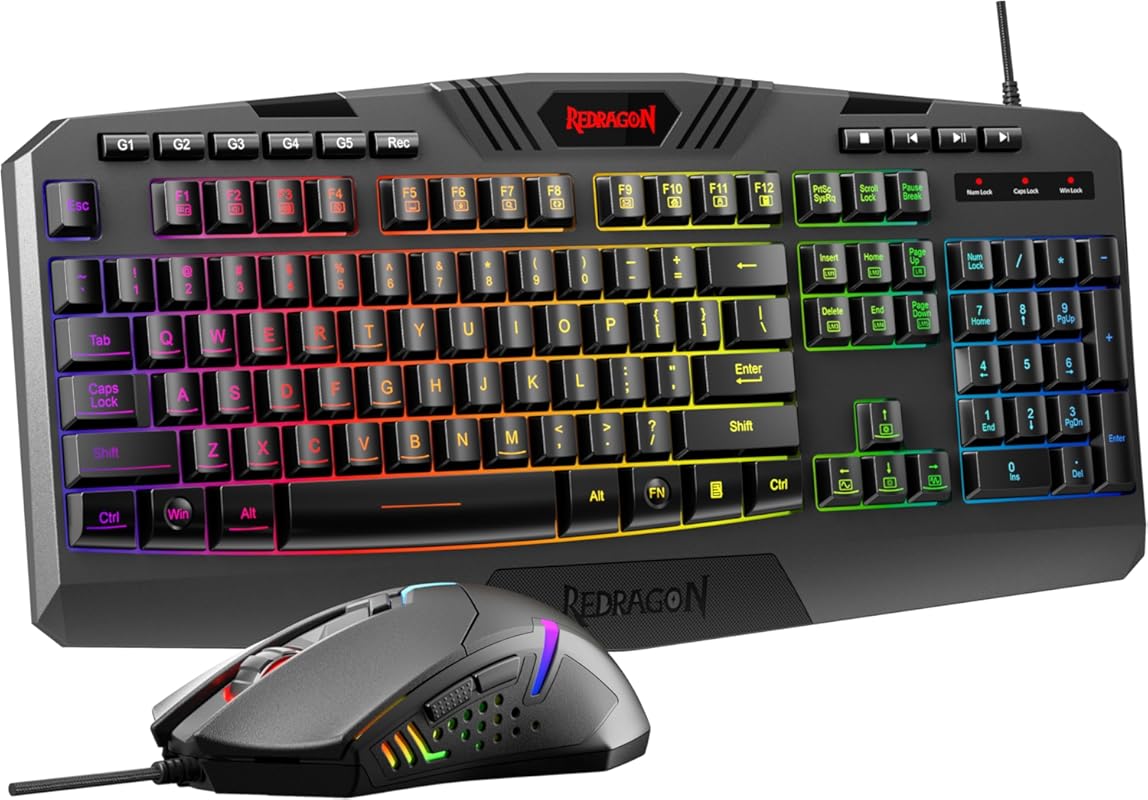
The Redragon S101-3 PRO combo is a fantastic value pick for gamers who want both a keyboard and mouse in one affordable package. This full-size mechanical keyboard features customizable RGB lighting, programmable macro keys, and a responsive membrane design that mimics mechanical switches. Paired with a high-precision gaming mouse, it’s perfect for FPS, MOBA, and MMO players looking to upgrade their setup without overspending.
Key Features That Stand Out
- ✓ Full-size layout with 104 keys and dedicated media controls
- ✓ 6 programmable macro keys for complex in-game commands
- ✓ 6-zone RGB backlighting with 19 lighting effects
- ✓ Comes with a high-DPI gaming mouse (up to 3200 DPI)
- ✓ Anti-ghosting and N-key rollover support
Why We Recommend It
For under $50, this combo delivers serious gaming performance. The programmable keys are a huge plus for competitive players, and the included mouse adds even more value. The keyboard’s membrane keys offer a satisfying tactile response, making it ideal for long gaming sessions. It’s a no-frills, no-nonsense setup that gets the job done.
Best For
Gamers on a tight budget who want a complete setup with a full-sized keyboard, gaming mouse, and programmable keys—all in one affordable package.
Pros and Cons
Pros:
- Great value with keyboard and mouse included
- Programmable macro keys enhance gameplay efficiency
- Full-size layout with standard key placement
- RGB lighting adds visual flair without breaking the bank
Cons:
- Membrane keys lack the tactile feedback of mechanical switches
- Software for macros and lighting is outdated and buggy
- Mouse feels a bit plasticky and heavy for some users
Customer Reviews
Customer Review: “I bought this to replace my old wired keyboard and mouse combo. The keys feel responsive, and I love the RGB lighting. The macro keys are super useful for my MMO games. The mouse is a bit heavy, but it’s fine for FPS too. Great for the price!”
Customer Review: “Solid entry-level combo. The keyboard has good travel, and the mouse tracks well. I wish the keys were mechanical, but for under $50, it’s a steal. The software is clunky, but you can ignore it and use default lighting.”
3. RedThunder K10 Gaming Keyboard and Mouse with Wrist Rest, RGB Backlit, Mechanical Feel, Anti-ghosting
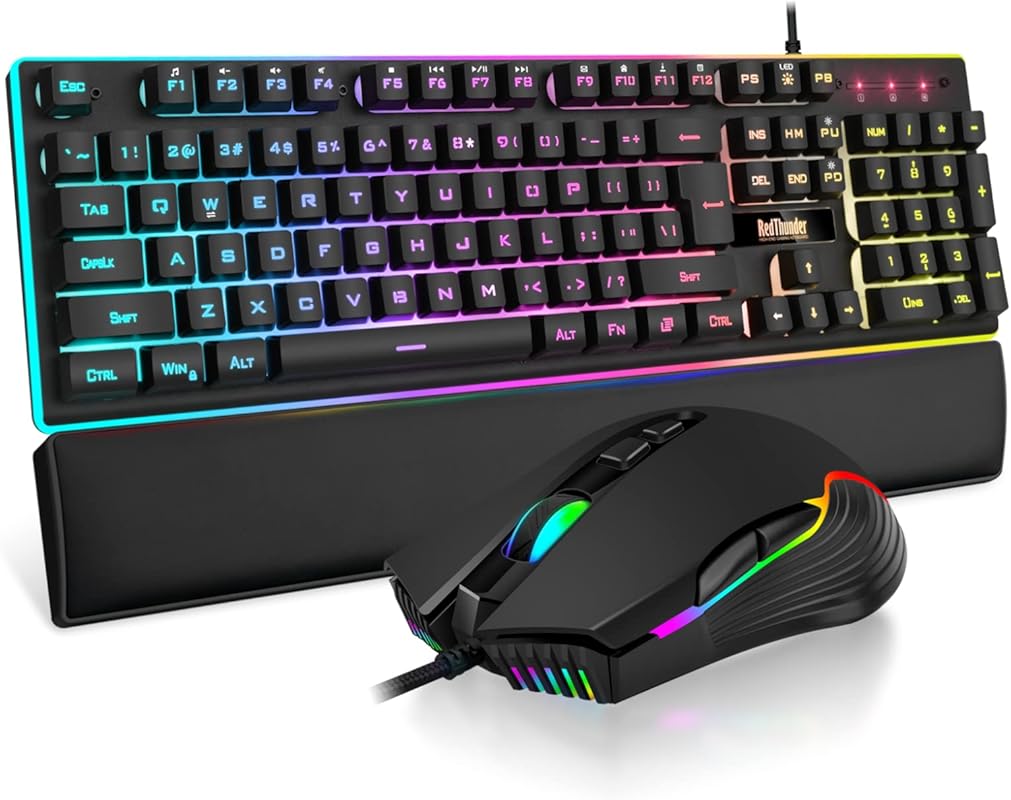
The RedThunder K10 is a no-nonsense budget keyboard for gaming that delivers mechanical-like feedback at a fraction of the cost. With a full 104-key layout, RGB backlighting, and an included wrist rest, it’s designed for comfort and performance during long gaming marathons. The combo also comes with a high-precision mouse, making it a solid choice for gamers who want a complete setup under $40.
Key Features That Stand Out
- ✓ Full-size 104-key layout with standard key spacing
- ✓ Mechanical feel with scissor-switch keys and tactile feedback
- ✓ 16.8 million RGB colors with breathing and wave effects
- ✓ Includes high-DPI gaming mouse (up to 7200 DPI)
- ✓ Detachable wrist rest for ergonomic support
Why We Recommend It
This keyboard nails the essentials: responsiveness, comfort, and style. The mechanical feel comes from scissor-switch keys that mimic tactile feedback, and the anti-ghosting ensures every keystroke is registered—even during intense gameplay. The included wrist rest adds comfort, and the RGB lighting lets you personalize your setup.
Best For
Gaming newcomers or budget-conscious streamers who want a full-sized keyboard with mechanical-like feel, RGB lighting, and a wrist rest—all in one affordable combo.
Pros and Cons
Pros:
- Mechanical-like feel without the mechanical price
- Detachable wrist rest improves comfort
- Full-size layout with all standard keys
- RGB lighting adds personality and ambiance
Cons:
- Scissor-switch keys aren’t as durable as mechanical switches
- Mouse is basic and not ideal for high-end competitive play
- No programmable macro keys
Customer Reviews
Customer Review: “I was skeptical about the mechanical feel, but these keys are surprisingly responsive. The wrist rest is a nice touch, and the RGB lighting is bright. The mouse is okay, but I use my own. Great for casual gaming and office work.”
Customer Review: “Solid budget pick. The keys have a good bounce, and it’s quiet enough for shared spaces. I use it for coding and gaming, and it’s held up well. The only downside is the plastic build feels a bit flimsy, but for the price, it’s acceptable.”
4. Newmen GM611 61-Key Wired Mechanical Keyboard, Rainbow LED Backlit, Compact 60% Design, Red Switches
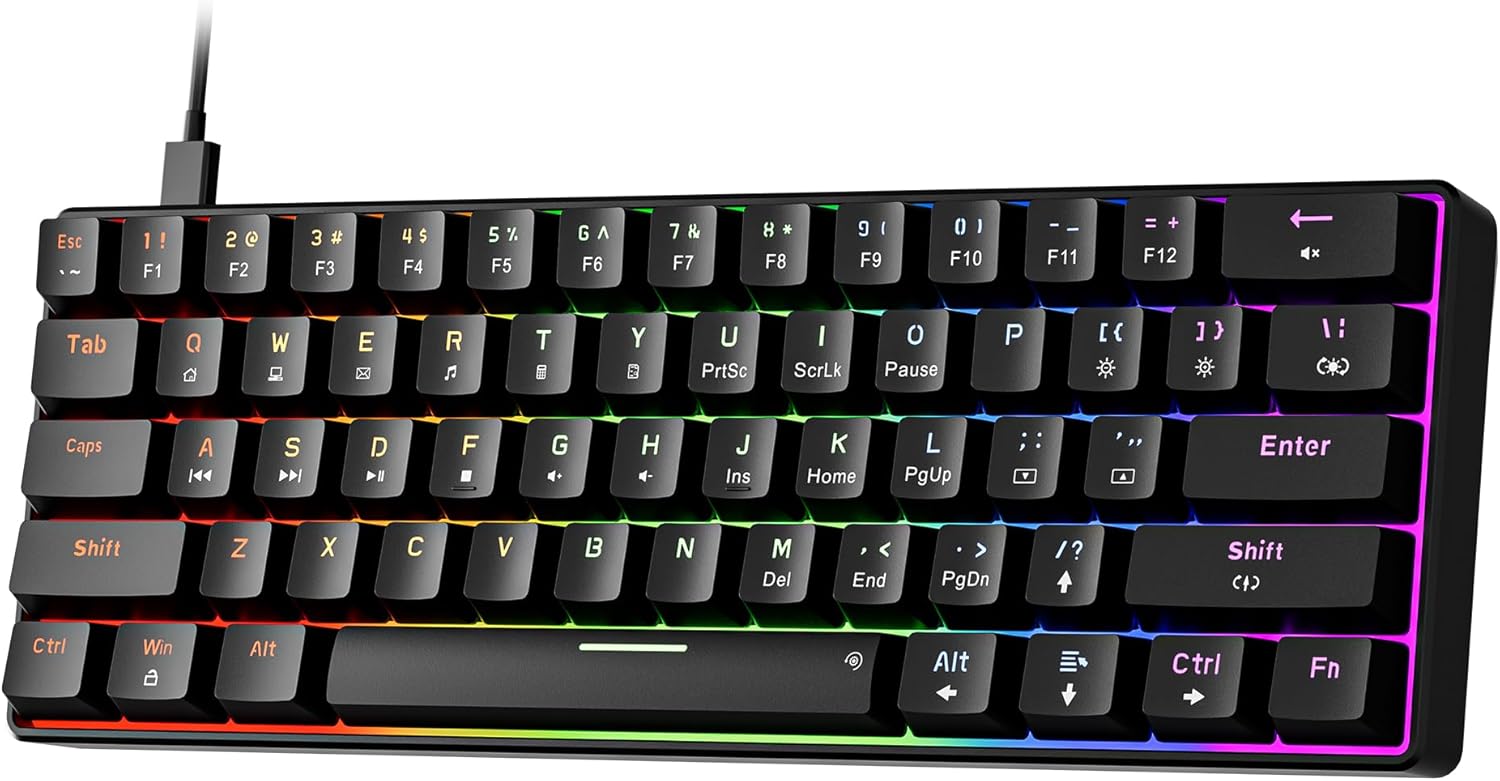
The Newmen GM611 is a compact 60% mechanical keyboard that packs a punch for its price. With genuine mechanical switches, rainbow LED backlighting, and a space-saving design, it’s perfect for gamers who want efficiency without sacrificing performance. The 61-key layout removes the function row and navigation cluster, saving desk space while keeping all essential keys accessible via layer switching.
Key Features That Stand Out
- ✓ 60% compact design saves desk space
- ✓ Genuine mechanical red switches for tactile feedback
- ✓ 19 RGB backlighting effects with adjustable speed and brightness
- ✓ N-key rollover and anti-ghosting for reliable input
- ✓ USB-C wired connection with braided cable
Why We Recommend It
This keyboard proves you can enjoy mechanical typing in a compact form without spending a fortune. The red switches offer smooth keystrokes with minimal noise, and the RGB lighting adds flair to any setup. It’s ideal for gamers who value portability and performance over full-size layouts.
Best For
Gamers and typists who want a compact mechanical keyboard with full functionality, RGB lighting, and genuine switches—without the bulk of a full-sized board.
Pros and Cons
Pros:
- Compact 60% layout saves desk space
- Mechanical red switches offer smooth, responsive typing
- RGB backlighting with multiple effects
- Affordable price for a true mechanical keyboard
Cons:
- No function row or arrow keys (requires layer switching)
- Limited keycap material (ABS plastic prone to shine)
- No wireless connectivity
Customer Reviews
Customer Review: “I love the compact size—perfect for my small desk. The red switches are quiet and responsive. The RGB lighting is vibrant, and it feels solid. I wish it had wireless, but for the price, it’s a great mechanical board.”
Customer Review: “Great value for a mechanical keyboard. The keys have a nice tactile feel, and the build is sturdy. The only downside is the lack of a function row, but I got used to using the Fn layer. Highly recommend for budget builders.”
Complete Buying Guide for Budget Keyboard For Gaming
Essential Factors We Consider
When shopping for a budget keyboard for gaming, several key factors determine performance and longevity. We prioritize build quality, switch type, connectivity options, and software support. A good mechanical or mechanical-feel keyboard should offer responsive keys, reliable anti-ghosting, and customizable lighting. For wireless models, battery life and latency are crucial. Durability matters too—look for PBT keycaps and sturdy frames that won’t wear out after months of use.
Budget Planning
You can find excellent gaming keyboards under $50, but the best value often comes in the $50–$70 range. This is where you’ll find hot-swappable switches, RGB lighting, and premium features like tri-mode connectivity. If you’re on a tight budget, consider combo deals that include a mouse, or opt for compact 60% models to save money and space. Remember: a $30 keyboard may save you money upfront, but a $60 model often lasts longer and performs better.
Final Thoughts
Finding the best budget keyboard for gaming doesn’t mean compromising on quality. The AULA F75 Pro leads the pack with its premium features, while the Redragon and RedThunder combos offer unbeatable value. For compact lovers, the Newmen GM611 delivers true mechanical performance in a small package. Choose based on your needs: wireless flexibility, full-size layout, or space-saving design. With any of these picks, you’ll get a keyboard that enhances your gameplay without draining your wallet.
Frequently Asked Questions
Q: What makes a good budget keyboard for gaming?
A: A good budget gaming keyboard should have responsive keys, anti-ghosting, customizable RGB lighting, and durable construction. Mechanical or mechanical-feel switches are ideal for fast-paced games.
Q: Are wireless gaming keyboards worth it on a budget?
A: Yes, especially models like the AULA F75 Pro that offer tri-mode connectivity. Wireless keyboards eliminate cable clutter and provide flexibility across devices.
Q: Should I get a full-size or compact keyboard?
A: It depends on your space and needs. Full-size boards (104 keys) are great for productivity and games requiring navigation keys. Compact 60% models save space and are popular among gamers and typists who use layers.
Q: What’s the difference between mechanical and membrane keyboards?
A: Mechanical keyboards use individual switches under each key, offering better durability, tactile feedback, and customization. Membrane keyboards are cheaper but less responsive and durable.
Q: Do I need a mouse with my gaming keyboard?
A: Not necessarily, but combo deals often provide better value. A good mouse improves accuracy and comfort, especially in FPS and MOBA games.
Ready to level up your gaming setup? Whether you’re after wireless freedom, mechanical precision, or unbeatable value, one of these top budget keyboards for gaming will fit your needs. Click the “Check Price” buttons above to grab your favorite before they sell out. Your next win starts with the right keys.
