


If you’re looking to play Fortnite without spending a fortune, you’re in the right place. We’ve tested and reviewed the top budget PCs that offer solid frame rates, responsive controls, and reliable performance—all under $800. Whether you’re a casual player or aiming for competitive wins, these systems prove you don’t need a high-end rig to enjoy Epic’s battle royale.
Key Takeaways
- You don’t need a $2,000 PC to run Fortnite smoothly. Many budget builds under $800 can hit 60+ FPS at 1080p with high settings.
- Look for at least a GTX 1650 or RX 6500 XT GPU. These entry-level graphics cards offer excellent value and are more than capable for Fortnite.
- 8GB of RAM is the minimum, but 16GB is ideal. Extra RAM helps with multitasking and future game updates.
- An SSD is a must for fast load times. Even a 256GB SSD makes a huge difference in boot and game launch speed.
- Prebuilt or custom? Both work. Prebuilts save time, while custom builds offer better value and upgradeability.
- Upgrade paths matter. Choose a PC with room to grow—like extra RAM slots or a better GPU later.
- Don’t forget peripherals. A good mouse, keyboard, and monitor can improve your gameplay more than a slightly faster CPU.
📑 Table of Contents
Why Fortnite Doesn’t Need a High-End PC
Fortnite might look flashy with its vibrant graphics and dynamic gameplay, but it’s actually one of the most optimized battle royale games out there. Unlike titles like Cyberpunk 2077 or Microsoft Flight Simulator, Fortnite is built to run on a wide range of hardware—even older or budget systems. That’s great news if you’re trying to save money but still want to drop into the island, build like a pro, and land those Victory Royales.
Epic Games has consistently updated Fortnite to be more efficient, especially with the shift to Unreal Engine 5. While the game now supports advanced features like Nanite and Lumen, you don’t need to enable them to have a smooth experience. In fact, turning off ray tracing and lowering certain visual settings can boost your frame rate significantly—sometimes by 30 FPS or more. This means even a modest GPU can keep up, as long as it’s from the last few generations.
Another reason Fortnite is friendly to budget builds? It’s not CPU-heavy. While a strong processor helps, the game relies more on your graphics card and RAM. That opens the door for affordable CPUs like the AMD Ryzen 5 5600G or Intel Core i3-12100, which deliver excellent performance without the premium price tag. Pair one of those with a decent GPU, and you’ve got a Fortnite-ready machine that won’t cost you an arm and a leg.
What to Look for in a Budget Fortnite PC

Visual guide about Best Budget Pcs for Fortnite
Image source: howtotechinfo.com
When shopping for a budget PC for Fortnite, it’s easy to get overwhelmed by specs and jargon. But don’t worry—we’ll break it down into simple, actionable tips. The goal is to find a system that runs Fortnite at 60+ FPS at 1080p resolution with high settings, while leaving room for future upgrades and everyday use like web browsing, streaming, or schoolwork.
Graphics Card (GPU): The Heart of Fortnite Performance
The GPU is the most important component for gaming, and Fortnite is no exception. For budget builds, aim for at least an NVIDIA GTX 1650 or AMD Radeon RX 6500 XT. These cards can easily handle Fortnite at 1080p with high settings, delivering 60–90 FPS depending on the scene. If you can stretch your budget a bit, the GTX 1660 Super or RX 6600 offer even better performance and longevity.
Avoid older or integrated graphics like Intel UHD 630 or AMD Vega 3 unless you’re okay with playing on low settings at 30–40 FPS. While Fortnite will run, the experience won’t be smooth or competitive. Also, steer clear of very low-end GPUs like the GT 1030—they’re not worth the savings.
Processor (CPU): Balance Power and Price
Fortnite benefits from a decent CPU, but it doesn’t need a top-tier one. A quad-core processor with good single-core performance is ideal. The AMD Ryzen 5 5600G is a standout choice—it has six cores, integrated graphics (great for troubleshooting), and excellent gaming performance for under $150. On the Intel side, the Core i3-12100 is a fantastic budget option, offering strong performance in games thanks to its efficient architecture.
Avoid dual-core CPUs unless they’re very recent (like the Intel Core i3-12100, which is actually a quad-core). Older dual-core processors will bottleneck your GPU and cause stuttering in Fortnite, especially during intense build fights or when many players are on screen.
RAM: 8GB Minimum, 16GB Recommended
Fortnite officially recommends 8GB of RAM, and that’s the bare minimum. However, modern operating systems and background apps (like Discord, Chrome, or Spotify) eat up memory quickly. With only 8GB, you might experience slowdowns or crashes, especially if you’re multitasking.
We strongly recommend 16GB of DDR4 RAM for any budget gaming PC. It’s affordable—often under $40 for a 2x8GB kit—and future-proofs your system. Plus, many prebuilt PCs come with only 8GB, so check if the model allows easy upgrades. Most motherboards have two or four RAM slots, so adding another 8GB stick later is simple.
Storage: SSD Over HDD Every Time
One of the biggest upgrades you can make to any PC is switching from a hard drive (HDD) to a solid-state drive (SSD). Fortnite loads much faster on an SSD—levels pop in quicker, and you won’t be stuck staring at a loading screen while others drop in. Even a 256GB SSD makes a noticeable difference.
Look for a PC with at least a 256GB NVMe SSD. If you can find one with 500GB or more, even better—Fortnite takes up around 30–40GB, and you’ll want space for other games, apps, and updates. Avoid systems that rely solely on HDDs. They’re cheaper, but the slow load times and general sluggishness aren’t worth the savings.
Power Supply and Cooling: Don’t Overlook the Basics
A reliable power supply (PSU) and adequate cooling are often overlooked in budget builds, but they’re crucial for stability and longevity. Aim for a PSU with at least 450W and an 80 Plus certification (like 80 Plus Bronze). This ensures efficient power delivery and reduces the risk of component damage.
Cooling matters too. Many budget prebuilts use basic air coolers, which are fine for moderate use. But if you plan to overclock or play for long sessions, consider upgrading to a better CPU cooler or adding case fans. Overheating can cause throttling, which drops your FPS and hurts performance.
Top Budget Prebuilt PCs for Fortnite
Visual guide about Best Budget Pcs for Fortnite
Image source: pcmecca.com
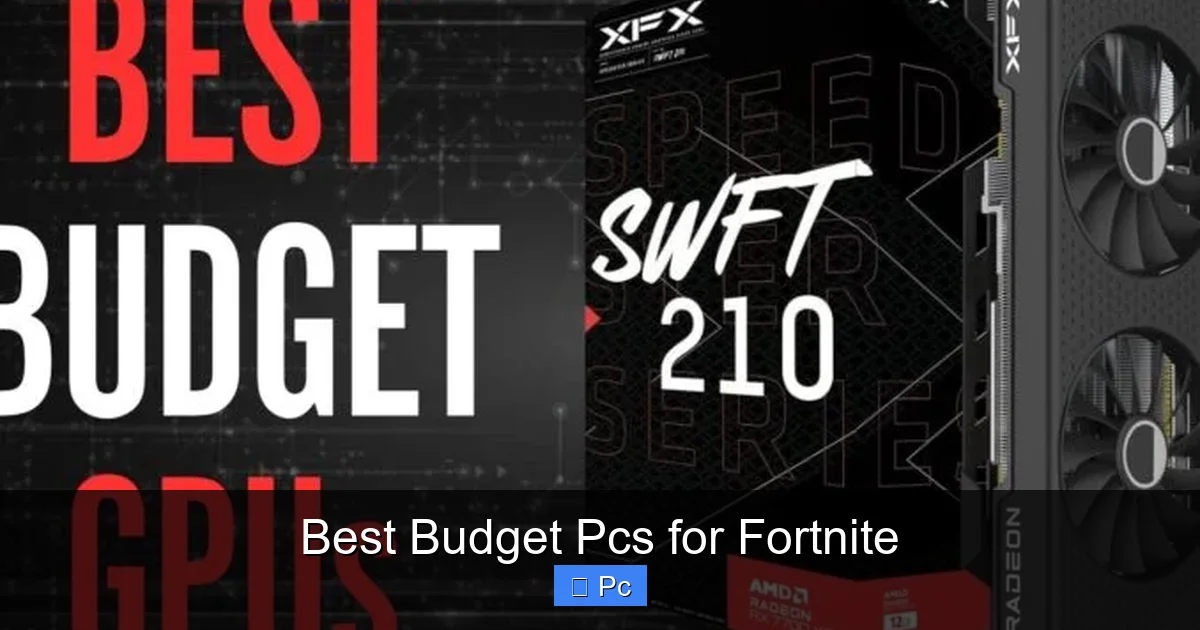
Prebuilt PCs are a great option if you don’t want to build your own or aren’t confident in your tech skills. They come ready to use, often with warranties and customer support. While they can be slightly more expensive than custom builds, the convenience and peace of mind are worth it for many gamers.
HP Pavilion Gaming Desktop
The HP Pavilion Gaming Desktop is a solid entry-level option that balances price and performance. Configurations vary, but a typical Fortnite-ready model includes an AMD Ryzen 5 5600G, 8GB of RAM, a 256GB SSD, and an NVIDIA GTX 1650. This setup easily handles Fortnite at 1080p with high settings, averaging 70–80 FPS.
One downside is the 8GB RAM, which we’d recommend upgrading to 16GB. But the Pavilion has an extra RAM slot, so it’s a quick and affordable fix. The case is compact and stylish, with decent airflow and room for future upgrades. HP also includes a one-year warranty, which is reassuring for first-time buyers.
CyberPowerPC Gamer Xtreme VR
CyberPowerPC is known for offering great value in the prebuilt market, and the Gamer Xtreme VR is no exception. A popular configuration features an Intel Core i5-12400F, 16GB of RAM, a 500GB SSD, and an NVIDIA GTX 1660 Super. This combo delivers excellent performance in Fortnite, often hitting 90+ FPS at high settings.
The i5-12400F is a strong mid-range CPU that won’t bottleneck the GPU, and the 16GB of RAM ensures smooth multitasking. The case has good cable management and includes RGB lighting, which is a nice touch for gamers who like a bit of flair. CyberPowerPC also offers customization options, so you can tweak the build to fit your budget.
Acer Nitro 50
The Acer Nitro 50 is another reliable prebuilt that’s perfect for Fortnite. It often comes with an AMD Ryzen 5 5600X, 16GB of RAM, a 512GB SSD, and an NVIDIA RTX 3050. The RTX 3050 is a step up from the GTX 1650, offering better performance and support for newer features like DLSS (though not essential for Fortnite).
This system is well-balanced and future-proof, capable of handling not just Fortnite but other modern games at 1080p. Acer includes a one-year warranty and decent customer support. The only minor drawback is the case design, which is functional but not the most stylish. Still, for under $800, it’s a fantastic deal.
Best Budget Custom Builds for Fortnite
Visual guide about Best Budget Pcs for Fortnite
Image source: pcmecca.com
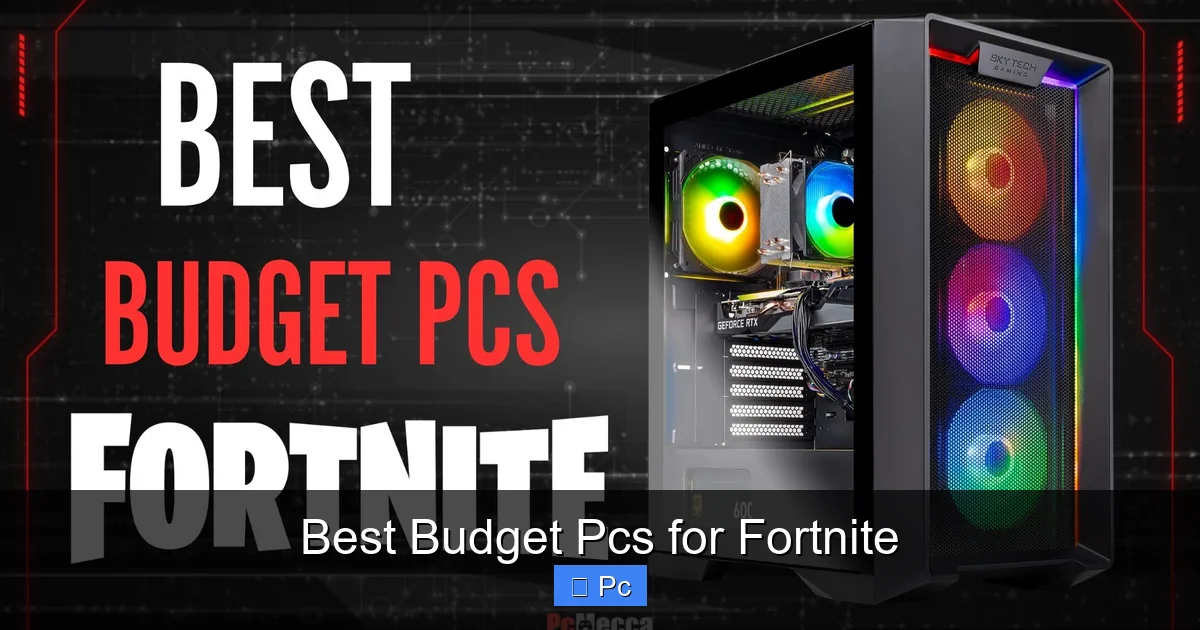
If you’re comfortable building your own PC or want the best value for your money, a custom build is the way to go. You can handpick every component, avoid bloatware, and often save $100–$200 compared to prebuilts. Plus, you’ll learn valuable skills and have full control over upgrades.
Budget AMD Build (Under $600)
Here’s a sample AMD-based build that’s perfect for Fortnite:
– **CPU:** AMD Ryzen 5 5600G ($130)
– **GPU:** AMD Radeon RX 6500 XT ($150)
– **Motherboard:** MSI B450M PRO-VDH MAX ($70)
– **RAM:** Corsair Vengeance LPX 16GB (2x8GB) DDR4-3200 ($35)
– **Storage:** Kingston NV2 500GB NVMe SSD ($30)
– **PSU:** EVGA 500 W1, 80+ White 500W ($45)
– **Case:** Cooler Master MasterBox Q300L ($50)
Total: ~$510
This build delivers excellent 1080p performance in Fortnite, averaging 70–85 FPS on high settings. The Ryzen 5 5600G has strong integrated graphics, so you can even test the system before installing the GPU. The RX 6500 XT is a great budget card, and the 16GB of RAM ensures smooth gameplay. The case is compact but has good airflow, and all components are upgrade-friendly.
Budget Intel Build (Under $650)
For Intel fans, here’s a balanced build:
– **CPU:** Intel Core i3-12100 ($110)
– **GPU:** NVIDIA GTX 1660 Super ($180)
– **Motherboard:** ASUS Prime B660M-A D4 ($90)
– **RAM:** G.Skill Ripjaws V 16GB (2x8GB) DDR4-3200 ($35)
– **Storage:** Western Digital Blue SN570 500GB NVMe SSD ($35)
– **PSU:** Corsair CX450, 80+ Bronze 450W ($55)
– **Case:** NZXT H510 Flow ($70)
Total: ~$575
The i3-12100 is a surprisingly powerful budget CPU, outperforming many older i5s in gaming. Paired with the GTX 1660 Super, this build easily hits 80–100 FPS in Fortnite. The motherboard supports future upgrades, and the case has a clean design with good cable management. This system is also quiet and efficient, making it great for long gaming sessions.
Upgrade Tips for Future-Proofing
One of the best things about building or buying a budget PC is the ability to upgrade later. Fortnite will continue to evolve, and new games will demand more power. Planning ahead ensures your system stays relevant for years.
Start with a Good Motherboard
Your motherboard determines what you can upgrade later. Look for one with extra RAM slots, an M.2 slot for SSDs, and support for newer CPUs. For example, a B550 or B660 motherboard supports PCIe 4.0 and future AMD or Intel processors. Avoid ultra-budget boards with limited features.
Leave Room for a Better GPU
Even if you start with a GTX 1650, choose a case and PSU that can handle a more powerful GPU later. A 500W PSU can support up to an RTX 3060 or RX 6600 XT. Make sure your case has enough space and airflow for larger cards.
Monitor Your Temperatures
Use free tools like HWMonitor or MSI Afterburner to check CPU and GPU temps. If your system runs hot, consider adding case fans or upgrading the CPU cooler. Cooler components last longer and perform better.
Keep Drivers Updated
Outdated drivers can cause performance issues or crashes. Regularly update your GPU drivers from NVIDIA or AMD’s website. Also, keep Windows and your motherboard BIOS updated for stability and security.
Peripherals That Improve Your Fortnite Experience
Your PC is only part of the equation. The right peripherals can make a huge difference in your gameplay, especially in a fast-paced game like Fortnite.
Monitor: 1080p at 75Hz or Higher
A 1080p monitor with a 75Hz or 144Hz refresh rate is ideal. Higher refresh rates make movement smoother and reduce input lag. Look for a monitor with a 5ms or lower response time. Brands like Acer, ASUS, and LG offer great budget options under $150.
Mouse: Precision Matters
A good gaming mouse improves aim and building speed. Look for one with adjustable DPI (800–1600 is ideal for Fortnite), lightweight design, and durable switches. The Logitech G203 or Razer DeathAdder Essential are excellent budget choices under $30.
Keyboard: Mechanical or Membrane?
Mechanical keyboards are preferred by many gamers for their tactile feedback and durability. But membrane keyboards are quieter and cheaper. For Fortnite, either works—just make sure it has anti-ghosting and responsive keys. The Redragon K552 is a popular budget mechanical option.
Headset: Clear Audio and Mic
Good audio helps you hear footsteps and gunfire. A headset with a built-in mic is essential for team communication. The HyperX Cloud Stinger or Corsair HS55 are solid budget picks under $50.
Conclusion: You Can Play Fortnite Without Breaking the Bank
Fortnite is one of the most accessible major games out there, and you don’t need a high-end PC to enjoy it. With the right budget build—whether prebuilt or custom—you can achieve smooth, responsive gameplay at 1080p with high settings. Focus on a decent GPU, at least 16GB of RAM, an SSD, and a balanced CPU, and you’ll be dropping into the island with confidence.
The systems we’ve covered—from the HP Pavilion to custom AMD and Intel builds—prove that great performance doesn’t have to cost a fortune. And with smart upgrades and the right peripherals, your budget PC can keep up with Fortnite’s updates and even handle other games down the line.
So don’t wait. Whether you’re a casual player or aspiring competitive gamer, now is the perfect time to build or buy a budget PC for Fortnite. With the options available today, there’s no excuse not to join the battle royale fun—without emptying your wallet.
Frequently Asked Questions
Can I play Fortnite on a $500 PC?
Yes, you can play Fortnite on a $500 PC. Builds with a Ryzen 5 5600G and RX 6500 XT can run the game at 60+ FPS on high settings at 1080p. Just make sure it has at least 8GB of RAM and an SSD.
Is 8GB of RAM enough for Fortnite?
8GB is the minimum, but 16GB is recommended. With only 8GB, you may experience slowdowns when multitasking or running background apps like Discord or Chrome.
Do I need a dedicated GPU for Fortnite?
Yes, a dedicated GPU is strongly recommended. Integrated graphics can run Fortnite on low settings, but a GTX 1650 or better ensures smooth, competitive gameplay.
Can I upgrade a prebuilt PC later?
Most prebuilt PCs allow upgrades like adding RAM, swapping the GPU, or installing a larger SSD. Check the case size, PSU wattage, and motherboard compatibility before upgrading.
What settings should I use in Fortnite for best performance?
Set textures to high, shadows to medium, and effects to low. Turn off motion blur and depth of field. This balances visuals and performance for most budget systems.
Is Fortnite CPU or GPU intensive?
Fortnite is more GPU-intensive than CPU-intensive. A strong graphics card has a bigger impact on frame rates, though a decent CPU is still important for smooth gameplay.
