


Finding the best prebuilt gaming PC under $1500 doesn’t mean sacrificing performance. These systems offer excellent value with strong GPUs, fast processors, and solid build quality—perfect for 1080p and 1440p gaming. Whether you’re a casual gamer or aspiring esports player, there’s a budget-friendly powerhouse waiting for you.
Key Takeaways
- Great performance for the price: Most prebuilt gaming PCs under $1500 feature mid-range to high-end GPUs like the RTX 4060 or RX 7600, capable of running modern games at high settings.
- No assembly required: Prebuilt systems save time and stress—just unbox, plug in, and start gaming. Ideal for beginners or those who don’t want to build their own PC.
- Reliable brands matter: Stick with trusted manufacturers like CyberPowerPC, iBUYPOWER, HP, and ASUS for better customer support, warranties, and build quality.
- Upgradability is key: Look for systems with room to upgrade RAM, storage, or even the GPU later—future-proofing your investment.
- Balanced specs win: A strong CPU paired with a capable GPU and fast RAM ensures smooth multitasking and gaming performance without bottlenecks.
- Check cooling and case design: Good airflow prevents overheating and keeps your system running quietly during long gaming sessions.
- Warranty and support: Always verify the warranty length and what it covers—some brands offer on-site service or extended plans for peace of mind.
📑 Table of Contents
- Why Choose a Prebuilt Gaming PC Under $1500?
- What to Look for in a Gaming PC Under $1500
- Top 5 Prebuilt Gaming PCs Under $1500 in 2024
- Performance Expectations: What Can You Game On These PCs?
- Upgradability and Future-Proofing
- Brand Comparison: Who Makes the Best Prebuilts?
- Final Tips Before You Buy
- Conclusion
Why Choose a Prebuilt Gaming PC Under $1500?
So, you’re ready to dive into PC gaming—but you don’t want to spend a fortune or spend weeks researching parts and building a rig from scratch. That’s where prebuilt gaming PCs come in. And if your budget caps at $1500, you’re in luck: this price range offers some of the best value in the gaming world today.
Prebuilt systems under $1500 strike a sweet spot between affordability and performance. You’re not getting a barebones machine or a glorified office PC. Instead, you’re looking at systems that can handle today’s most popular games—like Cyberpunk 2077, Elden Ring, and Call of Duty: Modern Warfare III—at high or even ultra settings, especially at 1080p and 1440p resolutions. Plus, many of these PCs come with RGB lighting, sleek cases, and software suites that make setup a breeze.
Another major advantage? Time. Building a PC can be fun, but it takes hours of research, assembly, and troubleshooting. With a prebuilt, you unbox, plug in your monitor and peripherals, and start playing. It’s perfect for gamers who want performance without the hassle. And with brands now offering better quality control and customer service, you’re less likely to run into the “buyer’s remorse” that once plagued the prebuilt market.
What to Look for in a Gaming PC Under $1500
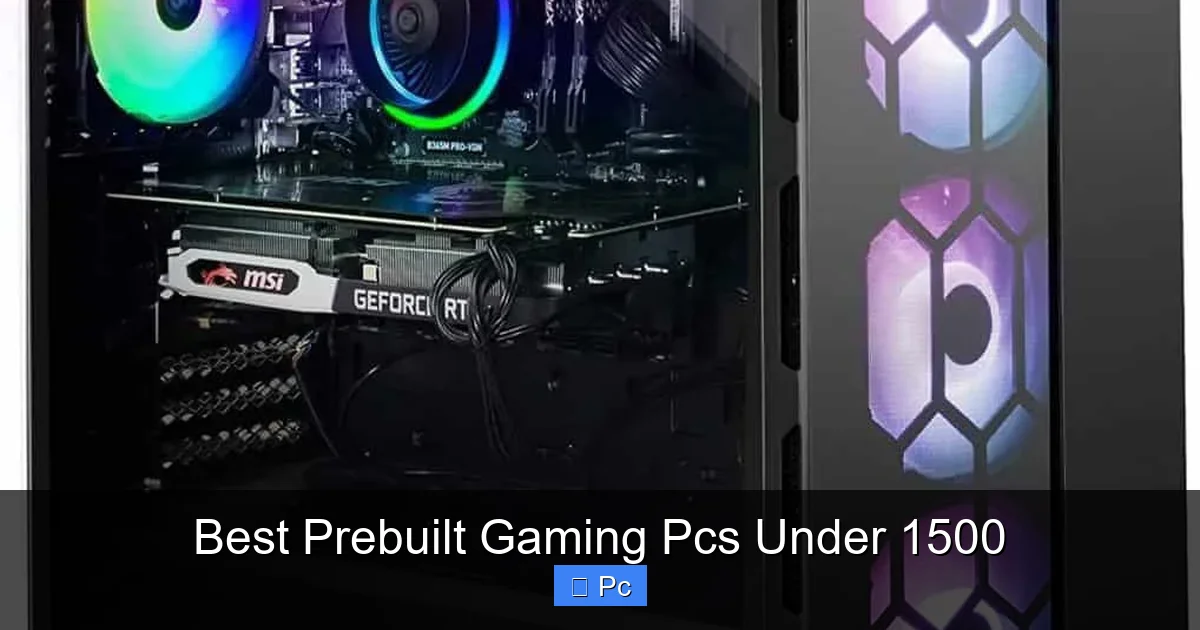
Not all prebuilt gaming PCs are created equal—even within the same price range. To get the best bang for your buck, focus on a few key components and features. Let’s break down what really matters when shopping for a gaming PC under $1500.

Visual guide about Best Prebuilt Gaming Pcs Under 1500
Image source: bestfreereviews.com
Graphics Card (GPU)
The GPU is the heart of any gaming PC. In this price range, you should aim for at least an NVIDIA GeForce RTX 4060 or an AMD Radeon RX 7600. These cards deliver excellent 1080p performance and can even handle 1440p gaming with some settings adjustments. If you can find a system with an RTX 4070 under $1500, that’s a huge win—though it may require sacrificing other components slightly.
Avoid older or entry-level GPUs like the GTX 1650 or RX 6500 XT. While they’re cheaper, they struggle with modern titles and lack features like ray tracing and DLSS, which can significantly boost performance and visuals.
Processor (CPU)
Pair your GPU with a solid CPU to avoid bottlenecks. Look for at least a 6-core processor like the AMD Ryzen 5 7600 or Intel Core i5-13400F. These CPUs offer great multi-core performance for gaming and multitasking, and they’re efficient, so they won’t overheat or drain power unnecessarily.
Avoid older generations or low-power CPUs like the Intel Core i3 or Ryzen 3 unless they’re paired with a very strong GPU—and even then, you might notice stuttering in CPU-heavy games like Civilization VI or Starfield.
RAM and Storage
16GB of DDR4 or DDR5 RAM is the sweet spot for gaming in 2024. It’s enough to run most games smoothly and handle background tasks like Discord, web browsing, or streaming. Some systems may come with 8GB, but that’s on the low side—especially if you plan to multitask or future-proof your setup.
For storage, aim for at least a 512GB NVMe SSD. This gives you fast load times and enough space for your OS, a few large games, and essential apps. If you can find a system with a 1TB SSD or a dual-drive setup (SSD + HDD), that’s even better for storing your growing game library.
Cooling and Case Design
Good cooling is often overlooked, but it’s crucial for long-term performance and system longevity. Look for systems with at least two case fans and a well-ventilated case. Some prebuilts include liquid cooling for the CPU, which is a nice bonus—especially if you plan to overclock later.
The case itself should have decent airflow, cable management options, and room for future upgrades. Avoid overly compact or proprietary designs that make it hard to swap out parts down the line.
Warranty and Customer Support
Always check the warranty—most reputable brands offer at least a one-year limited warranty. Some, like iBUYPOWER and CyberPowerPC, offer extended plans or on-site service for an extra fee. Read reviews about customer support responsiveness. A great PC isn’t helpful if you can’t get help when something goes wrong.
Top 5 Prebuilt Gaming PCs Under $1500 in 2024
Now that you know what to look for, let’s dive into some of the best prebuilt gaming PCs under $1500 available right now. These systems offer strong performance, reliable components, and great value—perfect for gamers who want to skip the build process.

Visual guide about Best Prebuilt Gaming Pcs Under 1500
Image source: wepc.com
1. CyberPowerPC Gamer Xtreme VR (GXiVR8060A12)
This PC is a fan favorite for a reason. Priced around $1,299, it features an Intel Core i5-13400F, NVIDIA GeForce RTX 4060, 16GB DDR5 RAM, and a 1TB NVMe SSD. It’s built in a sleek mid-tower case with RGB lighting and excellent airflow.
The RTX 4060 delivers smooth 1080p gaming with ray tracing support, and the 13th-gen Intel CPU ensures no bottlenecks. Plus, CyberPowerPC includes a one-year warranty and 24/7 customer support. It’s a well-balanced system that’s easy to upgrade later—just add more RAM or swap in a better GPU if needed.
2. iBUYPOWER TraceMR 278i
At just under $1,400, the TraceMR 278i packs an AMD Ryzen 5 7600, NVIDIA RTX 4060 Ti, 16GB DDR5 RAM, and a 1TB SSD. The RTX 4060 Ti is a step up from the standard 4060, offering better performance in 1440p gaming and more future-proofing.
iBUYPOWER is known for solid build quality and customizable options. This model comes with a tempered glass side panel, RGB fans, and a clean internal layout. It also includes a one-year warranty and optional extended support. If you want a little extra GPU power without going over budget, this is a top pick.
3. HP Omen 25L (GT21-0020)
HP’s Omen line is reliable and stylish, and the 25L model fits perfectly under $1500. This configuration includes an AMD Ryzen 5 7600, NVIDIA RTX 4060, 16GB DDR5 RAM, and a 512GB SSD + 1TB HDD combo.
The dual storage setup is great for gamers who want fast boot times and plenty of space for games. The Omen Gaming Hub software lets you monitor performance, adjust lighting, and optimize settings. HP also offers solid customer support and a one-year warranty. It’s a great choice if you prefer a trusted brand with a clean, minimalist design.
4. ASUS ROG Strix G15CE
ASUS brings gaming pedigree to the prebuilt market with the ROG Strix G15CE. Priced around $1,350, it features an Intel Core i5-13400F, NVIDIA RTX 4060, 16GB DDR4 RAM, and a 1TB SSD.
While it uses DDR4 instead of DDR5, the performance difference is minimal for most games. What stands out is the build quality—ASUS uses high-quality components and includes Aura Sync RGB lighting for customization. The case has good airflow and tool-less access for upgrades. It’s a solid, no-frills machine from a brand known for reliability.
5. Skytech Archangel 3.0
Skytech is a lesser-known brand but offers excellent value. The Archangel 3.0 comes with an AMD Ryzen 5 7600, NVIDIA RTX 4060, 16GB DDR5 RAM, and a 1TB SSD—all for around $1,250.
It’s one of the most affordable options on this list without major compromises. The case has a sleek white design with RGB fans, and the system is well-cooled. Skytech includes a one-year warranty and responsive support. If you’re on a tight budget but still want strong performance, this is a smart pick.
Performance Expectations: What Can You Game On These PCs?
So, what can you actually play on a prebuilt gaming PC under $1500? The short answer: almost everything—especially at 1080p and 1440p. Let’s look at some real-world performance examples.
Visual guide about Best Prebuilt Gaming Pcs Under 1500
Image source: wepc.com
1080p Gaming (High to Ultra Settings)
At 1920×1080, these systems shine. Games like Fortnite, Apex Legends, Valorant, and Overwatch 2 run at 100+ FPS on high settings. Even demanding titles like Cyberpunk 2077 can hit 60 FPS with DLSS enabled and settings adjusted.
With an RTX 4060 or better, you’ll enjoy smooth gameplay in most AAA titles. Ray tracing is playable in supported games, though you may need to lower some settings for consistent frame rates.
1440p Gaming (Medium to High Settings)
Stepping up to 2560×1440, performance depends on the GPU. The RTX 4060 can handle many games at 60 FPS on high settings, but you might need to tweak shadows, textures, or anti-aliasing for optimal performance.
The RTX 4060 Ti, found in the iBUYPOWER TraceMR, offers a noticeable boost at 1440p. Games like Red Dead Redemption 2 and The Witcher 3 run smoothly, and esports titles easily exceed 100 FPS.
Streaming and Multitasking
These PCs aren’t just for gaming. With 16GB of RAM and a modern CPU, you can stream on Twitch or YouTube using OBS while playing. The RTX 4060’s NVENC encoder helps reduce CPU load, so your stream stays smooth even during intense gameplay.
You can also run multiple apps—Discord, Chrome, Spotify, and a game—without slowdowns. It’s a great setup for content creators or multitaskers.
Upgradability and Future-Proofing
One of the biggest concerns with prebuilt PCs is whether you can upgrade them later. The good news? Most systems under $1500 are designed with upgradability in mind.
RAM and Storage Upgrades
Adding more RAM is usually straightforward. Most prebuilts have two RAM slots, and one may be free. Upgrading from 16GB to 32GB is easy and affordable—around $50–$70 for a 16GB DDR5 stick.
Storage is even simpler. Most cases have extra M.2 slots or 2.5-inch drive bays. You can add a second SSD or a large HDD for game storage without replacing the existing drive.
GPU and Power Supply
Swapping out the GPU is possible, but check the power supply (PSU). Many prebuilts come with a 500W–600W PSU, which is fine for an RTX 4060 but may not support higher-end cards like the RTX 4070 or 4080. If you plan a major GPU upgrade, you might need a new PSU too.
Look for systems with a standard ATX PSU and enough wattage headroom. Some brands use proprietary PSUs, which can limit upgrade options—so stick with standard designs when possible.
CPU Cooling and Case Space
If you want to upgrade the CPU later, ensure the cooler can handle it. Stock coolers are fine for mid-range CPUs, but high-end chips may need an aftermarket cooler. Check case clearance for larger coolers or liquid radiators.
Most mid-tower cases in this price range have room for upgrades, but compact models may be tighter. Always measure before buying new parts.
Brand Comparison: Who Makes the Best Prebuilts?
Not all prebuilt brands are equal. Some prioritize performance, others focus on aesthetics or customer service. Here’s a quick breakdown of the top brands in the under-$1500 range.
CyberPowerPC
Known for great value and solid builds. Their systems often include high-end components at competitive prices. Customer support is responsive, and they offer customization options. A top choice for budget-conscious gamers.
iBUYPOWER
Offers stylish designs and strong performance. Their systems often feature RGB lighting and tempered glass. They also provide good upgrade paths and optional extended warranties. Great for gamers who want a flashy rig.
HP (Omen)
Reliable and professional. HP’s Omen line uses quality components and includes useful software. Support is strong, and the designs are clean and minimalist. Ideal for those who prefer a trusted brand.
ASUS (ROG)
High build quality and gaming-focused features. ASUS systems often include better cooling and premium materials. They’re slightly more expensive but offer excellent reliability and aesthetics.
Skytech
Budget-friendly with good specs. Skytech delivers strong performance at lower prices, though customer support can be hit-or-miss. Best for gamers who want maximum value and don’t mind a smaller brand.
Final Tips Before You Buy
Before hitting “buy now,” keep these tips in mind to ensure you get the best prebuilt gaming PC under $1500 for your needs.
- Check current deals: Prices fluctuate, especially during sales like Black Friday or Prime Day. You might find an RTX 4070 system under $1500 during a promotion.
- Read reviews: Look for user and professional reviews to spot common issues like poor cooling, bloatware, or weak PSUs.
- Verify ports and connectivity: Make sure the PC has enough USB ports, HDMI/DisplayPort outputs, and Wi-Fi 6 if needed.
- Consider peripherals: Some bundles include a keyboard, mouse, or headset. These can save money, but check quality—cheap peripherals may need replacing soon.
- Think long-term: Choose a system with room to grow. A little extra spent now on upgradability can save you from buying a whole new PC in a few years.
Conclusion
The best prebuilt gaming PCs under $1500 offer an unbeatable mix of performance, convenience, and value. Whether you’re diving into competitive esports, exploring open-world adventures, or streaming your gameplay, there’s a system in this price range that fits your needs.
From the reliable CyberPowerPC Gamer Xtreme to the stylish iBUYPOWER TraceMR, these PCs deliver smooth 1080p and solid 1440p gaming without the stress of building your own. With smart choices in GPU, CPU, and upgradability, you can enjoy years of high-performance gaming—all for under $1500.
So, skip the confusion and get straight to the fun. Your next gaming rig is just a click away.
Frequently Asked Questions
Can a prebuilt gaming PC under $1500 run modern AAA games?
Yes, most prebuilt gaming PCs under $1500 can run modern AAA games at high settings, especially at 1080p. With an RTX 4060 or better, you’ll enjoy smooth gameplay in titles like Cyberpunk 2077 and Elden Ring, especially with DLSS enabled.
Is it better to build or buy a prebuilt gaming PC?
Building offers more customization and potentially lower costs, but prebuilts save time and come with warranties. If you’re new to PC gaming or don’t want the hassle, a prebuilt under $1500 is a smart, convenient choice.
What GPU should I look for in a $1500 prebuilt gaming PC?
Aim for at least an NVIDIA RTX 4060 or AMD RX 7600. These GPUs deliver excellent 1080p performance and support ray tracing and upscaling technologies. The RTX 4060 Ti is even better if you can find it under $1500.
Can I upgrade a prebuilt gaming PC later?
Yes, most prebuilt PCs under $1500 allow upgrades to RAM, storage, and sometimes the GPU. Check the PSU wattage and case size before making major changes. Avoid systems with proprietary parts if you plan to upgrade.
Do prebuilt gaming PCs come with Windows?
Yes, nearly all prebuilt gaming PCs include a licensed copy of Windows 11 (or Windows 10). This is usually pre-installed, so you can start gaming right out of the box without extra software costs.
Are prebuilt gaming PCs reliable?
Reliability depends on the brand. Stick with reputable manufacturers like CyberPowerPC, iBUYPOWER, HP, and ASUS. Read reviews and check warranty terms to ensure you’re getting a quality system with good support.
