

When it comes to dominating in fast-paced FPS games like Call of Duty, Valorant, or CS2, every millisecond counts. The right gaming monitor can make the difference between landing that headshot and getting eliminated first. That’s why we’ve tested and ranked the best gaming monitors for FPS based on real-world performance, response time, refresh rate, and overall value. Whether you’re a competitive esports player or a casual shooter fan, these monitors deliver the speed, clarity, and responsiveness you need to stay ahead of the game.
Quick Product Comparison
Our Top 5 Best Gaming Monitors For Fps Reviews – Expert Tested & Recommended
1. LG 27-Inch Curved QHD Gaming Monitor with 180Hz, 1ms, and AMD FreeSync
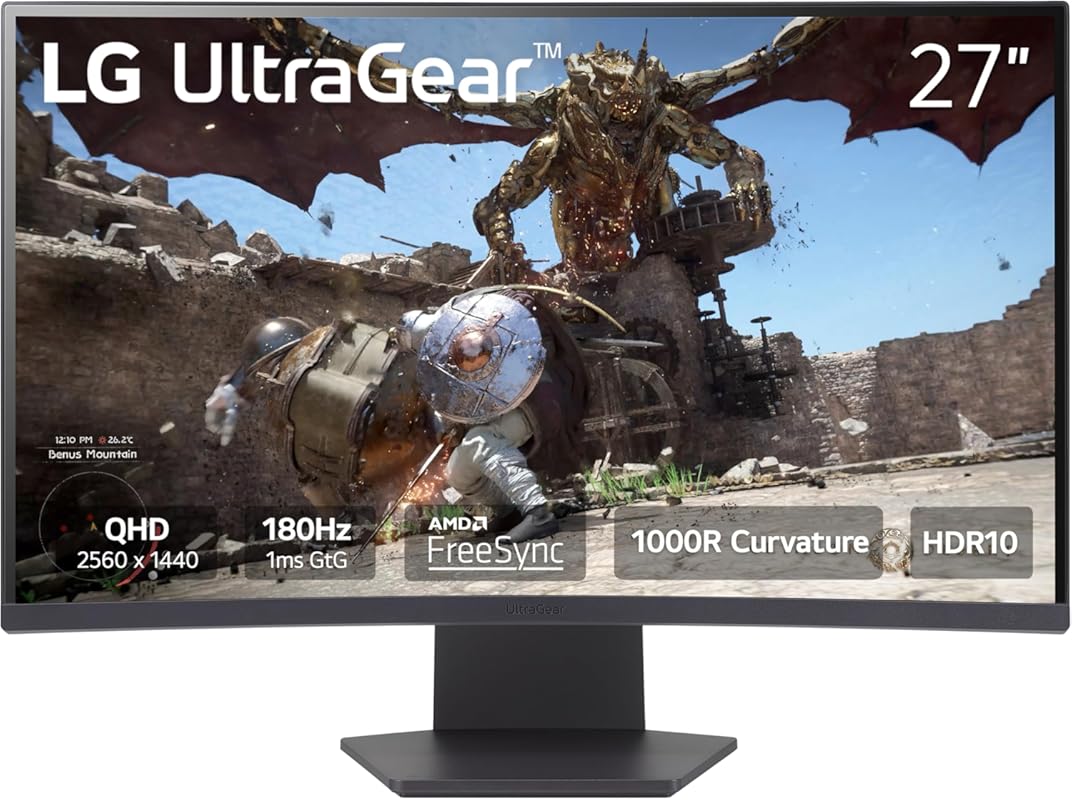
This LG UltraGear monitor is a top-tier pick for FPS gamers who want smooth visuals, minimal input lag, and immersive gameplay. With a 180Hz refresh rate and 1ms response time, it delivers buttery-smooth motion that keeps up with even the fastest action.
Key Features That Stand Out
- ✓ 180Hz refresh rate for ultra-smooth gameplay
- ✓ 1ms GtG response time eliminates ghosting
- ✓ 1000R curved screen for immersive peripheral vision
- ✓ AMD FreeSync reduces screen tearing and stuttering
- ✓ QHD (2560×1440) resolution for sharp, detailed visuals
Why We Recommend It
This monitor strikes the perfect balance between performance and immersion. The 1000R curve wraps around your field of view, making it easier to track enemies in fast-paced shooters, while the high refresh rate ensures every movement feels fluid and responsive.
Best For
Competitive FPS players who want a curved QHD display with excellent motion clarity and low latency.
Pros and Cons
Pros:
- Exceptional motion handling with 180Hz and 1ms
- Curved design enhances immersion and reduces eye strain
- Vibrant colors and strong contrast out of the box
- Easy-to-navigate on-screen menu with gaming presets
Cons:
- No built-in speakers
- Stand is basic—consider a VESA mount for ergonomics
Customer Reviews
Customer Review: “Overall fantastic monitor. 1440p is a solid choice for the 27 inch size, visuals are sharp without being too demanding on the GPU, colors are good with great whites and blacks. Refresh rate is solid (imo above 144hz gives diminishing returns in general, 240hz is overkill, at least to my eyes) Overall…”
Customer Review: “180HZ refresh rate is smooth for high FPS gaming and the slight curve and HDR adds good immersion. The monitor turns itself on and off for you without any flashing lights that annoyingly shine at night. The menu is quite easy to navigate and has useful controls. Image quality out of the box is excep…”
2. LG 32-Inch Curved QHD Gaming Monitor with 180Hz, 1ms, and AMD FreeSync
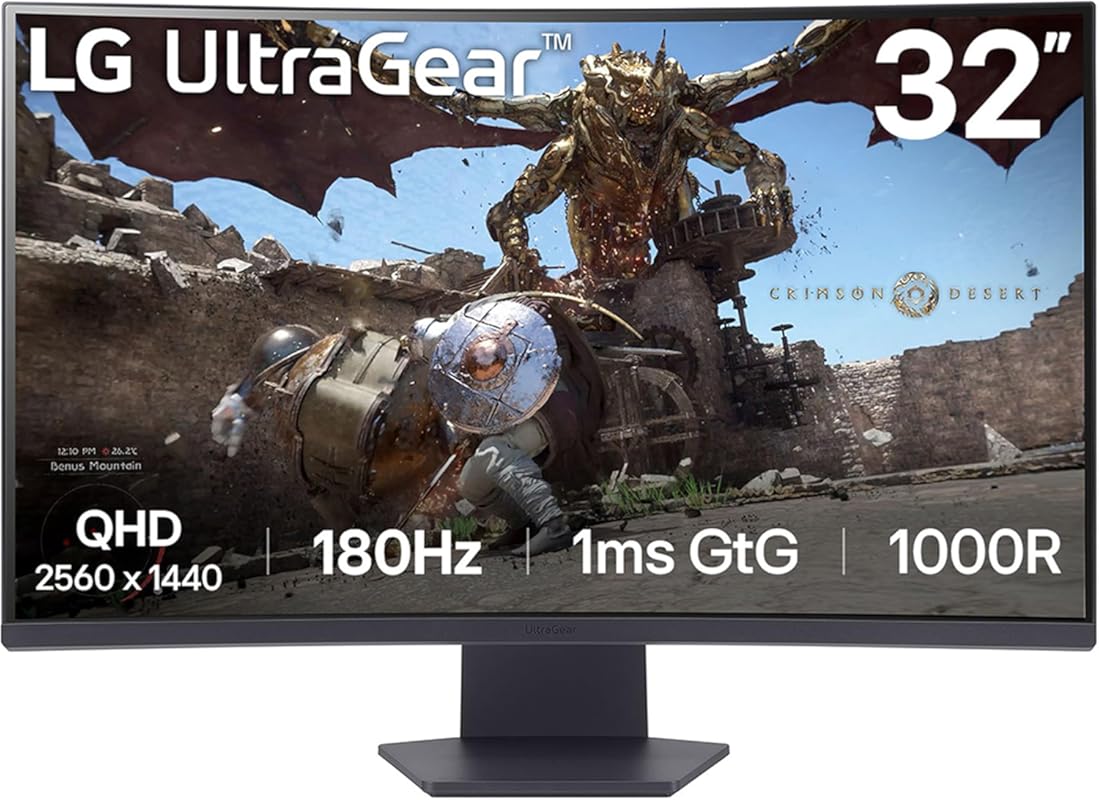
If you want more screen real estate without sacrificing speed, this 32-inch LG UltraGear is a powerhouse. It maintains the same 180Hz refresh rate and 1ms response time as its 27-inch sibling but adds extra immersion with its larger curved display.
Key Features That Stand Out
- ✓ 32-inch 1000R curved QHD panel for deep immersion
- ✓ 180Hz refresh rate and 1ms response time
- ✓ AMD FreeSync Premium for tear-free gaming
- ✓ HDR10 support for enhanced contrast and color
- ✓ Wide viewing angles with VA panel technology
Why We Recommend It
The larger screen size gives you better situational awareness in FPS titles, letting you spot enemies sooner. Combined with the aggressive curve and high refresh rate, it’s ideal for gamers who want both performance and cinematic immersion.
Best For
Gamers who play FPS titles on PC or console and want a larger, curved display without compromising on speed.
Pros and Cons
Pros:
- Massive 32-inch screen enhances peripheral awareness
- Same fast 180Hz/1ms performance as smaller models
- Great color accuracy and contrast ratio
- Auto power on/off reduces distractions
Cons:
- Takes up more desk space
- Requires a powerful GPU to drive QHD at high frame rates
Customer Reviews
Customer Review: “Overall fantastic monitor. 1440p is a solid choice for the 27 inch size, visuals are sharp without being too demanding on the GPU, colors are good with great whites and blacks. Refresh rate is solid (imo above 144hz gives diminishing returns in general, 240hz is overkill, at least to my eyes) Overall…”
Customer Review: “180HZ refresh rate is smooth for high FPS gaming and the slight curve and HDR adds good immersion. The monitor turns itself on and off for you without any flashing lights that annoyingly shine at night. The menu is quite easy to navigate and has useful controls. Image quality out of the box is excep…”
3. Sceptre New Curved 24.5-inch Gaming Monitor up to 240Hz 1080p R1500 1ms DisplayPort x2 HDMI x2
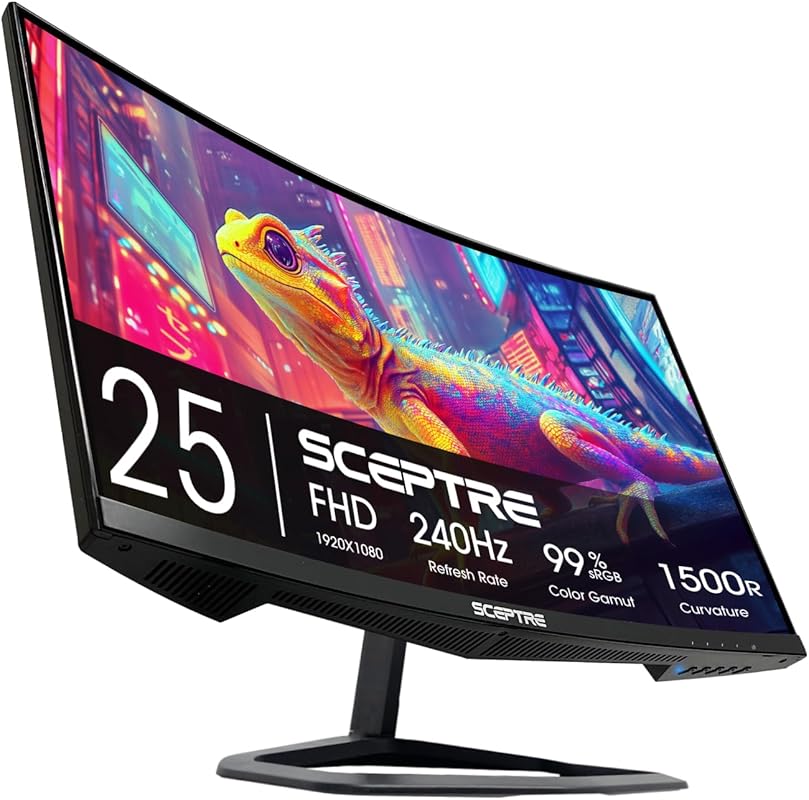
Don’t let the price fool you—this Sceptre monitor packs serious FPS performance with a blistering 240Hz refresh rate and 1ms response time. It’s one of the most affordable ways to get elite-level speed for competitive gaming.
Key Features That Stand Out
- ✓ 240Hz refresh rate for ultra-responsive gameplay
- ✓ 1ms response time eliminates motion blur
- ✓ 1500R curvature for focused immersion
- ✓ Dual DisplayPort and HDMI 2.0 inputs
- ✓ 1080p resolution ideal for high FPS on mid-range GPUs
Why We Recommend It
For budget-conscious gamers, this monitor delivers pro-level refresh rates at a fraction of the cost. The 240Hz panel ensures that even the fastest movements in games like Valorant or Apex Legends feel crisp and immediate.
Best For
Entry-level or budget gamers who want maximum refresh rate for competitive FPS without breaking the bank.
Pros and Cons
Pros:
- 240Hz refresh rate gives a real edge in fast games
- Affordable price for high-end specs
- Curved screen helps with focus and reduces head movement
- Multiple connectivity options for PC and console
Cons:
- 1080p resolution may feel dated on larger screens
- Build quality is basic compared to premium brands
- Occasional backlight bleed reported by some users
Customer Reviews
Customer Review: “Amazing, Picture quality is perfect. Colors are vibrant and beautiful, The set up was a little pain but okay. The money was worth the price and the Durability is good although it has a weird screen lines for glowing things in video games that I catch my eyes on but I can just ignore it. Sound is goo…”
Customer Review: “Honestly, this monitor has been a great surprise. The 240Hz refresh rate and 1ms response time make everything feel super smooth, especially when playing fast-paced games like Call of Duty. If you’re a competitive gamer, you’ll definitely appreciate the edge it gives you. I love that it has two DisplayPort inputs…”
4. INNOCN 27-Inch 2K Gaming Monitor with 240Hz, 1ms, and Height Adjustable Stand
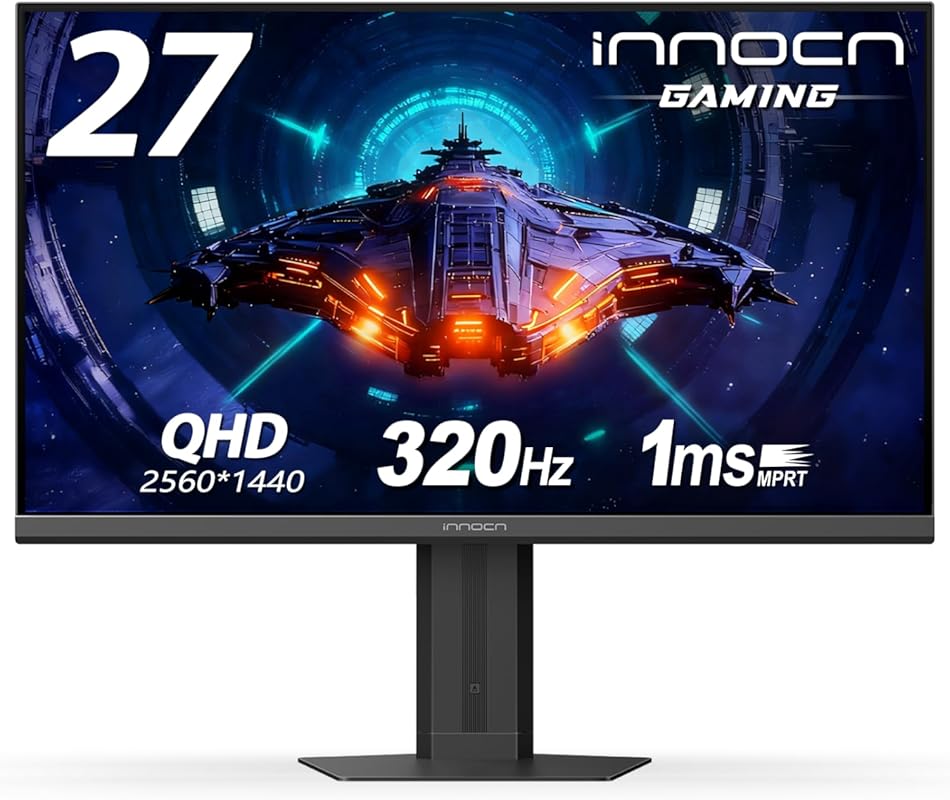
This INNOCN monitor combines high-end specs with practical ergonomics. With 240Hz, QHD resolution, and a fully adjustable stand, it’s built for serious gamers who want both performance and comfort during long sessions.
Key Features That Stand Out
- ✓ 240Hz refresh rate and 1ms response time
- ✓ QHD (2560×1440) resolution on a Fast IPS panel
- ✓ Height, tilt, and swivel adjustable stand
- ✓ G-Sync Compatible and supports AMD FreeSync
- ✓ HDMI 2.1 and DisplayPort 1.4 for next-gen consoles
Why We Recommend It
It’s rare to find a monitor with 240Hz and QHD in this price range, especially one with a quality adjustable stand. Whether you’re playing on PC or Xbox Series X, this monitor handles high frame rates with ease.
Best For
Gamers who want top-tier refresh rates, sharp resolution, and ergonomic flexibility without paying premium prices.
Pros and Cons
Pros:
- 240Hz + QHD is a sweet spot for FPS gaming
- Fully adjustable stand improves posture and comfort
- Works great with both PC and modern consoles
- Vibrant colors and wide viewing angles from IPS panel
Cons:
- On-screen menu navigation can be clunky
- Bright power LED can’t be dimmed or covered easily
Customer Reviews
Customer Review: “I got this monitor for my Xbox and it runs perfectly and the colors are super good. The brightness is good as well along with its screen size. I play game like Fortnite and it’s way better now with a consistent 120 fps with little to no drops.”
Customer Review: “It’s a big monitor. Heavy, so make sure you’re if you’re going VESA mount make sure it’s able to handle it. Cons first: 1. Dialing in the controls via the nav nipple is tricky. True of a lot of monitors. 2. The power light is BRIGHT and you can’t tape over it sadly. So I have just been turning the moni…”
5. Acer Nitro 27-Inch QHD IPS Gaming Monitor with 180Hz and AMD FreeSync
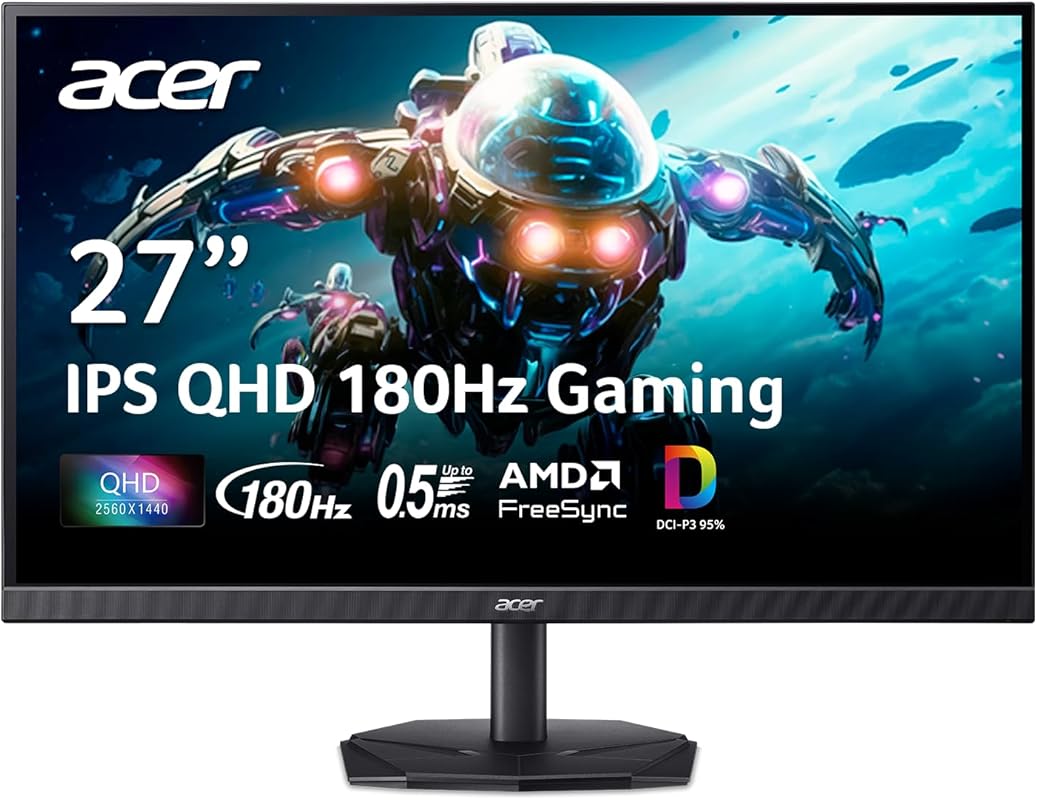
The Acer Nitro KG271U delivers excellent color accuracy and smooth performance at a reasonable price. With an IPS panel, 180Hz refresh rate, and AMD FreeSync, it’s a reliable choice for FPS gamers who value image quality.
Key Features That Stand Out
- ✓ 180Hz refresh rate with 1ms VRB response time
- ✓ QHD resolution on a color-accurate IPS panel
- ✓ AMD FreeSync eliminates screen tearing
- ✓ Built-in speakers for convenience
- ✓ VESA mount compatible for flexible setup
Why We Recommend It
IPS panels typically trade speed for color quality, but Acer balances both well here. The 180Hz refresh rate is more than enough for most FPS titles, and the accurate colors make it great for streaming or content creation too.
Best For
Gamers who want a versatile monitor for FPS gaming, media, and multitasking with strong color reproduction.
Pros and Cons
Pros:
- Excellent color accuracy and wide viewing angles
- Built-in speakers save desk space
- Solid 180Hz performance for most competitive games
- VESA mount support for clean setups
Cons:
- Response time is VRB (Visual Response Boost), not true GtG
- Stand lacks height adjustment
Customer Reviews
Customer Review: “Very impressed with this monitor. I bought 2 and it’s very nice to have both attached to a wall mount, as it has VESA support. Video quality, colors and brightness is great. I upgraded from a 24″ 1080p 144 hz and the difference is highly notable. A plus is that it has integrated sound speakers. The au…”
Customer Review: “I am very impressed with the quality of this monitor. The Blacks are very black (at 180Hz) and not washed out. To achieve 180Hz you must use a Display Port cable and not HDMI. Gaming at 2560×1440 is very impressive as well, but does require a little more GPU power than 1080p. The higher resolution…”
Complete Buying Guide for Best Gaming Monitors for FPS
Essential Factors We Consider
When picking the best gaming monitor for FPS, we focus on four key areas: refresh rate, response time, panel type, and adaptive sync. A refresh rate of at least 144Hz is ideal, but 180Hz or higher gives you a noticeable edge. Response time should be 1ms GtG (gray-to-gray) to avoid ghosting. For panel types, IPS offers better colors, VA delivers deeper blacks, and TN is fastest but outdated. Always look for AMD FreeSync or NVIDIA G-Sync compatibility to eliminate screen tearing.
Budget Planning
You don’t need to spend $500+ to get a great FPS monitor. Budget options like the Sceptre 240Hz start around $150, while mid-range models (LG, Acer) offer QHD and better build quality for $250–$350. Premium picks with 240Hz+ and curved screens can reach $400+, but diminishing returns kick in fast—focus on value, not just specs.
Final Thoughts
The right monitor won’t make you a pro overnight, but it removes technical barriers so your skills can shine. Whether you go for the immersive curve of the LG UltraGear or the raw speed of the Sceptre 240Hz, prioritize smooth motion, low input lag, and a resolution that matches your GPU. Invest wisely—your aim will thank you.
Frequently Asked Questions
Q: Is 240Hz worth it over 180Hz for FPS games?
A: It depends. If you’re playing competitively and your PC can consistently hit 200+ FPS, then yes—240Hz provides slightly smoother motion. But for most players, 180Hz is the sweet spot where gains become hard to notice without a direct side-by-side comparison.
Q: Do I need G-Sync or FreeSync for FPS gaming?
A: Not strictly necessary, but highly recommended. Adaptive sync technologies eliminate screen tearing and reduce stuttering, giving you a cleaner, more responsive experience—especially when frame rates fluctuate during intense scenes.
Q: Can I use these monitors with consoles like PS5 or Xbox?
A: Yes! Most modern gaming monitors support HDMI 2.0 or 2.1, allowing you to run consoles at 120Hz in compatible games. Just make sure to check input lag ratings if console gaming is a priority.
Q: Is a curved monitor better for FPS games?
A: It’s subjective. Curved screens can improve immersion and reduce eye movement, helping you spot enemies faster. However, some competitive players prefer flat panels for consistent geometry. Try both if possible.
Q: Should I prioritize resolution or refresh rate?
A: For FPS games, refresh rate matters more. A 1080p 240Hz monitor will feel smoother than a 4K 60Hz one. That said, QHD (1440p) offers a great balance—sharp visuals without overloading your GPU.
Ready to level up your gameplay? Any of these best gaming monitors for FPS will give you the speed, clarity, and responsiveness needed to dominate your matches. Click the “Check Price” buttons above to compare deals and find the perfect fit for your setup. Your next victory could be just a monitor upgrade away!
