

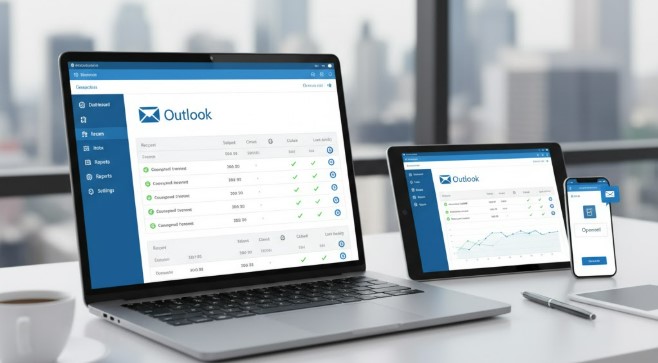
Discover the best email tracking software for Outlook to know who reads your emails, when, and what they click. Boost your communication and sales with these top tools.
Key Takeaways
- Track email opens and link clicks in Outlook.
- Improve follow-up strategies with real-time insights.
- Choose software that integrates seamlessly with Outlook.
- Understand recipient engagement to tailor your messages.
- Boost productivity by knowing who needs attention.
Are you sending important emails through Outlook and wondering if they’re actually being read? It’s a common frustration for many professionals. Whether you’re in sales, marketing, or just trying to get a quick response from a colleague, knowing the status of your email is crucial. Fortunately, you don’t have to guess anymore. There are fantastic tools designed to integrate with Outlook and provide you with detailed insights into your email’s journey. This guide will help you find the best email tracking software for Outlook, making your communication more effective and efficient.
Why Use Email Tracking Software with Outlook?
Imagine sending a proposal to a potential client and having no idea if they’ve even opened it. This uncertainty can lead to missed opportunities and inefficient follow-ups. Email tracking software solves this by providing real-time notifications when your email is opened or when a link within it is clicked. This information is invaluable.
For sales teams, this means understanding when a prospect is engaged and might be ready for a follow-up call. For marketers, it helps gauge interest in campaign emails. Even in internal communications, knowing if a critical message has been seen can prevent delays. According to a report by HubSpot, personalized follow-ups based on engagement can significantly increase response rates.
Understanding How Email Tracking Works
Email tracking software typically works by embedding a tiny, invisible image (usually 1×1 pixel) into the email you send. When the recipient opens the email and their email client loads images, this tiny pixel is requested from a server. When the server records this request, it signals that the email has been opened. This process is generally discreet and doesn’t alter the appearance of your email.
Link tracking works similarly. When you include a link in your email, the tracking software replaces your original link with a unique tracking link. When someone clicks this link, they are first directed through the tracking software’s server, which records the click before redirecting them to the actual destination. This allows you to see exactly which links are drawing attention.
It’s important to note that email tracking isn’t foolproof. Some recipients may have images disabled by default in their email clients, meaning an open might not be recorded. Similarly, some advanced email security systems might block link clicks. However, for the vast majority of cases, these tools provide highly reliable data.
Key Features to Look For in Outlook Email Trackers
When choosing the best email tracking software for Outlook, consider these essential features:
- Outlook Integration: The software should integrate seamlessly with your Outlook desktop client or Outlook Web App. Look for add-ins or extensions that make tracking easy without leaving your inbox.
- Open Tracking: Real-time notifications when your email is opened.
- Link Click Tracking: See which links are clicked and how many times.
- Notification System: Instant alerts (pop-ups, sounds, or dashboard updates) when an email is opened or a link is clicked.
- Reporting and Analytics: A dashboard to view tracking data, identify trends, and understand engagement over time.
- Contact Management: Some tools allow you to manage your contacts and see their engagement history.
- Email Scheduling: The ability to schedule emails to be sent at a specific time.
- Template Management: Save and reuse email templates for different campaigns.
- Mobile App: Access to tracking data and notifications on the go.
- Privacy and Compliance: Ensure the tool complies with privacy regulations like GDPR.
Top Email Tracking Software for Outlook
Finding the right tool can significantly improve your email strategy. Here are some of the best email tracking software options that work well with Outlook:
1. Mailtrack
Mailtrack is a popular choice, particularly for individuals and small teams. It offers a simple yet effective way to track emails sent from Outlook (and Gmail).
How it Works with Outlook:
Mailtrack functions as an Outlook add-in. Once installed, it automatically adds tracking pixels to your outgoing emails. You’ll see a double-checkmark system next to your sent emails, similar to messaging apps, indicating if the email has been delivered (single check) and opened (double check).
Key Features:
- Real-time open and click tracking.
- Notifications directly in Outlook.
- Free plan available for basic tracking.
- Link tracking included.
- Dashboard for detailed analytics.
Pricing:
Mailtrack offers a free plan with basic tracking features and paid plans (Pro and Business) starting around $4.50/month, offering more advanced features like unlimited tracking, no ads, and advanced analytics.
2. Boomerang for Outlook
While Boomerang is widely known for its email scheduling capabilities, it also includes robust email tracking features. It focuses on helping you manage your inbox more effectively.
How it Works with Outlook:
Boomerang installs as an Outlook add-in. You can enable tracking for individual emails when you compose them. Once enabled, you receive notifications when your email is opened or when a link inside is clicked.
Key Features:
- Advanced email scheduling.
- Read receipts and link click tracking.
- “Track Later” feature to see engagement on emails sent previously.
- Inbox management tools like “Boomerang” to bring emails back to your inbox.
- Available for Outlook desktop and web.
Pricing:
Boomerang offers a free trial, with paid plans starting around $5/month for personal use, scaling up to business plans with more features.
3. Yesware
Yesware is a comprehensive sales engagement platform that offers powerful email tracking capabilities, along with other tools designed to boost sales productivity.
How it Works with Outlook:
Yesware integrates directly into the Outlook compose window. As you write emails, you can toggle tracking options for opens, clicks, and downloads. It provides real-time data and reports on campaign performance.
Key Features:
- Detailed open and click tracking.
- Real-time desktop notifications.
- Campaign reporting and analytics.
- Email templates and scheduling.
- CRM integration (e.g., Salesforce).
Pricing:
Yesware offers several paid plans, typically starting from around $12/user/month for their Pro plan, designed for individual sales professionals. Higher tiers include more advanced features for teams.
4. Groove
Groove is another sales engagement tool that prioritizes a good user experience and integrates well with Outlook, offering comprehensive tracking.
How it Works with Outlook:
Similar to Yesware, Groove acts as an Outlook add-in. It allows you to track opens, clicks, and views on attachments directly from your compose window. It also provides engagement analytics.
Key Features:
- Real-time email tracking (opens, clicks, downloads).
- Sales engagement workflows and cadences.
- CRM integration.
- Email templates and scheduling.
- Team analytics and reporting.
Pricing:
Groove offers custom pricing based on team needs, with plans generally starting around $15/user/month. They focus on enterprise-level solutions.
5. SalesLoft
SalesLoft is a leading sales engagement platform that provides deep insights into customer interactions, including email tracking, all integrated within Outlook.
How it Works with Outlook:
SalesLoft’s Outlook integration allows sales reps to track email opens, clicks, and engagement with content directly from their inbox. It provides a unified view of prospect activity.
Key Features:
- Advanced email tracking and engagement analytics.
- Robust sales engagement workflows and automation.
- CRM integration and data synchronization.
- Content engagement tracking.
- Team performance dashboards.
Pricing:
SalesLoft offers enterprise-level pricing, and you’ll need to contact their sales team for a quote. It’s typically geared towards larger sales organizations.
6. Hubspot Sales Hub
HubSpot offers a suite of tools for marketing, sales, and service, and its Sales Hub includes excellent email tracking capabilities that integrate with Outlook.
How it Works with Outlook:
The HubSpot Sales Hub Outlook integration adds tracking features directly to your compose window. You can easily track email opens, link clicks, and even see when documents are viewed, all syncing with your HubSpot CRM.
Key Features:
- Email open and click tracking.
- Document tracking (for shared files).
- Integration with HubSpot CRM for a complete view of customer interactions.
- Email templates, scheduling, and snippets.
- Sales automation features.
Pricing:
HubSpot Sales Hub offers a free version with basic tracking, and paid plans (Starter, Professional, Enterprise) start around $45/month for the Starter package.
Comparing Email Tracking Software for Outlook
Choosing the right tool often depends on your specific needs, budget, and team size. Here’s a comparison of some options:
| Software | Best For | Key Tracking Features | Pricing (Approx. Monthly) | Outlook Integration |
|---|---|---|---|---|
| Mailtrack | Individuals, small teams, basic needs | Open, click, link tracking | Free / Paid from $4.50 | Add-in |
| Boomerang | Inbox management, scheduling, tracking | Open, click, link tracking | Free Trial / Paid from $5 | Add-in |
| Yesware | Sales teams, advanced engagement | Open, click, download tracking, campaign data | Paid from $12 | Add-in |
| Groove | Sales teams, CRM integration | Open, click, download tracking, engagement analytics | Custom pricing (starts ~ $15) | Add-in |
| SalesLoft | Enterprise sales teams, full engagement | Advanced tracking, content engagement | Custom pricing | Add-in |
| HubSpot Sales Hub | Sales & Marketing teams, CRM users | Open, click, document tracking | Free / Paid from $45 | Add-in |
The table above provides a snapshot, but it’s always a good idea to explore the specific features and trial periods offered by each software to match your workflow. For instance, if you primarily need simple open and click tracking, Mailtrack or Boomerang might be sufficient and cost-effective. If you’re a sales professional looking for deep analytics and CRM integration, Yesware, Groove, SalesLoft, or HubSpot Sales Hub would be more suitable.
How to Install and Use Email Tracking Add-ins in Outlook
The process for installing and using these email tracking tools is generally straightforward. Most offer add-ins that you can install directly from the Microsoft AppSource store or through the tool’s website.
Installation Steps (General):
- Visit the AppSource or Tool’s Website: Search for your chosen email tracking software (e.g., “Mailtrack for Outlook”) on the Microsoft AppSource or the software provider’s official site.
- Click “Get It Now” or “Install”: Follow the on-screen prompts. You will likely need to sign in with your Microsoft account.
- Grant Permissions: The add-in will request certain permissions to function within Outlook. Review these carefully and grant them if you’re comfortable.
- Restart Outlook (if necessary): Sometimes, you might need to close and reopen Outlook for the add-in to appear.
- Sign In and Configure: Once installed, the add-in will usually appear in your Outlook ribbon or task pane. You’ll need to sign in with your account for that specific tracking service.
Using the Tracking Features:
- Compose a New Email: Open a new email in Outlook.
- Enable Tracking: Look for the tracking options provided by the add-in (often a toggle or checkbox) in the compose window. Enable “Track Opens” and “Track Clicks” as needed.
- Send Your Email: Compose and send your email as usual.
- Receive Notifications: When your email is opened or a link is clicked, you’ll typically receive a desktop notification, or the information will be updated in the add-in’s dashboard.
- View Reports: Access the software’s dashboard or reporting interface to see a history of your tracked emails and their engagement metrics.
For detailed, step-by-step instructions specific to each software, it’s best to consult their official documentation or knowledge base.
Pro Tip: Maximizing Your Email Tracking Efforts
Don’t Over-Track. While useful, excessive tracking can sometimes feel intrusive to recipients. Focus on tracking emails where insights truly matter for your communication goals, like sales outreach or important proposals. Be transparent if you’re using a platform that requires explicit consent under certain privacy laws (like GDPR). Always prioritize building trust with your contacts.
Privacy Considerations with Email Tracking
It’s crucial to be aware of privacy regulations and best practices when using email tracking software. Laws like the General Data Protection Regulation (GDPR) in Europe and the California Consumer Privacy Act (CCPA) have implications for how you collect and use personal data, including email engagement metrics.
Key points to remember:
- Consent: In some jurisdictions, you may need explicit consent from recipients to track their engagement. This is especially true if you’re sending marketing emails.
- Transparency: Be upfront about your tracking practices, especially in B2B contexts or if you’re dealing with individuals in regions with strict privacy laws. A privacy policy on your website can help.
- Data Security: Ensure the email tracking software you choose has strong security measures to protect the data it collects.
- Purpose Limitation: Use the tracking data only for the stated purposes (e.g., improving communication, sales follow-up) and not for unrelated or unethical activities.
Many reputable tracking tools include features to help you comply with these regulations, such as anonymized tracking options or consent management tools. Always check the specific privacy features and recommendations of your chosen software.
Alternatives to Dedicated Email Tracking Software
While dedicated software offers the most robust features, there are a few built-in or alternative methods you might consider:
- Outlook Read Receipts: Outlook has a built-in “Read Receipt” feature. However, this is unreliable as recipients can decline to send a receipt. It’s also easier for them to ignore than a tracking pixel.
- Link Shorteners with Analytics: Services like Bitly can shorten links and provide basic click data, though this doesn’t track email opens.
- Dedicated CRM Features: Some Customer Relationship Management (CRM) systems have email tracking integrated within their platform, which might be sufficient if you’re already using one extensively.
For comprehensive and reliable tracking, however, dedicated email tracking software designed for Outlook remains the most effective solution.
FAQs About Best Email Tracking Software For Outlook
What is the best free email tracking software for Outlook?
Mailtrack offers a very capable free plan that provides essential open and link tracking features for Outlook. It’s a great starting point for individuals or small teams on a budget.
Can Outlook track if an email is opened?
Outlook has a built-in “Read Receipt” feature. However, recipients can choose not to send a receipt, making it unreliable. Dedicated email tracking software is much more effective.
Is email tracking legal?
Email tracking is generally legal, provided you comply with relevant privacy laws (like GDPR and CCPA). Transparency and consent are key, especially for marketing communications. For business-to-business communication, tracking is often accepted, but it’s wise to be aware of your recipients’ location and any specific regulations.
How does email tracking software affect email deliverability?
Reputable email tracking software is designed to have minimal impact on deliverability. They use tiny tracking pixels that are usually indistinguishable from regular email content. However, overly aggressive tracking or using unverified tools could potentially have negative effects.
Will recipients know their email is being tracked?
Typically, no. The tracking pixel is invisible, and the link redirection is usually seamless. However, savvy users might recognize the signs, and advanced security software can sometimes detect tracking. Transparency is often the best policy.
Which email tracking software offers the best analytics for sales teams?
For sales teams, Yesware, Groove, SalesLoft, and HubSpot Sales Hub offer the most comprehensive analytics, including detailed engagement reports, CRM integration, and campaign performance tracking. They are built to support sales workflows.
Conclusion
Implementing email tracking software for Outlook can transform your communication strategy, providing you with actionable insights that drive better results. Whether you’re a salesperson looking to close more deals, a marketer aiming for higher engagement, or a professional seeking to improve your outreach efficiency, the right tool can make a significant difference.
By understanding your recipients’ engagement patterns—knowing when they open your emails and what they click—you can refine your messaging, optimize your follow-up timing, and ultimately build stronger relationships. Tools like Mailtrack, Boomerang, Yesware, Groove, SalesLoft, and HubSpot Sales Hub offer varying features and pricing to suit different needs. Carefully consider your budget, team size, and specific requirements to choose the best email tracking software for Outlook that empowers you to communicate with confidence and clarity.
